Kling 3.0 · Veo 3.1 · Seedance 2.5 · Wan 3 · MiniMax H3
DeeVid AI alternative — pick from 57 video models
DeeVid AI is an all-in-one video agent with templates, avatars and music. Kenerate AI is a studio where you pick the model for every clip: 57 of them, with sound on many, clips up to 30 seconds and up to 4K.

- Pick the model per clip
- Up to 30 s and 4K
- Reference to video
- One-time credit packs
Updated by the Kenerate AI team
Made with Kenerate



On this page
Quick answer
Updated
What is the best DeeVid AI alternative?
The best DeeVid AI alternative if you want to choose the model yourself is Kenerate AI: 57 video models, including Kling 3.0, Veo 3.1, Seedance 2.5 and Wan 3, with clips up to 30 seconds and 4K. DeeVid suits people who prefer an agent that plans the video, with 100+ templates and effects.
Key facts
- Video models
- 57
- Longest clip
- 30 s
- Top resolution
- 4K
- Reference images
- Up to 30 (Seedance 2.5)
- Plans
- One-time credit packs
Real demo
One prompt, four video models
The same text prompt on Veo 3.1, Kling 3.0, Seedance 2.5 and Wan 3. Turn the sound on and switch.
- Veo 3.1. 6 s at 720p with sound (Veo makes 4, 6 or 8 s).
- Kling 3.0. 5 s with sound (Kling sets its own resolution).
- Seedance 2.5. 5 s at 720p with sound.
- Wan 3. 5 s at 720p with sound.
Prompt: "A golden retriever puppy in a tiny yellow raincoat splashes through puddles on a cobblestone street in the rain, slow motion, cinematic, rain and happy barks". Unedited outputs.
Run your own promptReal results
Ads, products and travel clips
Five real Wan 3 clips (5 s, 720p, with sound), including one made from reference images.
Real Wan 3 clips. Open one to copy the prompts.
How to
How to make a clip with the model you pick
- Time needed
- Steps
- 4 steps
Step 1
Start from text, an image or references
Reference to video keeps a product or character the same across shots.
Step 2
Pick a model
Seedance 2.5 or Wan 3 for long clips, Veo 3.1 for dialogue, Kling 3.0 for expressive motion.
Step 3
Describe the shot
Subject, action, camera and sound in one or two sentences.
Step 4
Extend or edit
Add seconds to the keeper, or change it with one sentence.
See it in the app

Open Video Studio in Text to Video mode and write the shot — subject, action, camera move and light.


Watch the tour · 1:19
Text, image & reference to video, models, edit, extend & chat
Chapters
Checked 2 October 2026
DeeVid AI vs Kenerate
From DeeVid's own homepage and pricing page, checked 2 Oct 2026. Kenerate is our product.
| Kenerate AI | DeeVid AI | |
|---|---|---|
| How you work | Pick a model and prompt each clip | Video agent that plans and iterates; 100+ templates and effects |
| Video models | 57, incl. Kling 3.0, Veo 3.1, Seedance 2.5, Wan 3 | Homepage names Veo 3.1, Sora 2, Kling and more |
| Output | Up to 4K and 30 s on some models | 720p on Lite; 1080p on Pro and Premium |
| Free trial | Free sign-up credits for images and tools; video needs a credit pack | Free credits at sign-up (about 4 videos), watermarked |
| Plans | One-time credit packs that never expire, no subscription required | Lite, Pro, Premium: $10, $25, $119 a month billed yearly ($14, $35, $159 monthly) |
| Extras | Talking photos, lip sync, dubbing, Ken Music | AI avatar, text to speech, AI music, AI ads |
Sources linked below. Plans change often; check DeeVid's site.
Sources: Kenerate video studio · DeeVid AI — homepage · DeeVid AI — pricing
Engines
Models you can switch between
A few of the 57 video models in Kenerate's studio.

ByteDance
Seedance 2.5
- Input
- Text, image or 30 references
- Output
- 4–30 s · up to 4K · sound
Multi-shot action and references
Open Seedance 2.5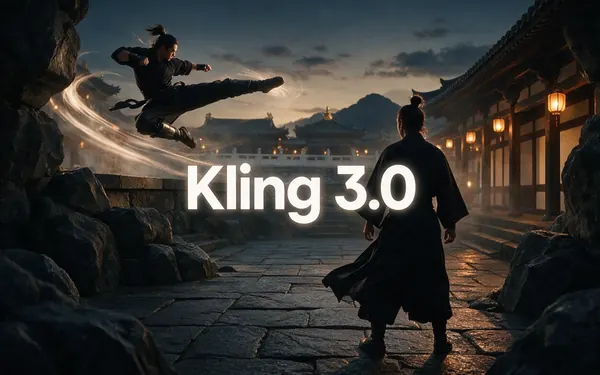
Kuaishou
Kling 3.0
- Input
- Text or image
- Output
- 3–15 s · up to 4K · sound
Expressive motion, martial arts, dance
Open Kling 3.0
Google
Veo 3.1
- Input
- Text, image or 3 references
- Output
- 4, 6 or 8 s · up to 4K · sound
Dialogue and cinematic sound
Open Veo 3.1- Used here

Alibaba
Wan 3
- Input
- Text, image or 10 references
- Output
- 2–30 s · up to 1080p · sound
Long clips; edit and extend
Open Wan 3 
MiniMax
MiniMax H3 Pro
- Input
- Text, image or 9 references
- Output
- 4–15 s · up to 2K
2K clips from references
Open MiniMax H3 Pro
Alibaba
Happy Horse 1.1
- Input
- Text, image or 9 references
- Output
- 3–15 s · 720p or 1080p · sound
Expressive, character-led motion
Open Happy Horse 1.1
The gallery uses Wan 3; the comparison uses Veo 3.1, Kling 3.0, Seedance 2.5 and Wan 3.
Tips
Clips that land
What worked in our tests.
Use reference images for products and recurring characters.
One shot per prompt; join shots afterwards.
Name the sound: music, ambience, a line of dialogue.
Draft on a fast model, finish on a premium one.
Try 9:16 for social and 16:9 for YouTube.
Real people need their permission.
Example uses
How creators use DeeVid AI alternative
Illustrative examples of typical workflows, not customer reviews.
E-commerce marketer
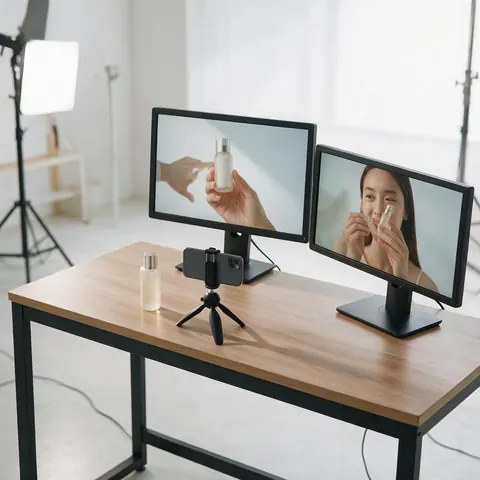
A marketer could keep one product the same across several clips with reference to video, then compare two models.
Travel creator
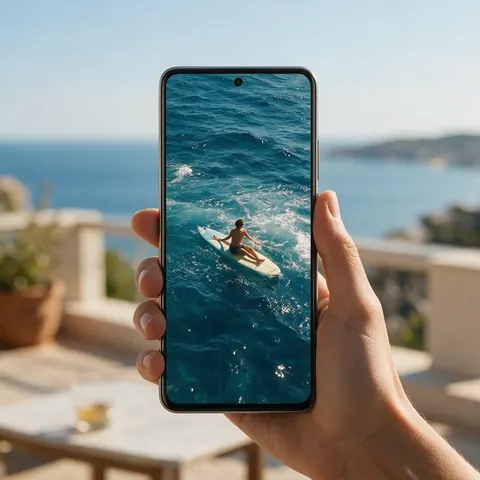
A travel creator could turn holiday photos into short clips with sound for Reels.
Small agency
A small agency could draft ad variations on a fast model and finish the chosen one on a premium model.
FAQ
DeeVid AI Alternative questions
What is the best DeeVid AI alternative?
If you want to choose the model for each clip, Kenerate AI: 57 video models including Kling 3.0, Veo 3.1, Seedance 2.5 and Wan 3, with clips up to 30 seconds and 4K. If you prefer an agent that plans the whole video from templates, DeeVid's own approach fits better.
Link to this answerIs DeeVid AI free?
DeeVid gives new users free credits at sign-up, enough for about 4 videos, and free videos carry a watermark, per its pricing page (checked 2 Oct 2026). Kenerate gives free sign-up credits for images and tools; video models need a one-time credit pack.
Link to this answerWhich models does DeeVid use?
DeeVid's homepage names Veo 3.1, Nano Banana, Sora 2 and Kling among the models it supports. Its pricing page doesn't list per-plan models. Kenerate lists every model in its studio, with length, resolution and sound for each.
Link to this answerDoes Kenerate have a subscription?
No. Kenerate uses one-time credit packs that never expire. DeeVid's Lite, Pro and Premium plans are subscriptions that renew automatically until you cancel, per its pricing FAQ.
Link to this answerCan I keep a product the same across clips?
Yes. Reference to video keeps a product, face or outfit consistent: Seedance 2.5 takes up to 30 reference images and Wan 3 takes images, videos and audio. DeeVid lists cross-video character consistency on its plans.
Link to this answerWhen is DeeVid the better choice?
When you want an agent to plan and assemble a video for you, or one-click trend templates. Kenerate is the better fit when you want to compare models on the same prompt and control each shot.
Link to this answerIn depth
DeeVid AI Alternative, explained
DeeVid AI in 2026
DeeVid AI calls itself an all-in-one AI director for video, image, avatar, voice and music. Its Video Agent plans, creates and iterates on a video, and its plans add 100+ templates and effects, AI ads, AI avatars and AI music. Lite exports 720p; Pro and Premium export 1080p.
Where the two differ
DeeVid hides the model choice behind its agent and templates. Kenerate shows it: you see each model's length, resolution and sound, run one prompt on several, and keep the best clip.
- Pick Kenerate for model choice, 4K and clips up to 30 seconds.
- Pick DeeVid for an agent-led workflow and trend templates.
Explore
Every Kenerate video tool
Generators, tools, models and guides — all in one studio.