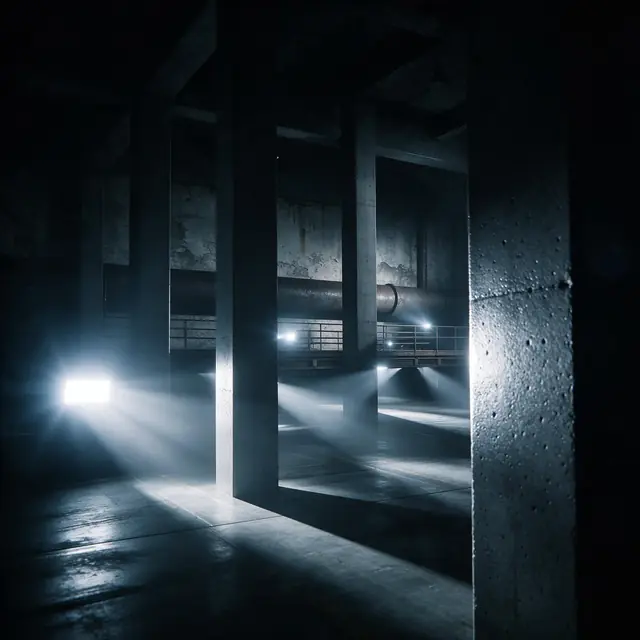
Minimal technoInstrumental130 BPM
Warehouse
Made with ElevenLabs Music v2.5 · Kick, percussion, acid line
—
PromptHypnotic minimal techno instrumental, rumbling kick, metallic percussion, evolving acid line, warehouse vibe, 130 bpm
Every electronic track is built from the same five layers: a tempo, drums, a bassline, synths and an arrangement. Here's how producers build each one — and how to describe them to AI to get a finished track in a minute.
Quick answer
Updated
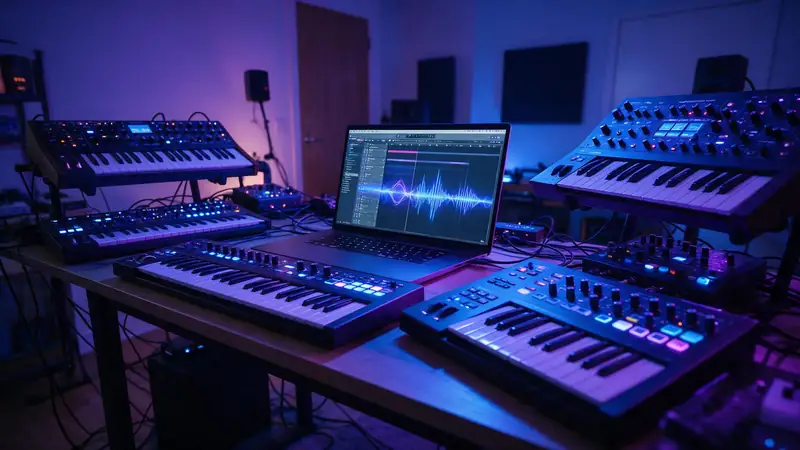
To make electronic music: (1) pick a genre and tempo, (2) program the drums, (3) write a bassline, (4) add synths and a melody, (5) arrange it into intro, build, drop and outro, then mix. Most producers work in a DAW (digital audio workstation) on a computer, with a MIDI keyboard or pads. House sits around 120–128 BPM, techno 125–140, drum & bass 170–176. The AI shortcut: describe those same layers in one sentence in Kenerate's Music Studio (*"minimal techno, rumbling kick, metallic percussion, acid line, 130 bpm"*) and get a finished draft in about a minute — useful for ideas and references. New accounts get 25 free credits.
Listen first
Real, unedited generations — hear how the layers in each prompt show up in the track.
Made with ElevenLabs Music v2.5 · Kick, percussion, acid line
PromptHypnotic minimal techno instrumental, rumbling kick, metallic percussion, evolving acid line, warehouse vibe, 130 bpm
Made with MiniMax Music 3.0 · Build → drop
PromptBig-room EDM festival track, huge build-up, massive drop with punchy kick and lead synth, crowd energy, 128 bpm
Made with ElevenLabs Music v2.5 · Breakbeats
PromptLiquid drum and bass, rolling breakbeats, deep warm bass, lush pads, soulful vocal chops, 174 bpm
Made with ElevenLabs Music v2.5 · Four-on-the-floor
PromptDeep house instrumental, warm sub bass, shuffling hi-hats, soulful chord stabs, late-night club groove, 122 bpm
Anatomy
Electronic tracks are arranged in blocks of 8 or 16 bars.
Change something every 8 bars — add a hat, remove the bass, open a filter — to keep a loop moving.
The genre decides the BPM.
Prompt recipe
Build them in this order — in a DAW or in a prompt.
Each opens the Music Studio in Instrumental mode.
Techno
Hypnotic minimal techno, rumbling kick, metallic percussion, evolving acid line, 130 bpm
Use this promptHouse
Deep house, warm sub bass, shuffling hats, soulful chord stabs, 122 bpm
Use this promptElectro
Electro beat, punchy 808 drum machine, robotic synth bass, vocoder hook, 128 bpm
Use this promptBig room
Big-room EDM, huge build-up, massive drop, punchy kick, lead synth, 128 bpm
Use this promptDnB
Liquid drum and bass, rolling breakbeats, warm bass, lush pads, 174 bpm
Use this promptSynthwave
Retro synthwave, pulsing arpeggios, gated drums, analog bass, 100 bpm
Use this promptHow to
Tips
Electro specifically — the 808-and-robot sound.
Engines
Facts from the app's engine list.
| Engine | Length | Modes | Good for |
|---|---|---|---|
| ElevenLabs Music v2.5ElevenLabs | Exact length, 10 s–10 min | Song · Lyrics · Instrumental | Set the exact duration; clean studio mix |
| MiniMax Music 3.0MiniMax | Up to 4 min | Song · Lyrics · Instrumental | Follows [Verse]/[Chorus] section tags closely |
| Ken Music 1.5Kenerate | Up to ~3 min | Song · Lyrics · Instrumental | Default engine: full songs with vocals in any language; can take an image as inspiration |
| Mureka V9.5Mureka | Up to 4 min | Song · Lyrics · Instrumental | Writes its own lyrics from a prompt; style chips; MP3/WAV/FLAC |
Pick the engine in the Music Studio's composer. Every engine runs on the same credit balance.
Make your first track — 25 free credits on sign-up.
Start free
The same credits work for music, voice, images and video.
Test on your own images before you buy anything.
One-time packs — use them this week or next year.
Nothing to cancel. Free results download clean.
The same credits work across images, video, voice and 3D.
In depth
What works, what to avoid, and how the pieces fit.
What most people start with:
AI is a fast sketchpad: generate references in the style you're aiming for, try ten drops in the time it takes to program one, then build your final version in the DAW. Mureka engines export WAV/FLAC if you want to work with the audio.
FAQ
6 questions
Pick a genre and tempo, program drums, write a bassline, add synths and a melody, then arrange the parts into intro, build, drop and outro and mix. Most producers do this in a DAW.
Install a DAW, learn its drum sequencer and piano roll, start with a 4-bar drum loop, add bass and chords, then arrange. A MIDI keyboard helps but isn't required.
Use a drum-machine kit (808 kick, clap, hats), syncopate the kick, add a robotic synth bass and a vocoder hook, around 125–130 BPM.
Start from the song's stems or acapella (with permission), set your tempo, build new drums and bass around the vocal, and arrange with builds and drops. Kenerate generates original tracks rather than remixing existing songs.
Yes — describe the genre, drums, bass, synths and tempo in one sentence and the Music Studio generates a finished instrumental draft in about a minute.
It depends on the genre: house 120–128, techno 125–140, trance 130–140, dubstep 140–150 (half-time), drum & bass 170–176.
Explore
Songs, lyrics, genres, instrumentals and cover art — one studio, one credit balance.
Written by the Kenerate AI team
We build and run the Kenerate Music Studio. Every demo on this page is a real output of the engine named on it, made from the prompt shown; engine facts were checked against the app's code. Last updated 28 September 2026. Corrections: support@kenerateai.com.
Ready when you are
25 free credits on sign-up. No watermark. Credits never expire.