

glTF 2.0 · PBR · nothing uploaded
Free online GLB viewer
Open a .glb straight from an AI generator, a game asset pack or Sketchfab and see it with its own textures and materials. Draco and Meshopt compressed files open too.
- Textures and PBR materials as authored
- Draco + Meshopt compression supported
- Clay mode to check the bare mesh
- Free — the file stays on your device
Updated by the Kenerate AI team
On this page
Quick answer
Updated
What is a GLB viewer?
A GLB viewer is a tool that opens .glb files, the single-file binary form of glTF 2.0 that holds a mesh with its PBR materials and textures. Kenerate's free GLB viewer runs in your browser with three.js: orbit the model, switch to clay or wireframe, and read its triangle and mesh counts. Nothing is uploaded.
Key facts
- Price
- Free, no account
- Opens
- GLB (glTF 2.0 binary, Draco / Meshopt compressed), plus STL, OBJ, FBX, 3MF, PLY
- Materials
- glTF PBR metallic-roughness with embedded textures
- Views
- Textured · Clay · Wire · Normals
- Save as
- STL, 3MF, OBJ, GLB, PLY, USDZ
- Privacy
- Parsed locally — no upload
Why this tool
See a GLB the way it was authored
glTF was designed for real-time display, so a browser is its natural home. This viewer shows the textures first, then lets you strip them away.

Materials as authored
Base colour, metal-roughness, normal and emissive maps from the file are applied, under a neutral studio light with tone mapping.
Try it
Strip it to the mesh
Clay and wireframe show whether an AI model or asset has clean geometry under a convincing texture — the thing that matters for printing and rigging.
Try it
Also
What else it does
Compressed files open
Draco and Meshopt-compressed GLBs, common on the web and from optimisation tools, decode in the page.
Counts that matter
Triangles, vertices, mesh and material counts tell you if an asset fits a web, mobile or game budget.
Quick AR copy
Save the same model as USDZ for AR Quick Look on iPhone and iPad.
Ready for print
Save as STL or 3MF, scaled to a size in millimetres and turned Z-up for slicers.
How it works
How the GLB viewer renders a file
The same glTF loader used by thousands of three.js sites, running entirely in your tab.
Unpack
The GLB container is split into its JSON scene description and binary buffer, textures included.
Decode
Draco or Meshopt compressed meshes are decoded by WebAssembly decoders on your device.
Materials
PBR textures are applied in sRGB with ACES tone mapping and a soft studio light rig.
Inspect
Orbit, switch shading, read the stats, screenshot or convert.
How to
How to use the GLB Viewer
- Time needed
- Steps
- 4 steps
Step 1
Open the GLB
Drag the .glb onto the box above or click to choose it. Or try the sample astronaut made with Tripo H3.1.
Step 2
Orbit around it
Drag to rotate, scroll or pinch to zoom, right-drag to pan.
Step 3
Inspect the mesh
Switch between Textured, Clay, Wire and Normals and read the triangle count.
Step 4
Export if needed
Pick STL, 3MF, OBJ or USDZ and download — or take a PNG screenshot.
Watch the tour · 1:48
Text, photo or multi-view to a textured GLB, nine engines, the viewer & lighting, compare engines, gallery, download & chat
Chapters
Who uses it
Who opens GLB files
AI 3D creators
Check what Tripo, Meshy, Rodin or Hunyuan 3D gave you before you download other formats.
Web and AR developers
Preview an asset before it goes into three.js, model-viewer or Babylon.js.
Game artists
Sanity-check textures and polycount of a glTF export from Blender.
Clients and reviewers
Open a delivered model without installing Blender.
File formats
The formats this tool reads and writes
What each file can hold, what it can't, and where it opens. Facts link to the format's own spec or reference page.
| .glb · GLB | .gltf · glTF | .usdz · USDZ | |
|---|---|---|---|
| Full name | glTF 2.0 Binary | GL Transmission Format | Universal Scene Description (zipped) |
| Made by | Khronos Group, 2017 (glTF 2.0) | Khronos Group, 2017 (2.0) | Pixar / Apple, 2018 (USDZ) |
| Kind | Single-file scene with PBR materials | JSON scene + .bin + textures | Zipped USD package |
| Holds | Meshes and PBR materials, Textures in the same file, Animation and skins | Meshes and PBR materials, Animation and skins | Meshes and PBR materials, Textures in the package |
| No | Units beyond metres, CAD precision | Single-file convenience (use GLB) | Broad support outside Apple and DCC tools |
| Best for | Web, AR and real-time apps — the “JPEG of 3D” | Web and real-time engines | AR Quick Look on iPhone and iPad |
| Opens in | Browsers (three.js, model-viewer), Blender, Unity, Unreal, Godot | Browsers, Blender, Unity, Unreal, Godot | iOS / iPadOS / macOS Quick Look, Reality Composer, Blender |
No file yet?
Make the model first — from one photo
Every sample in the tool above began as a single picture and was turned into a 3D model in the Kenerate 3D Studio. The engine is named on each one.
Example uses
How creators use the GLB viewer
Illustrative examples of typical workflows, not customer reviews.
Web developer
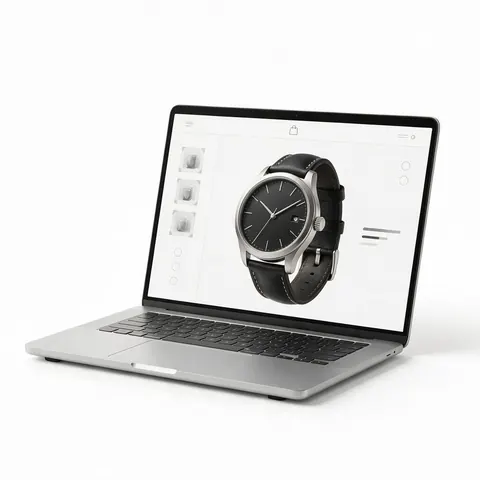
A web developer can preview an asset with its materials before it goes into a three.js or model-viewer page.

Game artist
A game artist can sanity-check textures and polycount of a glTF export before handing it over.

Client reviewer
A client can open a delivered model in the browser without installing any 3D software.
FAQ
GLB Viewer questions
9 questions
What is a GLB file?
GLB is the binary, single-file form of glTF 2.0, the Khronos Group's format for real-time 3D. It holds meshes, PBR materials, textures and animation in one file.
Link to this answerCan I open a .gltf file here?
Upload the .glb version. A .gltf is a JSON file that usually points to separate .bin and texture files, which a single-file upload can't include.
Link to this answerIs my GLB uploaded?
No. It's read and rendered in your browser. Only the sample model comes from our server.
Link to this answerDoes it support Draco compression?
Yes. Draco and Meshopt compressed GLB files are decoded on your device.
Link to this answerWhy does my model look darker or brighter than in Blender?
Lighting and tone mapping differ between viewers. Use Clay mode to judge the shape, and Textured for a fair impression of the materials.
Link to this answerDoes the viewer play animations?
Not yet — the model is shown in its rest pose. Exports also contain the static mesh only.
Link to this answerCan I convert GLB to STL here?
Yes. Choose STL or 3MF, optionally set the size in millimetres and Z-up, and download. Colour and textures are dropped because STL can't hold them.
Link to this answerCan Blender open GLB files?
Yes. Blender imports GLB with File → Import → glTF 2.0 (.glb/.gltf), keeping meshes, PBR materials, textures and animation. Open it in this viewer first if you just want to check what's inside without starting Blender — the triangle count tells you whether to decimate it.
Link to this answerWhere can I get GLB models?
Most AI 3D generators output GLB. The Kenerate 3D Studio makes GLB models from text or photos on any paid plan or credit pack.
Link to this answerIn depth
GLB Viewer, explained
What the formats really store, what changes when you convert, and how to avoid the usual print and import problems.
On this page
Why GLB became the default for AI and web 3D
glTF 2.0, released by the Khronos Group in June 2017, was designed to be loaded straight onto the GPU with little processing [4]. GLB packs the JSON, buffers and textures into one binary file [8].
That makes it easy to send, cache and display, which is why AI 3D engines, model-viewer and most web engines use it first.
PBR materials in plain words
glTF's core material is metallic-roughness PBR: a base colour, how metallic a surface is, how rough it is, and optional normal, occlusion and emissive maps [8]. Because these values are physically based, a GLB looks broadly similar across viewers.
Units and orientation
glTF uses metres and a Y-up, right-handed coordinate system [8]. 3D printers and CAD tools usually work Z-up in millimetres — which is why the export options can scale the model and turn it Z-up for STL, 3MF and OBJ.
What a GLB can't do
GLB isn't a CAD format: it has no parametric history or exact curves, only triangles. For printing you'll convert it to STL or 3MF; for AR on Apple devices, to USDZ [9].
Keep going
Other 3D viewers and converters
- 3D Model ViewerOpen STL, OBJ, FBX, GLB, 3MF, PLY
- STL ViewerView STL files online
- OBJ ViewerWavefront OBJ in your browser
- FBX ViewerAutodesk FBX, no install
- 3D Model ConverterAny format to STL, OBJ, GLB, 3MF, USDZ
- 3MF to STLSlicer projects to plain STL
- GLB to STLAI models ready to print
- OBJ to STLMeshes for any slicer



Try the GLB Viewer
Free and private — your files never leave your device. Want to make models with AI? That's the 3D Studio, on any paid plan or credit pack.
Tried it? Tell us how it went