Same face · any age
AI Age Progression — see yourself older or younger
Upload a clear photo and see yourself at 50, 70 or back in your twenties. The AI changes skin, hair and lines; your eyes, smile and face shape stay yours.
- Older or younger
- Keeps your face
- Free credits
- No watermark
Updated by the Kenerate AI team
On this page
Quick answer
What is AI age progression?
AI age progression edits a photo of an adult to show them at another age — older with lines and grey hair, or younger with smoother skin — while keeping the same face. Upload a clear portrait, say the target age and add “keep the same face and skin tone”. Kenerate AI's Seedream 5.0 Pro handled 50, 70, 22 and 60 in our tests.
Key facts
- Ages tested
- 22 · 50 · 60 · 70
- Direction
- Older and younger
- Best results
- Seedream 5.0 Pro
- Oldest ages
- Check the skin tone
- Photos
- Adults only
- Free start
- Starter credits
- Watermark
- None
Gallery
Two faces, four ages
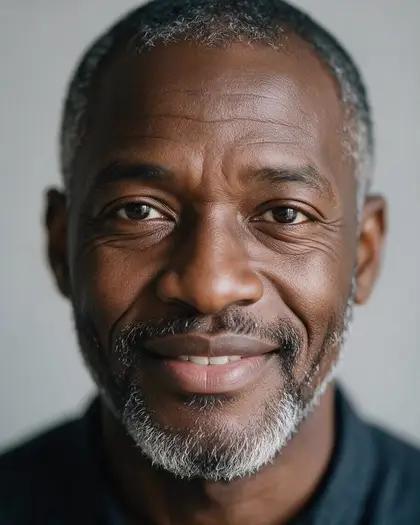
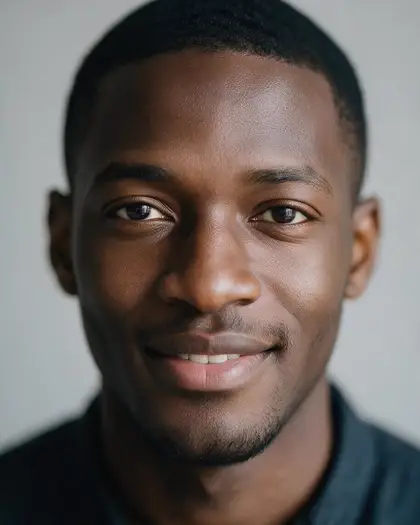
Real Seedream 5.0 Pro edits of two fictional adult portraits — three years forward, one back. Open any one to copy the prompt.
Same prompt
One face, three ages
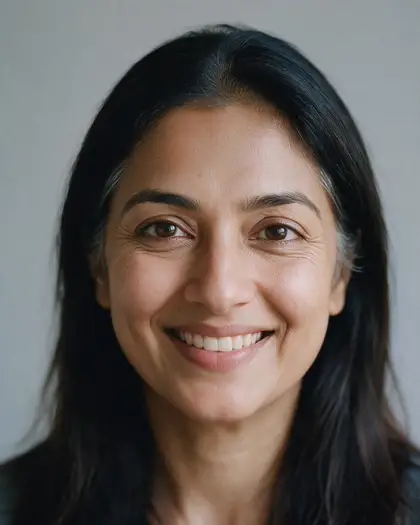
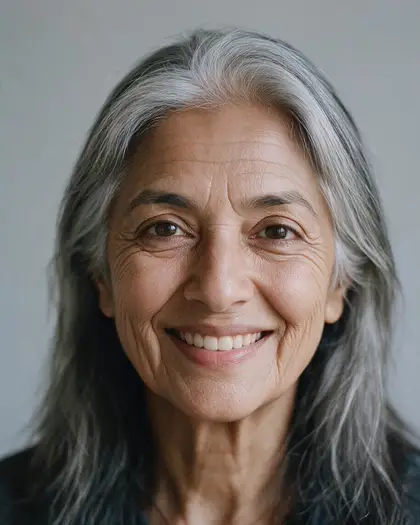
The original portrait at 28, then about 50 and about 70 from one-sentence prompts. Her eyes, smile and face shape stayed the same.
PromptAge this woman to about 70 years old: visible wrinkles, mostly grey hair in the same long style. Keep exactly the same warm medium-brown skin tone as the photo — do not lighten the skin. Keep her identity, face shape, eye shape, smile, expression, clothing, the background and lighting the same.
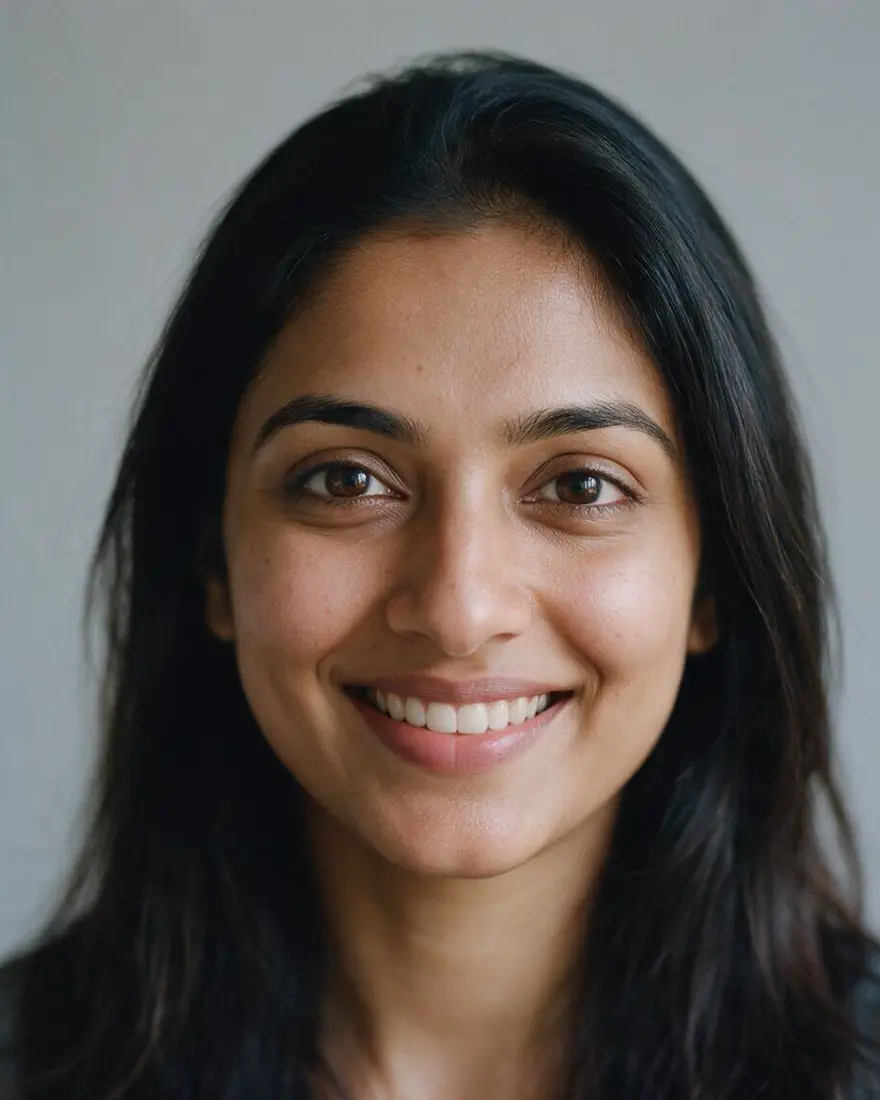 PhotoAge 28
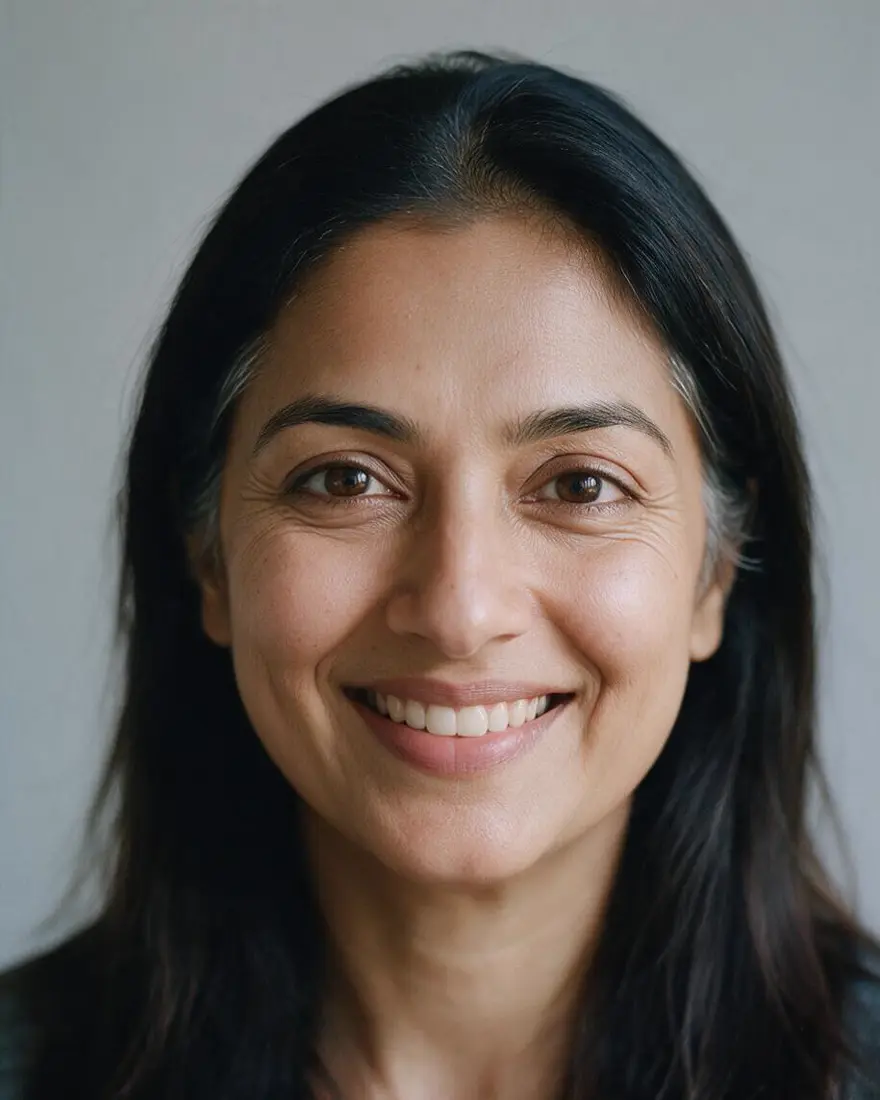 About 50Seedream 5.0 Pro edit
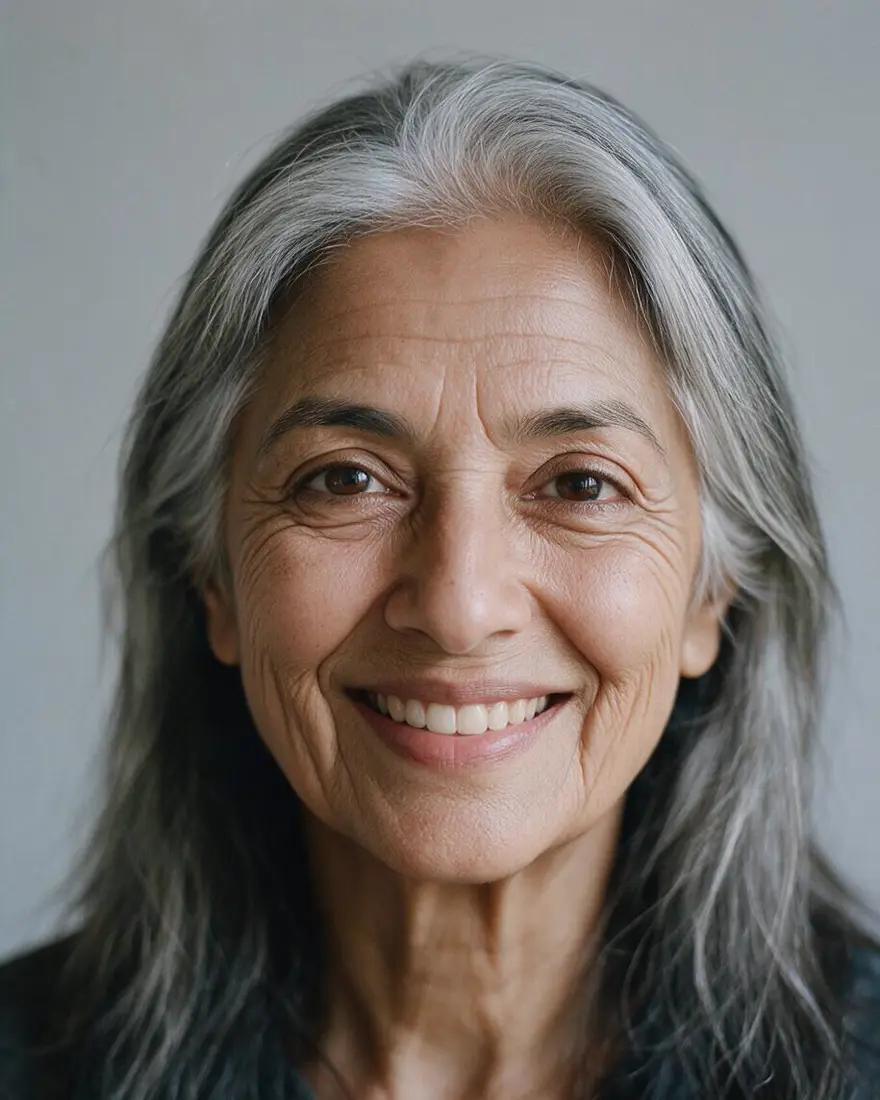 About 70Seedream 5.0 Pro edit
How to
How to use the AI age progression
- Time needed
- Steps
- 4 steps
Step 1
Upload your photo
In /app/image, add a clear front-facing photo of an adult. Sign in free for starter credits.
Step 2
Pick Seedream 5.0 Pro
It kept the face best in our tests; Qwen Image 3.0 is the free-plan option.
Step 3
Say the age and what stays
“Age me to about 60, grey beard. Keep the same face, skin tone and background.”
Step 4
Compare and download
Try a few ages side by side and download without a watermark.
See it in the app

Open Edit Studio and upload an image, or pick one from your history.


Watch the tour · 1:23
Prompts, styles, references, edit, Arena & chat
Chapters
Tips
Get a believable older (or younger) you
What worked — and what didn't — in our tests.
Give a number: “about 60 years old” beats “old”.
Name the changes: fine lines, grey at the temples, a white beard.
Always add “keep exactly the same skin tone” — at 70 and older the model lightened skin until we did.
Past about 80, check the result: our 80- and 85-year edits drifted to a different face, so we left them out.
Use a sharp, front-facing photo in even light; the same framing makes a clean side-by-side.
Going younger works best within 10–15 years; adults only.
Models
Models for age edits
What each model is good at. Open any one straight in the generator.

ByteDance
Seedream 5.0 Pro
- Reference images
- Up to 10
- Output
- Up to 2K
Open Seedream 5.0 ProBest for
Used here; kept the face up to about 70
Google
Nano Banana 2.1
- Free plan

FAQ
AI Age Progression questions
7 questions
How do I see what I'll look like when I'm older?
Upload a clear, front-facing photo, name the age — “about 60 years old” — and the changes you expect, such as fine lines and grey at the temples, then add “keep the same face and skin tone”. Seedream 5.0 Pro kept the face recognisable at 50, 60 and 70 in our tests. It's an illustration, not a prediction.
Link to this answerHow accurate is AI age progression?
It shows a plausible older version of you, not a forecast. Real ageing depends on genes, sun, smoking, weight and health, which a photo can't show. In our tests the eyes, smile and face shape stayed recognisable up to about 70; past 80 the model started changing the face itself, so treat the oldest ages as rough.
Link to this answerCan AI make me look younger?
Yes, within reason. Our 30-year-old example came back about 22 — smoother skin, a lighter beard, the same face. It works best within 10–15 years. Use photos of adults only and keep the target age adult — prompts involving minors are blocked.
Link to this answerWill it keep my skin tone?
Say so in the prompt. Without “keep exactly the same skin tone”, Seedream 5.0 Pro lightened the skin of both people in our tests at 70 and older. With that line the 70-year-old edit kept her tone; at 80–85 it still drifted, so we didn't use those results. Check older edits before you share them.
Link to this answerIs AI age progression free?
Free to start. A new Kenerate account gets starter credits on sign-up, which also work on Qwen Image 3.0, a free-plan model. Seedream 5.0 Pro, which kept faces best in our tests, uses credits from one-time packs that never expire — no subscription. Downloads carry no watermark.
Link to this answerCan I age a photo of a child?
No. This tool is for photos of adults, and prompts involving minors are blocked on Kenerate. Age progression of missing children is forensic work done by trained specialists, not by an online photo tool.
Link to this answerCan I use someone else's photo?
Only with their permission. An age edit still changes a real person's likeness, so ask first and share the result only with their consent. Never use it to impersonate anyone.
Link to this answerIn depth
AI Age Progression, explained
What works, what to avoid, and how to pick a model.
How AI age progression works
An instruction-based image editor takes your photo and repaints only what the prompt asks for — skin texture, lines, hair colour, a beard — while copying the rest. Naming what must stay (face shape, eyes, smile, skin tone, background) is what keeps the result looking like the same person.
Age apps that offer presets do the same thing with a fixed prompt. Writing your own lets you choose the exact age and details, such as a grey beard or no glasses.
What we saw at different ages
Six Seedream 5.0 Pro edits of two fictional adults, plus three re-runs:
- About 50 and about 60: recognisably the same person on the first try.
- About 22 (younger): same face, smoother skin, lighter beard on the first try.
- About 70: the first try lightened her skin; “keep exactly the same skin tone” fixed it.
- About 80–85: skin still drifted lighter and the man's face changed, even with that line — not shown on this page.