Upbeat Woman
MiniMax Speech 2.8 HD · MiniMax
EnglishHappy
I can't believe it's finally here. After all this time, it's really happening.
Emotion: happy
0:05
Plain-English guide · live demos
TTS turns written text into spoken audio. Here's how neural text to speech works, what it's used for, and how four of today's engines sound reading the same sentence — press play and hear the difference.

Updated by the Kenerate AI team
On this page
Quick answer
Updated
Text to speech (TTS) is technology that converts written text into spoken audio. Modern neural TTS normalizes the text, predicts the sounds, rhythm, pitch and pauses of a voice, then generates the audio waveform. It powers screen readers, voice assistants, audiobooks, voice-overs and phone menus, and today's best engines can add emotion, whispers and laughter.
Listen first
Neural TTS can change how a line feels without changing the words. Same voice, same script — only the emotion setting differs.
MiniMax Speech 2.8 HD · MiniMax
I can't believe it's finally here. After all this time, it's really happening.
Emotion: happy
MiniMax Speech 2.8 HD · MiniMax
I can't believe it's finally here. After all this time, it's really happening.
Emotion: sad
Same script
The same sentence read by MiniMax, ElevenLabs, Qwen3 and Kling. Listen for pacing, emphasis and breaths.
Text to speech turns written words into spoken audio. Modern systems predict not just the sounds, but the rhythm, the pauses and the emotion of a real speaker.
MiniMax
Expressive Narrator · MiniMax Speech 2.8 HD
ElevenLabs
Roger · ElevenLabs Eleven v3
Qwen3
Aiden · Qwen3 TTS
Kling
Calm Storyteller · Kling V1 TTS
Real outputs with default settings. Bar length is the real clip length — engines choose different speaking rates for the same text.
How to
Step 1
Up to 10,000 characters per clip on MiniMax and ElevenLabs Multilingual v2 (5,000 on Eleven v3 and Qwen3). Punctuation shapes the pauses.
Step 2
Filter 555 preset voices by gender, language and use case, and press play on any voice to preview it.
Step 3
Set speed, pitch and emotion (MiniMax) or stability (ElevenLabs), or add tags like [whispers] and (laughs).
Step 4
Get an MP3 (or WAV/FLAC on MiniMax) with no watermark; every clip is saved to your history.
See it in the app

Open Voice Studio in Text to speech and type the words you want spoken, or start from a script template.
Text to speech, emotions & tags, Hindi, voice design, cloning & chat
Chapters
How it works
Five stages turn characters into sound. The middle one — the acoustic model — is where the leap in quality happened.
Your script, with punctuation, numbers and any tags like [whispers] or (laughs).
“4.5 kg” becomes “four point five kilograms”, “Dr.” becomes “doctor”, dates and units are spelled out.
A neural network predicts sounds, rhythm, pitch and pauses for the chosen voice — the part that makes it sound human.
Turns that prediction into an actual waveform, thousands of samples per second.
An MP3 or WAV you can play, download and drop into a video, course or podcast.
Use cases
From accessibility to entertainment.
Reading interfaces and documents aloud for blind and low-vision users.
Faceless channels, explainers and recaps — keep one voice across every upload.
Long reads up to 10,000 characters per clip on MiniMax; split chapters into clips and keep the same voice.
Course narration that stays consistent when you edit a slide next month.
Short, punchy reads; try three voices in a minute and keep the one that sells.
Clear greetings and IVR prompts in the languages your callers speak.
Engines
The four engine families in the Kenerate Voice Studio. Facts from the app's code.
MiniMax
Most natural MiniMax voice; 7 emotions, (laughs)/(sighs) interjections, pronunciation dictionary
Open MiniMax Speech 2.8 HD
ElevenLabs
Most expressive; audio tags like [whispers], [laughs], [excited]
Open ElevenLabs Eleven v3
ElevenLabs
Lifelike and consistent over long reads
Open ElevenLabs Multilingual v2
Alibaba Qwen
9 characterful voices plus a free-text style prompt
Open Qwen3 TTS
Kuaishou Kling
46 character and dialect voices for short lines
Open Kling V1 TTSControls
Neural engines expose settings that older systems never had.
MiniMax voices. 1× is the natural pace; 0.85–0.95× suits narration and learners, 1.1–1.2× suits ads and recaps.
MiniMax voices, in semitones. A few steps down sounds bigger and older; a few up sounds lighter and younger.
MiniMax: neutral, happy, sad, angry, fearful, disgusted, surprised — the same words, a different read.
MiniMax 2.8 reads 13 cues like (laughs), (sighs), (breath); ElevenLabs Eleven v3 reads audio tags like [whispers], [excited], [sarcastic].
ElevenLabs. Lower = more expressive and varied between takes; higher = steadier and more even.
MiniMax lets you pick the format and sample rate (16–44.1 kHz); every clip downloads without a watermark.
Scripts
These trip up weaker engines. Try them on any voice.
Homographs
I read the book yesterday, and I'll read it again tomorrow. The wind was too strong to wind the sail.
Numbers & symbols
Call 555-0142 before 9:30 a.m. — tickets are $19.99, or 2 for $35.
Questions vs statements
You finished it already? You finished it already.
Emotion tags (Eleven v3)
[sighs] Okay. [excited] Wait — we actually won? [laughs] No way!
Tips
Whatever tool you use, the same habits help.
Write for listening: short sentences, one idea each.
Punctuation is the pause control — commas, full stops, ellipses.
Spell out anything ambiguous: abbreviations, years, units.
Choose the voice for the job, not just the one that sounds nicest.
Test with tricky lines (numbers, names) before generating a long script.
Label synthetic narration where your platform asks you to.
Example uses
Illustrative examples of typical workflows, not customer reviews.
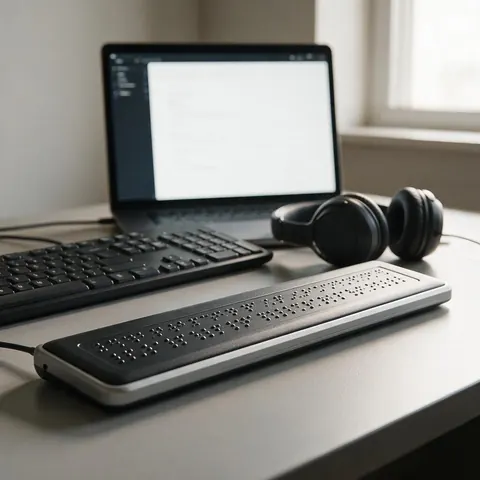
An accessibility tester can hear how documents and interfaces sound when read aloud and catch numbers or abbreviations a voice reads wrong.
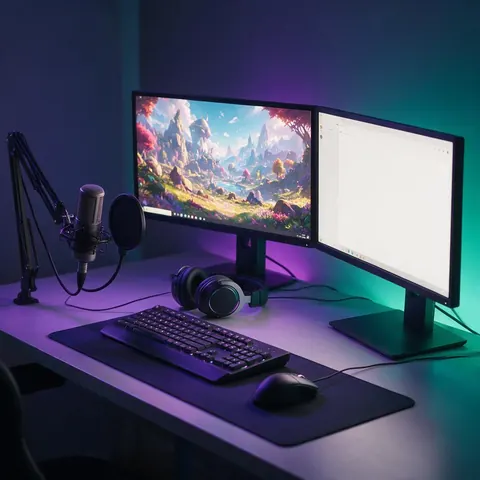
A streamer can understand how chat TTS works and pick a natural voice to read viewer messages aloud.
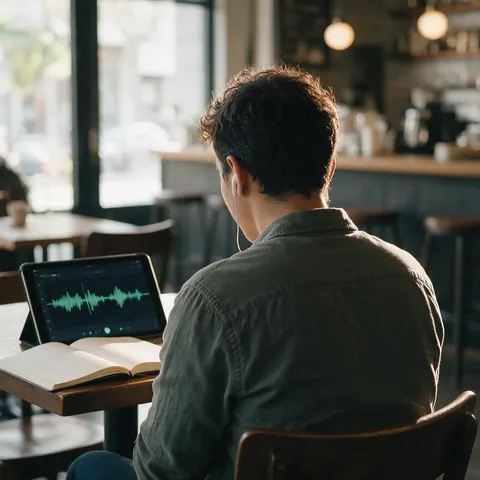
An adult language learner can type tricky sentences and listen to how a neural voice pronounces them, then repeat after it.
FAQ
9 questions
TTS stands for text to speech: software that reads written text aloud in a synthetic voice. In games, streams and chat apps, “TTS” often refers to a feature that reads messages aloud.
Link to this answerNeural TTS uses deep-learning models, rather than stitched recordings or hand-written rules, to predict how text should sound and to generate the audio waveform. It's what makes modern voices sound human.
Link to this answerThe text is normalized (numbers, abbreviations), converted into a representation of sounds, then an acoustic model predicts pitch, timing and tone for the chosen voice, and a vocoder or decoder generates the audio.
Link to this answerText to speech turns writing into audio. Speech to text (transcription) turns audio into writing. They're opposite directions.
Link to this answerIn Kenerate: open the Voice Studio, paste your text, pick a voice, adjust speed or emotion if you like, and press Generate. Download the MP3. On phones and computers, built-in screen readers also read text aloud.
Link to this answerBuilt-in system voices on phones and computers are free. For natural AI voices you can download, Kenerate gives free credits on sign-up.
Link to this answerType a sentence into the box at the top of this page and press the button — or try the tricky test sentences above (numbers, homographs, questions) to see how well a voice handles them.
Link to this answerModern neural text to speech is a form of generative AI: the model generates a new audio waveform for your text instead of playing back stored recordings. Older systems stitched recorded fragments together or followed hand-written rules, which is why they sounded robotic. Engines like ElevenLabs Eleven v3 and MiniMax Speech 2.8 are generative models trained on large amounts of recorded speech.
Link to this answerA text to speech model is the neural network that turns text into speech audio. Kenerate's Voice Studio runs several: MiniMax Speech 2.8 HD and Turbo, ElevenLabs Eleven v3, Multilingual v2 and Flash v2.5, Qwen3 TTS and Kling V1 TTS. Each has its own voices, languages and character limit, so the same sentence sounds different on each, as the side-by-side demos on this page show.
Link to this answerIn depth
What works, what to avoid, and how the pieces fit.
Machines have “spoken” since the 18th century, but electronic speech synthesis took off in the second half of the 20th [1]. Early systems used formant synthesis (rule-based sound generation) or concatenation (stitching together recorded sound units), which is why they sounded mechanical.
In 2016 DeepMind's WaveNet showed that a neural network could generate raw audio one sample at a time and sound far more natural than previous systems [2]. Since then, neural models have become standard, and the newest engines add controllable emotion and non-speech sounds.
Most neural TTS systems have the same building blocks:
Screen readers use TTS so blind and low-vision users can hear interfaces and documents [4]. Beyond accessibility, it powers voice assistants, navigation, phone menus, audiobooks, e-learning and the voice-overs on millions of videos.
Free to start. No watermark. Download every clip.
Tried it? Tell us how it went