







Skip to content
Logo background remover · 25 free credits

Remove the background from a logo — transparent PNG

Turn a logo JPG, a screenshot or a photo of a printed logo into a transparent PNG. Thin lines and small lettering stay sharp; no white box on dark backgrounds.

  • Thin lines kept
  • Works from photos
  • No white box
  • Transparent PNG, no watermark
Green mountain SUMMIT logo on a white background — original photo
Green mountain SUMMIT logo on a white background — background removed
BEFOREAFTER

Kenerate Cutout HD · Logo JPG

Try this photo
  • Kenerate Cutout
  • Cutout HD · hair & glass
  • Object Pick · keep what you name
  • Magic Eraser
  • AI Edit · Qwen Image 2.0
  • Edit Text in Image · GPT Image 2
  • White, black & colour backdrops
Logo JPG — background removed
Logo on paper — background removed
Sticker art — background removed
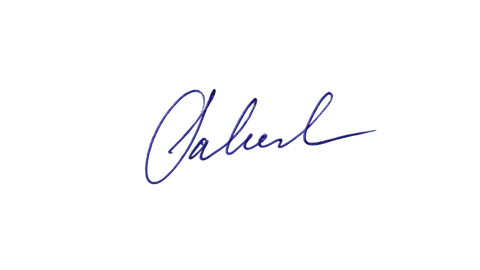
Signature — background removed
White on white — background removed
Glass bottle — background removed
Logo JPG — background removed
Logo on paper — background removed
Sticker art — background removed
Signature — background removed
White on white — background removed
Glass bottle — background removed

Quick answer

Updated

To make a logo transparent, upload the logo (JPG, PNG, WEBP or a photo of it) to Kenerate, run Cutout HD so thin lines and small text stay sharp, and download a transparent PNG. If you have the original vector file, export an SVG instead — it stays sharp at any size.

Best mode
Cutout HD for fine edges
Keeps
Thin lines, small text, soft edges
Best format
SVG if vector; otherwise PNG
Free to start
25 credits on sign-up

Real results

See it on real photos

Every slider is a real Kenerate result. Drag to compare, then run the same photo yourself.

  1. Green mountain SUMMIT logo on a white background — before
    Green mountain SUMMIT logo on a white background — after
    BeforeAfter

    01Logos

    Logo JPG to transparent PNG

    A flat logo lifted off its white background.

    Kenerate Cutout HD

    Cut this photo out
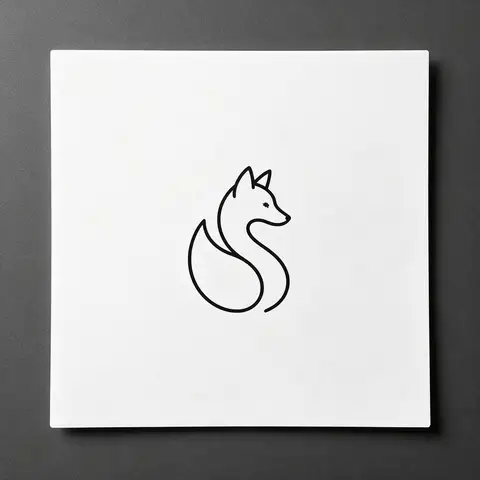
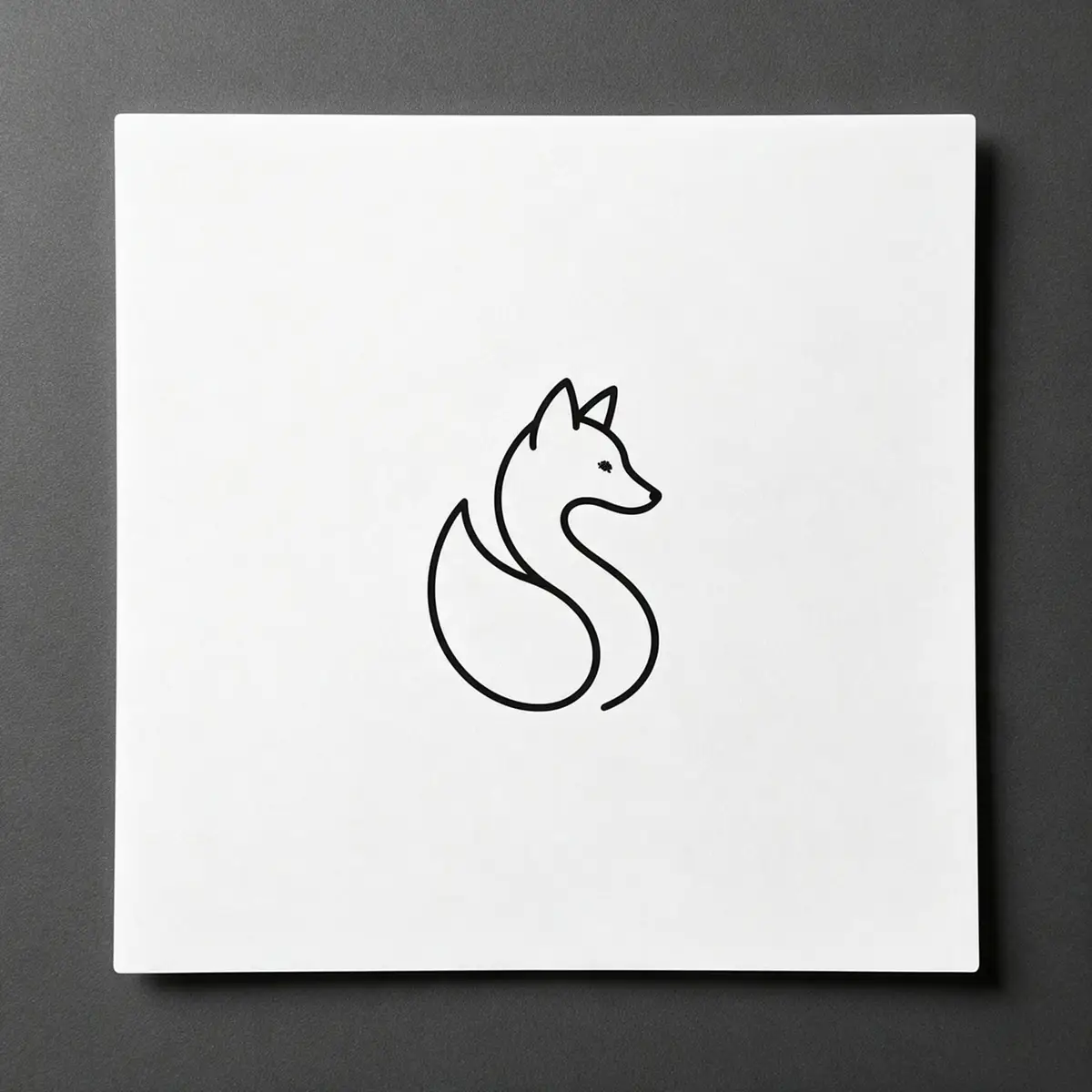
  2. Black line-art fox logo printed on white paper — before
    Black line-art fox logo printed on white paper — after
    BeforeAfter

    02Logos

    A logo on paper, made transparent

    Line-art printed on paper, turned into a clean transparent PNG.

    Kenerate Cutout HD

    Cut this photo out
  3. Cartoon orange cat sticker on a white background — before
    Cartoon orange cat sticker on a white background — after
    BeforeAfter

    03Clip art

    Sticker art, transparent

    A cartoon sticker cut out with its white outline intact.

    Kenerate Cutout HD

    Cut this photo out

Real results

What logos can it make transparent?

A logo JPG, a logo printed on paper and sticker art — each made transparent with Cutout HD.

Try it free
  • Green mountain SUMMIT logo on a white background — background removed with Kenerate Cutout HDCutout HD

    Logo JPG

  • Black line-art fox logo printed on white paper — background removed with Kenerate Cutout HDCutout HD

    Logo on paper

  • Cartoon orange cat sticker on a white background — background removed with Kenerate Cutout HDCutout HD

    Sticker art

Step by step

How do I make my logo background transparent?

  1. Step 1: Upload the logo

    The biggest, sharpest version you have — JPG, PNG, WEBP or a photo.

    Tip: Photographing a printed logo? Shoot straight on, in even light, filling the frame.

  2. Step 2: Run Cutout HD

    The background is removed; lines and lettering are kept.
  3. Step 3: Download and test

    Download the PNG and check it on a dark and a light background.
Black line-art fox logo printed on white paper — original photo
Black line-art fox logo printed on white paper — background removed
BEFOREAFTER

Logo photographed on paper — the paper and its shadow removed, the line art kept.

Choosing a format

Should my logo be PNG or SVG?

SVG is a vector format: tiny, and sharp at any size. If a designer gave you the original logo file (AI, EPS, PDF or SVG), export an SVG — nothing beats it for websites and print.

PNG with transparency is the universal option when all you have is a JPG, a screenshot or a photo. Make it large — at least twice the size it will be shown at — so it stays crisp on high-resolution screens.

Avoid JPG for logos: it can't be transparent and blurs sharp edges.

Common sizes

What size should a transparent logo PNG be?

Export at least twice the display size for sharp results on retina screens.

  • Website header

    Shown at
    ~250 px wide
    Export PNG at
    500–1000 px wide
  • Social profile picture

    Shown at
    ~170–400 px
    Export PNG at
    800 × 800 px, square
  • Favicon

    Shown at
    16–48 px
    Export PNG at
    512 × 512 px, square icon only
  • Slides & documents

    Shown at
    Varies
    Export PNG at
    1000–2000 px wide
  • Print

    Shown at
    Physical size
    Export PNG at
    Use SVG or 300 DPI at print size

Only have the logo as a JPG? Make it transparent now — 25 free credits.

Methods compared

AI vs Color to Alpha vs redrawing the logo

From quickest to most exact.

  • Kenerate Cutout HD

    Works from a photo
    Yes
    Keeps white parts of the logo
    Yes
    Sharp at any size
    No
    Time
    About 5 s
  • Color to AlphaGIMP

    Works from a photo
    Clean scans only
    Keeps white parts of the logo
    No
    Sharp at any size
    No
    Time
    2–5 min
  • Redraw as vectordesigner

    Works from a photo
    Yes
    Keeps white parts of the logo
    Yes
    Sharp at any size
    Yes
    Time
    Hours

Look closer

Check the lettering up close

Small text is where logo cut-outs fail. Zoom in: the letter edges are clean, with no white fringe.

  • Letter edges kept crisp
  • No white box or fringe
  • Works on light and dark backgrounds

Move your pointer over the image to zoom into the edge.

Green mountain SUMMIT logo on a white background — cut out with Kenerate Cutout HD. The checkerboard is transparent.

Before you start

Can I remove the background from any logo?

Use this on logos you own or are allowed to use. Removing or altering other companies' trademarks, or stripping watermarks from someone else's work, can break copyright and trademark rules.

Use cases

Who needs a transparent logo

Common jobs, with the real before and after.

  • Startup founder

    Pitch deck

    Only had the logo as a JPG from an old website. The transparent PNG now sits on dark title slides without a white box.

    Cutout HD · transparent PNG

  • Cafe owner

    Menus & cups

    Has the logo printed on paper from the sign maker. A phone photo became a clean PNG for menus and social posts.

    Cutout HD · transparent PNG

  • YouTuber

    Channel branding

    Turns a mascot drawing into a transparent watermark and profile picture.

    Cutout HD · transparent PNG

Example workflows built on real Kenerate outputs — not customer reviews.

In depth

Logo files: PNG, SVG and the sizes platforms want

Why vector beats pixels for logos, and what Google, LinkedIn and Google Play ask for — from their own documentation.

SVG vs PNG

The W3C defines SVG as scalable — not limited to a single, fixed pixel size — while raster formats like PNG and JPEG store information for every pixel [1]. So a transparent PNG from this tool is perfect for websites, slides and social profiles, but if you need to print a logo on a banner, ask the designer for the original vector (SVG, AI or EPS).

What platforms ask for

Size and background rules from each platform:

  • Google Search favicon — square, at least 8 × 8 px, larger than 48 × 48 px recommended; PNG among the accepted formats [2].
  • LinkedIn Page logo — 400 × 400 recommended (268 × 268 minimum), PNG or JPEG up to 3 MB, shown on both light and dark backgrounds [3].
  • Google Play app icon — 512 × 512, 32-bit PNG, full square; avoid a transparent background because it shows the Play UI colour [4].

Test on light and dark

LinkedIn shows logos on both light and dark backgrounds [3], so a black logo with a transparent background can vanish in dark mode. Preview the PNG on both before uploading, and keep a white version if needed.


Start free

Start free, top up only when you need to

25 free credits on sign-up. The same credits work in every Kenerate tool.

  • 25 free credits on sign-up

    Test on your own images before you buy anything.

  • Credits never expire

    One-time packs — use them this week or next year.

  • No subscription, no watermark

    Nothing to cancel. Free results download clean.

  • One balance, every tool

    The same credits work across images, video, voice and 3D.

Tried it? Tell us how it went

We only publish real, verified reviews — never invented quotes. Send a line about your result (and whether we may quote you), and it will appear here.

Send a review

FAQ

Logo background questions

8 questions

Still stuck?

A real person answers — usually within a day.

01

How do I make my logo background transparent?

Upload the logo to Kenerate, run Cutout HD and download the transparent PNG. Check it on a dark background to make sure no white edge is left.

02

PNG or SVG for a logo?

SVG if you have the original vector artwork — it's tiny and sharp at any size. PNG with transparency works everywhere else, including slides, social media and most website builders.

03

What size should a transparent logo PNG be?

Export at least twice the largest size it will be shown at — for example 1000 px wide for a website header — so it stays crisp on high-resolution screens.

04

Can I remove the background from a logo in a photo?

Yes — a logo on paper, a sign or a business card. Photograph it straight on in even light; Cutout HD removes the paper and shadow.

05

Why does my transparent logo have a white edge?

The background was removed by colour and left near-white pixels. Use Cutout HD, or recolour the edge in an editor.

06

Can I make a favicon from the transparent logo?

Yes. Crop the PNG to a square around the icon part of the logo; most site builders accept a square PNG as a favicon.

07

Is it free?

Free to start with 25 credits on sign-up. Bigger jobs use one-time credit packs that never expire, with no subscription and no watermark.

08

Can I remove someone else's logo from an image?

Only edit logos you own or have permission to use. Removing trademarks or watermarks from other people's work can break copyright and trademark rules.

Clean edges. Every time.

Hair, fur, glass and white-on-white — cut out in seconds, with no watermark.

Cut-out modes
4
Cut-out modes
Backdrops: clear, white, black
3
Backdrops: clear, white, black
Free credits to start
25
Free credits to start
Watermarks, ever
0
Watermarks, ever

Explore the toolkit

More background and photo-fix tools

Every Kenerate tool, guide and comparison for removing and replacing backgrounds.

Written by the Kenerate AI team

Written by the Kenerate team; every example is a real Cutout HD result. Last updated 26 September 2026. Corrections: hello@kenerateai.com.

Sources

Ready when you are

Make your logo transparent

25 free credits on sign-up. Download a transparent PNG in seconds.

  • 25 free credits
  • No watermark
  • Credits never expire