HeyGen Alternative • UGC Avatars & No Subscription Required
HeyGen Alternative Talking Avatars Without a Subscription
HeyGen's paid plans run $29, $49 or $149 a month, and its free plan is 3 watermarked videos of up to a minute. Kenerate AI makes talking-avatar and UGC presenter videos with 26 Avatar Talk engines, paid with one-time credit packs that never expire.
Updated by the Kenerate AI team




On this page
Quick answer

What is the best HeyGen alternative?
For talking videos from your own photo without a monthly plan, a strong HeyGen alternative is Kenerate AI: 26 Avatar Talk engines, HeyGen's own 500 stock presenters among them, clips up to 10 minutes, and one-time credit packs that never expire. HeyGen stays the better pick if you want Video Agent, 175+ languages and team seats in one subscription.
Key facts
- Pricing
- One-time packs, no subscription
- Avatar engines
- 26 (19 talking-photo, 7 lip-sync)
- Stock presenters
- 500 (HeyGen Presenters)
- Longest talking clip
- 10 min
Real results
State-of-the-Art Spokesperson Showcases
Compare 4K studio avatars, viral TikTok UGC presenters, and natural lip-sync.
HeyGen vs Kenerate AI: four differences
HeyGen facts as its pricing page states them, checked 26 October 2026.
Script Freedom Within Clear Rules
HeyGen: Scripts are reviewed under HeyGen's own moderation policy. Kenerate AI: Gaming, dating, fitness and storytelling scripts are welcome, within our published content rules.
One-Time Credit Packs, No Subscription Required
HeyGen: Free plan, then Creator $29/mo ($24/mo billed yearly), Pro $49/mo and Business $149/mo plus $20 per seat. Kenerate AI: One-time credit packs from $15, with full access to the image and video tools.
Credits That Never Expire
HeyGen: Monthly plan credits roll over for one month, and lapse if the subscription ends. Kenerate AI: Credits never expire — no monthly resets.
26 Avatar Engines in One Studio
HeyGen: Its own engines — Avatar III, Avatar IV and Avatar V — plus Video Agent. Kenerate AI: 26 Avatar Talk engines — InfiniteTalk, OmniHuman 1.5, Kling Avatar, LongCat, VEED Fabric and HeyGen Presenters among them — so you can pick the most natural one for each clip.
Prompts
State-of-the-Art Spokesperson Showcases
Compare 4K studio avatars, TikTok UGC presenters, and natural lip-sync.
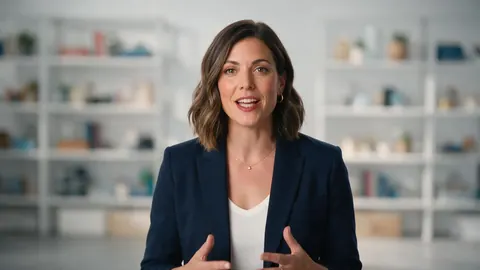
4K Broadcast Commercial Spokesperson
Broadcast-quality AI spokesperson delivering a commercial tech presentation directly to camera in 4K studio setup, 16:9.
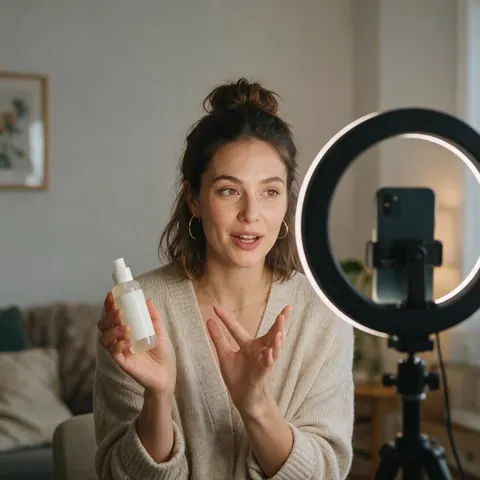
Viral TikTok UGC Marketing Video
Viral TikTok UGC marketing video frame showing a relatable virtual creator reviewing a smartphone app, authentic mobile feel, 16:9.
Multilingual Corporate Presenter
Multilingual corporate training presenter speaking in Spanish with professional office background, 16:9.
Two-Host Podcast Clip
Two adult podcast hosts at a desk with microphones, facing the camera in a warm studio, ready for a two-speaker talking video, 16:9.
Comparison
HeyGen vs Kenerate AI: Feature Comparison
Pricing, credit rules, talking-avatar engines and custom avatars. HeyGen and Synthesia figures from their pricing pages, checked 26 October 2026.
| Platform | Free plan / starting price | Credits Expire? | Talking Avatars | Custom Avatar |
|---|---|---|---|---|
| Kenerate AI (Avatar Talk) | Free to start; one-time packs from $15 | Never expire | 26 Avatar Talk engines, incl. 500 HeyGen Presenters | From one photo + your voice, a recording or a voice clone |
| HeyGen | Free: 3 videos/mo, watermark, 1 min each; Creator $29/mo | Roll over one month | Avatar III, IV and V; 500+ presenters (700+ on paid plans) | 1 on Free; your voice and likeness from Creator |
| Synthesia | Free Basic: 10 min/mo, watermark; Starter $29/mo | Monthly allowance | Stock and personal avatars | Personal avatars on paid plans |
Prompts
Tested AI Video Prompt Cheat Sheet
Copy and paste these presenter formulas directly into the studio.
Viral TikTok App Review UGC Presenter · UGC / Marketing
dynamic 9:16 vertical video of a friendly 25-year-old female creator in a cozy bedroom giving an enthusiastic product review directly to smartphone camera with natural mouth sync, warm ring light
Executive SaaS Product Announcement · Corporate / Business
sharp 4K video of confident male spokesperson in modern architectural studio delivering corporate feature announcement, crisp audio lip-sync, subtle professional hand gestures
E-Commerce Beauty Brand Spokesperson · E-Commerce / Beauty
close-up 16:9 studio video of a virtual adult model explaining luxury skincare benefits, holding cosmetic bottle, natural skin texture and natural eye blinks
Multilingual Educational Explainer Avatar · Education / Training
professional female educator explaining financial concepts against modern minimalist graphic backdrop, articulate mouth synchronization, clear broadcast lighting
More prompts (2)
Fitness & Wellness Coach Reel · Fitness / Lifestyle
energetic athletic virtual coach speaking directly to camera in sunlit gym setting, delivering motivational workout routine advice, natural body momentum
YouTube Automation Faceless Channel Host · YouTube / Automation
engaging YouTube tech presenter delivering fast-paced review script with animated background graphics and perfect conversational speech timing
How it works
How it works in the app
Step 1
Choose the mode and engine
Open Avatar Talk, pick Talking photo, script to video or lip sync, and choose the engine.
Step 2
Add the face
Upload a photo or a video with one clear face, or pick one from your history.
Step 3
Add what they will say
Upload or record the voice, or pick a voiceover you made in Voice Studio — up to 10 minutes.
Step 4
Set the direction, then Make it talk
Describe body language and framing if you like, choose the resolution and press Make it talk.
See it in the app

Open Avatar Talk, pick Talking photo, script to video or lip sync, and choose the engine.


FAQ
Frequently Asked Questions
10 questions

What is the best HeyGen alternative?
It depends on the job. For talking videos from your own photo without a monthly plan, Kenerate AI: 26 Avatar Talk engines (19 talking-photo and 7 video lip-sync), HeyGen's own 500 stock presenters among them, paid with one-time credit packs that never expire. For a full avatar video editor with Video Agent and 175+ languages in one subscription, HeyGen itself is the closer fit.
Link to this answerIs HeyGen free?
HeyGen has a free plan. As its pricing page states (checked 26 October 2026), it gives you 3 videos a month with a watermark, each up to 1 minute, with access to Avatar IV, Video Agent, one custom video avatar and 500+ ready-made presenters. Paid plans start with Creator at $29 a month ($24 a month billed yearly), which removes the branding and exports in 1080p.
Link to this answerWhy choose Kenerate AI as a HeyGen alternative?
HeyGen sells monthly plans (Creator $29, Pro $49, Business $149 plus $20 per seat), and unused credits roll over for one month only. Kenerate AI sells one-time credit packs from $15 that never expire, and lets you pick the engine for each clip from 26 Avatar Talk engines, including InfiniteTalk, OmniHuman 1.5, Kling Avatar, VEED Fabric and HeyGen Presenters.
Link to this answerDoes Kenerate have HeyGen's stock avatars?
Yes. HeyGen Presenters is one of Avatar Talk's engines: pick one of 500 stock presenters (office, sofa, gym and more), add your audio, and render in 16:9 or 9:16 at up to 4K. No photo is needed for that engine.
Link to this answerCan I create custom AI avatars with my own face and voice?
Yes. Upload one portrait photo (or a video of yourself) to Avatar Talk and add speech — your own recording, text-to-speech, or a voice cloned from a 3–15 second sample in the Voice Studio — and it renders a lip-synced talking video. Use only your own face and voice, or someone else's with their consent.
Link to this answerWhat languages and accents are supported for speech synthesis?
Text-to-speech in the Voice Studio covers up to 70 languages on ElevenLabs Eleven v3, 40 on MiniMax Speech and 29 on ElevenLabs Multilingual v2, including English, Spanish, French, German, Portuguese, Japanese, Korean and Hindi. To translate a finished video, AI dubbing covers 33 target languages.
Link to this answerDo credits on Kenerate AI expire?
No. Credits from Kenerate's one-time packs stay in your account until you use them. On HeyGen, monthly plan credits roll over for one month, annual ones last until the renewal date, and they don't carry over if the subscription lapses.
Link to this answerAre the generated videos watermark-free?
Kenerate doesn't add a watermark to your exports, and its terms say you own your results and can use them commercially. HeyGen's free plan adds a watermark; its paid plans remove HeyGen branding.
Link to this answerAre there content limits on marketing scripts?
Affiliate marketing, fitness, beauty, dating and storytelling scripts are welcome on Kenerate AI within its published content rules: no illegal content, and no real person's face or voice without their consent. Text prompts on the avatar engines also pass an automatic content check.
Link to this answerIs there a free trial available?
Yes. Sign up and verify your email to get 25 credits, and Avatar Talk works on the free plan, so you can test a short talking clip before you buy anything. Video Studio models such as Wan 3.0 and the Video Upscaler need a paid plan: one-time packs from $15, with no subscription.
Link to this answerIn depth
HeyGen Alternative, explained
When HeyGen is the better choice
Kenerate is a studio of engines; HeyGen is a complete avatar video product. Stay with HeyGen if you need:
- Video Agent and an editor that builds a whole video from a prompt or script.
- 175+ languages and dialects on one plan (Kenerate dubs into 33).
- Team seats, shared workspaces and Business-plan admin.
- A free plan with no credit maths: 3 videos a month, watermarked.
By the Kenerate AI teamLast updated and reviewed

Switch to Kenerate AI — Free Trial
Free to start. No watermark, no subscription required, and credits that never expire.
Tried it? Tell us how it went