


Skip to content
Unpixelate image · AI

Unpixelate an image — blocks back to detail

A photo blown up from a thumbnail, a crushed JPEG, a zoomed screenshot. AI replaces the squares with smooth edges, skin, hair and texture — and makes the image bigger at the same time.

  • Photos and art
  • Bigger and smoother
  • JPEG blocks too
  • No watermark
Young man with glasses and a navy hoodie against a brick wall — original 150 px, blown up
Young man with glasses and a navy hoodie against a brick wall — after Phota Enhance
BEFORE · 150 px, blown upAFTER · 2304 px

Phota Enhance150 px, blown up → 2304 px

Try this photo
  • Real-ESRGAN
  • Image Upscaler 2K · 4K · 8K
  • Kenerate Upscale · 128 MP
  • Ultimate Upscaler
  • Clarity Pro
  • Phota Enhance
  • Recraft Creative

Quick answer

Updated

To unpixelate an image, upload it to Kenerate and run Phota Enhance for photos or Real-ESRGAN for mild pixelation and JPEG blocks — the AI replaces the squares with smooth edges and texture. In our test a 150-pixel portrait blown up into blocks came back as a clean 2304-pixel image. AI cannot un-censor pixelated faces or text; it only invents a replacement.

Photos
Phota Enhance
Mild blocks
Real-ESRGAN
Art
Clarity Pro, creative
Censored images
Can't be revealed

Real results

See what it does to real photos

Every slider is a real Kenerate output from the bad input on the left. Drag to compare, then try the same photo.

  1. Young man with glasses and a navy hoodie against a brick wall — before
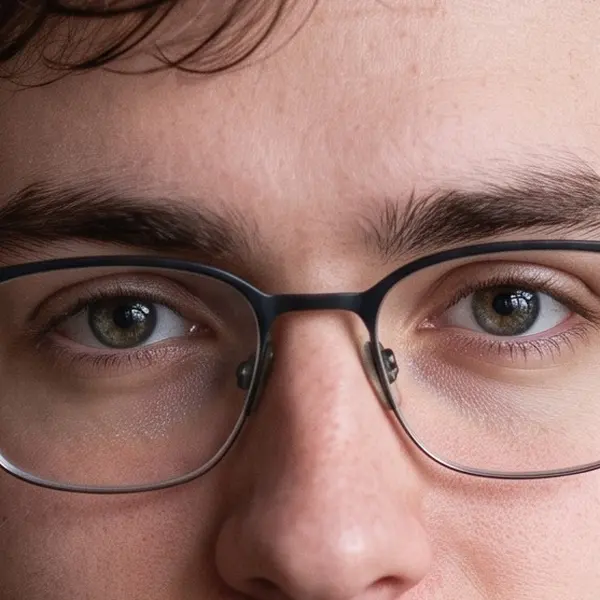
    Young man with glasses and a navy hoodie against a brick wall — after
    BeforeAfter

    01Pixelated

    Blocks back to a face

    A 150-pixel portrait blown up into squares, rebuilt into a clean 2304 px photo.

    Phota Enhance · 150 px, blown up → 2304 px

    Try it now
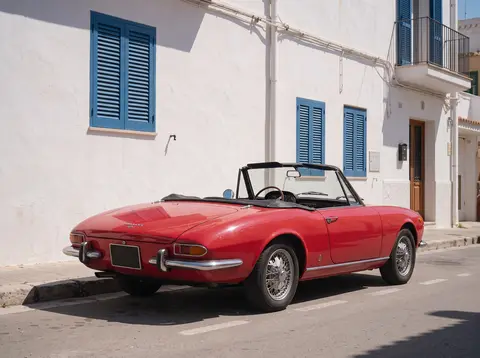
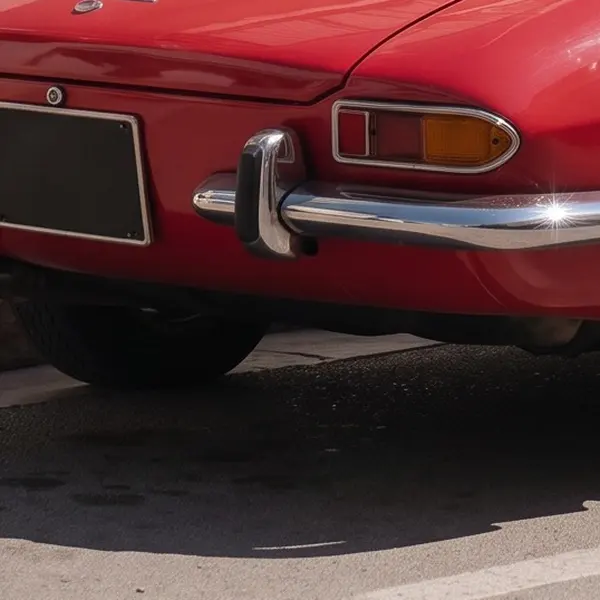
  2. Red vintage convertible on a sunny street with white buildings and blue shutters — before
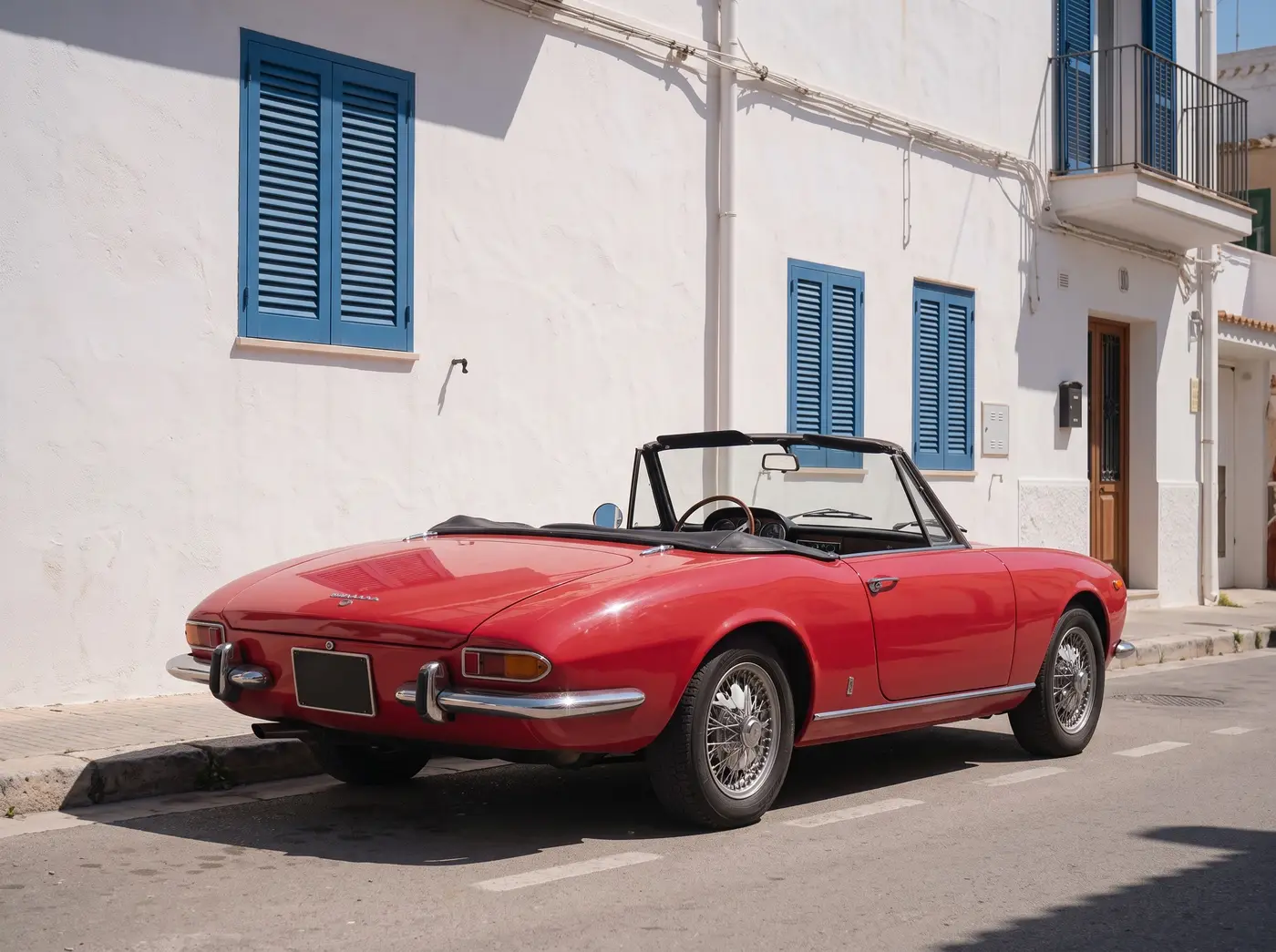
    Red vintage convertible on a sunny street with white buildings and blue shutters — after
    BeforeAfter

    02Pixelated

    A blocky street, rebuilt

    Shutters, chrome and tyres reconstructed from 180 px blocks.

    Phota Enhance · 180 px, blown up → 2400 px

    Try it now
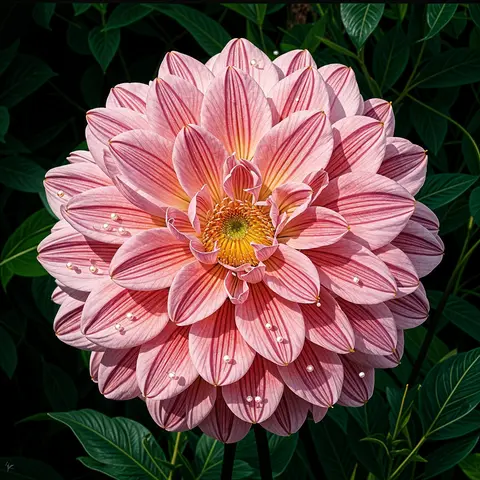
  3. Pink dahlia with water droplets on a dark background — before
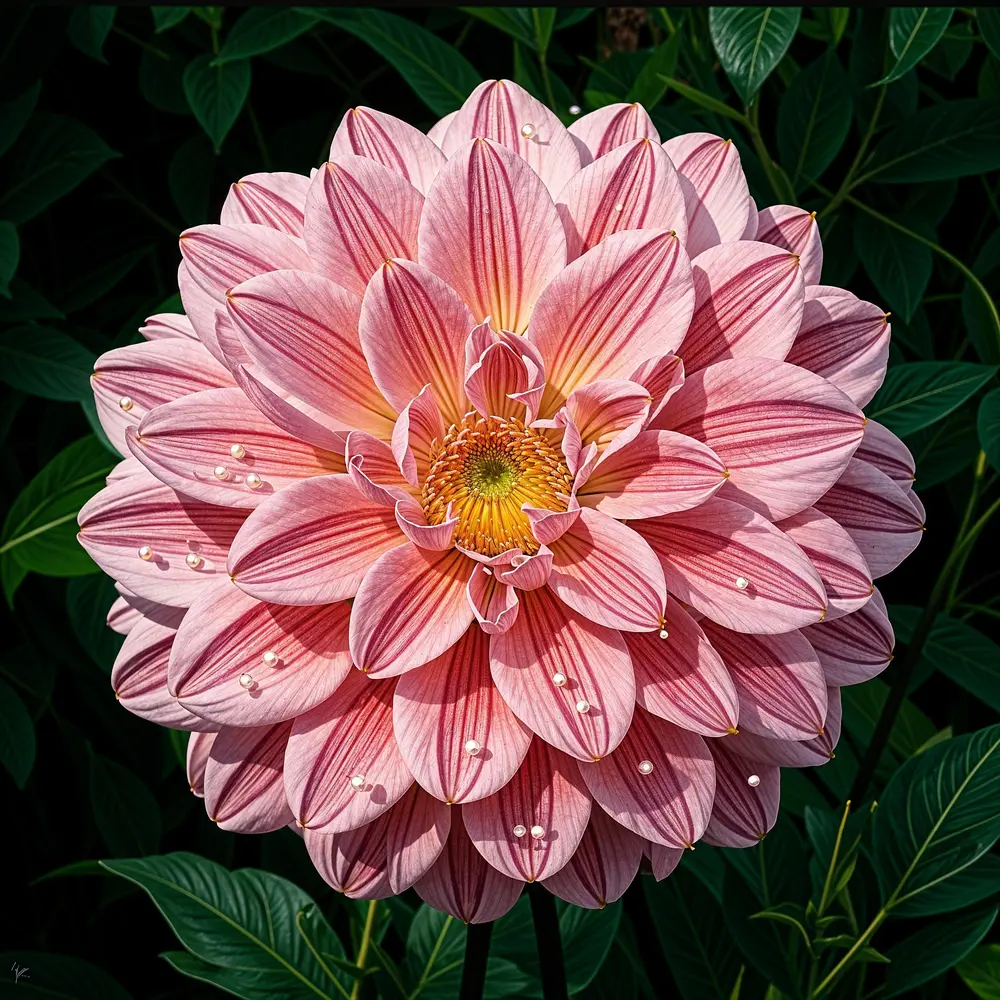
    Pink dahlia with water droplets on a dark background — after
    BeforeAfter

    03Creative detail

    112 pixels, repainted

    Clarity Pro at creativity +6 paints new petals and droplets — for art, not evidence.

    Clarity Pro · 112 px, blown up → 4 MP · creativity +6

    Try it now

How it works

How to unpixelate an image

Three steps. Phota Enhance is selected when you open the tool from this page.

  1. Upload the pixelated image

    Add a JPG, PNG or WEBP up to 25 MB — a tiny image that was blown up, a heavily compressed download or a zoomed screenshot.

  2. Pick how to rebuild it

    Phota Enhance rebuilds photos faithfully. Real-ESRGAN is enough for mild pixelation and JPEG blocks. Clarity Pro with a high creativity setting invents new detail for art.

  3. Compare and download

    Check faces and edges at 100% and download — no watermark.

Real results

What pixelated images can AI fix?

Real outputs from pixelated inputs. Tap one to try it.

At 100%

Unpixelated vs original, zoomed in

The same crop before and after.

  • Young man with glasses and a navy hoodie against a brick wall — the 150 px, blown up original stretched to the same size (bicubic)
    Stretched
    Young man with glasses and a navy hoodie against a brick wall — the same crop after Phota Enhance
    Phota Enhance

    Pixelated portrait · 150 px, blown up → 2304 px

  • Red vintage convertible on a sunny street with white buildings and blue shutters — the 180 px, blown up original stretched to the same size (bicubic)
    Stretched
    Red vintage convertible on a sunny street with white buildings and blue shutters — the same crop after Phota Enhance
    Phota Enhance

    Pixelated street · 180 px, blown up → 2400 px

Left: the original enlarged with ordinary bicubic resizing. Right: the same area of the real Kenerate output. Both crops are shown at the same size.

Look closer

Zoom into an unpixelated portrait

From 150-pixel blocks to a sharp portrait with Phota Enhance. Move over it to check the glasses and hair.

  • Square blocks replaced with skin and hair texture
  • Glasses frames rebuilt as clean lines
  • Same person, not a new face

Move your pointer over the image to zoom in.

Young man with glasses and a navy hoodie against a brick wall — 150 px, blown up in, 2304 px out with Phota Enhance.

Background

Why do images get pixelated — and what can be fixed?

  • Too small for the display. A 150-pixel image shown at 700 pixels turns each pixel into a visible square. AI super-resolution rebuilds detail at the new size.
  • Heavy JPEG compression breaks images into 8×8 blocks. Real-ESRGAN removes them.
  • Censorship pixelation — faces, plates or text pixelated on purpose — can't be reversed. The information is gone; AI would only invent something.

Creative option

When you want beautiful, not exact

Clarity Pro at creativity +6 repainted this 112-pixel dahlia with new petals and droplets. Great for art and wallpapers; don't use it where accuracy matters.

  • New detail painted by the model
  • Creativity dial from −10 to +10
  • Best for art and wallpapers

Move your pointer over the image to zoom in.

Pink dahlia with water droplets on a dark background — 112 px, blown up in, 4 MP · creativity +6 out with Clarity Pro.

Seven engines

Which engine should I use to unpixelate an image?

Phota Enhance for photos, Real-ESRGAN for mild blocks, Clarity Pro for creative rebuilds.

  • Restore

    Phota Enhance

    Restores old, blurry or damaged photos and rebuilds lost detail, up to 4K.

    Best for: Old family photos, archives and low-res pictures you want to print.

    Restored · up to 4K ~37s per image

    Use
  • FaithfulDEFAULT

    Real-ESRGAN

    Classic super-resolution — sharper edges, less noise, bigger image.

    Best for: Quick clean-ups of AI renders, web images and product shots.

    Larger, sharper copy ~25s per image

    Use
  • Creative

    Clarity Pro

    Up to 16× with a creativity dial — stay true or invent fine detail.

    Best for: Portraits and campaign visuals for print; keeps identity, adds detail.

    Up to 64 MP ~81s per image

    Use
  • Faithful

    Image Upscaler

    Straight upscale to 2K, 4K or 8K that keeps the original texture.

    Best for: Everyday photos and AI art to a standard size.

    Up to 8K ~45s per image

    Use
New accounts get 25 free credits to try the engines on their own images.

Have a pixelated photo? Try Real-ESRGAN for mild blocks or Phota Enhance for photos — 25 free credits on sign-up.

Related

More fixes

In depth

What unpixelating really does

Why pixel blocks can be smoothed but not undone, and what went wrong when AI tried — with sources.

Pixelation throws information away

Shrinking an image to a few pixels keeps only coarse detail — the sampling theorem says finer detail is simply not stored [1]. Many different sharp images collapse into the same blocks, so an AI can only choose one plausible version, not recover the real one [2].

The PULSE lesson

In 2020 PULSE, a research “depixelizer”, searched a face generator for any face that matched a pixelated input [3]. Given a pixelated photo of Barack Obama it produced a white man, and similar results for other people of colour — a vivid example of an AI inventing, not recovering [4].

When unpixelating works well

It works when the image is simply small or badly compressed and you want a pleasant, larger version: Real-ESRGAN was trained on exactly that kind of damage — blur, noise, resizing and JPEG [5]. The less information is left, the more the result is the model's guess; creative engines guess the most [2].

Can pixelated redactions be reversed?

Not by upscaling. Security researchers have shown that pixelated text can sometimes be guessed: Depix matches blocks against a reference image of the same font, size and colour [6], and Bishop Fox's Unredacter tries character guesses, pixelates each one and compares [7]. Researchers have also shown that neural networks can recognise faces through pixelation — picking among known candidates, not rebuilding the original [8].

The practical advice from those researchers is simple: to hide something, use a solid black box, never pixelation or blur [7]. An AI “unpixelate” gives a plausible picture, not the hidden original.
Start free

Start free, top up only when you need to

25 free credits on sign-up. The same credits work in every Kenerate tool.

  • 25 free credits on sign-up

    Test on your own images before you buy anything.

  • Credits never expire

    One-time packs — use them this week or next year.

  • No subscription, no watermark

    Nothing to cancel. Free results download clean.

  • One balance, every tool

    The same credits work across images, video, voice and 3D.

Tried it? Tell us how it went

We only publish real, verified reviews — never invented quotes. Send a line about your result (and whether we may quote you), and it will appear here.

Send a review

FAQ

Unpixelate image questions

7 questions

Still stuck?

A real person answers — usually within a day.

01

How do I unpixelate an image?

Upload it to Kenerate and run Phota Enhance for photos, or Real-ESRGAN for mild pixelation and JPEG blocks. The AI replaces the blocks with smooth edges and texture and outputs a larger image. No watermark.

02

Can you unpixelate a censored image?

No. Pixelation used to hide a face, a number plate or text destroys that information. An AI can only invent something plausible — it cannot reveal what was hidden.

03

How do I fix a pixelated photo?

Start from the largest copy you have, then run it through an AI enhancer. On Kenerate, Phota Enhance turned a 150-pixel portrait that had been blown up into blocks into a clean 2304-pixel image.

04

Why do images get pixelated?

Because they are too small for the size they are shown at — each pixel gets stretched into a visible square — or because heavy JPEG compression breaks them into 8×8 blocks.

05

What is the difference between unpixelate and depixelate?

Nothing — both mean turning a blocky, pixelated image back into a smooth one.

06

Will the unpixelated photo look exactly like the original?

Close, not exact. The AI rebuilds plausible detail from the blocks. With creative engines (Clarity Pro at high creativity) the result can differ noticeably — the dahlia on this page was repainted.

07

Is it free?

Free to start: new accounts get 25 free sign-up credits to test. Bigger jobs use one-time credit packs that never expire — no subscription.

Every pixel, rebuilt. Up to 128 MP.

Seven engines in one browser tool — faithful, creative and restoration — up to 8K or 128 MP.

AI engines
7
AI engines
Largest output
128 MP
Largest output
Free credits to start
25
Free credits to start
Straight upscale to
8K
Straight upscale to

Explore the toolkit

More upscale, enhance and restore tools

Every Kenerate page for making images bigger, sharper, cleaner and older photos new again.

Written by the Kenerate AI team

We build and run the Kenerate image tools; every example is a real output from the pixelated input shown. Last updated 26 September 2026. Corrections: hello@kenerateai.com.

Sources

Ready when you are

Unpixelate your image

Phota Enhance for photos, Real-ESRGAN for mild blocks — 25 free credits on sign-up. No watermark.

  • 25 free credits
  • No watermark
  • Credits never expire