
Browser-based · up to 4K · no subscription required
Topaz Video AI alternative — upscale in the browser, no GPU needed
Topaz Video is a powerful desktop app with many models and settings. If you only need to upscale a clip to 1080p, 2K or 4K — without installing software, owning a strong graphics card or keeping a subscription — Kenerate's AI Video Upscaler does that one job in the browser.
- Nothing to install
- 720p to 4K
- Pay per clip, no subscription
- No watermark
Updated by the Kenerate AI team
On this page
Quick answer
Updated
What is a good Topaz Video AI alternative?
A good Topaz Video AI alternative for plain upscaling is a browser tool that runs on cloud GPUs. Kenerate's AI Video Upscaler takes clips up to 5 minutes, outputs 720p, 1080p, 2K or 4K with no watermark, and charges per second of clip, with no subscription required. Topaz stays broader: interpolation, stabilisation and many models.
Key facts
- Runs on
- Your browser (cloud GPUs)
- Install
- None
- Output
- 720p · 1080p · 2K · 4K
- Subscription
- Not required
- Topaz facts checked
- 3 October 2026
Real demo
What the browser upscaler does: 480p to 1080p
Drag the line. Left: a real 480p clip. Right: Kenerate's output at 1080p — no settings beyond the size.
- Original 480p. 480p source.
- Upscaled 1080p. Kenerate AI Video Upscaler, 1080p.
Both clips are unedited outputs, shown at the same size.
Try it in your browserReal results
Clips people usually open Topaz for
Game cinematics, product macros, drone shots and dim concerts — real 5-second Wan 3 clips at 720p.
Example clips are AI-generated with Wan 3; the slider above shows Kenerate's upscaler output, not Topaz's.
How to
How to upscale a video without Topaz
- Time needed
- Steps
- 4 steps
Step 1
Open the AI Video Upscaler in a browser
Windows, Mac, Chromebook or phone — the heavy work happens on Kenerate's servers.
Step 2
Upload your clip
MP4, MOV or WebM up to 5 minutes and about 100 MB.
Step 3
Choose the one setting: size
720p, 1080p (default), 2K or 4K. There is no model to pick.
Step 4
Download the MP4
No watermark; same length and frame rate as the source.

Open Video Upscaler and upload a clip, or pick one from your library or a link.


Watch the tour · 1:19
Text, image & reference to video, models, edit, extend & chat
Chapters
Checked 3 October 2026
Kenerate vs Topaz Video
From each product's own pages, checked 3 October 2026. Topaz does far more; Kenerate does one thing simply.
| Kenerate AI Video Upscaler | Topaz Video | |
|---|---|---|
| Where it runs | Browser, on Kenerate's servers | Desktop app for Mac and Windows (local GPU), plus cloud credits |
| Install | None | Download the app; also a plugin for After Effects and DaVinci Resolve |
| Upscaling | 720p, 1080p, 2K or 4K | To 4K and beyond |
| Frame interpolation / slow motion | No — frame rate kept | Yes |
| Stabilisation | No | Yes |
| Denoise, SDR to HDR | No separate controls | Yes |
| Models to choose from | One (LTX-2 video upscaler) | Many — e.g. Proteus, Iris, Starlight, Chronos |
| How you pay | Credits per second of clip, no subscription | Subscription plans; perpetual licences no longer sold |
Topaz facts: topazlabs.com/topaz-video, topazlabs.com/pricing and the Topaz Community CEO post of 17 September 2025. Plans change — check Topaz's site.
Sources: Kenerate AI Video Upscaler (tool) · Topaz Labs — Topaz Video, checked 3 October 2026 · Topaz Labs — Pricing, checked 3 October 2026 · Topaz Community — Topaz Studio: message from the CEO (17 Sep 2025), checked 3 October 2026
Engines
Sizes instead of a model picker
Topaz asks you to choose a model; Kenerate asks only for the output size.
AI Video Upscaler
720p · Fast
- Input
- Video up to 5 min / ~100 MB
- Output
- Pixels of 1280 × 720, shape kept
Fast previews
Open 720p · Fast- Default
AI Video Upscaler
1080p · Popular
- Input
- Video up to 5 min / ~100 MB
- Output
- Pixels of 1920 × 1080, shape kept
Web and social
Open 1080p · Popular 
AI Video Upscaler
2K · Sharp
- Input
- Video up to 5 min / ~100 MB
- Output
- Pixels of 2560 × 1440, shape kept
Monitors and cropping room
Open 2K · Sharp
AI Video Upscaler
4K · Max
- Input
- Video up to 5 min / ~100 MB
- Output
- Pixels of 3840 × 2160, shape kept
TV and 4K delivery
Open 4K · Max
Every size runs the same engine and keeps aspect ratio, length and frame rate.
Tips
When Topaz is still the better choice
Be honest about the job before you switch.
You need slow motion or 60 fps from 24 fps — Topaz interpolates; Kenerate doesn't.
You want to stabilise shaky footage in the same pass.
You batch long files offline on your own GPU.
You tune denoise, grain and model choice shot by shot.
Pick Kenerate when you want 4K from a browser with nothing to install.
Pick Kenerate when you would rather pay per clip than per year.
Example uses
How creators use Topaz video AI alternative
Illustrative examples of typical workflows, not customer reviews.
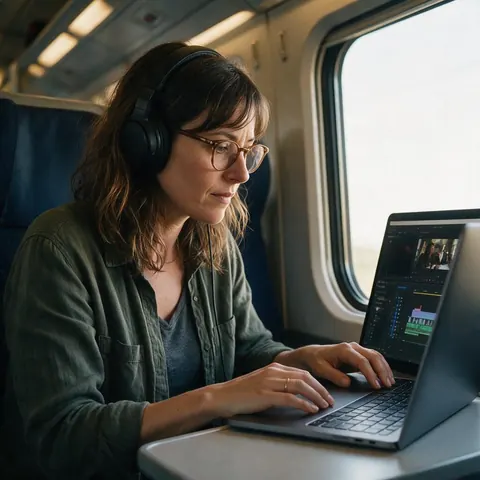
Indie filmmaker
An indie filmmaker on a thin laptop could upscale a 1080p short to 4K without a desktop GPU.
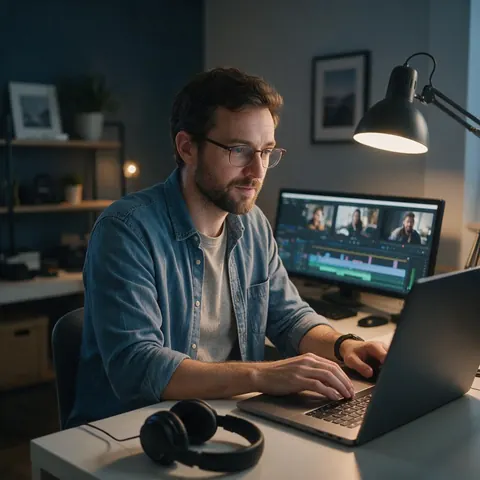
Wedding editor
A wedding editor could send one guest clip through a browser upscaler instead of opening a full desktop suite.
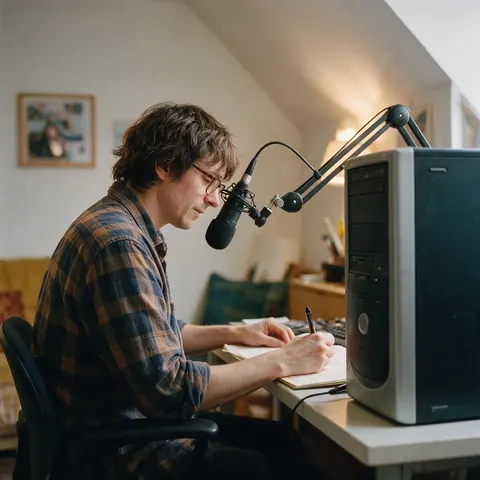
YouTuber with an older PC
A YouTuber with an older PC could upscale B-roll in the cloud while the computer keeps editing.
FAQ
Topaz Video AI Alternative — questions
7 questions
What is the best Topaz Video AI alternative?
For plain upscaling without installing anything, a browser upscaler is the simplest Topaz Video AI alternative. Kenerate's AI Video Upscaler outputs 720p to 4K from clips up to 5 minutes. If you need frame interpolation, stabilisation or fine model control, Topaz or another desktop suite is still the better fit.
Link to this answerIs Topaz Video AI free?
No free plan is listed on Topaz Labs' pricing page (checked 3 October 2026); Topaz Video is sold as a paid subscription. Kenerate has no subscription at all: new accounts get starter credits to try the upscaler, and after that you pay per second of clip with credits.
Link to this answerIs Topaz Video AI still a one-time purchase?
Not for new buyers. With the launch of Topaz Studio on 17 September 2025, Topaz Labs' CEO announced that perpetual licences would no longer be available for its products. New customers now buy a subscription; see Topaz's community post and pricing page for the details.
Link to this answerWhat happened to Topaz Video Enhance AI?
Topaz Video Enhance AI was the earlier name of Topaz Video AI, which Topaz now presents as Topaz Video. It is the same desktop line — upscaling, frame interpolation, stabilisation, denoising and SDR to HDR — rendering on your own GPU or with cloud credits.
Link to this answerDo I need a powerful GPU for AI video upscaling?
Not with a browser tool. Desktop upscalers like Topaz Video render locally, so speed depends on your graphics card, although Topaz also offers cloud credits. Kenerate does all the work on its own servers: a short clip takes a few minutes, while 4K and longer clips take much longer.
Link to this answerCan Kenerate do frame interpolation like Topaz?
No. Kenerate's upscaler raises resolution and removes compression artefacts, but it keeps your original frame rate and length — no 60 fps conversion and no slow motion. If interpolation is the main job, a desktop tool such as Topaz Video is the right choice.
Link to this answerCan I try Kenerate before paying?
Yes. New Kenerate accounts get starter credits to try the upscaler on their own footage, and every result opens in a before/after viewer with zoom. If a job fails, its credits are refunded automatically, and there is no watermark on finished videos.
Link to this answerIn depth
Desktop vs browser upscaling
On this page
Topaz in 2026: what changed
Why browser upscalers exist
Local AI video rendering is heavy, and its speed depends on the graphics card you own. A cloud tool moves that work to a server, so a thin laptop or a phone gets the same result — at the cost of uploading the file and having fewer controls.
One model vs many
Topaz lists more than a dozen video models for different kinds of footage [3]. Kenerate uses a single engine — the LTX-2 video upscaler — and exposes only the output size. That means less control, but nothing to learn and nothing to tune.
Who should switch, and who shouldn't
Switch if you mainly upscale short clips to 1080p–4K and dislike subscriptions or installs. Stay with a desktop suite if you rely on interpolation, stabilisation, SDR to HDR or long offline batch jobs.
Explore
Every Kenerate video tool
Generators, tools, models and guides — all in one studio.