

9:16 vertical videos · captions · music
TikTok AI Video Generator Free Vertical 9:16 Clips with Captions and Music, No Watermark
TikTok AI Video Generator Free to start: Kenerate AI makes 9:16 vertical videos from a prompt or a photo with models such as Seedance 2.5, Kling, Wan 3.0 and Veo 3.1, burns in animated captions with Auto Subtitles and adds music with Ken Music. Downloads have no watermark; video needs a one-time credit pack.
- Format
- 9:16 vertical
- Captions
- 10 animated styles
- Voices
- 555 voices · 70 languages
- Music
- Ken Music
- Watermark
- None
- Free to start
- No Watermarks
- Image and video models
- No subscription required
Updated by the Kenerate AI team
On this page
Real results
TikTok AI video generator free — examples
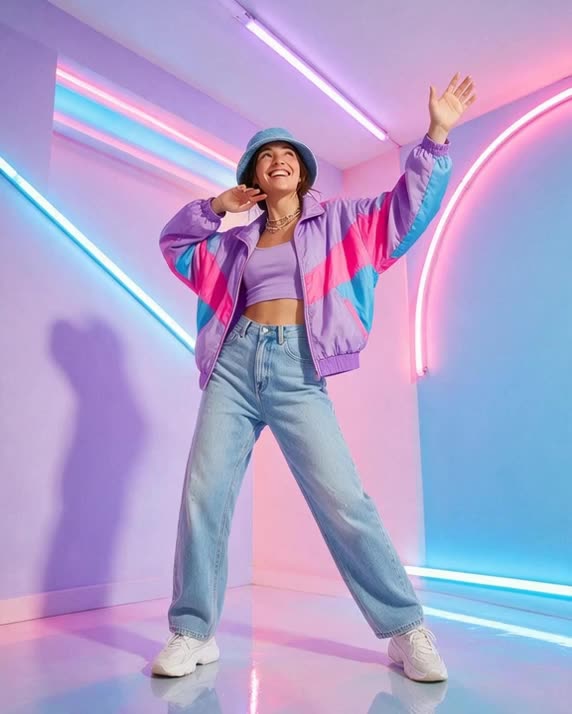
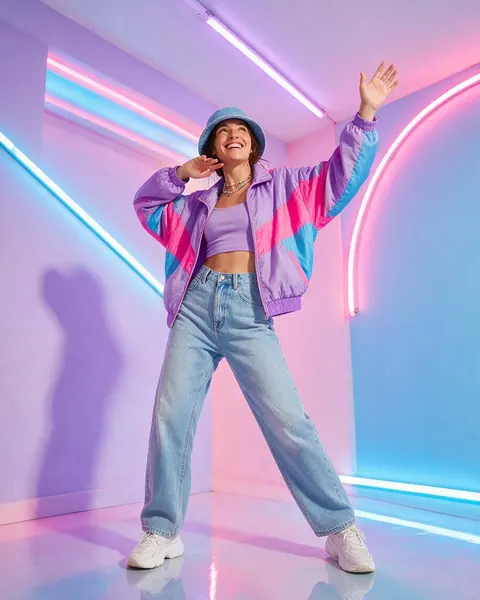
Generated with the AI models in Kenerate. No watermarks.
Everything a TikTok needs, in one account
Native 9:16
Seedance, Kling, Veo 3.1 and Wan all render vertical 9:16, so nothing is cropped for the feed.
AI TikTok video caption generator
Auto Subtitles burns in captions in 10 styles — including bold Rizz and neon Vegas — for videos up to 4 minutes.
Faceless videos
Pair AI visuals with a voiceover from the Voice Studio — 555 voices in 70 languages, or a clone of your own — with no camera.
Music with Ken Music
Make an original track for your clip, or bring a sound you own.
Talking presenter
Avatar Talk turns a photo and a voice into a talking video for explainers and hooks.
Montage in one step
Ask Kenerate Agent to join 2–20 clips into one 9:16 video with music and a voiceover.
Comparison
A TikTok made with AI vs made by hand
Where each part of the clip comes from.
| Feature | Kenerate AI | Made by hand |
|---|---|---|
| Footage | Generated from a prompt or photo | Filmed on your phone |
| Captions | Auto Subtitles, 10 styles | Typed in an editor |
| Voiceover | Voice Studio voices or your cloned voice | Recorded yourself |
| Music | An original track from Ken Music | Picked from a library |
| Watermark | None | None |
How it works
How it works in the app
Step 1
Describe the scene
Open Video Studio in Text to Video mode and write the shot — subject, action, camera move and light.
Step 2
Or start from an image
Switch to Image to Video and add a start frame; an end frame is optional.
Step 3
Pick a video model
Open the model card to choose the video model and version that fits your shot.
Step 4
Set ratio and length, then Create
Pick the aspect ratio and clip length, turn audio on or off, and press Create.
See it in the app

Open Video Studio in Text to Video mode and write the shot — subject, action, camera move and light.


FAQ
Frequently Asked Questions
How do I use an AI video generator for TikTok?
Open the Kenerate Video Studio, set the aspect ratio to 9:16, pick a model such as Seedance 2.5 or Kling and describe a short, punchy shot. Add a voiceover from the Voice Studio, burn in captions with Auto Subtitles and add a Ken Music track, then download and post. Video generation needs a one-time credit pack.
Link to this answerWhat is the best AI video generator for TikTok?
It depends on the clip. Seedance 2.5 and Wan 3.0 make vertical clips of up to 30 seconds, Kling v3 and Veo 3.1 add native sound, and Avatar Talk makes talking-head explainers. On Kenerate AI you can try all of them on one account and keep the take that fits your hook.
Link to this answerCan I make faceless TikTok videos with AI?
Yes. Generate the visuals from prompts, write a script and turn it into a voiceover in the Kenerate Voice Studio — pick one of 555 voices or clone your own from a short sample — then add captions with Auto Subtitles. No camera and no face on screen are needed.
Link to this answerIs the TikTok AI video generator free without a watermark?
There is never a watermark, but video is not free. A new Kenerate AI account gets free credits for images, voice and tools such as Auto Subtitles; generating video needs a one-time credit pack. Packs never expire and you don't need a subscription.
Link to this answerCan AI add captions to my TikTok video?
Yes. Auto Subtitles transcribes the speech in a video up to 4 minutes long and burns in animated captions, in 10 styles, at the bottom, centre or top of the frame. It detects the language, or you can pick one such as English, Spanish or Japanese. It works on any video you own, not only AI clips.
Link to this answerIn depth
TikTok AI Video Generator Free, explained
Faceless TikTok AI video generator: a simple workflow
Hook in the first second. Generate a striking opening shot in 9:16 — a close-up, a reveal, a fast camera move — and keep it under five seconds.
Voice and captions. Write a short script, turn it into a voiceover in the Voice Studio, then burn in captions with Auto Subtitles so the clip works with the sound off.
Finish and post. Add a Ken Music track, join the shots with Kenerate Agent or the video editor, and download without a watermark. Video generation needs a one-time credit pack; captions, voice and music run on credits.

Make your next TikTok
Free credits to start. No watermarks. No subscriptions.
Tried it? Tell us how it went