


No install · 5 models · 10 preset ratios
Photoshop Generative Expand Alternative — expand images in the browser
Generative Expand is one of Photoshop's best AI features, but you need Photoshop open to use it. Kenerate's Expand Image does the same job in any browser, with a choice of five models.



- Nothing to install
- Pick from 5 models
- 10 preset ratios
- No watermark
Updated by the Kenerate AI team
On this page
Quick answer
Updated
Is there a Photoshop Generative Expand alternative?
Yes. A good Photoshop Generative Expand alternative is Kenerate's Expand Image: it outpaints a photo to one of 10 preset ratios or grows each edge by up to 100%, in any browser, with nothing to install. You choose from five models from OpenAI and Google, and can describe the new area in up to 400 characters.
Key facts
- Runs in
- Any browser, no install
- Frame
- 10 preset ratios, or 0–100% per edge
- Models
- 5 (OpenAI and Google)
- Prompt
- Optional, up to 400 characters
- Variations
- 1 or 2 per run
- Subscription
- Not required
Without Photoshop
What you get without opening Photoshop
The parts of the Generative Expand workflow, and how Expand Image handles each one.
No install
Runs in any browser, phone included. Upload a JPG, PNG or WebP up to 25 MB, or paste a public image link.
Preset shapes
10 ratios from 1:1 to 21:9 instead of dragging crop handles by eye.
Precise edges
Grow each side 0–100% in 5% steps, or tap +10, +25 or +50%.
Choose the model
Nano Banana 2 Fast, Nano Banana 2, GPT Image 2, GPT Image 2.5 Sunburst or Flare.
Prompt the new area
Optional, up to 400 characters, like a Generative Expand prompt.
Keep going
Send the result to Edit, Upscale, Camera angle or Image to video.
How to
How to expand an image without Photoshop
The browser version of Crop tool, drag, Generate.
- Time needed
- Steps
- 4 steps
- You need
- A web browser · A photo to expand
Step 1
Add your photo
Open Expand Image and upload a JPG, PNG or WebP up to 25 MB. Sign in with a verified email to run it.
Step 2
Set the new frame
Instead of dragging crop handles, pick one of 10 ratios and place the photo, or grow each edge by a percentage.
Step 3
Prompt and pick a model
Optionally describe the new area, as you would in Generative Expand's prompt box, and choose one of five models.
Step 4
Generate and export
Run 1 or 2 variations, download the result without a watermark, and place it in Photoshop or any editor if you want to keep working there.

Open Expand Image and upload the photo you want to make wider, taller or bigger.


Watch the tour · 1:17
Add a photo, pick a model, new ratio & position or grow edges, describe the new area, results & chat
Chapters
Models
Five models instead of one
Expand Image lets you choose who paints the new area. Open a card to start with that model selected.

Google
Nano Banana 2 Fast
- Output
- About 4 MP (2K)
The default: a faster Nano Banana 2 with 2K output
Open Nano Banana 2 Fast

OpenAI
GPT Image 2
- Output
- 1024 px square, 1536 px long side
Accurate object placement and dense text
Open GPT Image 2
OpenAI
GPT Image 2.5 Sunburst
- Output
- 1024 px square, 1536 px long side
Precision: spends longer on detail
Open GPT Image 2.5 Sunburst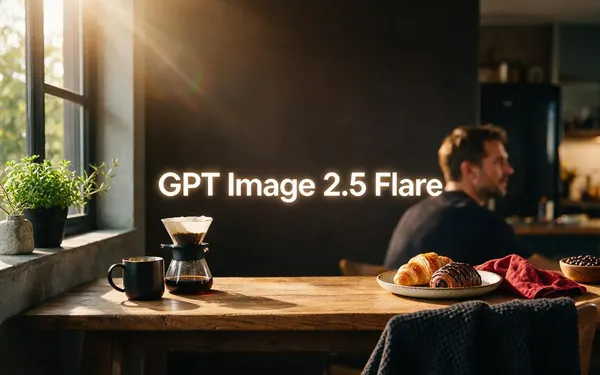
OpenAI
GPT Image 2.5 Flare
- Output
- 1024 px square, 1536 px long side
Fast, low-latency
Open GPT Image 2.5 Flare
Each model answers at its own size at the nearest supported ratio (GPT models 1024 px square or 1536 px long side; Nano Banana 2 about 1 MP; Nano Banana 2 Fast about 4 MP). The working canvas is capped at 2048 px on the long side.
Compared
Kenerate Expand Image vs Photoshop Generative Expand
Photoshop details from Adobe's own help pages and Photoshop Essentials; Kenerate details from the tool. Checked 3 October 2026.
| Kenerate Expand Image | Photoshop Generative Expand | |
|---|---|---|
| Where it runs | Any web browser | Photoshop (desktop, web and iPad apps); Firefly on the web also has Generative Expand |
| Setting the frame | 10 preset ratios, or 0–100% per edge | Drag the Crop tool past the canvas edge |
| Prompt | Optional, up to 400 characters | Optional |
| Variations per run | 1 or 2 | 3, shown in the Properties panel |
| Model choice | 5 models from OpenAI and Google | Adobe Firefly |
| Result | A new image, with an outline of the original in the viewer | A separate Generative Expand layer in your document |
| Usage | Starter credits for new accounts, then credit packs; no subscription required | Uses Adobe generative credits |
Photoshop's generated area is limited to about 2,000 × 2,000 px before Enhance Detail, as Fstoppers reported in May 2025.
Sources: Kenerate Expand Image · Adobe Help — Explore beyond the canvas with Generative Expand (Photoshop) · Photoshop Essentials — Extend images with Generative Expand · Adobe — Generative Expand (Firefly) · Adobe Help — Generative credits FAQ · Fstoppers — Photoshop generative tools: are they good enough? (May 2025)
Example uses
How creators use photoshop generative expand alternative
Illustrative examples of typical workflows, not customer reviews.

Freelance retoucher
A freelance retoucher could test three models' takes on a background extension in the browser before finishing the file in Photoshop.

Marketing assistant
A marketing assistant without a Photoshop licence could expand a portrait product shot into a 16:9 web banner.

Student
A design student could expand a square photo for a presentation slide straight from a school laptop's browser.
FAQ
Generative Expand alternative questions
Is there a Photoshop Generative Expand alternative that runs in the browser?
Yes. Kenerate's Expand Image runs in any browser with nothing to install: upload a photo, pick one of 10 ratios or grow each edge by up to 100%, optionally describe the new area, and choose one of five models. It's the same outpainting idea as Generative Expand, without needing Photoshop or a Creative Cloud app open.
Link to this answerCan I use Generative Expand without Photoshop?
Yes, through Adobe's own Firefly web app, which also has Generative Expand: you upload a JPEG, PNG or WebP, choose a preset aspect ratio or drag the borders, and generate (Adobe, checked 3 October 2026). Kenerate's Expand Image is another option, with five models from OpenAI and Google instead of Adobe Firefly.
Link to this answerDoes Photoshop's Generative Expand use generative credits?
Yes. Adobe's help pages say generative AI features in Photoshop, including Generative Expand, use generative credits from your Adobe plan (checked 3 October 2026). Kenerate works differently: new accounts get starter credits to try Expand Image, there's no subscription required, and failed runs are refunded automatically.
Link to this answerWhy does Generative Expand look soft on large photos?
Because the generated area has a size limit. Fstoppers reported in May 2025 that Photoshop's generative fill and expand work within about a 2,000 × 2,000 px area, or about 4,000 × 4,000 px with Enhance Detail, so big expansions on large files can look softer than the original. Expand Image models also answer at their own size, so upscale afterwards if needed.
Link to this answerHow many variations do I get?
Photoshop's Generative Expand returns three variations per Generate click, according to Adobe's help pages. Kenerate's Expand Image lets you choose 1 or 2 variations per run, and you can run it again with a different model or a more precise description of the new area if neither variation fits.
Link to this answerCan I bring the expanded image back into Photoshop?
Yes. Download the result from Expand Image and place it in your Photoshop document as a new layer, where you can mask, blend and keep retouching. The download has no watermark. The result screen shows an outline of where your original sits, which helps you line the two up.
Link to this answerIn depth
Generative Expand vs a browser alternative
How Adobe's feature works, where each tool fits, and how to use both together.
On this page
How Generative Expand works in Photoshop
In Photoshop you pick the Crop tool, drag the handles past the edge of the canvas, choose Generative Expand in the Contextual Task Bar, optionally type a prompt and click Generate. Photoshop returns three variations in the Properties panel and puts the new content on its own Generative Expand layer, separate from the original photo [1][2].
Adobe also offers Generative Expand in Firefly on the web, where you upload a JPEG, PNG or WebP, choose a preset aspect ratio or drag the borders, and generate [3].
Where Expand Image is the better fit
When you don't have Photoshop open — on a phone, a borrowed laptop or a quick social post — Expand Image does the outpainting in a browser tab. It also lets you pick the model: Nano Banana 2 for keeping faces and products consistent, GPT Image 2 for accurate object placement and dense text. There's no subscription required, and results carry no watermark.
Where Photoshop is the better fit
If the expand is one step in a bigger retouch, Photoshop keeps everything in one document: the generated layer sits above your original, you can mask it, blend it and keep editing at full resolution. Generative features in Photoshop use Adobe generative credits [4]. Fstoppers reported in May 2025 that the generated area is limited to about 2,000 × 2,000 px, or about 4,000 × 4,000 px with Enhance Detail [5].
Using both together
Many people combine them: expand in the browser with the model they like, download, and place the result in Photoshop as a layer for masking and final touches. Or, the other way round, export a flattened image from Photoshop and expand it on Kenerate to try a different model's take on the new area.
Picking the right ratio first
Photoshop's crop handles are freeform; Expand Image's ratios are labelled by use — 9:16 for Stories, Reels and TikTok, 4:5 for Instagram portrait, 2:3 for posters and Pinterest, 21:9 for cinematic banners. Choosing the destination shape first saves a second crop later.
Expand without opening Photoshop
Starter credits for new accounts. No subscription required. No watermark.
Tried it? Tell us how it went