Screentone pages · covers · photo to manga
AI Manga Generator — pages, covers and characters
Write the panels and the dialogue and get a black-and-white manga page with speech bubbles and sound effects — or a colour volume cover, a manga character, or your own photo redrawn as a manga panel.
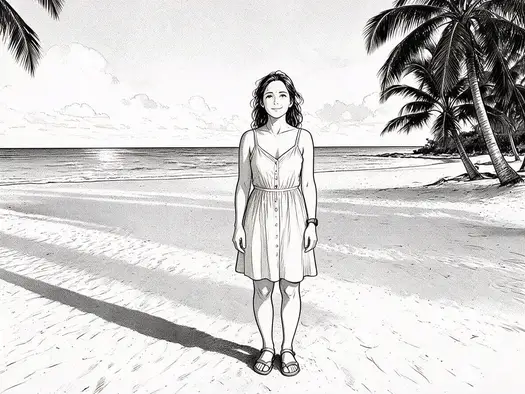
- B&W pages with screentone
- Text in the bubbles
- Covers and characters
- No watermark
Updated by the Kenerate AI team
On this page
Quick answer
What is an AI manga generator?
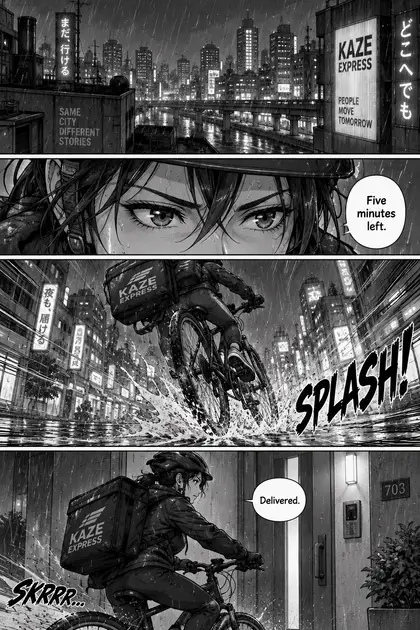
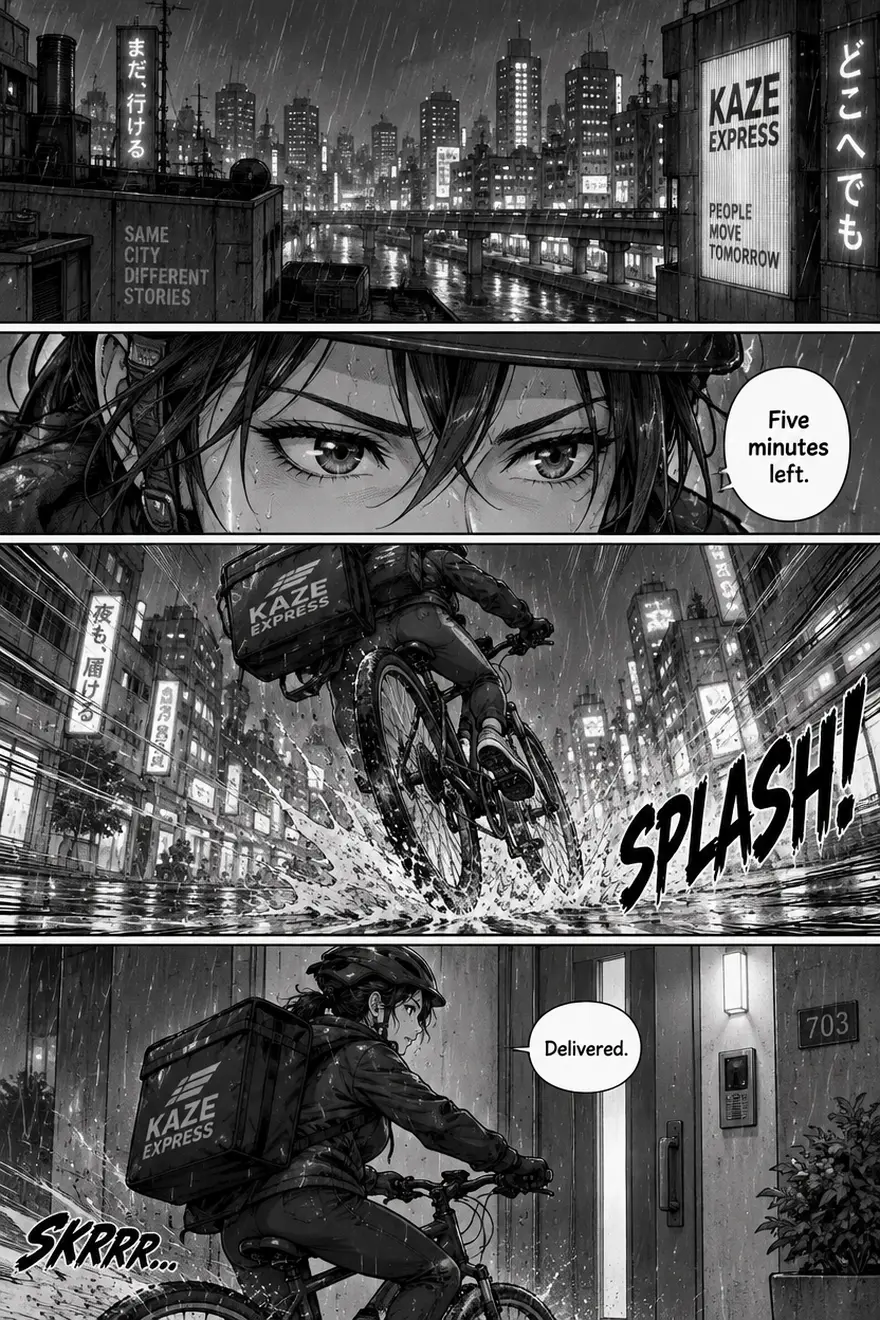
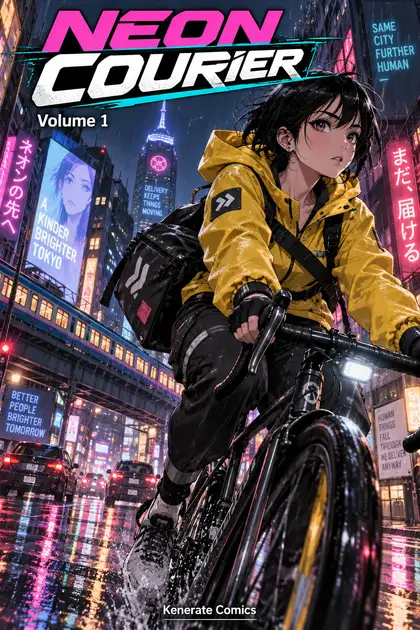
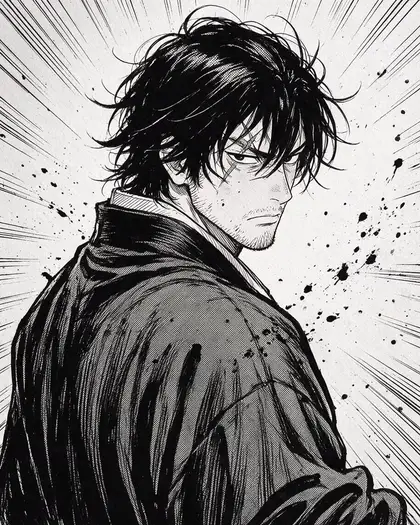
An AI manga generator draws manga from a description: a black-and-white page with panels, screentone, speed lines, speech bubbles and sound effects, a colour volume cover with the title, or a manga character. On Kenerate AI, GPT Image 2.5 Sunburst made our four-panel page and cover with the dialogue and title spelled right, and Seedream 5.0 Pro drew a manga swordsman and turned a beach photo into a manga panel.
Key facts
- Made for this page
- 4 (page · cover · character · photo)
- Lettering
- Bubbles, SFX and title spelled right
- Watch out for
- Extra background signs
- Pages & covers
- GPT Image 2.5 Sunburst
- Characters & photo to manga
- Seedream 5.0 Pro
- Free start
- Starter credits
- Watermark
- None
Gallery
A page, a cover, a character
Four results made on Kenerate for this page — nothing redrawn by hand. Open any one to copy the prompt.
Same prompt
Your photo as a manga panel
Our beach photo in, a black-and-white manga panel out. Pose, dress, palm trees and horizon stayed where they were; colour became ink and screentone.
PromptTurn this photo into a black-and-white manga panel: clean ink lines, screentone shading, the same woman in the sundress standing on the beach with the palm trees and the sea, same pose and framing, classic shoujo manga style, no text.
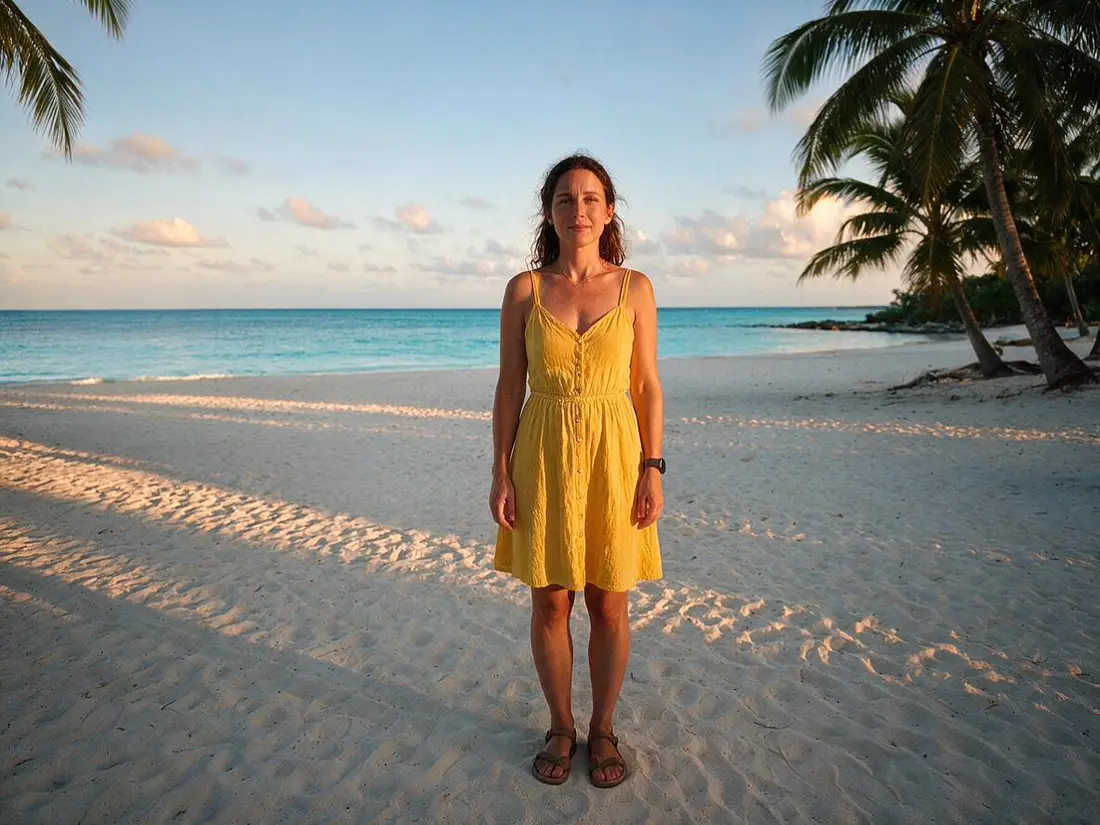 PhotoInput
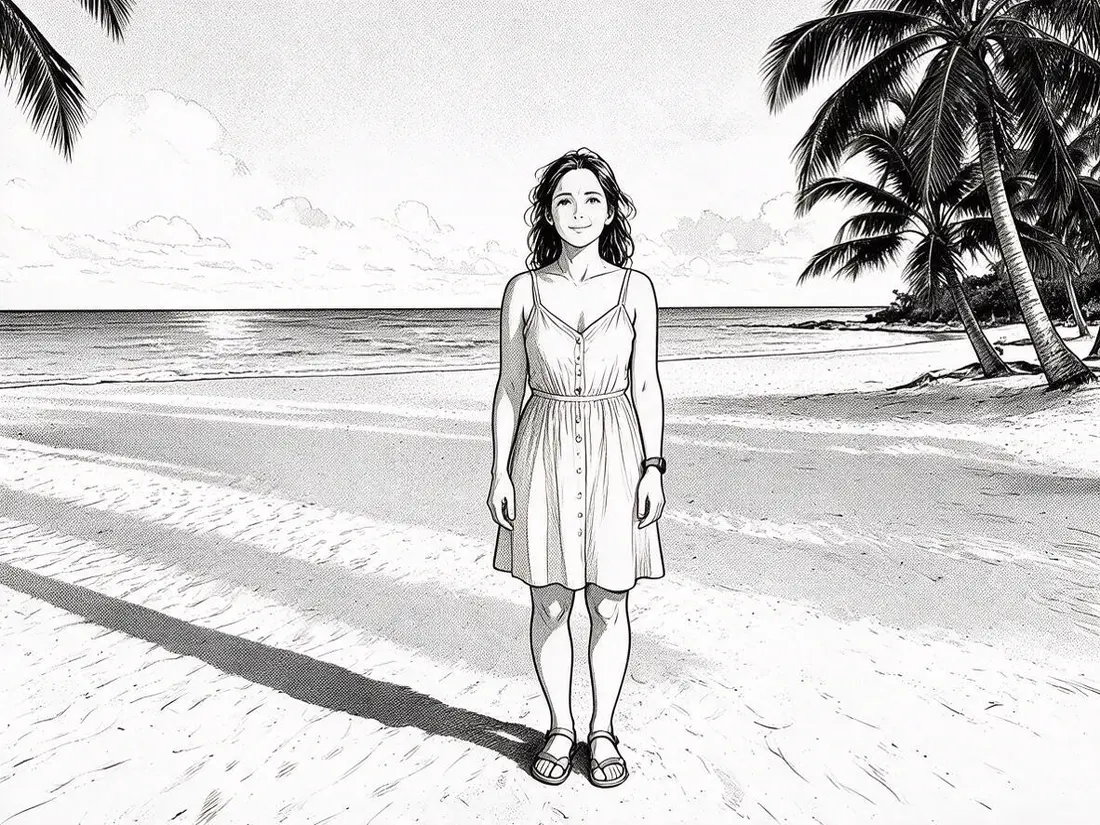 Manga panelSeedream 5.0 Pro edit
How to
How to use the AI manga generator
- Time needed
- Steps
- 4 steps
Step 1
Write the page
In /app/image: the style, the panels in order, and the dialogue in quotes. Sign in free for starter credits.
Step 2
Pick the model
GPT Image 2.5 Sunburst for pages and covers with text; Seedream 5.0 Pro for characters and photo to manga.
Step 3
Choose 2:3
Portrait for a page or a cover; 4:5 for a character.
Step 4
Check the lettering
Read every bubble and sign, regenerate if needed, then download without a watermark.
See it in the app

Open Image Studio and type what you want to see — subject, style, lighting and mood.


Watch the tour · 1:23
Prompts, styles, references, edit, Arena & chat
Chapters
Tips
Prompts that make it look like manga
What worked in our tests.
Say “black-and-white manga page, screentone shading, clean ink lines” — or “full-colour manga cover” for a cover.
Number the panels and describe each one: wide shot, close-up, action, ending.
Put every line of dialogue and every sound effect in quotes: speech bubble: "Five minutes left."
Pick a 2:3 portrait shape for a page or cover.
Add “no other text” — our page and cover came back with extra shop signs and billboards we didn't ask for.
Name the genre look: shonen (speed lines, ink splatter) or shoujo (soft lines, sparkle).
Models
Models for manga
What each model is good at. Open any one straight in the generator.

OpenAI
GPT Image 2.5 Sunburst
- Reference images
- Up to 16
- Output
- 1K–4K
Open GPT Image 2.5 SunburstBest for
Made the page and the cover

ByteDance
Seedream 5.0 Pro
- Reference images
- Up to 10
- Output
- Up to 2K
Open Seedream 5.0 ProBest for
Swordsman and photo to manga
Google
Nano Banana 2.1
- Free plan

FAQ
AI Manga Generator questions
7 questions
How do I make a manga page with AI?
In Kenerate's Image Studio, pick GPT Image 2.5 Sunburst and a 2:3 shape, then write the page: “black-and-white manga page, four panels, screentone”, what happens in each panel, and every line of dialogue in quotes. Our courier page came back with all three lines — “Five minutes left.”, “SPLASH!” and “Delivered.” — spelled right.
Link to this answerCan the AI put text in the speech bubbles?
Yes, with GPT Image 2.5 Sunburst. It lettered our bubbles, the sound effect and the cover title correctly. It also added text we didn't ask for: shop signs and billboards on the page and cover, a couple with odd wording, plus an extra “SKRRR…” sound effect. Add “no other text” to your prompt and check every sign before you publish.
Link to this answerCan I turn my photo into manga?
Yes. Upload the photo as a reference, pick Seedream 5.0 Pro and ask for “a black-and-white manga panel, clean ink lines, screentone, same pose and framing”. Our beach photo kept the woman's pose, dress, the palm trees and the horizon. For a cleaner manga face, try the anime filter instead.
Link to this answerIs the AI manga generator free?
Free to start. A new Kenerate account gets starter credits on sign-up, which also work on Qwen Image 3.0, a free-plan model. GPT Image 2.5 Sunburst and Seedream 5.0 Pro, used on this page, use credits from one-time packs that never expire — no subscription. Downloads carry no watermark.
Link to this answerCan I keep the same character across manga pages?
Use your first page or a character sheet as a reference image for the next page and describe the character with the same words each time — hair, scar, outfit. Nano Banana 2.1 accepts up to 14 references and is built for consistent characters.
Link to this answerCan I use the manga commercially?
Yes — Kenerate downloads have no watermark and you can use your generations commercially. Keep your characters original: famous manga characters belong to their publishers.
Link to this answerWhat's the difference from the AI comic generator?
Same idea, different look. This page is for manga — black-and-white screentone pages, volume covers and manga characters. For American-style strips, superhero splash pages and webcomics, use the AI comic generator.
Link to this answerIn depth
AI Manga Generator, explained
What works, what to avoid, and how to pick a model.
What makes it look like manga
Manga is mostly black ink on white paper, with screentone — dot patterns — for grey, speed lines for motion and big lettered sound effects. Name those things and the model draws them; leave them out and you get a generic anime illustration.
A manga page is read top to bottom, and right to left within each row. Describe the panels in order with a shot type for each — wide, close-up, action, ending — and the model lays them out with gutters between them.
What we got, honestly
Four results, one try each:
- Four-panel page (GPT Image 2.5 Sunburst): all dialogue and the SPLASH! effect spelled right; it also added an extra “SKRRR…” effect and shop signs we never asked for.
- Colour cover (GPT Image 2.5 Sunburst): NEON COURIER, Volume 1 and Kenerate Comics all correct; the billboards around her have extra slogans, one of them garbled.
- Swordsman (Seedream 5.0 Pro): clean shonen-style ink, screentone and splatter, no text, as asked.
- Photo to manga (Seedream 5.0 Pro edit): same pose, dress, palm trees and horizon, now in ink and screentone.