

The boxed-toy trend · vinyl · brick · plush
Action Figure AI — you as a boxed collectible, from one photo
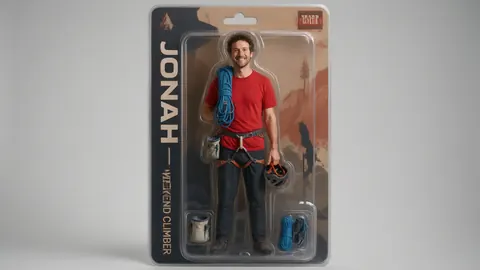
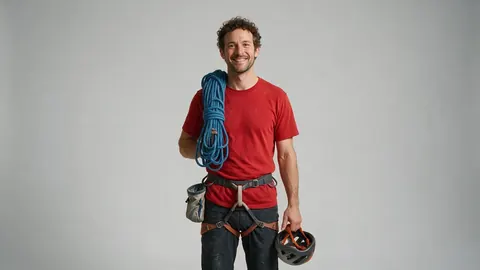
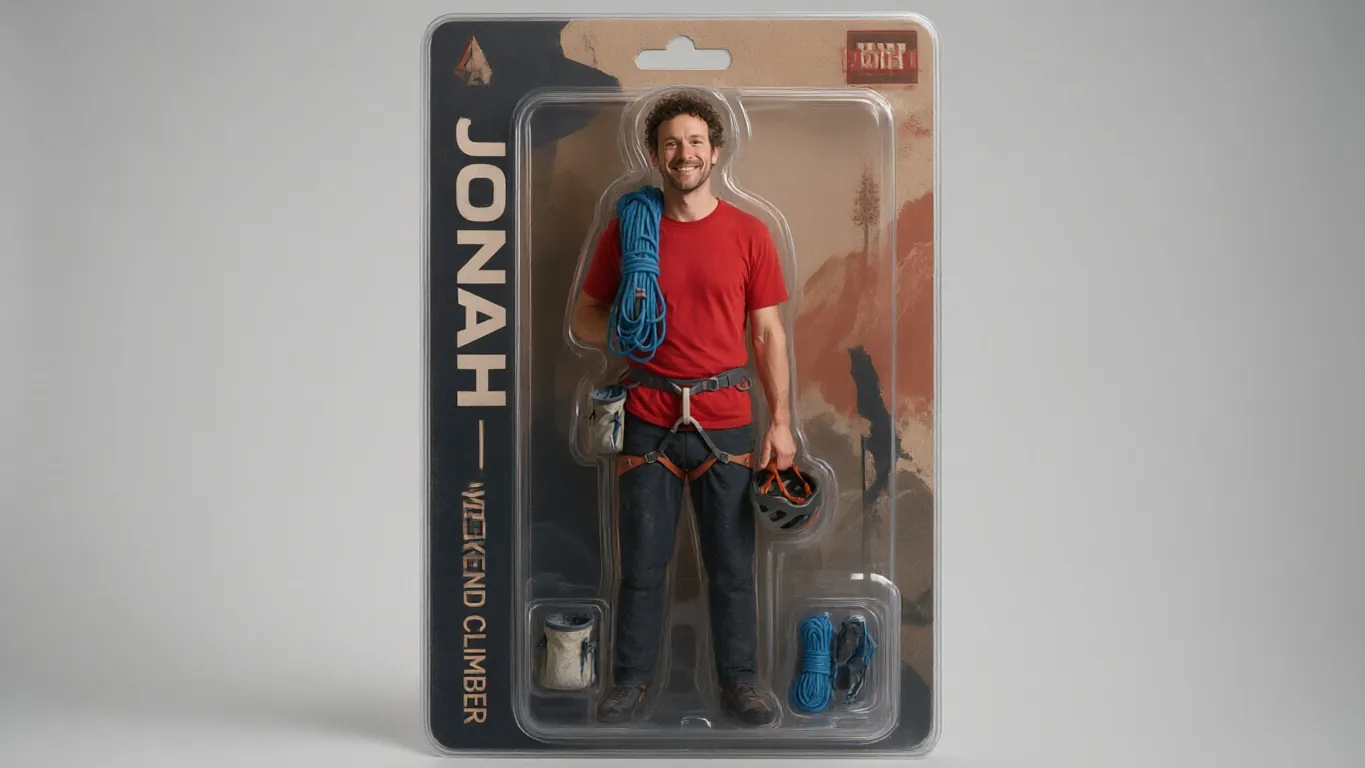
Upload a photo and the Action Figure look puts you in a blister pack: glossy plastic skin, jointed limbs, a printed backing card and tiny accessories. Name the box and the props in one line.
- Boxed blister-pack figure
- Your name and props on the card
- Vinyl, brick and plush looks
- No watermark
Updated by the Kenerate AI team
On this page
Quick answer
Updated
How does action figure AI work?
Action figure AI turns a photo of you into a picture of a boxed collectible toy. In Kenerate AI Filter, the Action Figure look renders you in a blister pack with glossy plastic skin, articulated joints, a backing card and tiny accessories. Add a one-line Twist to set the name on the box and the props.
Key facts
- Look
- Action Figure (Trending group)
- What you get
- One image of you as a boxed figure
- Box text and props
- Set them in the Twist, up to 300 characters
- Other toy looks
- Vinyl Figure, Brick Minifig, Plush Toy, Claymation, Superhero
- Best engine for box text
- GPT Image 2 (“toys & posters”)
- Input
- One photo · JPG, PNG or WebP · up to 20 MB
Looks
Six ways to become a toy
The boxed figure is the trend; the others are different kinds of collectible. Each card opens AI Filter with the look picked.
Action Figure
The trend look: you in a blister pack with jointed limbs, a printed backing card and accessories beside you. The demo above.
Vinyl Figure
A collectible vinyl figure: oversized square head, solid black button eyes, glossy vinyl, in a windowed box.
Brick Minifig
A plastic brick minifigure with a cylindrical head, claw hands and printed clothes, on a baseplate.
Plush Toy
A soft stuffed toy with fleece texture, stitched seams and embroidered eyes, sitting on a shelf.
Claymation
A stop-motion clay character with fingerprints in the plasticine and miniature-set lighting.
Superhero
A comic-cover hero with a sculpted suit, a cape in the wind and a city skyline behind.
How to
How to make an AI action figure of yourself
Four steps. The Twist is where the box gets your name and your accessories.
- Time needed
- Steps
- 4 steps
- You need
- A web browser · One photo (JPG, PNG or WebP)
Step 1
Add a full-length photo
Upload, snap or paste a photo where most of your body is visible — JPG, PNG or WebP up to 20 MB. A plain background helps.
Step 2
Pick Action Figure
It's in the Trending group. Or open the 3D & Toy group for Vinyl Figure, Plush Toy and Claymation.
Step 3
Write the box in the Twist
One line, up to 300 characters, for example: name on the card “MAYA — WEEKEND CLIMBER”, accessories a chalk bag, a coiled rope and a coffee cup.
Step 4
Apply, compare and download
Check it with the Compare slider. If the lettering is off, switch to GPT Image 2 and apply again, or Upscale the keeper for printing.
See it in the app

Open AI Filter and upload the photo you want to restyle.


Watch the tour · 1:46
56 looks in 7 groups, four engines, before / after, mix two looks, add a twist, hand-offs & chat
Chapters
Engines
Which engine for an action figure?
The box has lettering and small props, which some engines handle better than others.
- Default
Alibaba
Qwen Image 3
- Strength
- Fast, faithful to the face · best value (default)
- Typical time
- About 10–20 s
The default and the demo engine: quickest, and keeps your face on the figure.
Open Qwen Image 3 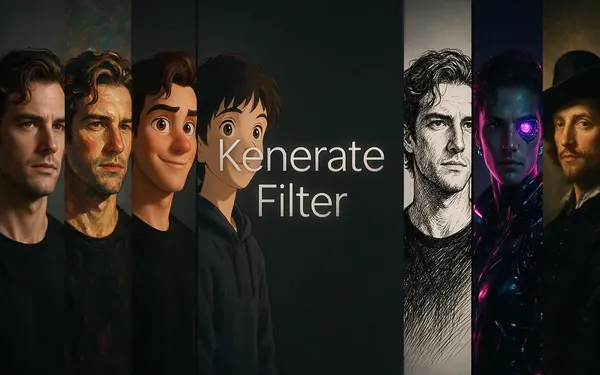
Kenerate
Kenerate Filter
- Strength
- Identity-locked re-render · bold style changes
- Typical time
- About 15–30 s
For a stronger plastic-toy finish while keeping your features recognisable.
Open Kenerate Filter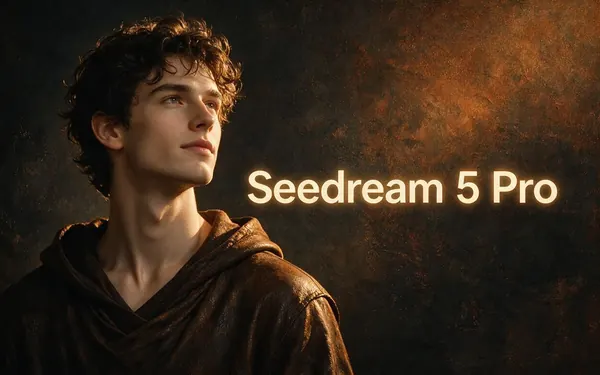
ByteDance
Seedream 5 Pro
- Strength
- Painterly & cinematic looks · rich texture
- Typical time
- About 20–40 s
For a glossier product-shot feel with rich texture on the packaging.
Open Seedream 5 Pro
OpenAI
GPT Image 2
- Strength
- Smartest with complex mixes · toys & posters
- Typical time
- About 30–60 s
The app's pick for toys & posters: switch here when the name on the card or the accessories must come out right.
Open GPT Image 2
Times are typical, not promised. Every engine returns one image per run, and a failed run is refunded automatically.
Example uses
How creators use action figure AI
Illustrative examples of typical workflows, not customer reviews.
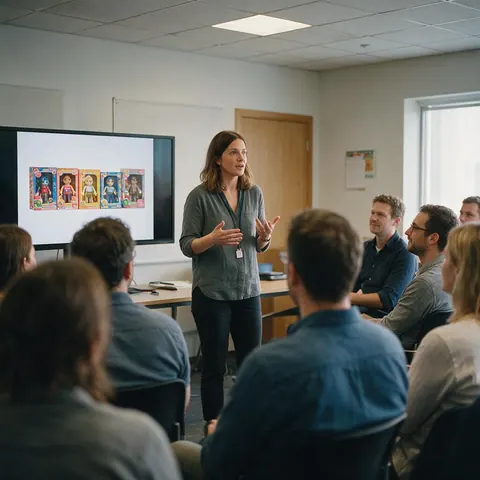
Team lead
A team lead turns each teammate, with their agreement, into a boxed figure with their own tools for the end-of-year slide.
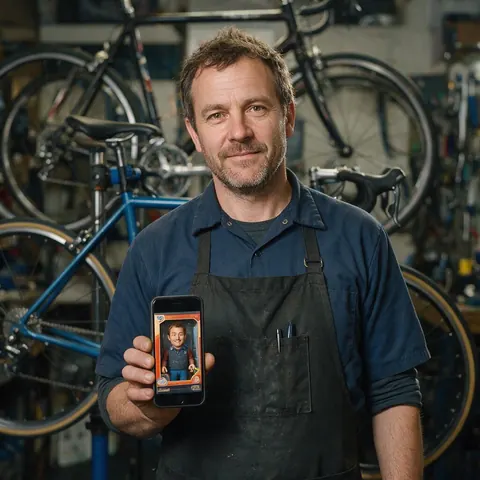
Bike shop owner
A bike shop owner makes an action figure of the head mechanic, wrench and spare tyre included, for the shop's social page.
Gift giver
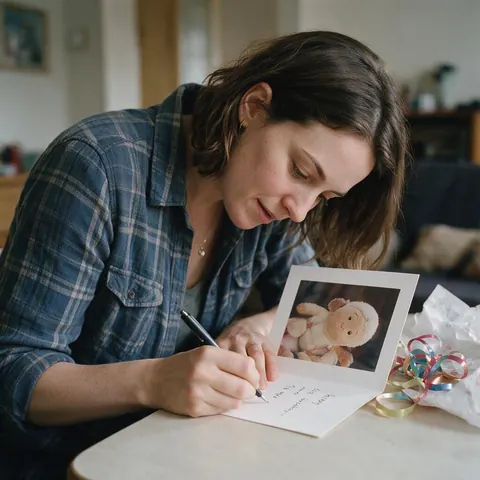
A friend makes a plush-toy version of the birthday person, with permission, and prints it on the card.
FAQ
Action figure AI questions
7 questions
How do I make an AI action figure of myself?
Upload a photo of yourself to Kenerate AI Filter, pick the Action Figure look and press Apply. It returns one image of you as a boxed collectible: glossy plastic, jointed limbs, a blister pack and a backing card. Add a Twist with your name and three or four accessories to make the box yours. A full-length photo on a plain background gives the cleanest figure.
Link to this answerHow do I put my name on the action figure box?
Write it in the Twist, the optional one-line instruction of up to 300 characters. For example: name on the card “SAM — CYCLIST”, accessories a helmet, a water bottle and a map. Short capitalised words render more cleanly. If the lettering still comes out wrong, switch to GPT Image 2, which the app describes as best for toys and posters, and apply again.
Link to this answerCan I do the action figure trend without ChatGPT?
Yes. Kenerate AI Filter has the boxed-toy look built in, so you upload a photo and pick Action Figure instead of writing a long prompt. You can choose from four engines, including GPT Image 2 for box lettering, and the result downloads without a watermark. New accounts get starter credits to try it, and no subscription is required.
Link to this answerWhich engine is best for an action figure?
Start on Qwen Image 3, the default, because it's quickest and stays close to your face. Switch to GPT Image 2 when the name on the card or small accessories matter most, since the app tags it for toys and posters. Kenerate Filter gives a bolder plastic finish while locking your identity, and Seedream 5 Pro a glossier, more textured package.
Link to this answerWhy did the action figure change my framing?
Because the look puts you inside a box. Action Figure is one of the few looks that changes the framing by design, along with Polaroid's white frame and Egyptian Relief's side profile. Your pose and face are still kept as closely as the engine can. If you want the toy without packaging, try Plush Toy, Claymation or Brick Minifig instead.
Link to this answerCan I turn the image into a real 3D-printed figure?
Not directly: AI Filter makes a picture, not a 3D model. You can download it, or Upscale it for a print. For a physical figure, Kenerate's 3D tools can turn an image into a printable model, and the 3D printed action figures page explains how to go from a picture to a figure on your shelf.
Link to this answerCan I make an action figure of someone else?
Yes, with their permission. Only use photos of yourself, of people who agreed, or pictures you have the rights to. Keep the box text to names and nicknames people are happy with, and don't use brand names, toy-line logos or famous characters on the card. Optional Twist text is moderation-checked like the app's other text fields.
Link to this answerIn depth
AI action figures, explained
What the trend image is made of, how to write the box, and which toy look to pick.
On this page
Where did the AI action figure trend come from?
It took off in April 2025, a few weeks after ChatGPT's new image generator launched. People uploaded a photo and asked for themselves as a boxed toy, with their name on the header and everyday accessories in the compartments; The Tab covered the prompts on 10 April 2025. The Action Figure look builds that brief in, so you only add the details that make it yours.
Anatomy of an action figure image
The pictures that work have the same parts:
- The figure: you, standing, in glossy plastic with visible joints
- The blister pack: a clear plastic bubble over a printed backing card
- The header: your name, or a title such as “THE DESIGNER”
- The accessories: three or four small things you actually use
Writing the box and the accessories
Put the specifics in the Twist, in one sentence: the name, a short subtitle and up to four props. Short words in capitals come out cleaner than long phrases. Pick props with distinct shapes — a camera, a guitar, a laptop, a running shoe — since tiny or similar objects blur together at toy scale. Use your own name or a nickname rather than a brand, a toy line or a famous character.
Action figure, vinyl figure, minifig or plush?
Action Figure keeps the most of your likeness because the figure is a scaled-down you. Vinyl Figure swaps your face for an oversized square head with black button eyes, so it reads by hair and outfit. Brick Minifig gives you a cylindrical head and claw hands. Plush Toy and Claymation are softer and friendlier. Superhero isn't a toy, but it makes a good comic cover to pair with the box.
From the picture to a real figure
AI Filter gives you an image, not a 3D model. For a sharp print or a poster, send the result to Upscale. If you want a physical figure for a shelf, Kenerate's 3D tools can turn a picture into a printable model; the 3D printed action figures page walks through that route.
Put yourself in the box
New accounts get starter credits. No subscription required. No watermark.
Tried it? Tell us how it went