


Plan · images · video · voice · music · captions · dubbing · montage · docs
AI Content Creation Platform
Describe the campaign once. Kenerate Agent plans the steps, makes the images, clips, voice-over and music, adds captions, dubs it, cuts the montage and writes the brief and the deck, all in one chat.
- A 2–14 step plan you approve
- Image, video, voice and music in one chat
- Dubbing into 33 languages
- PDF, DOCX and PPTX files
Updated by the Kenerate AI team
On this page
Quick answer
Updated
What is an AI content creation platform?
Kenerate is an AI content creation platform where one chat plans a campaign and makes the assets: images, video, voice-over, music, captions, dubbing into 33 languages and a final montage. Kenerate Agent shows a 2–14 step plan first, runs it after you approve, and can write the brief as a PDF or DOCX and the pitch as a PPTX deck.
Key facts
- Plan
- A 2–14 step checklist you approve once, skipping any step
- Images
- 1–4 per request, up to 10 references, Seedream 5.0 Pro by default
- Video
- Clips of 1–30 seconds from text or an image (paid plans)
- Voice and avatars
- Voice-overs from text · talking avatars from a photo
- Music
- Songs with vocals or instrumentals
- Captions and dubbing
- Burned-in subtitles · dubbing into 33 languages
- Montage
- 2 to 20 clips joined into one video up to 3 minutes
- Files
- Brief as PDF, DOCX or Markdown · PPTX deck · XLSX or CSV sheet
- Chat models
- GPT-6 Luna (default), GPT-6 Sol, GPT-6 Astra, Claude Opus 5.5, Claude Fable 5.1, Gemini 3.6 Flash
- Control
- Ask first or Auto within a budget you set per chat
- Where results go
- In the chat and in each studio's history; share the chat as a read-only link
Gallery
AI content creation examples
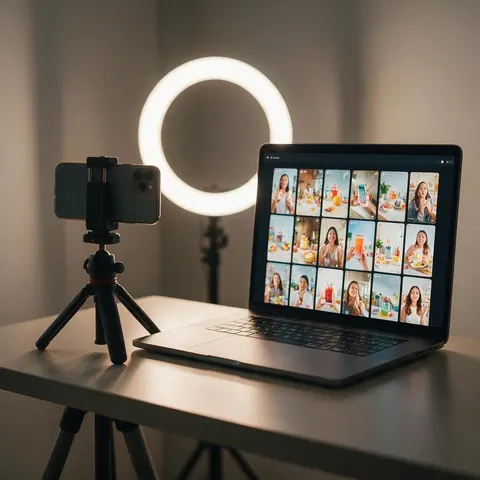
Stills made for this page: fictional teams and creators planning and making content. Screens show abstract images and video frames, not real apps.
How to
How to use the AI content creation platform
- Time needed
- Steps
- 4 steps
Step 1
Open the chat
Go to Kenerate Agent at /app/chat and sign in. Video and 3D steps need a paid plan.
Step 2
Describe the campaign
Goal, audience, channels, formats and the words you want used. Attach product photos, clips or audio.
Step 3
Approve the plan
For jobs with three or more paid steps the agent shows a 2–14 step checklist. Skip what you don't need and approve.
Step 4
Collect the assets
Images, clips, voice-over, music, captions, dubs, the montage and the files arrive in the chat and in each studio.
See it in the app

Open Kenerate Chat and type what you want to make, or tap a starter to drop a prompt in the box.


Watch the tour · 1:22
Starters, models & Ask first, approval cards, image → edit → new camera angle, one-tap actions, files, history & mobile
Chapters
Tips
How to brief one chat for a whole campaign
A good first message saves most of the back-and-forth.
Start with the goal and the audience, then list the deliverables: '4 product images, a 15-second vertical ad, a voice-over, a brief'.
Give every format up front (9:16 for Reels, 1:1 for feeds, 16:9 for YouTube) so images and clips match.
Attach your product photos or a reference clip (up to 8 files) so the assets stay on-brand.
Write the exact words for captions, voice-overs and calls to action so nothing is left to guesswork.
Use Ask first for the first campaign and switch to Auto once you trust the plan and the budget.
Ask for the brief as a DOCX so your team can edit it, and the pitch as a PPTX for the meeting.
Models
Image models the chat uses
What each model is good at. Open any one straight in the generator.

ByteDance
Seedream 5.0 Pro
- Reference images
- Up to 10
- Output
- Up to 4K
The default: photoreal product and lifestyle images
Open Seedream 5.0 Pro
OpenAI
GPT Image 2.5 Sunburst
- Reference images
- Up to 10
Posters, layouts and images with text in them
Open GPT Image 2.5 Sunburst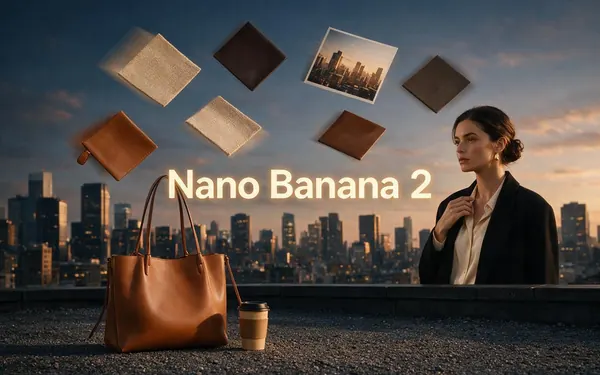
Google
Nano Banana 2
- Reference images
- Up to 10
The same face or product across a whole set
Open Nano Banana 2
Example uses
How creators use AI content creation platform
Illustrative examples of typical workflows, not customer reviews.

Skincare brand owner
A skincare founder could attach two product photos and ask for a launch kit: four product images, three short vertical clips, a voice-over, music and a 30-second montage, approving the plan once.
Agency producer
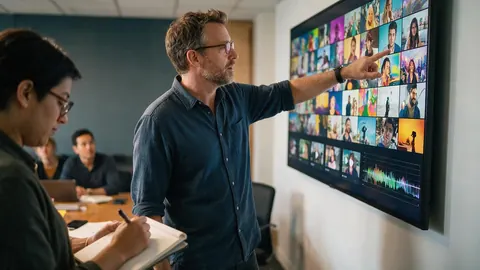
An agency producer could have the chat write the campaign brief as a DOCX and the client pitch as a PPTX, then make the hero images and clips the deck shows, and share the chat as a read-only link.
Nonprofit communications lead
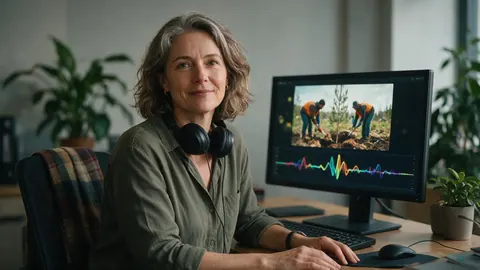
A nonprofit's communications lead could caption a volunteer video and dub it into Spanish and French for partner organisations, all from one conversation.
Best for
Which AI content creation tool fits the job
A neutral look at what each tool is built around. Features change often, so check each tool's own pages before you choose.
Kenerate AI chat
Best for one brief that becomes images, video, voice-over, music, captions, dubs, a montage and the brief and deck, made in the same conversation.
Jasper
Best for marketing teams that mainly need on-brand copy and agent-run marketing workflows.
Canva
Best for template-led design: social posts, print pieces and presentations edited by hand.
Adobe Firefly
Best for generating images, video, audio and vectors that you finish in Photoshop, Premiere, Illustrator or Adobe Express.
Descript
Best for editing recorded video and podcasts by editing the transcript, like a document.
FAQ
AI Content Creation Platform questions
8 questions
What is an AI content creation platform?
It is software that makes marketing and social content with AI: images, video, audio and copy. Some tools focus on one of those. Kenerate puts them behind one chat, so a single brief can become product images, short videos, a voice-over, music, captions, dubbed versions, a montage and the documents that go with them.
Link to this answerWhat can I make in one chat?
Images and edits, upscales, background removal, video clips of 1–30 seconds (paid plans), video upscales, music, voice-overs, talking avatars, motion control, 3D models (paid plans), subtitles, dubbing into 33 languages, restyled videos, montages of 2–20 clips up to 3 minutes, PDF and DOCX documents, PowerPoint decks and Excel or CSV spreadsheets.
Link to this answerHow does the plan work?
For a job with three or more paid steps, such as images, then clips, then a voice-over, music and a montage, Kenerate Agent first shows a checklist of 2 to 14 steps with the tool each one uses. You can skip steps, approve once, and it runs them in order, waiting for each result before the next.
Link to this answerCan I control what it spends?
Yes. In Ask first mode every paid step shows an approval card where you can change the model, ratio, duration and prompt before it runs. In Auto mode it runs on its own, but only within the budget you set for that chat.
Link to this answerCan I use my own product photos and clips?
Yes. Attach up to 8 images, videos or audio files to a message. The chat uses them as references for images, as the source for animation, dubbing or subtitles, or as clips in a montage. Documents can't be uploaded, so paste text into the message.
Link to this answerWhich AI content creation tool is best?
It depends on the work. Jasper is built for marketing teams' copy and workflows, Canva for template-led design, Adobe Firefly for generating media inside Adobe's apps, and Descript for editing video and audio by editing the transcript. Kenerate fits when you want one chat to make the media and the files together.
Link to this answerWhere do the finished files go?
Everything appears in the chat, and each result is also saved to the history of the studio that made it, such as Image Studio or Video Studio. You can share the whole chat as a read-only link with a client or a teammate.
Link to this answerDoes it work in other languages?
Yes. The chat replies in the language you write in, voice-overs can be made in many languages, and finished videos can be dubbed into 33 languages.
Link to this answerIn depth
AI Content Creation Platform, explained
What works, what to avoid, and how to pick a model.
On this page
From one brief to a campaign
A content platform is only as fast as the hand-offs between tools. In Kenerate's chat there are none: the agent writes the plan, makes the product images, animates the best ones into clips, records the voice-over, makes the music, adds captions, dubs the result and joins it all into a montage, with each step using the output of the one before.
You stay in charge of the words. Give the hook, the claims and the call to action in your message, and check every asset before it goes out.
What each step uses
Every step runs the same engine as the matching Kenerate studio, so results also land in that studio's history.
- Images: Seedream 5.0 Pro by default, or GPT Image 2.5 Sunburst, Nano Banana 2, Qwen Image 3.0, Flux 2 Pro or Ideogram v4.
- Video: clips of 1–30 seconds from text or an image on paid plans, then upscaling, restyling or motion control.
- Voice: voice-overs from text, and talking avatars from a photo.
- Music: songs with vocals or instrumentals for the background.
- Captions and dubbing: burned-in subtitles, and dubbing into 33 languages.
- Montage: 2 to 20 clips joined into one video of up to 3 minutes.
- Files: the brief as PDF, DOCX or Markdown, the pitch as a PPTX deck, and a content calendar as XLSX or CSV.
Ask first or Auto
Ask first shows an approval card for every paid step, with the model, ratio, duration and prompt editable before it runs. Auto runs steps without stopping, within the budget you set for that chat. For a new kind of campaign, start in Ask first and switch once the plan looks right.
What it doesn't do
The chat accepts images, video and audio as attachments, not documents, so paste briefs and scripts as text. It makes files and media rather than publishing them: download the results, or share the chat as a read-only link.
Try the AI content creation platform
Sign in to start a chat. Video and 3D steps need a paid plan.
Tried it? Tell us how it went