
Skip to content
9 tools compared · checked 26 September 2026

The best photo restoration software in 2026

One-click AI restorers, Photoshop and the free manual option — how you pay, where it runs and who it suits, from each vendor's own pages. Every example on this page is a real restoration.

  • 9 tools
  • Free & paid
  • AI and manual
  • Real examples
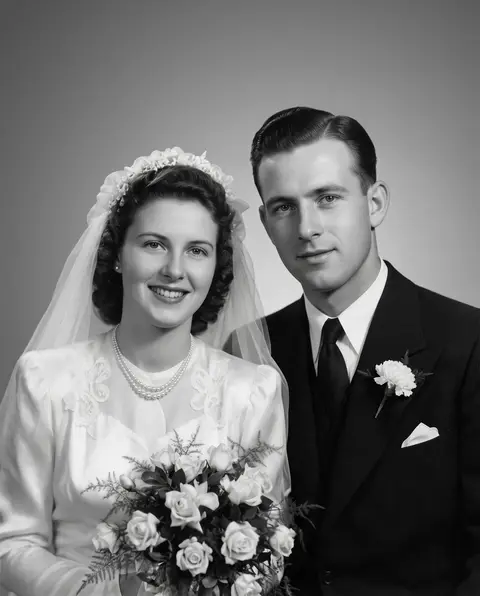
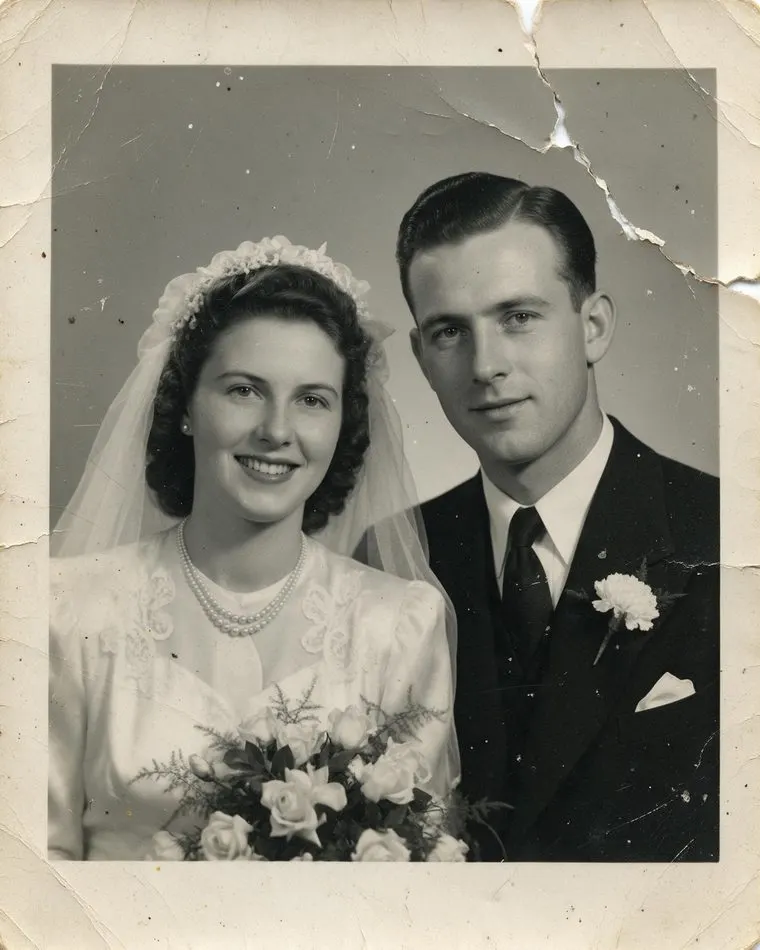
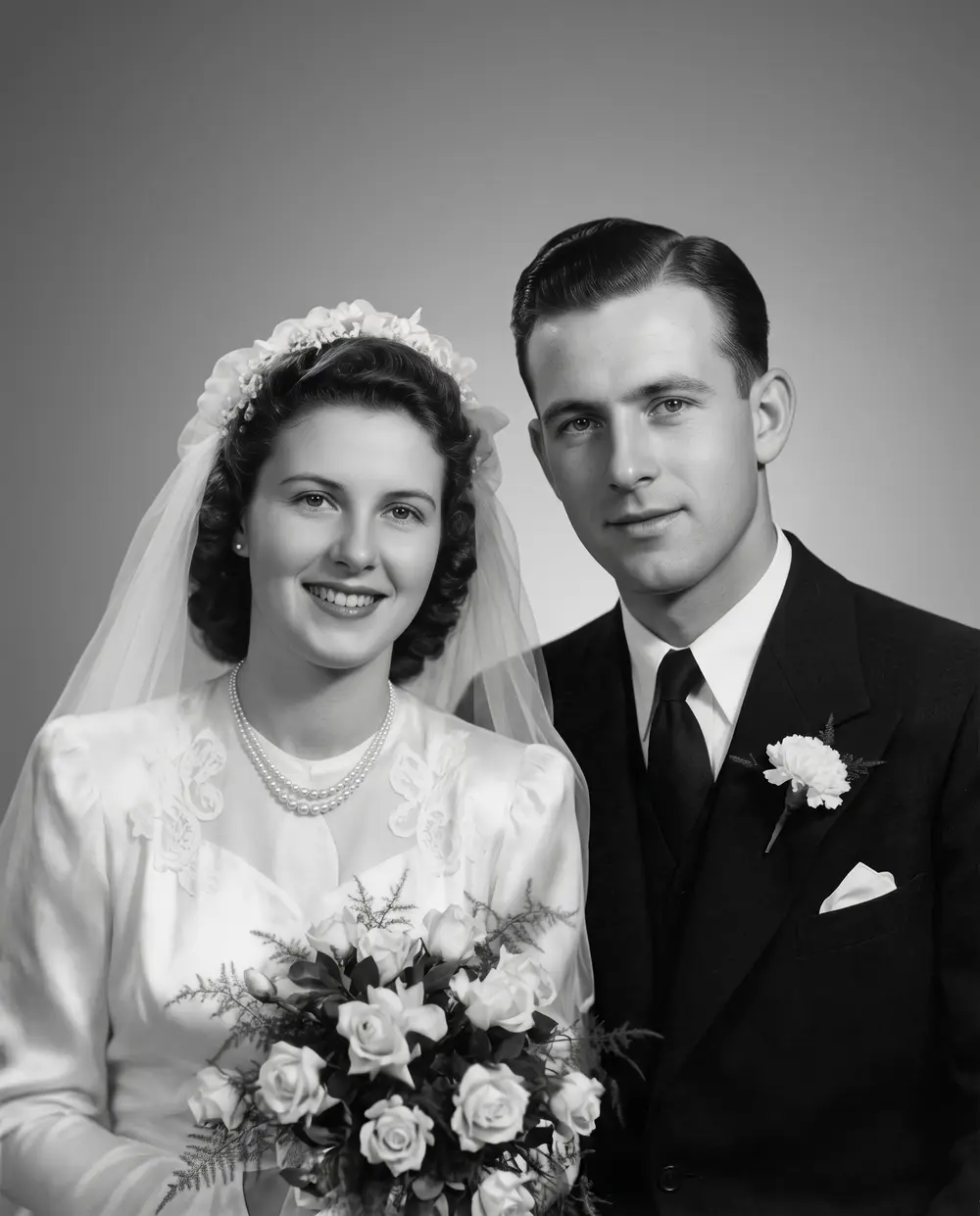
Torn, scratched 1940s black-and-white wedding portrait of a bride and groom — original Scanned print, torn
Torn, scratched 1940s black-and-white wedding portrait of a bride and groom — after Phota Enhance
BEFORE · Scanned print, tornAFTER · Restored · 2304 px

Phota EnhanceScanned print, torn → Restored · 2304 px

Try this photo
  • Real-ESRGAN
  • Image Upscaler 2K · 4K · 8K
  • Kenerate Upscale · 128 MP
  • Ultimate Upscaler
  • Clarity Pro
  • Phota Enhance
  • Recraft Creative
Torn 1940s wedding photo — after Phota Enhance
Faded 1970s colour print — after Phota Enhance
Water-damaged portrait — after Phota Enhance
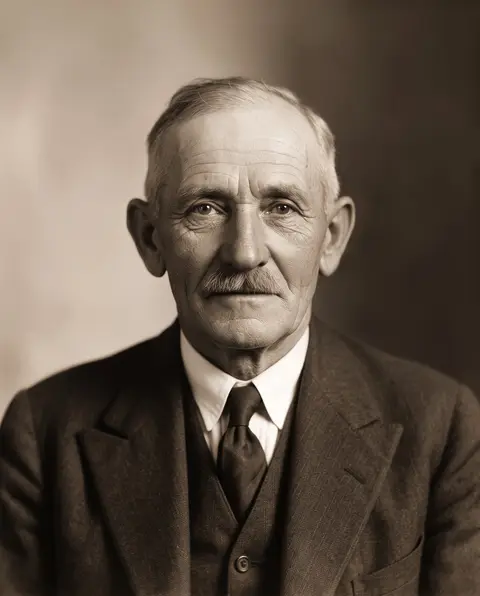
1930s portrait — after Phota Enhance
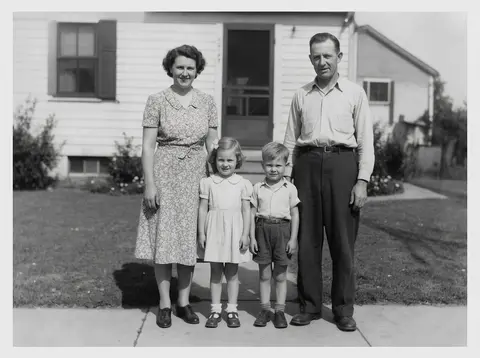
1950s family print — after Phota Enhance
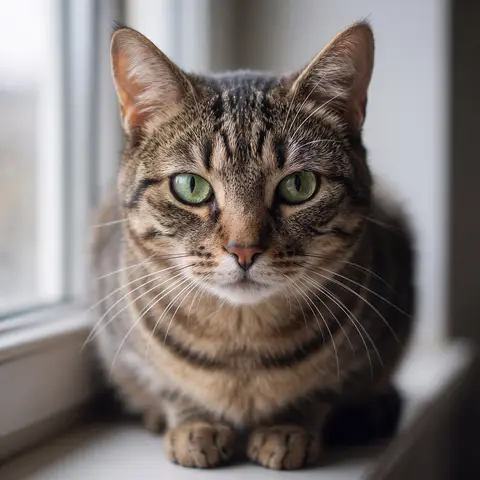
Blurry pet photo — after Phota Enhance
Torn 1940s wedding photo — after Phota Enhance
Faded 1970s colour print — after Phota Enhance
Water-damaged portrait — after Phota Enhance
1930s portrait — after Phota Enhance
1950s family print — after Phota Enhance
Blurry pet photo — after Phota Enhance

Quick answer

Updated

The best photo restoration software depends on how many photos you fix and how much control you want. One-click AI: Kenerate AI (Phota Enhance) — up to 4K, no subscription, no watermark; MyHeritage Photo Repair for family-tree users; Remini for phones on a weekly plan; VanceAI for batch work on Windows. Manual control: Photoshop's Photo Restoration filter (subscription) or GIMP's Heal tool (free).

Tools compared
9
Fastest
One-click AI (under a minute)
Free manual option
GIMP Heal tool
Checked
26 September 2026

Real results

See what it does to real photos

Every slider is a real Kenerate output from the bad input on the left. Drag to compare, then try the same photo.

  1. Torn, scratched 1940s black-and-white wedding portrait of a bride and groom — before
    Torn, scratched 1940s black-and-white wedding portrait of a bride and groom — after
    BeforeAfter

    01Tears & scratches

    A torn wedding portrait, whole again

    The tear, scratches and dust repaired — still in black-and-white, still them.

    Phota Enhance · Scanned print, torn → Restored · 2304 px

    Try it now
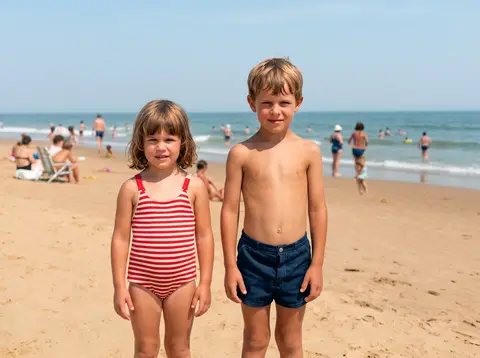
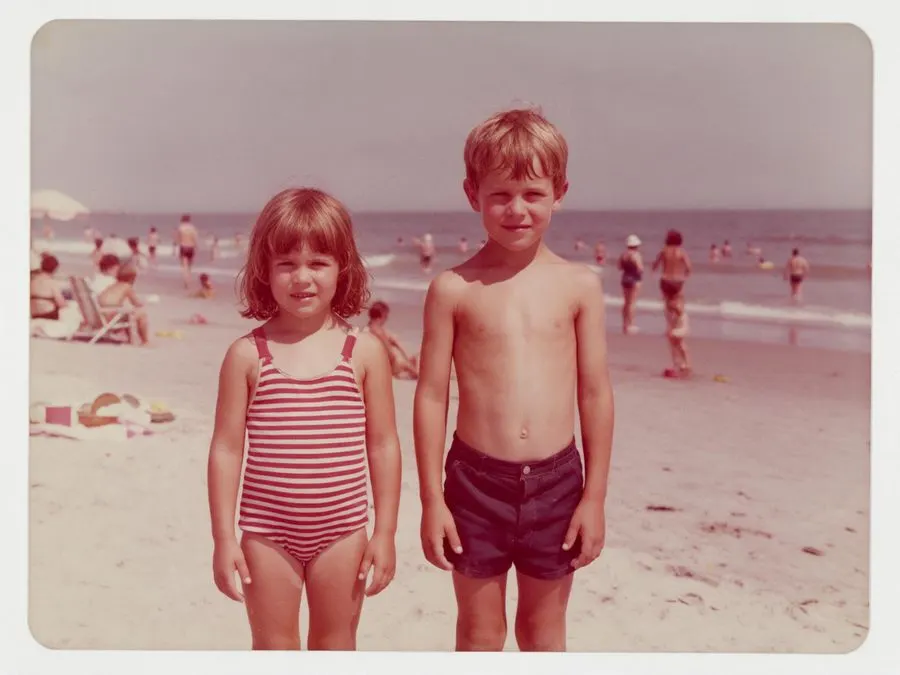
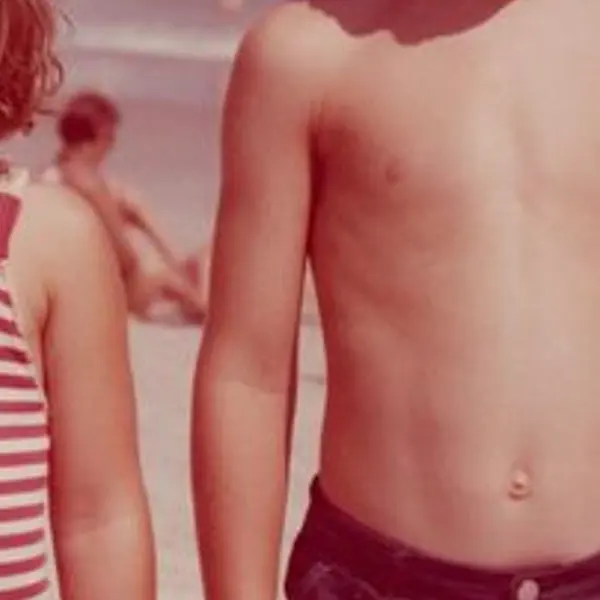
  2. Faded 1970s colour snapshot of two children on a beach with a red-magenta cast — before
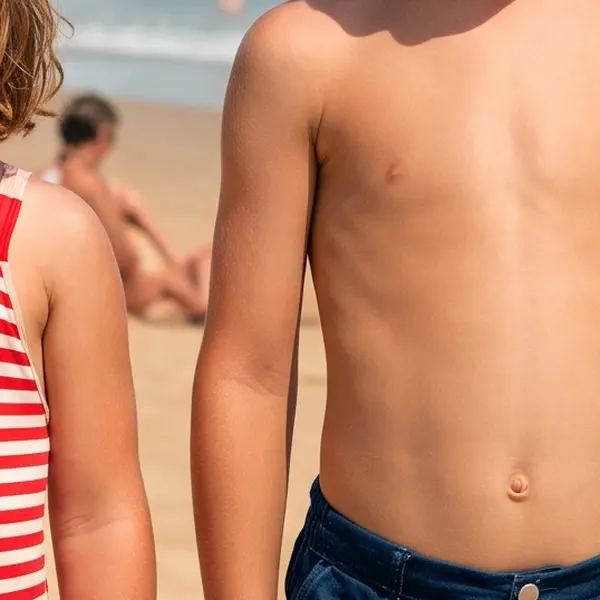
    Faded 1970s colour snapshot of two children on a beach with a red-magenta cast — after
    BeforeAfter

    02Faded colour

    The 1970s colours, back

    The red-magenta cast of a faded print corrected: blue sky, real skin tones.

    Phota Enhance · Scanned print, faded → Colour restored · 2400 px

    Try it now
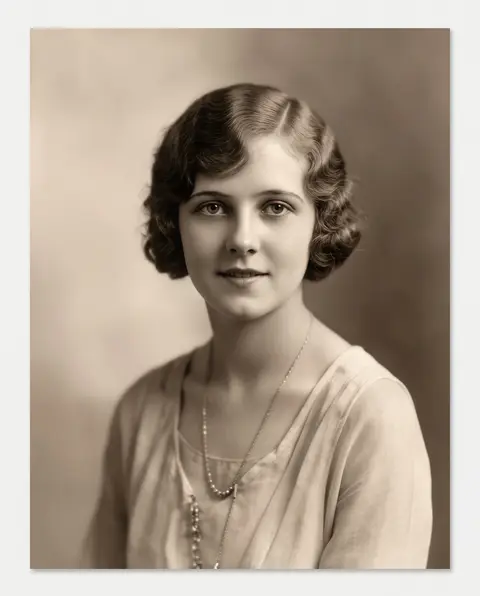
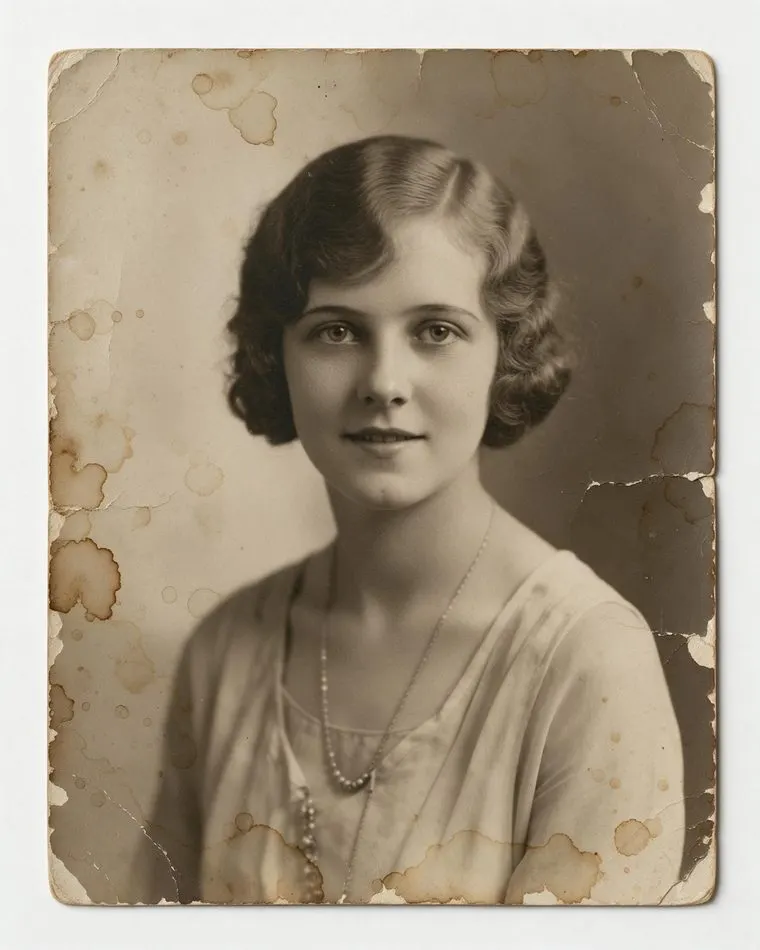
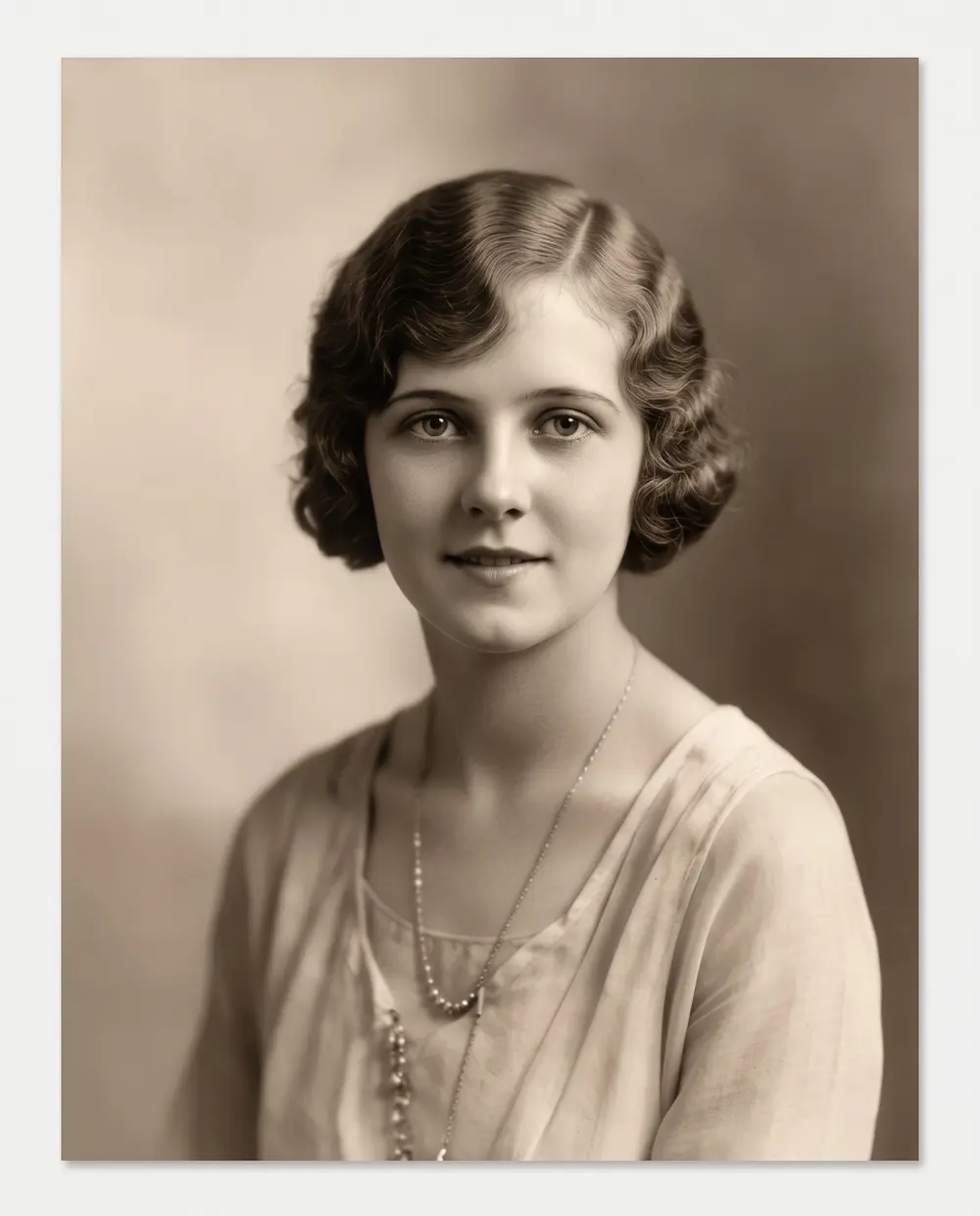
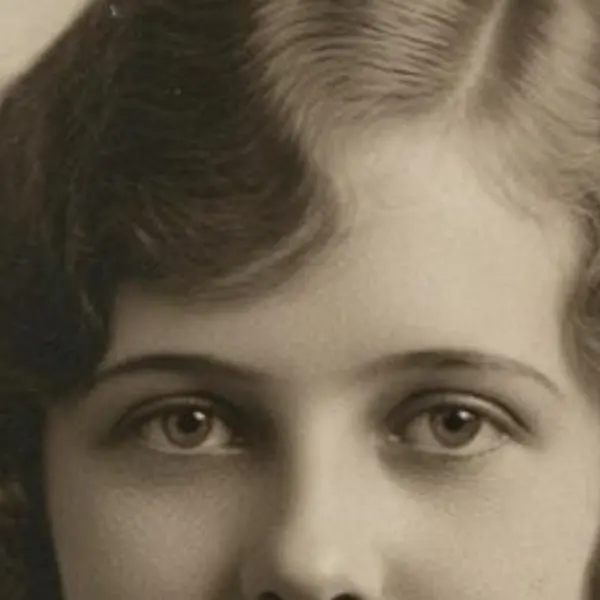
  3. Water-stained, cracked 1920s sepia portrait of a young woman — before
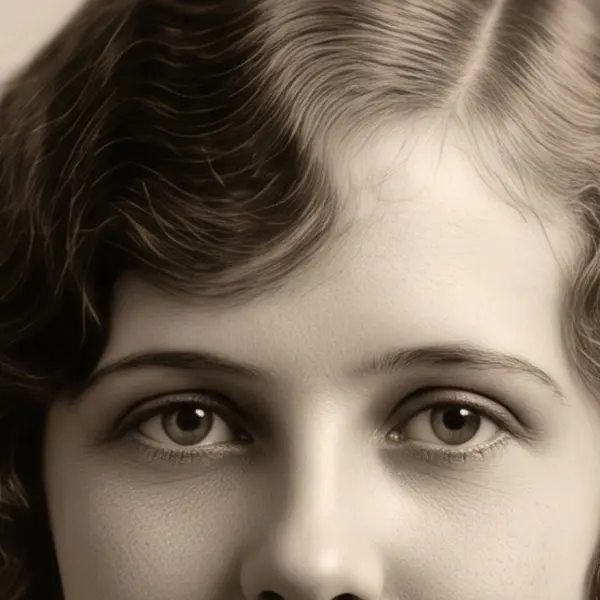
    Water-stained, cracked 1920s sepia portrait of a young woman — after
    BeforeAfter

    03Water damage

    Water stains, lifted

    Brown stains and cracked emulsion cleaned from a 1920s portrait.

    Phota Enhance · Scanned print, stained → Restored · 2304 px

    Try it now
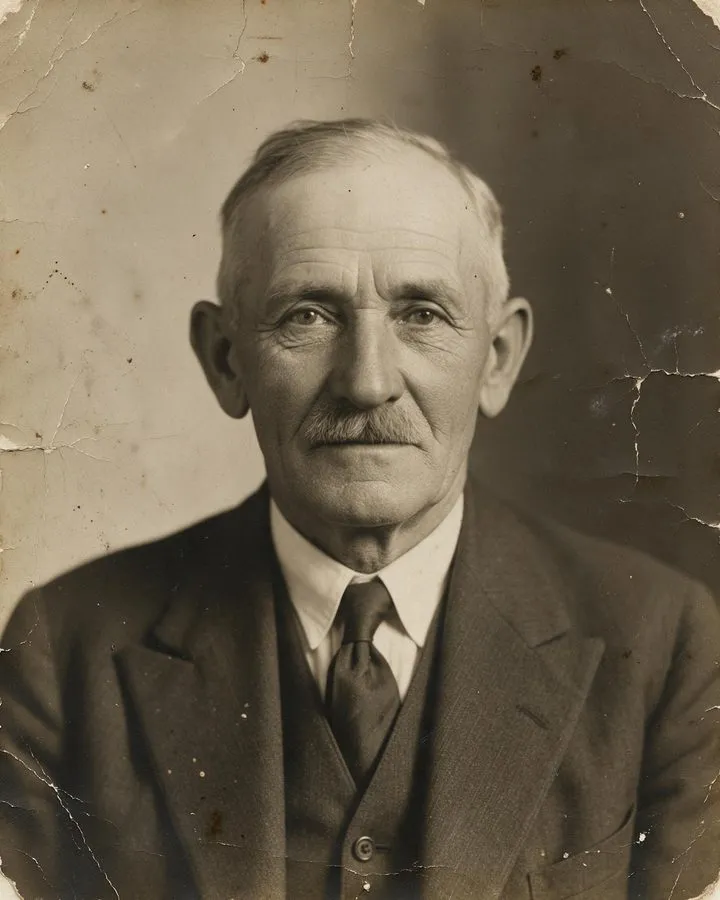
  4. Damaged sepia studio portrait of an elderly man with a mustache — before
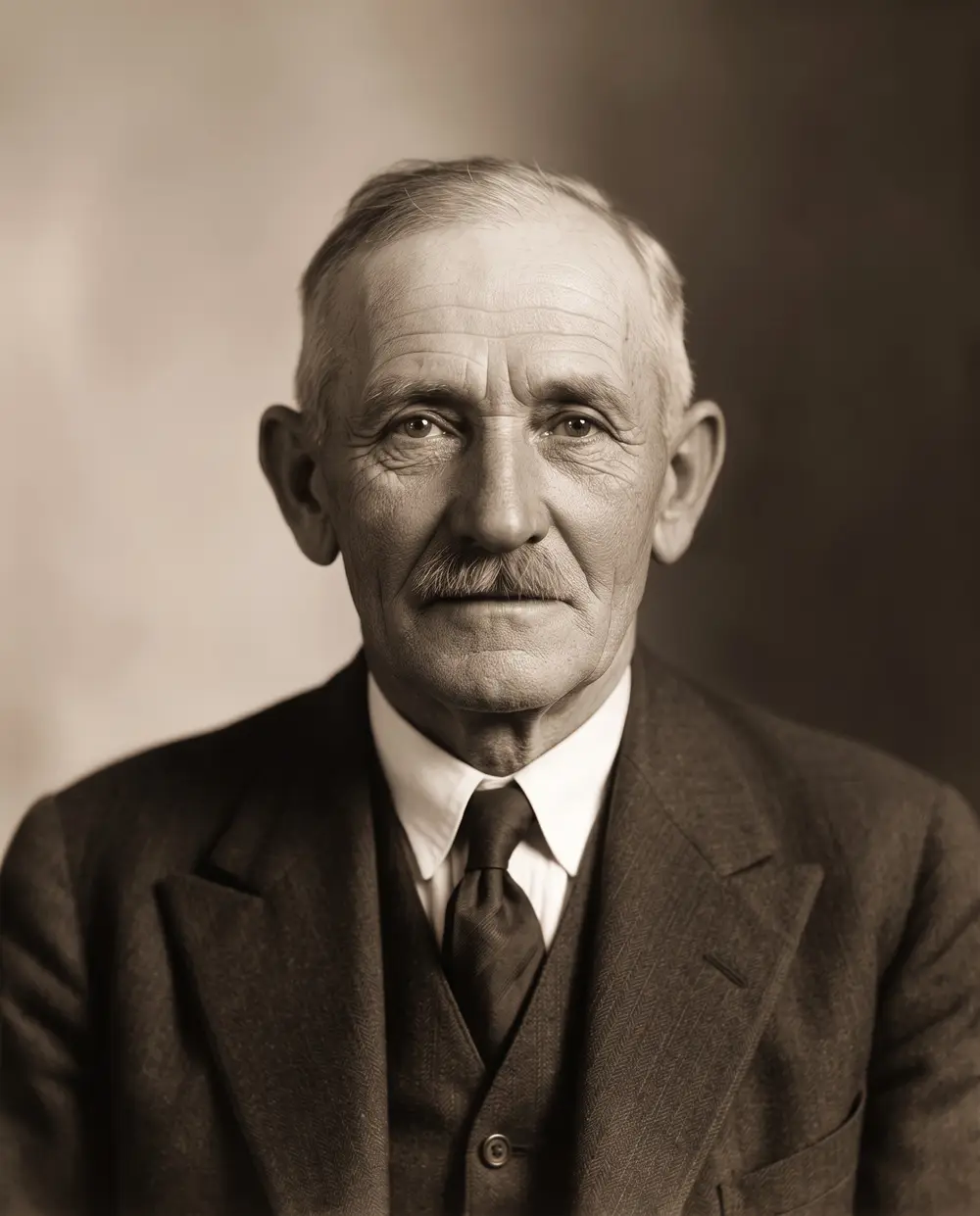
    Damaged sepia studio portrait of an elderly man with a mustache — after
    BeforeAfter

    04Old & damaged

    Cracked emulsion, cleaned up

    Stains and cracks removed from a 1930s studio portrait, with the period sepia look kept.

    Phota Enhance · Scanned print → Restored · 2304 px

    Try it now

Checked 26 September 2026

Photo restoration software compared

Where it runs, how you pay and who it suits. Plans change — confirm on each vendor's site.

  • Kenerate AI (Phota Enhance)This site

    Runs on
    Web, any device
    How you pay
    One-time credit packs, no subscription
    Best for
    Occasional restorations without a plan
  • Adobe Photoshop — Photo Restoration filter

    Runs on
    Desktop (Photoshop)
    How you pay
    Photoshop subscription
    Best for
    Retouchers who also want manual control
  • MyHeritage Photo Repair & Enhancer

    Runs on
    Web, iOS, Android
    How you pay
    A few free uses, then a MyHeritage subscription; free results watermarked
    Best for
    Family historians building a tree
  • Remini

    Runs on
    iOS, Android, web
    How you pay
    Weekly or monthly plans
    Best for
    Phone users enhancing faces
  • VanceAI Photo Restorer

    Runs on
    Web + Windows app
    How you pay
    10 free credits; Starter monthly plan (260 credits)
    Best for
    Batch restoration on Windows
  • Let's Enhance (Old Photo mode)

    Runs on
    Web + API
    How you pay
    10 free credits (watermarked); Starter subscription
    Best for
    Very large prints
  • Hotpot.ai

    Runs on
    Web
    How you pay
    Free for non-commercial use; paid per image for commercial use
    Best for
    Quick free tries
  • Picsart Photo Restoration

    Runs on
    Web, mobile, desktop
    How you pay
    Free tool; Pro/Ultra plans
    Best for
    People already editing in Picsart
  • GIMP (Heal tool)

    Runs on
    Desktop (Windows, Mac, Linux)
    How you pay
    Free, open source
    Best for
    Manual, pixel-level spot repairs

The list

The 9 tools, one by one

One verified detail for each, with a link to the source.

  1. 1.Kenerate AI (Phota Enhance)

    Web, any device · One-time credit packs, no subscription

    Repairs scratches, stains and fading, sharpens faces, restores faded colour prints; up to 4K, no watermark.

    Best for: Occasional restorations without a plan

    Try it
  2. 2.Adobe Photoshop — Photo Restoration filter

    Desktop (Photoshop) · Photoshop subscription

    A Neural Filter with photo-enhancement, face-enhance and scratch-reduction controls; entered beta in 2022.

    Best for: Retouchers who also want manual control

    Source
  3. 3.MyHeritage Photo Repair & Enhancer

    Web, iOS, Android · A few free uses, then a MyHeritage subscription; free results watermarked

    Photo Enhancer launched June 2020; Photo Repair (scratches, tears, stains) May 2021; In Color colorizer February 2020.

    Best for: Family historians building a tree

    Source
  4. 4.Remini

    iOS, Android, web · Weekly or monthly plans

    Its App Store listing covers repairing old, blurry and scratched photos.

    Best for: Phone users enhancing faces

    Source
  5. 5.VanceAI Photo Restorer

    Web + Windows app · 10 free credits; Starter monthly plan (260 credits)

    Removes scratches, tears, creases and stains, fixes fading, sharpens faces; optional colorizing.

    Best for: Batch restoration on Windows

    Source
  6. 6.Let's Enhance (Old Photo mode)

    Web + API · 10 free credits (watermarked); Starter subscription

    Old Photo is one of its enhancement modes; up to 256–512 MP on paid plans.

    Best for: Very large prints

    Source
  7. 7.Hotpot.ai

    Web · Free for non-commercial use; paid per image for commercial use

    Removes scratches, sharpens colours and enhances faces; free output carries a non-commercial licence.

    Best for: Quick free tries

    Source
  8. 8.Picsart Photo Restoration

    Web, mobile, desktop · Free tool; Pro/Ultra plans

    Fixes scratches, blur and fading automatically; colorizing is a separate tool.

    Best for: People already editing in Picsart

    Source
  9. 9.GIMP (Heal tool)

    Desktop (Windows, Mac, Linux) · Free, open source

    Heal samples a source area and blends it into the damaged area, taking the surroundings into account.

    Best for: Manual, pixel-level spot repairs

    Source

At 100%

What a one-click restoration looks like

Real Phota Enhance results, zoomed in on the damage.

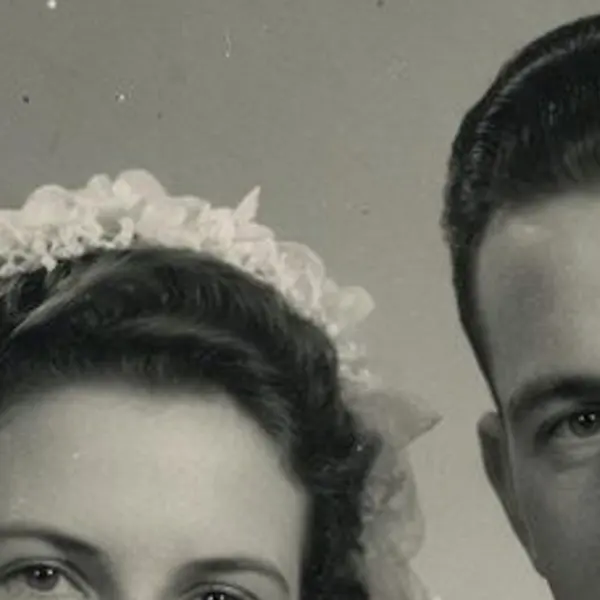
  • Torn, scratched 1940s black-and-white wedding portrait of a bride and groom — the Scanned print, torn original stretched to the same size (bicubic)
    Stretched
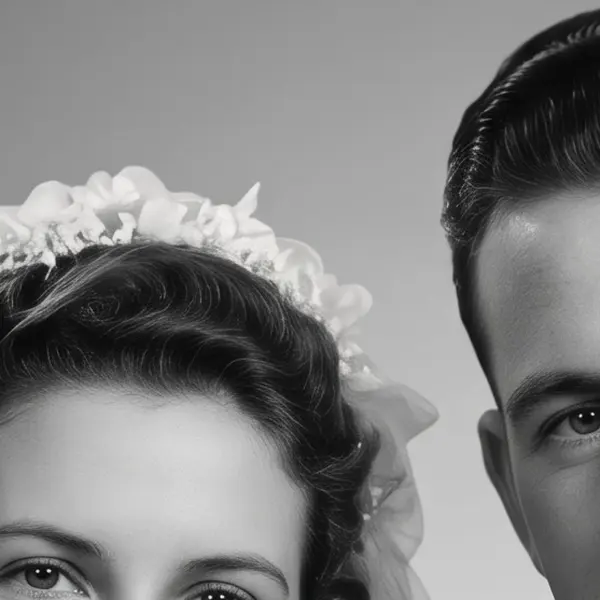
    Torn, scratched 1940s black-and-white wedding portrait of a bride and groom — the same crop after Phota Enhance
    Phota Enhance

    Torn 1940s wedding photo · Scanned print, torn → Restored · 2304 px

  • Faded 1970s colour snapshot of two children on a beach with a red-magenta cast — the Scanned print, faded original stretched to the same size (bicubic)
    Stretched
    Faded 1970s colour snapshot of two children on a beach with a red-magenta cast — the same crop after Phota Enhance
    Phota Enhance

    Faded 1970s colour print · Scanned print, faded → Colour restored · 2400 px

  • Water-stained, cracked 1920s sepia portrait of a young woman — the Scanned print, stained original stretched to the same size (bicubic)
    Stretched
    Water-stained, cracked 1920s sepia portrait of a young woman — the same crop after Phota Enhance
    Phota Enhance

    Water-damaged portrait · Scanned print, stained → Restored · 2304 px

  • Damaged sepia studio portrait of an elderly man with a mustache — the Scanned print original stretched to the same size (bicubic)
    Stretched
    Damaged sepia studio portrait of an elderly man with a mustache — the same crop after Phota Enhance
    Phota Enhance

    1930s portrait · Scanned print → Restored · 2304 px

Left: the original enlarged with ordinary bicubic resizing. Right: the same area of the real Kenerate output. Both crops are shown at the same size.

Try the no-subscription option — restorations up to 4K, no watermark.

Decide

How do I choose photo restoration software?

  1. Step 1: Scan the print well first

    Scan at 300 ppi for 4×6 and 5×7 prints, 400–600 ppi if you'll enlarge them, and keep the untouched scan.
  2. Step 2: Decide how much control you need

    One-click AI tools (Kenerate, Remini, MyHeritage) for speed; Photoshop or GIMP when you want to fix every scratch by hand.
  3. Step 3: Check how you pay

    One-time credits for a few family photos; a subscription only if you restore every week.
  4. Step 4: Test the same photo in two tools

    Compare faces at 100% — does the person still look like themselves?

In depth

Behind the restoration boom

Why AI restoration spread so fast, what it's actually doing, and the archivists' rule — with sources.

Why AI restoration took off

MyHeritage's Photo Enhancer processed a million photos in about ten days after it launched in June 2020 [1]; the company later added Photo Repair for scratches and tears, licensed from the DeOldify project [2]. Google made Photo Unblur free for every Google Photos user in 2024 [3]. Restoration went from a specialist retouching job to a one-tap feature in four years.

What the AI is actually doing

Face-restoration research such as GFPGAN rebuilds eyes, skin and hair from a learned “face prior” [4]; scratch and stain removal is inpainting, filling damaged areas from their surroundings [5]. Both are educated guesses — excellent for family albums, but compare faces with the original before you print.

Keep the original scan

Archival guidelines keep master scans untouched: FADGI says dust removal and colour restoration belong on a separate copy, never the master file [6]. Whatever tool you choose, restore a copy.

Related

Guides and alternatives

Start free

Start free, top up only when you need to

25 free credits on sign-up. The same credits work in every Kenerate tool.

  • 25 free credits on sign-up

    Test on your own images before you buy anything.

  • Credits never expire

    One-time packs — use them this week or next year.

  • No subscription, no watermark

    Nothing to cancel. Free results download clean.

  • One balance, every tool

    The same credits work across images, video, voice and 3D.

Tried it? Tell us how it went

We only publish real, verified reviews — never invented quotes. Send a line about your result (and whether we may quote you), and it will appear here.

Send a review

FAQ

Photo restoration software — FAQ

5 questions

Still stuck?

A real person answers — usually within a day.

01

What is the best photo restoration software?

For most people restoring a handful of family photos, a one-click AI tool is best: Kenerate's Phota Enhance works up to 4K with no subscription, MyHeritage suits genealogy users, and Remini suits phone users on a plan. For full manual control, Photoshop's Photo Restoration filter plus healing tools is the professional choice; GIMP is the free manual option.

02

What is the best free photo restoration software?

GIMP is completely free for manual repairs. Hotpot.ai offers free restorations for non-commercial use. Kenerate, VanceAI, Let's Enhance and MyHeritage give some free credits or uses to try before paying.

03

Can AI colourise black-and-white photos too?

Some tools do it as a separate feature — MyHeritage In Color, VanceAI and Picsart offer colorizing. Kenerate's Phota Enhance keeps black-and-white photos black-and-white but restores the colour of faded colour prints.

04

Is Photoshop better than AI tools for restoration?

Photoshop gives the most control and the Photo Restoration filter speeds up the start, but a heavily damaged photo can still take hours by hand. AI tools finish in under a minute; check faces and fine detail either way.

05

Do restoration tools keep my photos private?

Policies differ by vendor. On Kenerate, uploads and results are saved to your own private history.

Every pixel, rebuilt. Up to 128 MP.

Seven engines in one browser tool — faithful, creative and restoration — up to 8K or 128 MP.

AI engines
7
AI engines
Largest output
128 MP
Largest output
Free credits to start
25
Free credits to start
Straight upscale to
8K
Straight upscale to

Explore the toolkit

More upscale, enhance and restore tools

Every Kenerate page for making images bigger, sharper, cleaner and older photos new again.

Written by the Kenerate AI team

We make Kenerate AI, one of the tools listed. Every other tool is described from its own website and linked so you can check. Last updated 26 September 2026. Corrections: hello@kenerateai.com.

Sources

Ready when you are

Restore a photo in under a minute

Phota Enhance — up to 4K, no subscription, no watermark.

  • 25 free credits
  • No watermark
  • Credits never expire