

18 fonts · your own font · free
3D text generator type it, print it
Type a word, a name or a short message, pick a font and get a real 3D model — STL or 3MF to 3D print, GLB for Blender, game engines and the web. Sizes are in millimetres.
- 18 fonts, or upload your own
- Size, depth and bevel in mm
- Plate or keychain in one click
- Free — nothing uploaded
Updated by the Kenerate AI team
On this page
Quick answer
Updated
What is a 3D text generator?
A 3D text generator is a tool that turns typed text into a 3D model by extruding each letter's outline. Kenerate's free generator runs in your browser: type up to 80 characters, pick one of 18 fonts or your own, set the size in millimetres, add a plate or keychain tab, and download STL or 3MF or GLB.
Key facts
- Price
- Free, no account
- Fonts
- 18 Google Fonts (OFL / Apache 2.0) + any TTF or OTF you upload
- Size
- Letters 5–120 mm, thickness 0.6–40 mm, bevel 0–2 mm
- Layout
- Multi-line, left / centre / right; no base, a plate, or a keychain with ring hole
- Output
- STL, 3MF, OBJ, GLB
- Privacy
- Built in your browser — no upload
Why this tool
Real 3D text, not a text effect
Many “3D text” sites make a picture. This makes geometry you can print or import. (Want an object from a description instead — a robot, a mug? That's the AI Text to 3D Generator.)
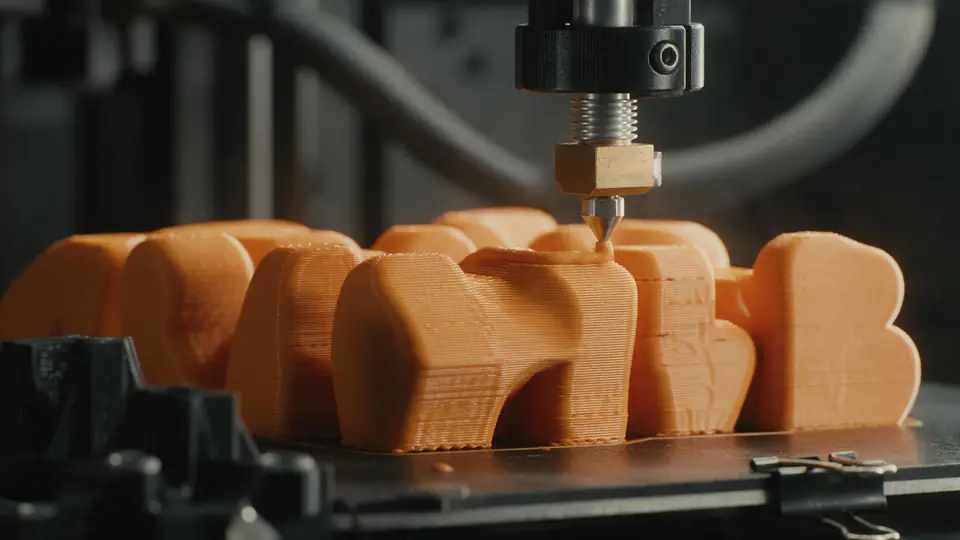
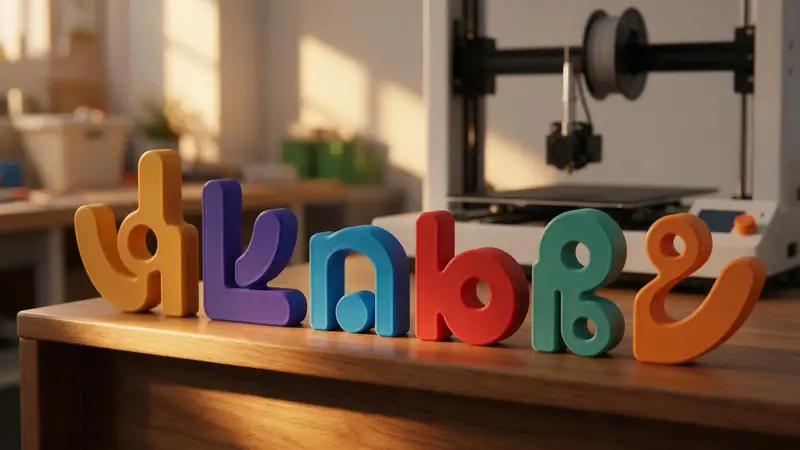
Use it in 3D apps
GLB opens in Blender, Unity, Unreal, Godot and web viewers. OBJ works almost everywhere.
Try it
Also
What else it does
Your own font
Upload any TTF or OTF file and it's used locally — great for brand fonts.
Plates and keychains
One click adds a rounded backing plate or a keychain tab with a 3–10 mm ring hole.
Rounded edges
A small bevel softens the top edges for a friendlier look and nicer feel.
Multi-line
Up to three short lines, aligned left, centre or right.
How it works
How the text becomes 3D
In your browser, with three.js and the opentype font parser.
Load the font
The TTF/OTF is parsed into glyph outlines (the same curves your computer uses to draw text).
Lay out
Each line is shaped, aligned and spaced by the font's own metrics.
Extrude
Outlines are extruded to your thickness, with optional rounded edges.
Base and export
An optional plate or keychain is added under the text, then STL, 3MF, OBJ or GLB is written.
How to
How to use the 3D Text Generator
- Time needed
- Steps
- 4 steps
Step 1
Type your text
Enter a word, name or short message — line breaks are kept.
Step 2
Choose a font
Pick one of 18 fonts or upload your own TTF/OTF.
Step 3
Set size and depth
Letter size, thickness and rounded edges in mm; add a plate or keychain if needed.
Step 4
Download
STL or 3MF to print, GLB or OBJ for 3D apps.
Watch the tour · 1:48
Text, photo or multi-view to a textured GLB, nine engines, the viewer & lighting, compare engines, gallery, download & chat
Chapters
Who uses it
What people make with 3D text
Name signs and plates
Doors, desks, shelves and kids' rooms.
Cake toppers and party decor
Names and numbers in bold fonts.
Video and motion designers
GLB titles for Blender and After Effects plugins.
Game developers
3D lettering for menus and levels.
File formats
The formats this tool reads and writes
What each file can hold, what it can't, and where it opens. Facts link to the format's own spec or reference page.
| .stl · STL | .3mf · 3MF | .glb · GLB | |
|---|---|---|---|
| Full name | Stereolithography | 3D Manufacturing Format | glTF 2.0 Binary |
| Made by | 3D Systems, 1987 | 3MF Consortium, 2015 | Khronos Group, 2017 (glTF 2.0) |
| Kind | Triangle mesh (binary or ASCII) | ZIP package with XML | Single-file scene with PBR materials |
| Holds | Triangle surfaces, Facet normals | Meshes with units (millimetres), Colours and materials, Several objects and build plates | Meshes and PBR materials, Textures in the same file, Animation and skins |
| No | Colour and textures, Units, Materials | Animation | Units beyond metres, CAD precision |
| Best for | 3D printing — every slicer opens it | Modern 3D printing and multi-colour prints | Web, AR and real-time apps — the “JPEG of 3D” |
| Opens in | Cura, PrusaSlicer, Bambu Studio, OrcaSlicer, Blender | Bambu Studio, PrusaSlicer, OrcaSlicer, Cura, Windows 3D Builder | Browsers (three.js, model-viewer), Blender, Unity, Unreal, Godot |
No file yet?
Make the model first — from one photo
Every sample in the tool above began as a single picture and was turned into a 3D model in the Kenerate 3D Studio. The engine is named on each one.
Example uses
How creators use the 3D text generator
Illustrative examples of typical workflows, not customer reviews.
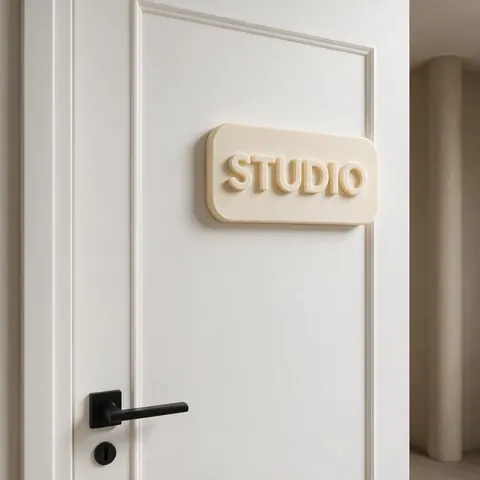
Home decorator
A home decorator can type a word, add a plate and print a door or shelf sign in a matching colour.
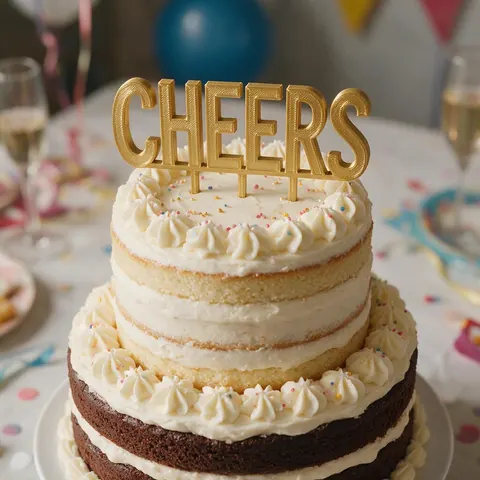
Party planner
A party planner can print names and numbers in bold fonts as cake toppers and table decor.
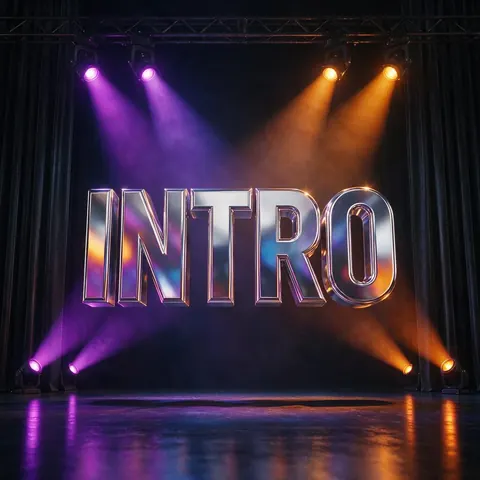
Motion designer
A motion designer can download the text as GLB and light it in Blender for a video title.
FAQ
3D Text Generator questions
9 questions
Is this 3D text generator free?
Yes — free with no account or watermark, and it runs in your browser.
Link to this answerCan I use my own font?
Yes. Upload a TTF or OTF file; it stays on your device. Check the font's licence if you'll sell the prints.
Link to this answerWhy does the dot on my “i” print separately?
Some letters have separate parts. Choose “Plate” so everything sits on one base, or glue small pieces after printing.
Link to this answerHow small can printed letters be?
Keep the thinnest stroke above about 0.9 mm (two perimeters on a 0.4 mm nozzle). For most fonts that means letters at least 8–10 mm tall; script fonts need 20 mm or more.
Link to this answerCan I make 3D text for Blender or a video?
Yes — download GLB or OBJ and import it. Add materials and lights in your app.
Link to this answerCan I make engraved text?
This tool makes raised text. For engraving, import the STL into your slicer or CAD and subtract it from a plate.
Link to this answerWhich characters work?
Any character the chosen font includes. The bundled fonts cover Latin letters, digits and common symbols; upload a font for other scripts.
Link to this answerIs a 3D text generator the same as text to 3D?
No. This tool turns letters and words into 3D by extruding a font — names, signs, logos, titles — free in your browser. Text to 3D is AI that builds an object from a description, like “a retro toy robot”; that's the Text to 3D Generator in the Kenerate 3D Studio, on any paid plan or credit pack.
Link to this answerIs my text uploaded?
No. Everything is built in your browser.
Link to this answerIn depth
3D Text Generator, explained
From font outline to printable solid — and the sizes that actually print.
On this page
How fonts become geometry
TrueType and OpenType fonts store each letter as closed outlines with holes (like inside an A or O). The generator extrudes those outlines straight up — the same method three.js uses for text geometry [10].
Sizes that print
Walls under about 0.45 mm can't print on a 0.4 mm nozzle; two perimeters, about 0.9 mm, is safer [11]. Thin serifs and hairline scripts need bigger letters. Bold sans and slab fonts print cleanly even small.
Free-standing letters
Letters that stand up on their own need depth: around a third of their height is a good start. Add a plate for anything thin, tall or with separate parts.
Font licences
The bundled fonts are from Google Fonts under the SIL Open Font License or Apache 2.0, which allow use in printed objects [19]. If you upload a font, its own licence applies.
Keep going
Other 3D viewers and converters
- Image to STLPhoto to relief, lithophane or shape
- Lithophane MakerFlat or curved, with a frame
- PNG to STLLogos and transparent images
- JPG to STLPhotos to printable reliefs
- SVG to STLExtrude vector art
- 3D Logo MakerSVG or PNG logo to 3D
- 3D LettersPrintable letters and names
- 3D Font GeneratorAny TTF or OTF font in 3D
Try the 3D Text Generator
Free and private — your files never leave your device. Want to make models with AI? That's the 3D Studio, on any paid plan or credit pack.
Tried it? Tell us how it went