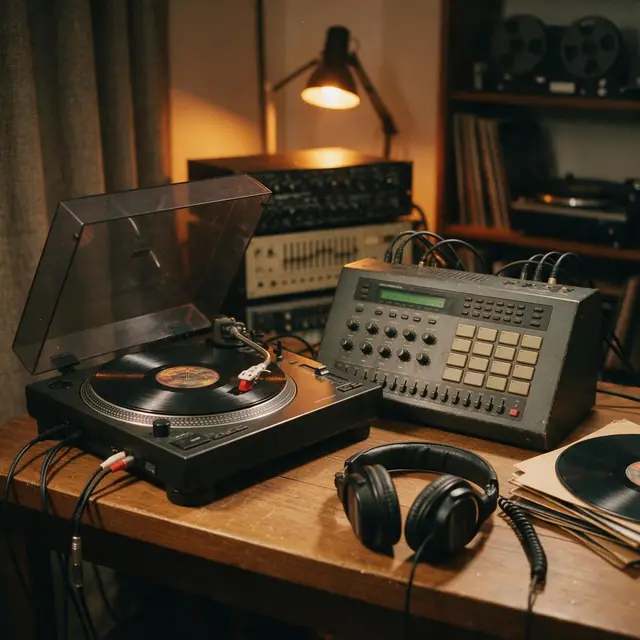
Boom-bapInstrumental90 BPM
Crate Digger
Made with MiniMax Music 3.0 · Instrumental
—
PromptClassic boom-bap hip-hop beat, dusty kick and snare, chopped soul sample, deep bass, head-nod groove, 90 bpm
No pads, no DAW, no loops to hunt for. Describe the drums, the bass and the melody — boom-bap with a soul sample, UK drill with sliding 808s, amapiano log drums — and the AI makes a finished instrumental beat in about a minute.
Quick answer
Updated
An AI beat maker creates an instrumental beat from a text description instead of a drum machine. In Kenerate's Music Studio, choose Instrumental, describe the drums (dusty boom-bap, skippy drill hats, amapiano log drums), the bass (808s, sub, walking), the melody or sample (soul chop, dark piano, strings) and a BPM, and get a finished beat in about a minute. Want vocals over it? Switch to Song or Lyrics mode. Engines include Ken Music, ElevenLabs Music, Mureka and MiniMax; new accounts get 25 free credits, and every beat downloads.
Listen first
Real, unedited generations. Tap a card to open the studio with that prompt.
Made with MiniMax Music 3.0 · Instrumental
PromptClassic boom-bap hip-hop beat, dusty kick and snare, chopped soul sample, deep bass, head-nod groove, 90 bpm
Made with Ken Music 1.5 · Sliding 808s
PromptUK drill beat, sliding 808 bass, skippy hi-hats, dark piano melody, eerie strings, 142 bpm
Made with Ken Music 1.5 · Log drum bass
PromptAmapiano beat, deep log drum bass, shakers, jazzy piano stabs, soulful pads, laid-back groove, 113 bpm
Made with ElevenLabs Music v2.5 · 60-second exact length
PromptEmotional hip-hop beat with a melancholic piano melody, hard drums, deep 808 bass, cinematic strings, 86 bpm
The BPM sets the pocket — pick it before anything else.
Head-nod
Log drums
Felt at half-time
Sliding 808s
Prompt recipe
The same four layers a producer builds — described in one sentence.
Each opens the Music Studio in Instrumental mode.
Boom-bap
Classic boom-bap beat, dusty kick and snare, chopped soul sample, deep bass, 90 bpm
Use this promptTrap
Dark trap beat, hard 808s, rolling hi-hats, eerie bell melody, 140 bpm
Use this promptDrill
UK drill beat, sliding 808s, skippy hi-hats, dark piano melody, 142 bpm
Use this promptAmapiano
Amapiano beat, log drum bass, shakers, jazzy piano stabs, 113 bpm
Use this promptPiano beat
Emotional hip-hop beat with a melancholic piano melody, hard drums, 808s, 86 bpm
Use this promptAfrobeats
Afrobeats instrumental, bouncy log drums, highlife guitar, shakers, 104 bpm
Use this promptBeat + hook
Melodic trap song with a catchy sung hook, hard 808s, emotional vocals, 140 bpm
Use this promptHow to
Tips
From making the demos above.
Engines
Facts from the app's engine list.
| Engine | Length | Modes | Good for |
|---|---|---|---|
| MiniMax Music 3.0MiniMax | Up to 4 min | Song · Lyrics · Instrumental | Follows [Verse]/[Chorus] section tags closely |
| Ken Music 1.5Kenerate | Up to ~3 min | Song · Lyrics · Instrumental | Default engine: full songs with vocals in any language; can take an image as inspiration |
| ElevenLabs Music v2.5ElevenLabs | Exact length, 10 s–10 min | Song · Lyrics · Instrumental | Set the exact duration; clean studio mix |
| Mureka V9.5Mureka | Up to 4 min | Song · Lyrics · Instrumental | Writes its own lyrics from a prompt; style chips; MP3/WAV/FLAC |
Pick the engine in the Music Studio's composer. Every engine runs on the same credit balance.
Make your first track — 25 free credits on sign-up.
Start free
The same credits work for music, voice, images and video.
Test on your own images before you buy anything.
One-time packs — use them this week or next year.
Nothing to cancel. Free results download clean.
The same credits work across images, video, voice and 3D.
In depth
What works, what to avoid, and how the pieces fit.
Producers build beats in layers — the prompt mirrors that:
AI is fastest for the first 80%: trying ten ideas in the time it takes to program one. Generate a few beats at your target BPM, keep the best, extend it, and finish it however you like.
FAQ
6 questions
A tool that creates an instrumental beat — drums, bass and melody — from a text description, instead of programming it on pads or in a DAW.
Choose Instrumental in the Music Studio, describe the drums, bass, melody and mood, add a BPM and generate. The beat takes about a minute.
New Kenerate accounts get 25 free credits, and every beat made with them can be downloaded.
Yes — ask for a piano melody over hip-hop drums, like the 'Warehouse Keys' demo.
Yes — ask for log drum bass, shakers and piano stabs around 110–115 BPM for amapiano, or bouncy log drums and highlife guitar around 100–105 for Afrobeats.
Yes — switch to Song mode for AI-written vocals, or Lyrics mode to have your own lyrics sung over a matching beat.
Explore
Songs, lyrics, genres, instrumentals and cover art — one studio, one credit balance.
Written by the Kenerate AI team
We build and run the Kenerate Music Studio. Every demo on this page is a real output of the engine named on it, made from the prompt shown; engine facts were checked against the app's code. Last updated 28 September 2026. Corrections: support@kenerateai.com.
Ready when you are
25 free credits on sign-up. No watermark. Credits never expire.