Kind Lady
MiniMax Speech 2.8 HD · MiniMax
JapanesePolite (keigo)Retail
いらっしゃいませ。本日はお越しいただき、誠にありがとうございます。どうぞごゆっくりお過ごしください。
Welcome. Thank you very much for visiting us today. Please take your time.
0:08
Polite · casual · whisper · 17 native voices
Paste Japanese — kanji, hiragana or katakana — and hear it read naturally: polite shop greetings, a gentle butler, an energetic student or a soft whisper.
Updated by the Kenerate AI team
On this page
Quick answer
Updated
Kenerate AI's Japanese text to speech reads kanji, hiragana and katakana in natural Japanese voices, for videos, lessons and games: 16 native voices on MiniMax, Ono Anna on Qwen3, and Japanese on ElevenLabs Eleven v3. It handles polite keigo and casual speech, reads up to 10,000 characters per clip, and downloads as MP3, WAV or FLAC.
Listen first
Each card shows the exact Japanese script and an English translation; characters light up as they're spoken.
MiniMax Speech 2.8 HD · MiniMax
いらっしゃいませ。本日はお越しいただき、誠にありがとうございます。どうぞごゆっくりお過ごしください。
Welcome. Thank you very much for visiting us today. Please take your time.
MiniMax Speech 2.8 HD · MiniMax
お帰りなさいませ。温かいお茶をご用意しております。本日もお疲れさまでした。
Welcome home. I have prepared some warm tea for you. Thank you for your hard work today.
MiniMax Speech 2.8 HD · MiniMax
よし、今日も一日がんばろう!まずは朝ごはん、それから公園までランニングだ!
Right, let's give it our all today too! Breakfast first, then a run to the park!
MiniMax Speech 2.8 HD · MiniMax
しーっ、静かに。雨の音、聞こえる?今日はこのまま、ゆっくりしよう。
Shh, quiet. Can you hear the rain? Let's just stay like this and relax today.
Qwen3 TTS · Alibaba Qwen
みなさん、こんにちは!今日は、簡単でおいしいお弁当の作り方を紹介します。
Hello everyone! Today I'll show you how to make an easy, tasty bento.
ElevenLabs Eleven v3 · ElevenLabs
新しいアプリの使い方を、三つのステップで説明します。まず、読み上げたいテキストを入力してください。
I'll explain how to use the new app in three steps. First, type the text you want read aloud.
How to
Step 1
Kanji, hiragana and katakana all work; up to 10,000 characters per clip.
Step 2
Filter by Japanese to see MiniMax's 16 native voices, or choose Qwen3's Ono Anna.
Step 3
Choose an emotion, adjust speed for learners (0.85×), or pick a whisper voice.
Step 4
MP3, WAV or FLAC, no watermark.
See it in the app

Open Voice Studio in Text to speech and type the words you want spoken, or start from a script template.
Text to speech, emotions & tags, Hindi, voice design, cloning & chat
Chapters
Use cases
For creators, learners and businesses serving Japanese audiences.
Localized versions of your videos.
Hear sentences, keigo and vocabulary read naturally.
Polite announcements for shops and venues.
Character lines for original characters.
Gentle narration for kids' tales.
Japanese IVR prompts and greetings.
Engines
Facts from the Voice Studio's code.
MiniMax
Most natural MiniMax voice; 7 emotions, (laughs)/(sighs) interjections, pronunciation dictionary
Open MiniMax Speech 2.8 HD
ElevenLabs
Most expressive; audio tags like [whispers], [laughs], [excited]
Open ElevenLabs Eleven v3
ElevenLabs
Lifelike and consistent over long reads
Open ElevenLabs Multilingual v2
Alibaba Qwen
9 characterful voices plus a free-text style prompt
Open Qwen3 TTSControls
The same controls as every language.
MiniMax voices. 1× is the natural pace; 0.85–0.95× suits narration and learners, 1.1–1.2× suits ads and recaps.
MiniMax voices, in semitones. A few steps down sounds bigger and older; a few up sounds lighter and younger.
MiniMax: neutral, happy, sad, angry, fearful, disgusted, surprised — the same words, a different read.
MiniMax 2.8 reads 13 cues like (laughs), (sighs), (breath); ElevenLabs Eleven v3 reads audio tags like [whispers], [excited], [sarcastic].
ElevenLabs. Lower = more expressive and varied between takes; higher = steadier and more even.
MiniMax lets you pick the format and sample rate (16–44.1 kHz); every clip downloads without a watermark.
Scripts
Japanese scripts to audition voices with.
丁寧 (keigo)
お問い合わせいただき、ありがとうございます。担当者より、本日中にご連絡いたします。
カジュアル
ねえ、今日の夜ごはん何にする?ラーメンとカレー、どっちがいい?
ナレーション
この町には、百年以上続く小さな本屋がある。
アナウンス
まもなく、一番線に快速電車がまいります。黄色い線の内側までお下がりください。
応援
大丈夫、きっとできるよ!最後まで一緒にがんばろう!
Tips
Readings of kanji are the main thing to watch.
If a kanji has several readings, write the one you want in hiragana (e.g. 今日 → きょう).
Use 、and 。 for pauses — they shape rhythm as much as commas do in English.
Pick the voice to match register: Kind Lady or Gentle Butler for keigo, Optimistic Youth for casual.
Slow to 0.85× for study material.
Keep names in katakana or hiragana if the reading is unusual.
MiniMax 2.8's pronunciation dictionary can fix a word the voice keeps misreading.
Example uses
Illustrative examples of typical workflows, not customer reviews.
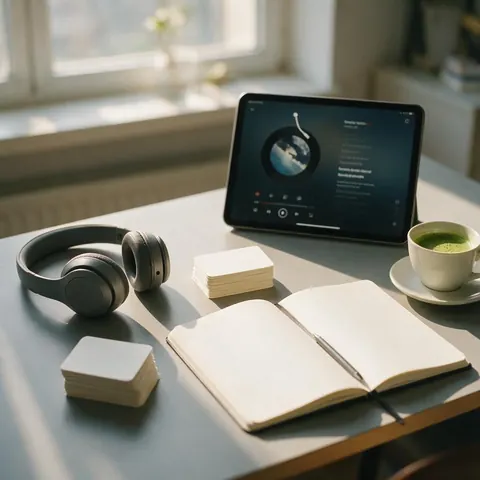
An adult learner can hear keigo and casual sentences read at 0.85x speed and write tricky kanji readings in hiragana to check them.

A shop owner can create polite in-store sale announcements with a kind, formal voice.

A food creator can publish Japanese versions of restaurant videos with an upbeat voice for casual narration.
FAQ
7 questions
MiniMax Speech 2.8 HD with a native Japanese voice sounds the most natural in our tests; ElevenLabs Eleven v3 is a good second option. Compare both on your script with free credits.
Link to this answerUsually, yes. When a kanji has several readings, the voice may pick the wrong one — write that word in hiragana, or add it to MiniMax 2.8's pronunciation dictionary.
Link to this answerYes. The voice reads whatever register you write; voices like Kind Lady and Gentle Butler suit polite speech.
Link to this answerA free Kenerate account starts with free credits, usable on any Japanese voice, with no watermark.
Link to this answerNo, it reads the Japanese text you provide. Translate first, then paste the Japanese.
Link to this answerYou can pick an expressive voice or describe an original character in Voice Design (Qwen3 speaks Japanese). We don't recreate existing anime characters or real voice actors.
Link to this answerKenerateの無料アカウントを作ると、無料クレジットで日本語の音声読み上げをすぐに試せます。漢字・ひらがな・カタカナの文章を貼り付け、MiniMaxの日本語ネイティブ音声16種類やQwen3のOno Annaから声を選んで生成するだけです。1クリップ最大10,000文字まで読み上げでき、音声はMP3・WAV・FLACで透かしなしでダウンロードできます。
Link to this answerIn depth
What works, what to avoid, and how the pieces fit.
Japanese mixes three scripts, and many kanji have several readings that depend on context. The voice has to pick the reading before it can say anything, which is where most errors come from. Pitch accent — the rise and fall that distinguishes words — also has to be right for speech to sound native.
Japanese changes form with politeness. Keigo — respectful and humble language — is used with customers and superiors [1], and it has its own rhythm. Choose a voice that suits the register: a calm, polite voice for shop and phone announcements, an energetic one for casual video.
What each demo voice suits:
Free to start. No watermark. Download every clip.
Tried it? Tell us how it went