Gentle Teacher
MiniMax Speech 2.8 HD · MiniMax
EnglishLecturePatient
Slide three. The water cycle has four stages: evaporation, condensation, precipitation and collection. Let's look at each one.
0:08
555 voices · 70 languages · cloning included
Murf's free plan doesn't include downloads or commercial rights. Kenerate's Voice Studio lets you download every clip — MP3, WAV or FLAC — from your free credits, with 555 voices from four AI makers.
Updated by the Kenerate AI team
On this page
Quick answer
Updated
The best Murf alternative if you need to download clips on a free start is Kenerate AI's Voice Studio. Murf's free plan includes 10 minutes of generation with no downloads and no commercial rights (pricing page, 29 September 2026). Kenerate lets you download every clip as MP3, WAV or FLAC, with 555 voices, 70 languages and instant cloning.
Checked 29 September 2026
Murf facts from its pricing page (Studio tab, checked 29 September 2026); Kenerate facts from the Voice Studio's code and Terms.
| Kenerate | Murf Studio | |
|---|---|---|
| Free plan | Starter credits that never expire | 10 minutes of voice generation, 10 projects |
| Downloads on free | Yes — every clip, MP3/WAV/FLAC | No downloads on the Free plan |
| Commercial use | You own what you generate (Terms) | Commercial rights start on the Creator plan |
| Voices & languages | 555 voices; 70 languages on Eleven v3, native voices in 40 on MiniMax | 200+ voices, 30+ languages & accents |
| Voice cloning | Instant clone (3–15 s) and saved clones, on credits | Custom voice clones as an Enterprise add-on |
| Integrations | Web studio; download and use anywhere | Canva on all paid plans; PowerPoint & Google Slides on Business |
No prices listed — plans change. Check each provider's pricing page before you buy.
Sources: Murf — pricing page, Studio plans (checked 29 September 2026) · Kenerate — Terms of Service (ownership of generated content) · Kenerate Voice Studio (engines, voices and limits from the app's code) · MiniMax Speech 2.8 HD on WaveSpeed · ElevenLabs Eleven v3 on WaveSpeed · ElevenLabs — text to speech documentation
Listen first
E-learning, explainer and presenter voices — real outputs from the Voice Studio.
MiniMax Speech 2.8 HD · MiniMax
Slide three. The water cycle has four stages: evaporation, condensation, precipitation and collection. Let's look at each one.
MiniMax Speech 2.8 HD · MiniMax
Here's the short version. Solar panels turn sunlight into direct current. An inverter turns that into the alternating current your home uses, and anything you don't use can flow back to the grid.
ElevenLabs Multilingual v2 · ElevenLabs
This quarter, customer sign-ups grew by twelve percent. On the next slide, we'll look at what drove that growth.
MiniMax Speech 2.8 HD · MiniMax
Welcome to the future of home coffee. One touch, thirty seconds, and the perfect cup.
MiniMax Speech 2.8 HD · MiniMax
Welcome. This short guided session will help you slow down, relax your shoulders and bring your attention back to your breath.
How to
Step 1
Up to 10,000 characters per clip; split long courses by lesson.
Step 2
555 voices — filter by gender, language and use case.
Step 3
Speed, pitch, emotion and a pronunciation dictionary on MiniMax 2.8.
Step 4
MP3, WAV or FLAC — straight into your editor or course tool.
See it in the app

Open Voice Studio in Text to speech and type the words you want spoken, or start from a script template.
Text to speech, emotions & tags, Hindi, voice design, cloning & chat
Chapters
Use cases
And who might stay.
Download clips per lesson and drop them into any authoring tool.
More voices and languages, downloads from day one.
Native voices in 40 languages plus ElevenLabs in 70.
Instant cloning without an Enterprise contract.
Credits that never expire suit irregular work.
…you rely on its Canva, PowerPoint or Google Slides plugins.
Engines
Facts from the app's code.
MiniMax
Most natural MiniMax voice; 7 emotions, (laughs)/(sighs) interjections, pronunciation dictionary
Open MiniMax Speech 2.8 HD
ElevenLabs
Lifelike and consistent over long reads
Open ElevenLabs Multilingual v2
ElevenLabs
Most expressive; audio tags like [whispers], [laughs], [excited]
Open ElevenLabs Eleven v3
Alibaba Qwen
Instant clone from a 3–15 s sample, no training
Open Qwen3 Voice Clone
Alibaba Qwen
Describe a voice in words and hear it
Open Qwen3 Voice DesignControls
Pitch, speed, emphasis-style emotion and pronunciation.
MiniMax voices. 1× is the natural pace; 0.85–0.95× suits narration and learners, 1.1–1.2× suits ads and recaps.
MiniMax voices, in semitones. A few steps down sounds bigger and older; a few up sounds lighter and younger.
MiniMax: neutral, happy, sad, angry, fearful, disgusted, surprised — the same words, a different read.
MiniMax 2.8 reads 13 cues like (laughs), (sighs), (breath); ElevenLabs Eleven v3 reads audio tags like [whispers], [excited], [sarcastic].
ElevenLabs. Lower = more expressive and varied between takes; higher = steadier and more even.
MiniMax lets you pick the format and sample rate (16–44.1 kHz); every clip downloads without a watermark.
Scripts
Run your usual Murf script through two or three voices.
Course intro
Hi, and welcome to the course. By the end of this lesson, you'll be able to build your first budget in a spreadsheet.
Pronunciation test
Our new partners in Worcester, Leicester and Reykjavik start on Monday.
Warm explainer
Think of it as a to-do list that plans your day for you.
Emphasis
This is not a small update. (breath) This is the biggest change we've made all year.
Tips
A few differences to know.
Kenerate is clip-based: generate one clip per slide or paragraph, then assemble.
Use MiniMax 2.8's pronunciation dictionary for names and brand words.
Emphasis comes from punctuation, emotion settings and Eleven v3 audio tags.
Keep a note of the voice and settings per project for consistency.
Re-clone your own voice from a clean 10-second sample.
Use your own editor or the PowerPoint guide for slides.
Example uses
Illustrative examples of typical workflows, not customer reviews.
An e-learning creator could download one narration clip per lesson and drop them into any authoring tool.
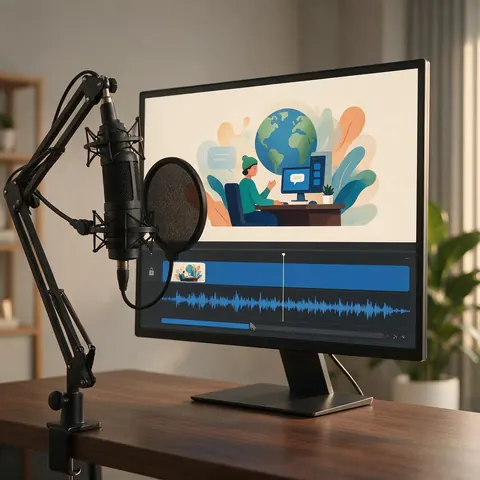
A YouTube explainer maker could pick from more voices and languages and download from day one.
A team could voice the same script in several languages with native voices.
FAQ
Murf has a Free plan. According to its pricing page (Studio plans, checked 29 September 2026), it includes 10 minutes of voice generation and 10 projects, without downloads or commercial rights.
Link to this answerKenerate's Voice Studio lets you download every clip from your free credits, which never expire, and you own what you generate.
Link to this answerNo. Download the audio and insert it yourself — see the PowerPoint voice-over guide for step-by-step instructions.
Link to this answerYes — instant cloning from a 3–15 second sample, or a saved MiniMax clone. On Murf, custom voice clones are an Enterprise add-on according to its pricing page.
Link to this answerKenerate has 555 voices across 16 engines; ElevenLabs Eleven v3 speaks 70 languages and MiniMax has native voices in 40. Murf lists 200+ voices in 30+ languages and accents.
Link to this answerKenerate's Terms give you ownership of what you generate.
Link to this answerIn depth
What works, what to avoid, and how the pieces fit.
Murf's Studio pricing lists a Free plan with 10 minutes of voice generation, 10 projects and one editor, with no downloads and no commercial rights; paid plans add unlimited downloads, commercial rights, 200+ voices and 30+ languages and accents [1]. That makes the free plan a way to try the editor rather than to produce finished audio.
An honest split:
If your workflow lives inside Canva or PowerPoint and you want an editor, Murf is built for that. If you want downloadable clips, more voices and languages, and credits that don't expire, try the Voice Studio with the same script.
Free to start. No watermark. Download every clip.
Tried it? Tell us how it went