Settings · export specs · AI upscale to 1080p
TikTok video low quality after upload? Why it happens and how to fix it
Your clip looks crisp in the camera roll and soft on the For You page. TikTok re-encodes every upload, and a few settings and export choices decide how much detail survives. Fix those first; if the source itself is low-res, upscale it to 1080p before posting.
- Vertical stays vertical
- 1080p ≈ 1080 × 1920
- Removes compression blocks
- No watermark
Updated by the Kenerate AI team
On this page
Quick answer
Updated
Why is my TikTok video low quality after upload?
TikTok video low quality after upload usually comes from TikTok's own recompression: it re-encodes every video and squeezes harder when 'Allow high-quality uploads' is off, Data Saver is on or the file doesn't match its preferred 1080 × 1920 format. Turn on high-quality uploads, export 1080p H.264, and upscale low-res clips to 1080p before posting.
Key facts
- Target size
- 1080 × 1920 (9:16)
- Turn on
- Allow high-quality uploads
- Turn off
- Data Saver
- Upscale to
- 1080p, vertical kept
- Specs source
- Clipchamp, updated 5 Sep 2025
Real demo
Give TikTok a sharper file: 480p to 1080p
Drag the line. Left: a real 480p clip. Right: the same clip after the AI Video Upscaler at 1080p. Vertical clips keep their 9:16 shape the same way.
- Original 480p. 480p — what a re-saved clip often looks like.
- Upscaled 1080p. 1080p — sharper signs, steam and faces.
Both clips are unedited outputs, shown at the same size.
Upscale before postingReal results
Vertical clips, ready for the feed
All four are 9:16, the shape TikTok expects — real 5-second Wan 3 clips at 720p, worth upscaling to 1080p before posting.
Example clips are AI-generated with Wan 3; the slider above shows the upscaler's own output.
How to
How to upload high quality video to TikTok
- Time needed
- Steps
- 4 steps
Step 1
Check the source
If the clip is below 1080p or was re-saved from another app, upscale it first.
Step 2
Upscale to 1080p on Kenerate
Upload the MP4, MOV or WebM and keep 1080p; a 9:16 clip comes back at about 1080 × 1920.
Step 3
Keep the export TikTok-friendly
If you edit further, export H.264 MP4 at 1080 × 1920, 30 or 60 fps.
Step 4
Turn on Allow high-quality uploads
On the posting screen, under More options.

Open Video Upscaler and upload a clip, or pick one from your library or a link.


Watch the tour · 1:19
Text, image & reference to video, models, edit, extend & chat
Chapters
Engines
Which size for TikTok, Reels and X?
TikTok plays at about 1080p, so bigger isn't better here.
AI Video Upscaler
720p · Fast
- Input
- Video up to 5 min / ~100 MB
- Output
- ≈ 720 × 1280 for 9:16
X posts and quick fixes
Open 720p · Fast- For TikTok
AI Video Upscaler
1080p · Popular
- Input
- Video up to 5 min / ~100 MB
- Output
- ≈ 1080 × 1920 for 9:16
TikTok, Reels and Shorts
Open 1080p · Popular 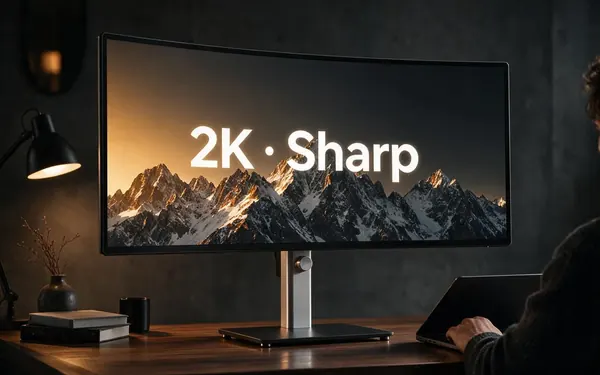
AI Video Upscaler
2K · Sharp
- Input
- Video up to 5 min / ~100 MB
- Output
- ≈ 1440 × 2560 for 9:16
Masters you'll also post elsewhere
Open 2K · Sharp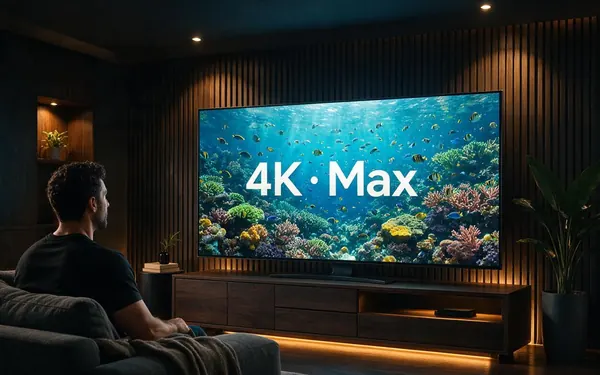
AI Video Upscaler
4K · Max
- Input
- Video up to 5 min / ~100 MB
- Output
- ≈ 2160 × 3840 for 9:16
YouTube or TV versions, not TikTok
Open 4K · Max
Sizes are a pixel budget: a 9:16 clip keeps its shape at every size.
Tips
Stop TikTok from crushing your video
Most of the quality loss is avoidable.
Don't upload 4K — TikTok downscales it to about 1080p anyway.
Record in SDR rather than HDR to avoid colour shifts after upload.
Avoid apps that compress the video when they save it.
Large, high-contrast on-screen text survives compression better.
Re-check the high-quality toggle after app updates.
Posting to X too? Its developer guidance recommends H.264 at 1280 × 720 or 720 × 1280.
Example uses
How creators use Fix TikTok video Quality
Illustrative examples of typical workflows, not customer reviews.

Dance creator
A dance creator could upscale a 720p rehearsal clip to 1080p so it stays sharp after TikTok's compression.

Small skincare brand
A small skincare brand could fix a soft product clip before posting it as a TikTok and a Reel.
Gaming streamer
A gaming streamer could upscale a vertical highlight clip so fine detail survives on the For You page.
FAQ
Fix TikTok Video Quality — questions
7 questions
Why is my TikTok video quality bad?
TikTok's quality drops when its re-encoding has to work hard: 'Allow high-quality uploads' is off, Data Saver is on, the file is 4K or an unusual size, or the clip was already compressed by another app. A slow or unstable connection while uploading can lower the quality too.
Link to this answerHow do I upload high quality video to TikTok?
Export a 1080 × 1920 H.264 MP4 at 30 or 60 fps, turn on 'Allow high-quality uploads' under More options on the posting screen, turn off Data Saver and upload on stable Wi-Fi. If the original is below 1080p, upscale it to 1080p first.
Link to this answerShould I upload 4K to TikTok?
No. TikTok plays video at about 1080p, so a 4K upload gets downscaled and recompressed, which can add blur. Upscale or export to 1080p instead — on Kenerate, a 9:16 clip at 1080p comes out at about 1080 × 1920.
Link to this answerCan I fix a TikTok video that's already posted?
Not in place, because TikTok keeps its compressed copy. Go back to your original file — not a download from TikTok, which is already compressed — upscale it to 1080p if needed, and post it again with the high-quality setting turned on.
Link to this answerDoes upscaling help if my clip is only 720p?
Yes. A 720p clip uploaded to TikTok is stretched and then compressed. Upscaling it to 1080p first with Kenerate's AI Video Upscaler gives TikTok a sharper, full-size file and removes existing compression blocks, while the length and frame rate stay the same.
Link to this answerWhy does my video look bad on X (Twitter)?
X re-encodes uploads too. Its developer guidance recommends H.264 at 1280 × 720 landscape or 720 × 1280 portrait, at 30–60 fps. Upscale soft clips to 720p or 1080p before posting, and upload your original file rather than a re-download.
Link to this answerWill the upscaler crop my vertical video?
No. Sizes are a pixel budget, so a 9:16 TikTok stays 9:16: at 1080p it comes back at about 1080 × 1920, with no bars and no cropping. The length and frame rate are unchanged too, so the file is ready to post as soon as you download it.
Link to this answerIn depth
What TikTok does to your video
On this page
Every upload is re-encoded
The settings that matter
Where an upscaler helps
If the source is 480p, 720p or a re-saved copy, no setting can add the missing detail. Upscaling to 1080p with Kenerate rebuilds sharper frames and removes existing blocking, so TikTok's encoder starts from a clean, full-size file.
TikTok
Recompresses every upload and prefers 1080 × 1920 H.264 at 30 or 60 fps. Turn on Allow high-quality uploads and turn off Data Saver [1].
X (Twitter)
Its developer docs recommend H.264 High Profile at 1280 × 720 or 720 × 1280, 30–60 fps [2]. Upscale soft clips to 720p or 1080p before posting.
Reels and Shorts
Also vertical: give them a clean 9:16 file at about 1080 × 1920, and upload the original rather than a re-download.
Explore
Every Kenerate video tool
Generators, tools, models and guides — all in one studio.