10 caption styles · word highlight · burned in · up to 4 min
AI Caption Generator — speech to styled captions in 10 looks
Upload a talking clip: the AI writes captions from the speech, times them to the words and burns them into the video in the style you pick. Every captioned example below is a real output, and the limits are listed plainly further down.
- Captions written from the speech
- 10 caption styles
- Spoken word highlighted in 2 styles
- No watermark
Updated by the Kenerate AI team
Made with Kenerate


On this page
Quick answer
Updated
What does an AI caption generator do?
An AI caption generator listens to the speech in your video, writes it out as captions timed to the words and draws them onto the picture. Kenerate's version burns the captions into one MP4 in any of 10 styles, from plain white text to Rizz's yellow word highlight, for clips up to 4 minutes at 720p or 1080p.
Key facts
- Caption styles
- 10
- Word highlight
- Glide Pop, Rizz
- Spoken languages
- Auto-detect + 10
- Clip length
- Up to 4 min, 100 MB
- Output
- MP4, captions burned in
- Ready in
- About 1–3 min
Real demo
Same sentence, three caption styles
One podcast-style clip captioned three times. Switch tabs with the sound on and watch how each style follows the words.
- Simple. Clean white text with a soft shadow — the default style.
- Glide Pop. The word being spoken appears in yellow script.
- Fusion. Short bursts of words, timed to the speech.
Real, unedited outputs of the caption generator on one Wan 3 clip.
Caption a clipReal results
One generator, five looks
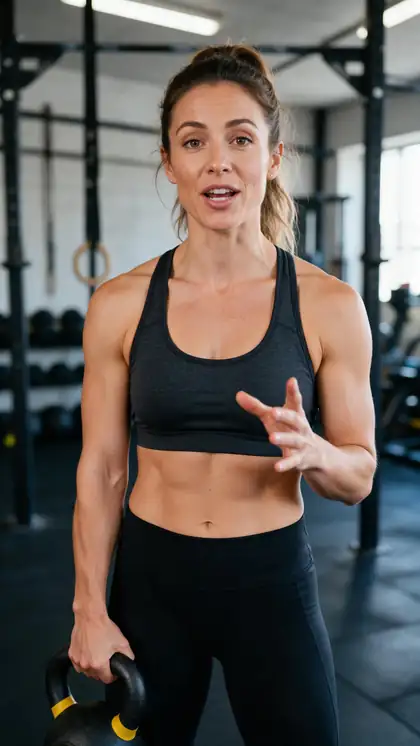
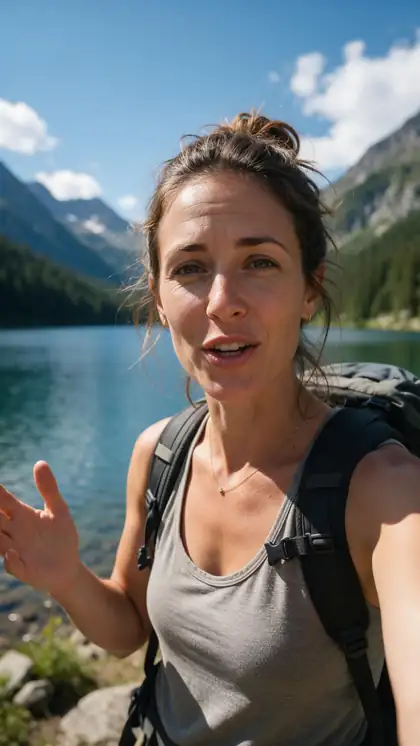
Each 5-second Wan 3 talking clip went through the caption generator once, in a different style. Filter by style to compare them.
Clips: Wan 3 image to video with speech (AI-generated people). Captions: Kenerate Auto Subtitles, unedited.
How to
How to generate captions with AI
- Time needed
- Steps
- 4 steps
Step 1
Sign in and open Auto Subtitles
A verified email is needed; new accounts get starter credits to try it.
Step 2
Upload one video
MP4, MOV or WebM, up to 4 minutes and 100 MB, with clear speech.
Step 3
Choose a caption style
Ten previewed tiles; Simple is selected by default.
Step 4
Set position, resolution and language
Top, Middle or Bottom; 720p or 1080p HD; Auto-detect or a pinned spoken language.
See it in the app

Open Auto Subtitles and upload a clip, or pick one from your history, library or a link.


Watch the tour · 1:19
Text, image & reference to video, models, edit, extend & chat
Chapters
Checked 3 October 2026
Kenerate vs other AI caption generators
From each tool's own caption page, checked 3 October 2026. Kenerate is our product; where the others do more, the table says so.
| Kenerate Auto Subtitles | Captions | OpusClip | VEED | |
|---|---|---|---|---|
| Caption styles | 10 | 100+ styles | Animated captions, emoji styling | Animated and karaoke-style subtitles |
| Edit caption text | No | Yes, line by line | Yes | Yes |
| Subtitle file export | No — burned in only | SRT mentioned in its FAQ | TXT, SRT and VTT | SRT, VTT and TXT |
| Translate captions | No — dub the video first | Yes, 100+ languages | Not on the page checked | Yes, with 'Add Translation' |
| Captions burned into the video | Yes, one MP4 | Yes | Captioned video download | Yes, or keep them separate |
Competitor details come from their public pages and can change; check them before you choose.
Sources: Kenerate Auto Subtitles (tool) · Captions — AI video caption generator, checked 3 October 2026 · OpusClip — AI caption generator, checked 3 October 2026 · VEED — Auto subtitle generator, checked 3 October 2026 · Subtitles — Wikipedia · YouTube Help — Add subtitles and captions, checked 3 October 2026
Engines
Which caption style fits your video?
All 10 styles from the tool's style picker, with what each looks like and where it works.
- Default
Caption style
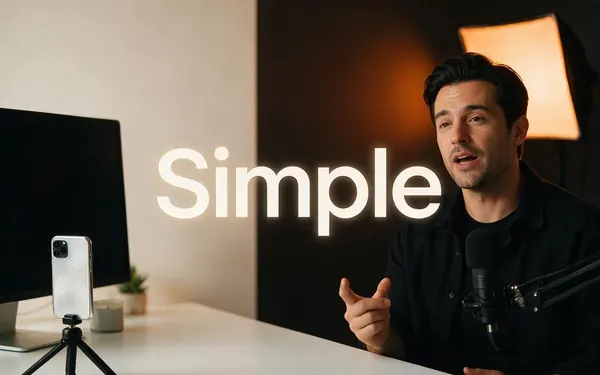
Simple
- Input
- Any clip up to 4 min
- Output
- Clean white text with a soft shadow
Interviews, tutorials, the safe default
Open Simple 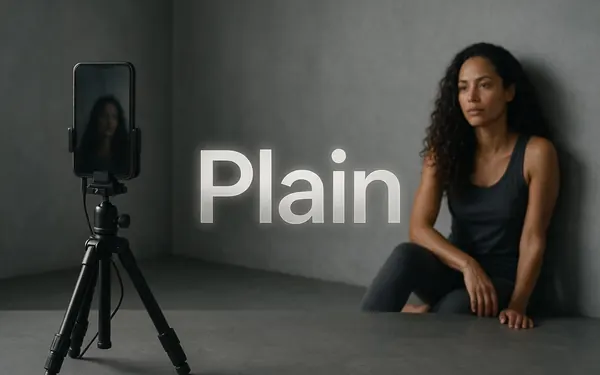
Caption style
Plain
- Input
- Any clip up to 4 min
- Output
- Clean white text
Minimal captions over clean footage
Open Plain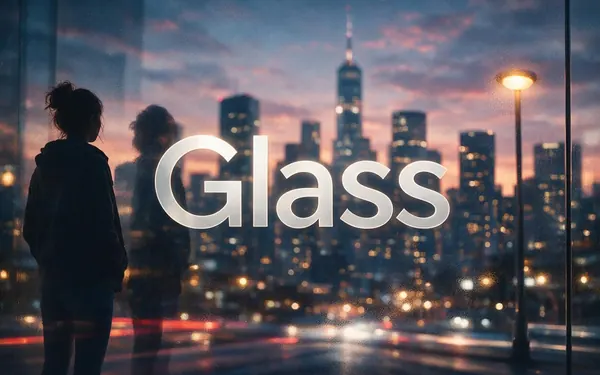
Caption style
Glass
- Input
- Any clip up to 4 min
- Output
- Words on a frosted glass pill
Bright or busy backgrounds
Open Glass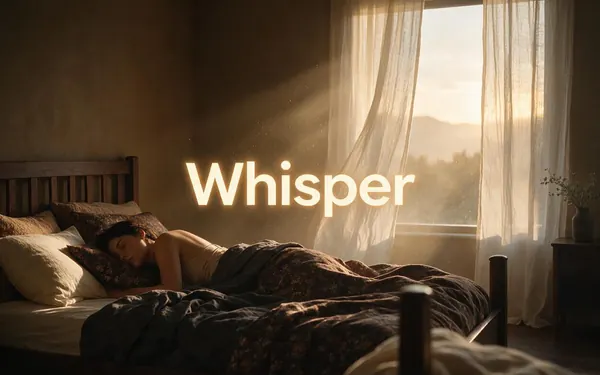
Caption style
Whisper
- Input
- Any clip up to 4 min
- Output
- Light italic text
Calm, cinematic or reflective clips
Open Whisper- Word highlight
Caption style
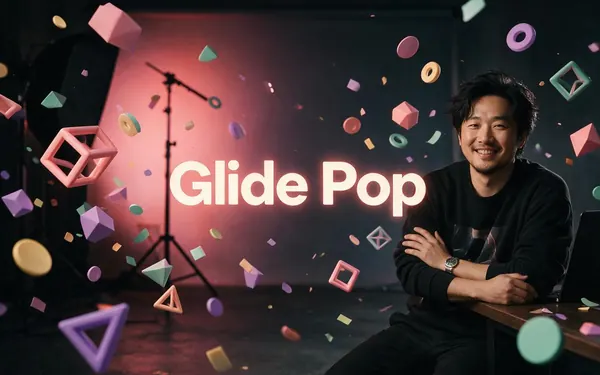
Glide Pop
- Input
- Any clip up to 4 min
- Output
- Small white words, the spoken one in yellow script
Vlogs and lifestyle Reels
Open Glide Pop 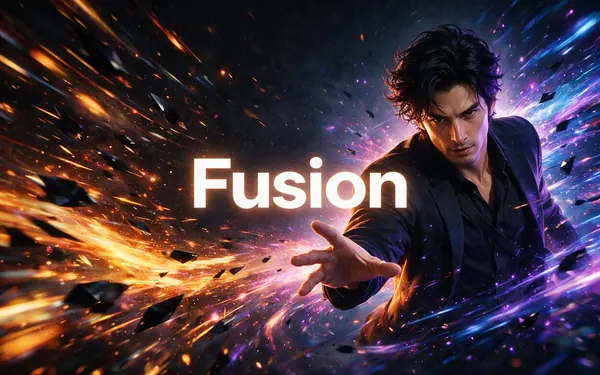
Caption style
Fusion
- Input
- Any clip up to 4 min
- Output
- Short bursts of words, timed to speech
Fast-paced talking clips
Open Fusion
All models (10)
Caption style
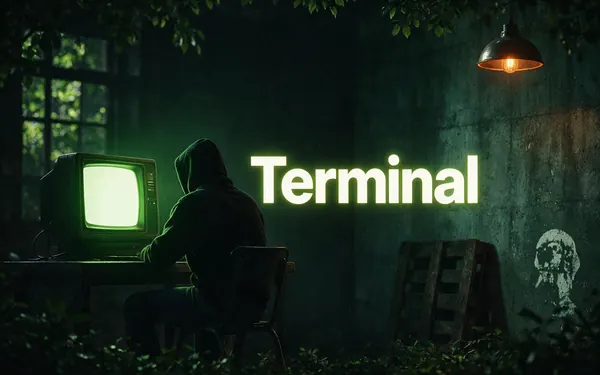
Terminal
- Input
- Any clip up to 4 min
- Output
- Green monospace text on black
Tech, coding and gaming clips
Open Terminal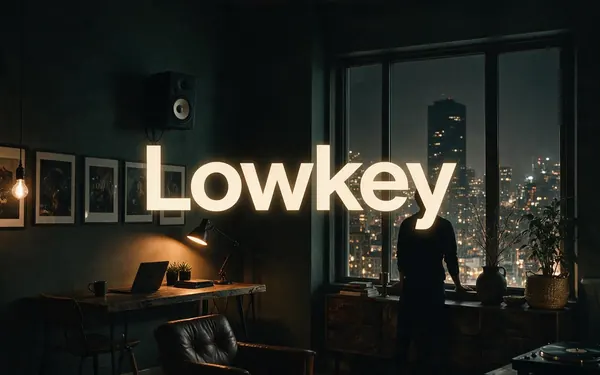
Caption style
Lowkey
- Input
- Any clip up to 4 min
- Output
- Small, subtle text
Footage where the picture leads
Open Lowkey- Word highlight
Caption style
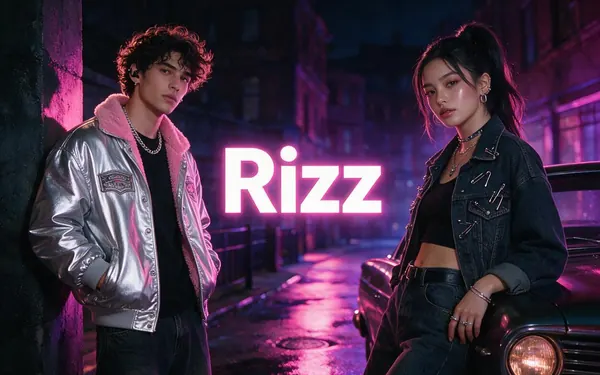
Rizz
- Input
- Any clip up to 4 min
- Output
- Heavy white caps, the spoken word in yellow
Hooks, ads and high-energy clips
Open Rizz 
Caption style
Vegas
- Input
- Any clip up to 4 min
- Output
- Pink neon caps
Nightlife, music and party clips
Open Vegas
Every style can sit at the top, middle or bottom, with text shadow Off, Soft, Mid or Max.
Tips
Choosing a caption look
Match the style to the job the video does.
Interviews and tutorials: Simple or Plain keep attention on the speaker.
Hooks and short ads: Rizz or Glide Pop make the spoken word jump out.
Moody or cinematic footage: Whisper or Lowkey stay out of the way.
Bright, busy backgrounds: Glass puts the words on a frosted pill.
Tech, coding and gaming clips: Terminal's green monospace fits the theme.
Nightlife, music and party clips: Vegas's pink neon caps.
Example uses
How creators use AI Caption generator
Illustrative examples of typical workflows, not customer reviews.
Online course creator
A course creator can caption every lesson in the same clean Simple style so students can follow along with the sound off.
Small business owner
A bakery owner can turn a quick talk-to-camera clip into a captioned post with Rizz, so the offer lands even on mute.
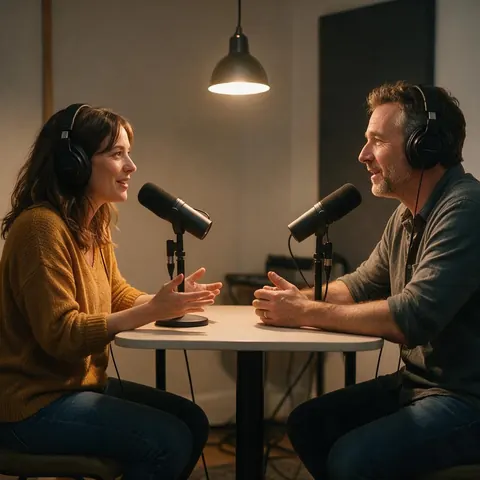
Podcaster
A podcaster can cut a short highlight from an episode and caption it with Glide Pop before sharing it.
FAQ
AI Caption Generator — questions
7 questions
Is there a free AI caption generator?
Kenerate's is not free, but you can try it without paying: new accounts get starter credits to try it, and no subscription is required. After that, Auto Subtitles is priced by clip length in tiers up to 4 minutes, and 1080p costs more than 720p. Failed runs are refunded automatically, and the captioned video has no watermark.
Link to this answerHow accurate are AI captions?
Accuracy depends mostly on the audio: one clear speaker, quiet background music and a pinned spoken language give the cleanest captions. Kenerate's captions can't be edited after they are generated, so if a word comes out wrong, run the clip again with the language pinned or with cleaner audio. Heavy accents, crosstalk and loud music cause most mistakes.
Link to this answerWhich caption style should I use?
Use Simple or Plain for interviews and tutorials, Rizz or Glide Pop when you want the spoken word highlighted, Glass for bright and busy backgrounds, and Whisper or Lowkey for cinematic footage. Terminal suits tech content and Vegas suits nightlife and music. All ten styles can be placed top, middle or bottom, with four levels of text shadow.
Link to this answerCan I edit the words or timing of the captions?
No. Kenerate's caption generator writes and times the captions automatically and burns them straight into the video, with no text or timing editor. If you need to correct words by hand, choose a tool with a caption editor, such as those in the comparison above. Here, the best fix is cleaner audio and a pinned spoken language before you run it.
Link to this answerDoes it work on videos without speech?
No. The captions are written from what is said, so the tool can't caption a silent clip or one with only music and ambience. Add titles to those in a regular video editor instead. When a clip mixes speech and music, keep the voice clearly louder than the music, because the transcript is only as clean as the voice in the audio track.
Link to this answerCan captions be in a different language from the speech?
Not with the caption generator alone: it captions the language that is spoken and doesn't translate. To put Spanish captions on an English video, first dub the video into Spanish with Kenerate's AI dubbing, which has 33 target languages, then caption the dubbed version. This works for any dub language that Auto Subtitles supports, such as French, German, Japanese or Portuguese.
Link to this answerWhat do I get back?
One MP4 with the captions burned into the picture, at 720p or 1080p HD, with no watermark. The tool shows Original and Captioned side by side so you can check the result before downloading. Because the captions are part of the image, they show on every platform, but viewers can't switch them off and there is no separate subtitle file.
Link to this answerIn depth
How AI captioning works, and where it stops
On this page
From sound wave to on-screen words
An AI caption generator runs speech recognition on the audio track, turning speech into words with a start and an end time for each. Those timings decide when each caption appears and, in Glide Pop and Rizz, which word is highlighted. The generator then draws the words onto the frames and encodes a new video, which is why burned-in captions can't be removed afterwards [1].
Captions or subtitles? The difference that matters
Strictly, captions also describe non-speech sounds such as music or a door slamming, while subtitles carry the dialogue [1]. AI caption generators, Kenerate's included, transcribe speech only. If you need full captions for deaf or hard-of-hearing viewers, with sound descriptions and speaker labels, finish them in a tool that lets you edit the text.
Four families of caption styles
Pick the family first, then the style; position and shadow work the same for all ten.
- Clean: Simple, Plain, Lowkey and Fusion — words with no decoration.
- Framed: Glass (a frosted pill) and Terminal (green monospace on black).
- Highlighted: Glide Pop and Rizz light up the word being spoken.
- Expressive: Whisper (light italic) and Vegas (pink neon caps).
What this caption generator doesn't do
Knowing the limits saves you a wasted run.
- No caption text or timing editor.
- No SRT or VTT file: captions are burned in only.
- No translation: dub the video first, then caption it.
- No captions for clips without speech.
- No Hindi yet: Auto-detect plus 10 spoken-language options.
- Clips over 4 minutes or 100 MB need trimming first.
Captions AI and caption AI
Both usually mean software that writes captions from speech automatically. Captions is also the name of a popular captioning app with 100+ styles [3]; Kenerate is a separate product whose Auto Subtitles tool does the same core job in the browser.
Auto captions
Captions generated by speech recognition instead of typed by hand. YouTube makes its own automatic captions in a video's default language [2], and TikTok has captions in its editor; Kenerate's are burned into the file, so they look the same wherever you post.
Video caption generator
The same idea, with the stress on video files: upload a clip, download it captioned. On Kenerate that means MP4, MOV or WebM in, up to 4 minutes and 100 MB, and one captioned MP4 out.
Free AI caption generator
Kenerate isn't free to use, but new accounts get starter credits to try it and no subscription is required. Pricing goes by clip length tier, and failed runs are refunded automatically.
Explore
Every Kenerate video tool
Generators, tools, models and guides — all in one studio.