AI video generators are generally safe to use when you pick a reputable service, read its privacy terms, and avoid unofficial downloads. The real risks are less about the generator itself and more about what happens to your uploads, whether a "free" app is hiding malware, who can see your results, and how someone else might use a realistic clip of a person. As of 30 October 2026, the rules for labelling AI video and removing non-consensual intimate deepfakes are also tighter than they were a year ago.
Are AI video generators safe for your personal data?
Most cloud AI video tools work the same way: you type a prompt or upload an image, the request goes to a model provider, and the finished file comes back to your account. That means your data passes through more than one company. For example, Kenerate's own privacy page says that when you run a generation, your prompt and any files you upload are sent to the third-party AI model provider behind the model you chose, and that the result is returned to us. Your account data and creations are stored with cloud hosting and storage providers.
Before you upload a face, a voice sample or a product photo, check four things in the provider's terms:
- Retention: how long uploads and outputs are kept, and whether you can delete them yourself.
- Training: whether your inputs can be used to improve models, and whether there is an opt-out.
- Sharing: whether a generated file gets a public link that anyone can open.
- Payments: who processes card details. A good service sends you to a payment partner rather than storing full card numbers itself.
Kenerate's privacy page states that your library is private by default and that content only becomes visible when you share it. It also warns that generated and uploaded files are served from direct web links, so anyone who has the link can open the file. Treat a share link like a password. Deleting a creation from your library is possible in the app, and a closed account can be recovered for 30 days. A full erasure request goes through the support email listed on the privacy page.
Do not upload photos of other people, children, or private documents unless you have clear permission and a real reason to. An uploaded photo is a copy you no longer control, even if the tool promises to delete it.
Do AI video generators work the way people think?
Yes, but they do not "film" anything. Modern text-to-video and image-to-video systems generate new frames from a prompt, from a starting image, or from both. The output looks like footage, but it is synthesised, which is why results can contain warped hands, shifting text, or physics that does not quite hold. Knowing this helps you judge a clip before you trust it or publish it.
Generators differ in how much control they give you. Some take a text prompt only. Others accept a start frame, an end frame or reference images. If you are choosing a model, our AI video models overview lists the options in the app, and the text-to-video and image-to-video pages explain the two main input types.
Are free AI video apps safe to download?
This is where most real harm happens. Searches for "free AI video generator app" return a lot of look-alike installers, mirror sites and APK files from unknown sources. Some are stripped-down trials. Others are fake apps that ask for permissions they do not need, or bundle adware or other malware. Powerful video generation costs real money to run, so an app that promises unlimited, fully featured output for nothing should make you suspicious.
A simple rule keeps most people safe:
- Use the provider's own website or the official app store listing. Type the address yourself rather than clicking an ad.
- Do not sideload APK or installer files from forums, search-result pages or social media replies.
- Check the developer name, recent reviews and the company's privacy policy before you sign in.
- Use a separate email address for sign-ups where you can, and turn on two-factor sign-in if the service offers it.
- Never enter a password into a page that a link in a message sent you there.
A browser-based generator avoids most install risks, because there is no file to run on your device. You still need to check the domain and the payment page.
What can you do with the videos you make?
Ownership and commercial use depend on the terms of the tool and the model you used, and on the law where you live. Read the licence section before you use a clip in a paid ad or a client project. Two practical points matter most:
- Check the commercial terms of the plan you are on. Some free tiers restrict commercial use.
- Do not claim a generated clip is a real recording. Platforms increasingly require you to say when content is realistic and AI-made.
Do AI videos have to be labelled?
Platform labels are the clearest current example. YouTube's help page explains that its "How this content was made" section can show a "Made with AI" disclosure when content has been meaningfully altered or synthetically generated with generative AI tools. That disclosure can come from three places: a creator's manual disclosure in YouTube Studio, YouTube's own generative AI tools, or C2PA Content Credentials that show the whole video was made with AI. YouTube says it carries forward these credentials from tools that use C2PA version 2.1 or higher. If a creator does not disclose, YouTube may apply a label itself.
C2PA, usually called Content Credentials, is metadata that records where a file came from and how it was edited. It is useful, but it is not a guarantee. Many social feeds strip metadata when a file is re-uploaded, so a clip can lose its label on one app and keep it on another. A missing label does not prove a video is real.
For your own posts, disclose AI use whenever a realistic person, place or event could be mistaken for real. A short caption such as "Made with an AI video generator" is enough on most platforms.
Can AI video generators be used to make deepfakes?
Yes, and this is the area where the law has moved fastest. In the United States, the TAKE IT DOWN Act requires covered platforms to offer a removal request process for intimate images shared without consent. Once a platform receives a valid request, it must remove the image, and known identical copies, within 48 hours. The Federal Trade Commission began enforcing that requirement on 19 May 2026 and launched TakeItDown.ftc.gov for victims to report platforms that ignore valid requests.
The practical lesson for creators is simple. Do not generate, upload or share intimate images of any real person without their consent. Do not make videos that put a real person in a false situation to deceive viewers. Read the terms of the tool you use for what it allows and forbids. If you see a clip of someone you know used this way, report it through the platform and, in the US, through the FTC site.
Some kinds of content are off limits everywhere, and any responsible generator blocks them. If a tool's output or policy page is unclear, assume the stricter reading.
A practical checklist before you generate
| Check | What to look for | Why it matters |
|---|---|---|
| Provider | Known company, clear address, support email | Lowers the chance of a fake app |
| Privacy | Stated retention, delete option, training opt-out | Shows what happens to your uploads |
| Sharing | Library private by default | Stops accidental public links |
| Inputs | Only your own photos or licensed material | Avoids consent and copyright problems |
| Pricing | Credit cost per second or per clip shown up front | Avoids surprise charges |
| Labels | Disclosure on posts where realism could mislead | Meets platform rules |
Costs matter for safety too, because surprise charges are a common complaint with cheap AI tools. Kenerate charges in credits, and each model's price is shown before you run it. For example, the Starter plan on the pricing page gives 1,300 credits for $15.
How do you test a new AI video tool safely?
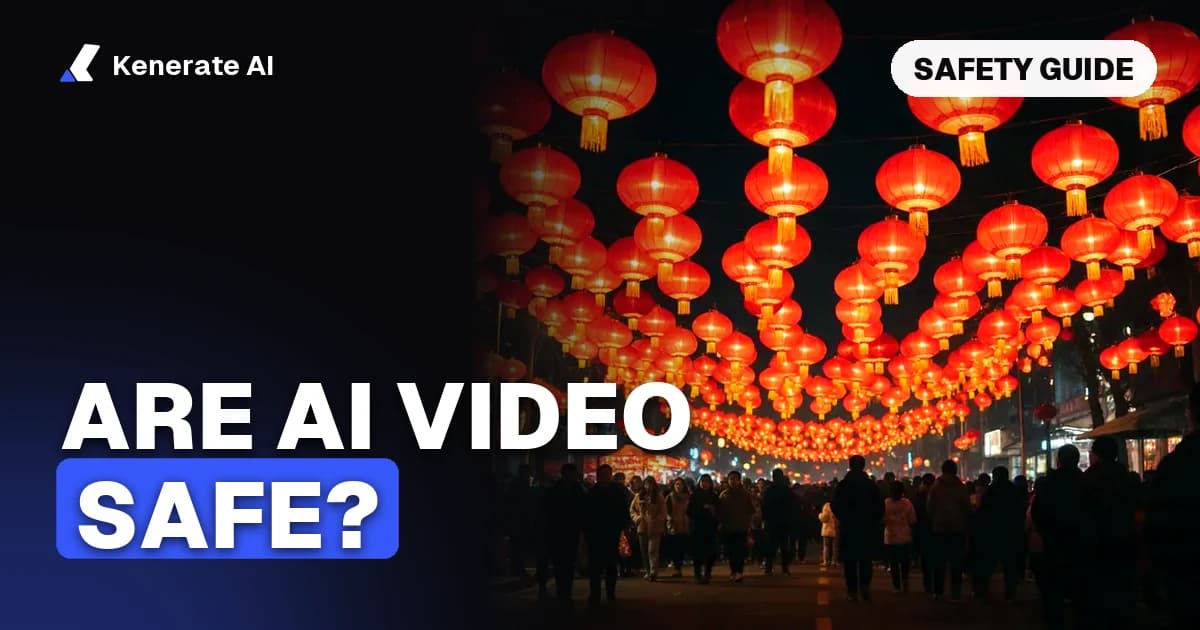
Start with a short, low-resolution test that uses no personal photos. Use a neutral prompt, such as a lantern floating over a city street at night. Check three things in the result: whether the file downloads cleanly, whether the metadata or watermark is present where expected, and whether your account page shows the clip as private.
Only after that should you upload anything you care about. Keep a note of which model you used and when, so you can answer a platform question later.
What should you do if something goes wrong?
If you think your account was accessed without your permission, change the password, sign out of other devices, and check the account for generations you did not make. If a file you uploaded was shared by mistake, delete it from your library and revoke any share link. For a full data erasure request, contact the provider's privacy address. If the problem involves a deepfake of you or someone else, use the platform's removal form first, since the 48-hour rule applies to valid requests on covered platforms.
The short answer
AI video generators are safe enough for everyday creative work when you choose a known provider, use the official website or app store, keep uploads limited to material you have the right to use, and label realistic output. The biggest dangers come from fake free apps, public share links and deepfakes of real people, not from the core technology. Check the terms before you upload, and treat any "unlimited free" offer as a warning sign.