The best free AI music generator apps in 2026 are Suno (iOS and Android) for full vocal songs, ElevenMusic (iOS and web) for free-plan tracks you own, and Kenerate AI (browser) if you also need visuals and voice. Mureka, Udio, BandLab SongStarter and Mubert are worth trying for specific jobs. Every one of them has a usable free tier. What differs is the model you get for free, whether you can download the file, and what you're allowed to do with it.
Below is a ranked list built only from each company's own pages, with honest limits for each app, plus tips for making a free tier go further on your phone.
Best free AI music generator apps at a glance
| App | Where it runs | Vocals | What "free" gets you | Best for |
|---|---|---|---|---|
| Suno | iOS, Android, web | Yes | Free plan on the v6-mini model; occasional trial downloads | Full songs from your phone |
| ElevenMusic | iOS, web | Yes | Free plan; ElevenLabs says you own what you make, with daily lossless downloads | Songs you plan to use |
| Kenerate AI | Browser | Yes | 25 free credits on sign-up, never expire | Music plus video, art and voice |
| Mureka | iOS app, web | Yes | Free basic features in the app | Songs from text, images or video |
| BandLab SongStarter | BandLab app, web | No (instrumental ideas) | Free with a BandLab account | Beat and chord ideas to build on |
| Udio | iOS, web | Yes | Free plan; downloads currently disabled | Creating and sharing on Udio |
| Mubert | Web | No (instrumental) | Free tier for personal use | Background loops and moods |
What "free" really means in AI music apps
Before you pick an app, know the three places a free tier usually draws the line:
- Model access. Many apps reserve their best model for paid plans. Suno's flagship v6 and v6-wild, for example, are for Pro and Premier, while free users get v6-mini.
- Downloads. Some apps let you create freely but limit or block exports. Suno meters downloads, and Udio has disabled them for now.
- Usage rights. Personal listening and a monetized YouTube channel are different things. Suno says free-plan songs are non-commercial. ElevenLabs says you own what you make in ElevenMusic on every plan, including Free. Read each app's terms for your exact use.
The best free AI music generator apps, ranked
1. Suno: best free app for full songs with vocals
Suno is the most complete music app on a phone. The official Suno app lets you create from a text prompt, hum a melody, tap a beat or upload a recording, and it brings Suno Studio editing to mobile. On September 9, 2026, Suno moved to its v6 model family, and the free tier runs on v6-mini, which Suno describes as faster and more efficient.
- Best for: turning an idea, a joke or a voice memo into a finished vocal song.
- Strengths: iOS and Android apps, multiple input types, a large community, plain-language editing on v6.
- Limits: free songs are for non-commercial use, according to Suno's help center. Since September 2026, free users get only occasional trial downloads, and those aren't eligible for commercial use.
- Official site: suno.com
2. ElevenMusic: best free app for songs you want to keep
ElevenMusic is ElevenLabs' music app, available on iOS and on the web at elevenmusic.io, according to the ElevenLabs help center. It mixes discovery, remixing and creation. Since September 11, 2026 it runs on Music v2.5, which ElevenLabs calls its best music model so far.
- Best for: creators who want to download and use what they make without upgrading first.
- Strengths: ElevenLabs states you own what you make on every plan, including Free, and the free plan includes daily lossless downloads. Music v2 brought section-by-section building and inpainting to edit one part of a song.
- Limits: iOS and web only, per the help center. Tracks that reference other artists' songs can't be downloaded.
- Official site: elevenlabs.io/music
3. Kenerate AI: best free option when music is part of a bigger project
Kenerate AI is a browser-based creative studio rather than a single-purpose app. The Music Studio gives you several engines: Ken Music 1 for ~30-second clips, Ken Music 1.5 for full ~3-minute songs with vocals in many languages, Ken Music 1 Pro, plus ElevenLabs Music v2.5, Mureka V9.5 and MiniMax Music 3.0. You get 25 free credits on sign-up, and credits never expire, so a free start doesn't reset at midnight.
- Best for: YouTubers, marketers and short-form creators who need a track, cover art, a music video and a voiceover from one account.
- Strengths: compare several music engines on one prompt; continue into the image, video and voice studios with the same credits.
- Limits: it's a browser studio, not a native app with a social feed, and free credits are a one-time starting balance rather than a daily refill.
- Learn more: Kenerate AI music generator
Here's what a 30-second Ken Music 1 clip sounds like for a vlog intro:
AI Prompt RecipeFlux.1 Pro16:9“Cheerful acoustic vlog intro, 112 BPM, bright ukulele strums, hand claps, glockenspiel melody, light shaker, warm bass, sunny carefree mood, instrumental, 30 seconds with a neat button ending”
4. Mureka: best free app for songs from images or video
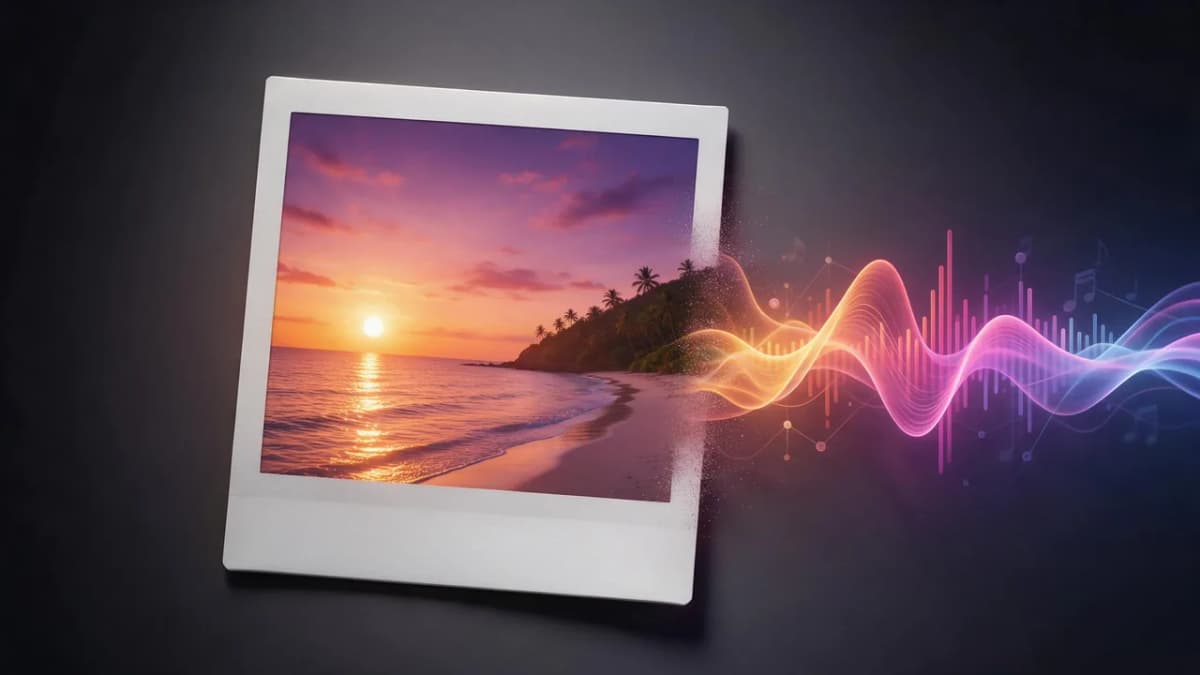
Mureka's iOS app, Mureka: AI Radio & Music Maker from Skywork AI, lets you generate songs from text, images or video, with control over lyrics, style and vocals. It also has scene-based AI radio channels and a remix feature that turns a song into another style. The newest model, Mureka V9.5, focuses on more cohesive arrangements and more natural vocals.
- Best for: songs inspired by a photo or clip, and remixing into new genres.
- Strengths: multimodal input, community remixing, lyrics-first control.
- Limits: the free tier covers basic features; the larger creation tools sit behind subscriptions and credits.
- Official site: mureka.ai
5. BandLab SongStarter: best free app for instrumental ideas
SongStarter is a free AI idea generator inside the BandLab app and website. You pick one of 11 genres, such as Lofi, Trap or R&B, optionally type up to 50 characters of lyrics or emoji, and it returns three instrumental ideas you can flip between "day," "dusk" and "night" vibes. BandLab says every idea is royalty-free, though you don't own the copyright to the generated pattern.
- Best for: songwriters and rappers who want a beat or chord progression to write over.
- Strengths: free with a BandLab account, works on mobile and desktop, opens straight into BandLab Studio.
- Limits: short instrumental starting points, not finished vocal songs.
- Official site: bandlab.com
6. Udio: best for creating and sharing inside Udio
Udio has an iOS app, released in May 2025 according to its changelog, and a free plan. Its v1.5 model produces 48kHz stereo tracks, and you can build songs clip by clip with extend and inpainting.
- Best for: experimenting with detailed vocal tracks you'll share via Udio links.
- Strengths: high-fidelity output, hands-on editing, a creative community.
- Limits: Udio's help center says downloading of audio, video and stems is currently disabled, so you can't export a file for your own videos or edits.
- Official site: udio.com
7. Mubert: best free option for background loops
Mubert Render generates instrumental tracks from a text prompt or an image, with genre, mood and BPM controls. It's built for background music, not vocal songs.
- Best for: study streams, ambient beds and quick video backgrounds.
- Strengths: lots of genres and moods, simple text-to-track flow.
- Limits: instrumental only; Mubert notes that music on its domains is licensed for personal use, and custom durations are a premium option.
- Official site: mubert.com
A focus loop like this one is the kind of thing free tiers handle well:
AI Prompt RecipeFlux.1 Pro16:9“Lo-fi hip-hop study loop, 78 BPM, dusty vinyl crackle, mellow Rhodes chords, soft boom-bap drums with lazy swing, round sub bass, gentle rain ambience, calm late-night focus mood, instrumental, 30 seconds, loopable”
How to get the most out of a free music app
- Write a full brief, not a vibe. Include genre, BPM, two or three instruments, vocal type and mood. "Sad song" gives you a coin flip; "slow piano ballad, 70 BPM, breathy female vocal, rain on window, bittersweet" gives you a direction.
- Write your own lyrics. Even four lines of your own text makes a song feel personal. Use an AI lyrics generator for a first draft, then edit it.
- Spend free generations on the hook. Test the chorus first; extend or regenerate only once it works.
- Check export before you invest time. If you need the audio in CapCut, a DAW or a client deck, confirm the app lets you download it on your plan.
- Match the tool to the job. Beats to rap over: SongStarter or an AI beat maker. Background music: Mubert or text-to-music. Full vocal songs: Suno, ElevenMusic, Mureka or Kenerate.
AI Prompt RecipeFlux.1 Pro16:9“Bright pop-punk anthem, 160 BPM, crunchy power-chord guitars, driving live drums, energetic male lead vocal with gang-shout backing vocals, rebellious but fun mood. Chorus: "We're not done yet, turn it up loud tonight"”
Free vs. paid: when to upgrade
Stay on free tiers while you're learning prompts, making songs for friends, or testing which app's sound you like. Consider a paid plan when you need the flagship model, more generations, more downloads, or rights for monetized channels and client work. The exact line differs per app, so read the current pricing and terms pages. Kenerate's plans are listed on pricing, and if you want a desktop-first setup, see our guide to free music software. For songs with vocals specifically, read the best free AI song generators.
Final thoughts
If you want one free app on your phone for full songs, start with Suno. If keeping and using your free tracks matters most, ElevenMusic has the clearest free-plan ownership statement. If your music needs to end up in a video, ad or story, Kenerate AI gives you several music engines plus image, video and voice tools on credits that never expire. Use BandLab SongStarter for beat ideas, Mubert for background loops, and Mureka or Udio when their features fit your workflow.