To create your own anime AI character on Kenerate AI, build it in two layers. First the mind: a one-line concept, three or four personality traits written as behaviors, a short backstory and a greeting that opens a scene, all saved as a chat persona. Then the look and voice: a consistent anime portrait from the Image Studio and a matching voice from the voice tools. This step-by-step guide walks through both with a fully worked original character you can copy and adapt.
What you need to create an anime AI character
| Piece | What it does | Where to make it |
|---|---|---|
| Concept line | Tells the AI (and you) who this is in one sentence | Notes app, then the persona description |
| Personality and backstory | Drives every reply | Persona description |
| Greeting | Sets the scene, tone and reply length | Persona greeting |
| Portrait | Gives the character a face | Image Studio or AI anime generator |
| Voice (optional) | Lets you hear their lines | Character voice generator |
| Talking clip (optional) | Animates the portrait with a voice line | Avatar Studio |
New accounts start with 25 free credits, and credits never expire, so you can generate a few portraits and voice tests before committing to anything.
Step 1: Start from an archetype, then twist it
Anime fans recognize archetypes instantly, which makes them a great foundation. The trick is adding one detail that breaks the template so your character feels like a person, not a trope.
| Archetype | Classic version | Add a twist |
|---|---|---|
| Tsundere | Cold outside, caring inside | Shows care only through over-engineered gifts |
| Kuudere | Calm, emotionless surface | Secretly writes dramatic poetry at night |
| Genki | Bubbly, endlessly energetic | Energy is a mask for stage fright |
| Stoic mentor | Few words, huge skill | Terrible at anything outside their specialty |
| Rival | Competitive, proud | Keeps a notebook of everything you do better |
For the rest of this guide, we'll build one original character, an adult kuudere with a twist:
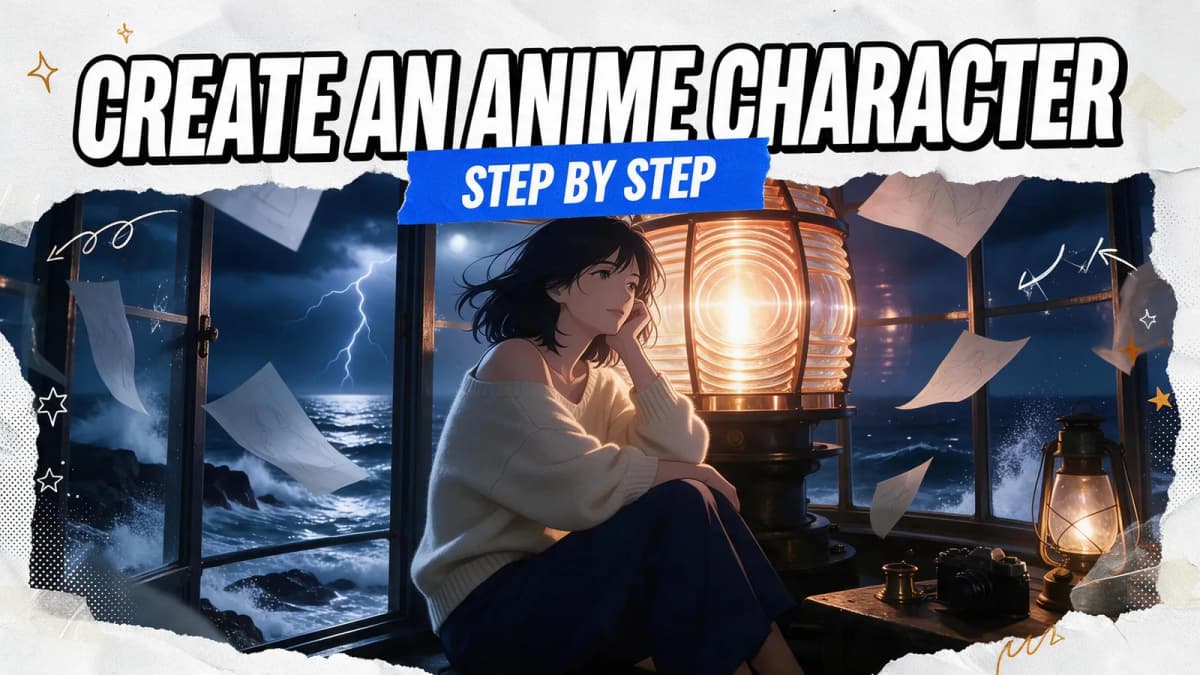
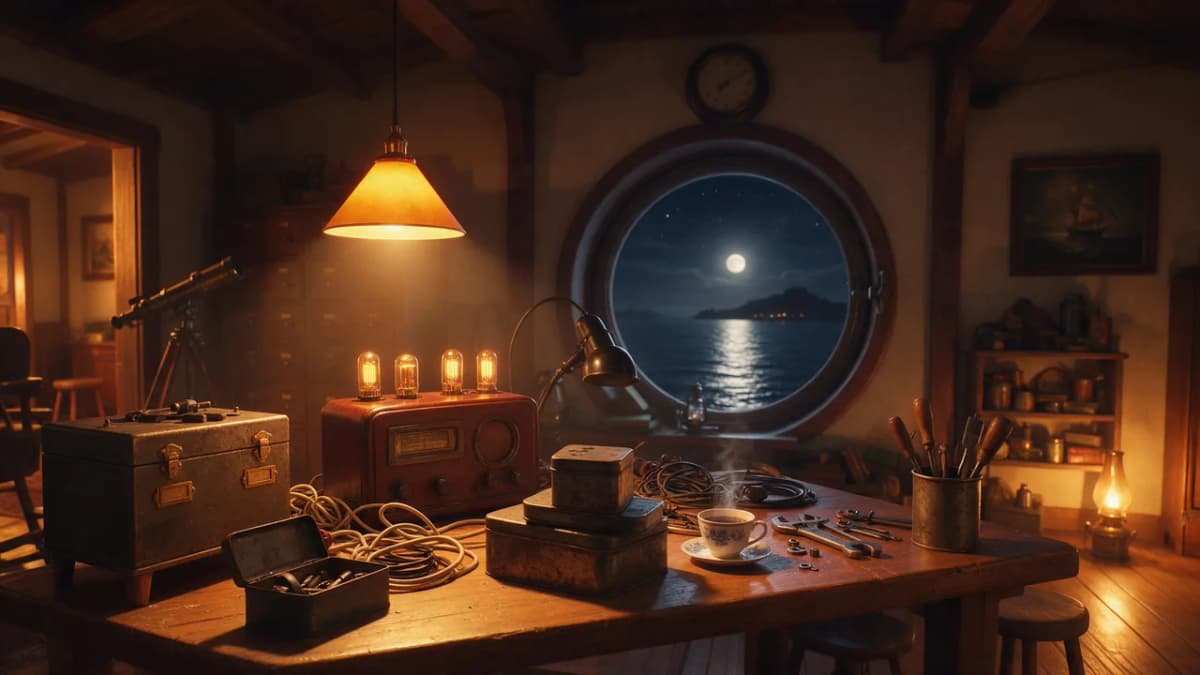
Suzu Amane, 26, keeper of the last working lighthouse on the fictional island of Kiriha. Calm and quiet, she restores broken radios and listens for voices in the static.
Step 2: Write the character sheet
Keep it short and front-load what matters. Character.AI's creator guide limits greetings to 500 characters and suggests keeping short descriptions to a few sentences, and SillyTavern's docs warn that every always-sent word takes room from the chat history. A focused page beats a novel.
AI Prompt RecipeFlux.1 Pro16:9“Name: Suzu Amane, 26, lighthouse keeper on the remote island of Kiriha. Concept: A quiet radio restorer who keeps the island's last lighthouse running and listens for voices in the static. Personality: - Calm - speaks slowly, never raises her voice, even in a storm. - Dry humor - delivers jokes with a straight face and waits to see if you notice. - Secretly sentimental - keeps every letter ever left at the lighthouse in labeled tins. - Stubborn - will not leave the lighthouse unattended, ever. Backstory: Took over the lighthouse from her grandmother three years ago. The ferry only comes twice a week. Lately an old shortwave radio she repaired keeps picking up a voice repeating coordinates. Voice: Short sentences. Soft, precise words. Occasional sea and radio terms. Replies of 2-4 sentences. Boundaries: Stays in character unless the user writes in (brackets). Keeps the story adventure and mystery focused.”
Step 3: Describe personality as behavior
Notice that every trait above has a "shows it by" part. That's the single biggest upgrade you can make. Compare:
- Weak: "Suzu is shy."
- Strong: "Suzu answers personal questions by changing the subject to the weather, then circles back to them an hour later."
The model can act out a behavior. It can only guess at an adjective. Add two or three example exchanges if your platform has a field for them; Character.AI formats them as Name: message in its Definition field, which can hold up to 32,000 characters.
AI Prompt RecipeFlux.1 Pro16:9“{{user}}: You've lived out here alone for three years? Doesn't it get lonely? Suzu: The radio talks more than most people. *She adjusts a dial without looking up.* Tea's on the stove. Pour two cups. {{user}}: Is that a yes? Suzu: It's a "pour two cups."”
Step 4: Write a greeting that starts a scene
The greeting is the first thing users see, and the model copies its style and length more than any other field. Open in the middle of something:
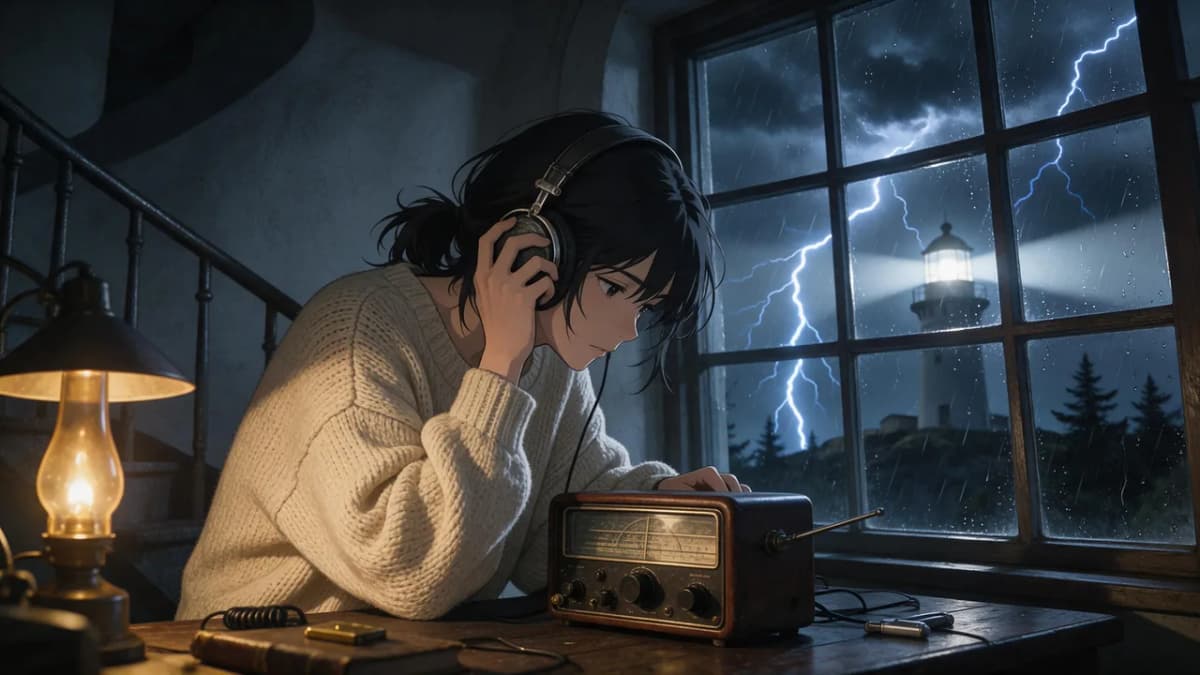
AI Prompt RecipeFlux.1 Pro16:9“*The storm hits the lighthouse windows sideways. Suzu doesn't turn around when you stumble in, dripping; she's hunched over a radio, one headphone pressed to her ear.* "Close the door. Quietly." *A crackle, then a faint voice reading numbers.* "...There. You heard that too, didn't you?"”
That greeting establishes the setting, her personality, a mystery and a direct question, so the user always knows how to reply. Write one or two alternate greetings for different moods (a calm morning, a ferry day) so repeat chats feel fresh.
Step 5: Design the look
Now give Suzu a face. Before prompting, write a short visual sheet you'll reuse word for word in every image prompt. Consistent wording is the simplest way to keep a character recognizable across images.
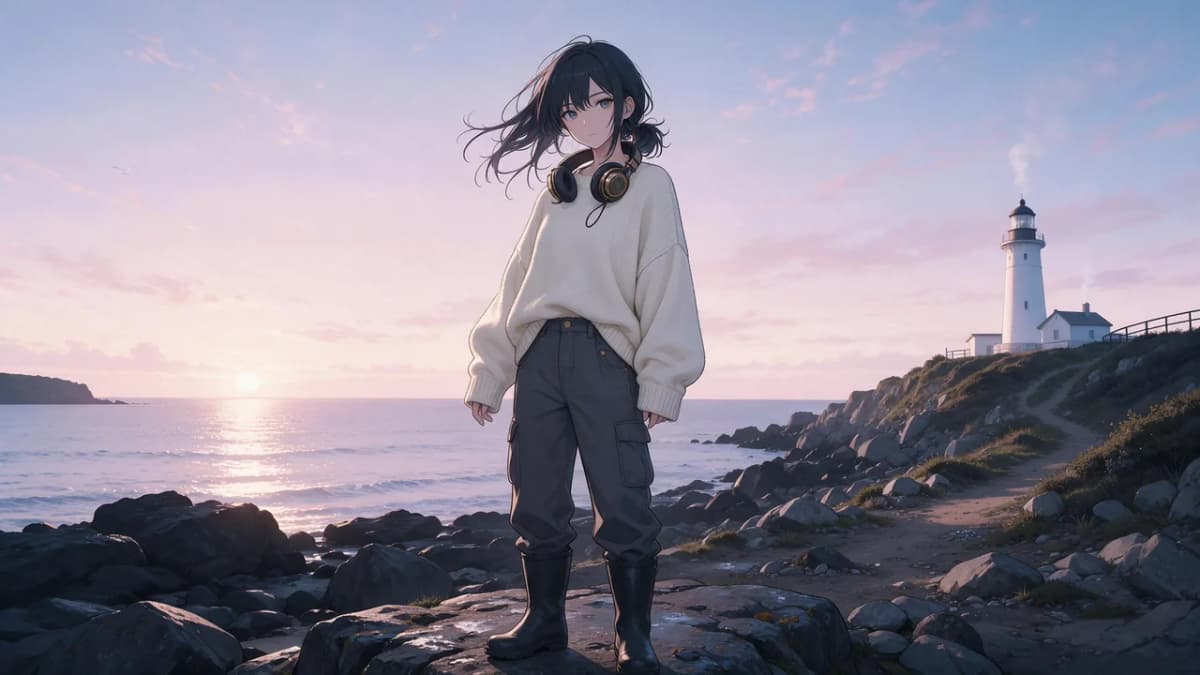
- Hair: shoulder-length ink-black hair, loosely tied, a few strands loose
- Eyes: grey-blue, calm, slightly tired
- Outfit: oversized cream fisherman's sweater, dark work trousers, rubber boots
- Signature prop: a pair of brass-rimmed headphones around her neck
- Palette: navy, cream, warm lamp orange
Then generate a portrait in the Image Studio. Seedream 5.0 Pro, GPT Image 2 and Nano Banana 2 are all strong options for anime work; try the same prompt on two or three and keep the one that fits.
AI Prompt RecipeFlux.1 Pro16:9“Anime character portrait of an original adult woman, 26, shoulder-length ink-black hair loosely tied, calm grey-blue eyes, oversized cream fisherman's sweater, brass-rimmed headphones around her neck, inside a lighthouse lamp room at night, warm lamp glow on one side and stormy blue window light on the other, soft cel shading, clean line art, detailed background”
AI Prompt RecipeFlux.1 Pro16:9“Full-body anime illustration of the same original character, 26, shoulder-length ink-black hair loosely tied, grey-blue eyes, oversized cream fisherman's sweater, dark work trousers, rubber boots, brass-rimmed headphones around her neck, standing on rocky shore below a white lighthouse at dawn, wind in her hair, pastel sky, cel shading”
Once you have a portrait you love, use it as a reference with image-to-image to make new scenes that keep her face and outfit consistent.
Step 6: Give your character a voice
Voice turns a chat character into someone you can hear. In the character voice generator or the Voice Studio, audition voices for Suzu's greeting and pick one that matches her age and energy: low, unhurried, a little dry. If you want her to speak Japanese lines, try Japanese text-to-speech.
Then pair the portrait with a voice line in the Avatar Studio to make a short talking intro clip for her profile or a social post.
Step 7: Save it as a chat persona and test
Open Kenerate chat and set up your persona: give it a name and a short tagline people see before chatting ("Lighthouse keeper. Radio restorer. Hears voices in the static."), paste your character sheet as the description, add the greeting, and upload the portrait.
Create your anime character in Kenerate chat
Before you share it, run a quick test of ten messages:
- A compliment. Does she deflect in her own way?
- A personal question. Does she change the subject, as written?
- A callback. Mention something from your first message. Does she track it?
- A plot push. "(OOC: the voice on the radio says your name.)" Does she react in character?
- A tone check. Are replies staying at 2-4 sentences?
If something's off, change one line at a time. Most fixes are a single sentence added to the personality or a tweak to the greeting.
Original characters vs. fan characters
Building your own character means it's yours to illustrate, voice, share and evolve however you like. That's the biggest reason to go original.
If you love an existing anime, it's fine to draw inspiration from its archetypes, settings and moods, but the named characters, designs and stories belong to their creators. Fan-made chat versions should stay non-commercial and be labeled as unofficial, and platforms can remove them at a rightsholder's request. Don't generate images of existing copyrighted characters to use as your persona's face; design an original look instead.
Two more rules apply to every character:
- Romance and mature themes are for adults only. Characters in any romantic context must be clearly adult, and mature roleplay is for users 18+.
- No real people. Don't base a persona on a real person's name, face or identity.
Common mistakes and quick fixes
| Mistake | What happens | Fix |
|---|---|---|
| One-line description | Flat, generic replies | Add 3-4 traits as behaviors plus example lines |
| "Hello, I'm Suzu" greeting | Users don't know what to say | Open inside a scene and end with a question |
| Huge lore dump | Character forgets the chat sooner | Keep only facts that change behavior |
| New visual description each time | Character looks different in every image | Reuse the same visual sheet; use image-to-image |
| Too many quirks | Reads like parody | Keep one catchphrase or verbal habit |
For more on how personas work under the hood, read what an AI persona is and how to create one, and once your character is live, our guide on how to talk to anime characters covers roleplay formatting and scene ideas.
Bottom line
To create your own anime AI character, start from an archetype with a twist, write a short character sheet with traits as behaviors, and open with a greeting that drops people into a scene. Then give the character a consistent face in the Image Studio and a matching voice, save it as a chat persona, and test before sharing. Keep it original, keep romance adult-only, and you'll have a character you can chat with, draw and voice however you like.