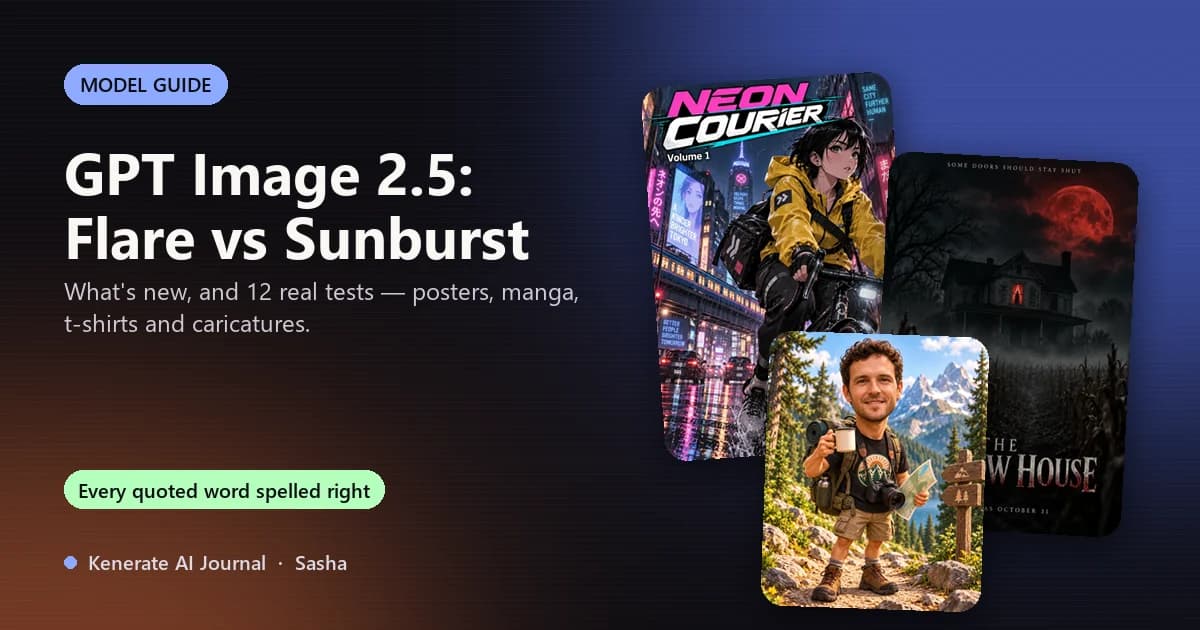
GPT Image 2.5 is OpenAI's image model released on 8 September 2026 — the engine behind ChatGPT Images 2.5 and two API models, Flare (fast, the everyday default) and Sunburst (slower, for fine detail and precise edits). It spells text in images more reliably than any model we've used, keeps faces from reference photos, and takes up to 16 reference images. We ran 12 real jobs on Sunburst this month — manga pages, posters, t-shirt designs and caricatures — and below is exactly what worked and what didn't.
What's new in GPT Image 2.5
OpenAI's launch post describes it as a model for "sharper details, more precise editing, and faster generation", with generation latency cut by up to 50% compared with Images 2.0. In practice the changes that matter are:
- Text that comes out spelled right. Titles, slogans, speech bubbles and small print — the thing older models fumbled most.
- Edits that keep the original. Change an outfit or a background and the face, framing and style stay put.
- More references. Up to 16 images per request, so you can pin a character, a product and a style at once.
- Bigger output. Up to 4K, and wide or tall canvases (third-party guides report 1:3 to 3:1).
- Better transparent cut-outs for stickers, product shots and UI assets.
In ChatGPT it arrived with Sketch (draw on the image as a reference), templates for flyers and product shots, and comments you pin directly on an image. Through the API — and on Kenerate — you get the two models below.
Flare vs Sunburst: which one to use
| GPT Image 2.5 Flare | GPT Image 2.5 Sunburst | |
|---|---|---|
| What OpenAI calls it | The default for most apps | Extra precision for detailed creative work |
| Speed | Fastest — up to 50% lower latency than GPT Image 2 | Noticeably slower per image |
| Best for | Drafts, variations, UI and brand assets, quick edits | Posters, packaging, lettering, multi-step edits, product detail |
| API token price | Same as GPT Image 2 | Same as GPT Image 2 |
| On Kenerate | 7.2 credits (medium quality, 1K) | 7.2 credits (medium quality, 1K) |
Both bill at the same token rates (OpenAI lists $5 per million text-input tokens, $8 per million image-input tokens and $30 per million image-output tokens), so the choice is about time versus finish, not price. Our rule: draft on Flare, render the keeper on Sunburst.
We tested Sunburst on 12 real jobs
Every image below was made on Kenerate with GPT Image 2.5 Sunburst at 1K, one try each, for pages on this site. Nothing was retouched.
1. Lettering: posters, covers and t-shirts
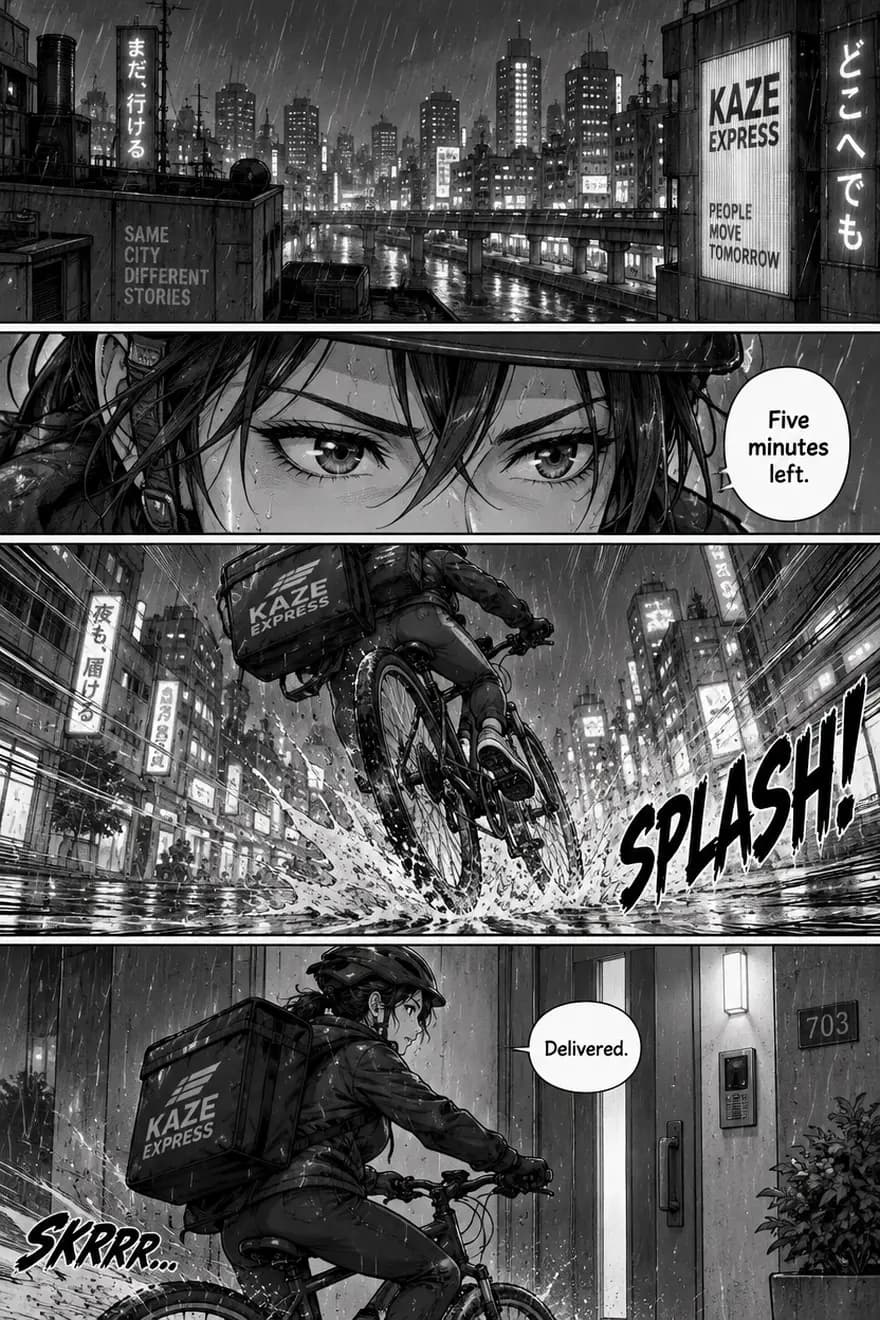
- Manga page — every line of dialogue and the "SPLASH!" sound effect spelled right. It also added a "SKRRR…" effect and shop signs we never asked for.
- Manga cover — "NEON COURIER", "Volume 1" and "Kenerate Comics" all correct; the billboards around her got extra slogans, one garbled.
- "STAY WILD" t-shirt badge — exactly the three colours we asked for, both lines of text right.
- "Salt & Surf Club" retro tee — script and small text right.
- Horror poster "THE HOLLOW HOUSE" — title, tagline and release line right.
- Rom-com poster "Wrong Train, Right Person" — all text right, plus a small ad sign inside the train that nobody asked for.
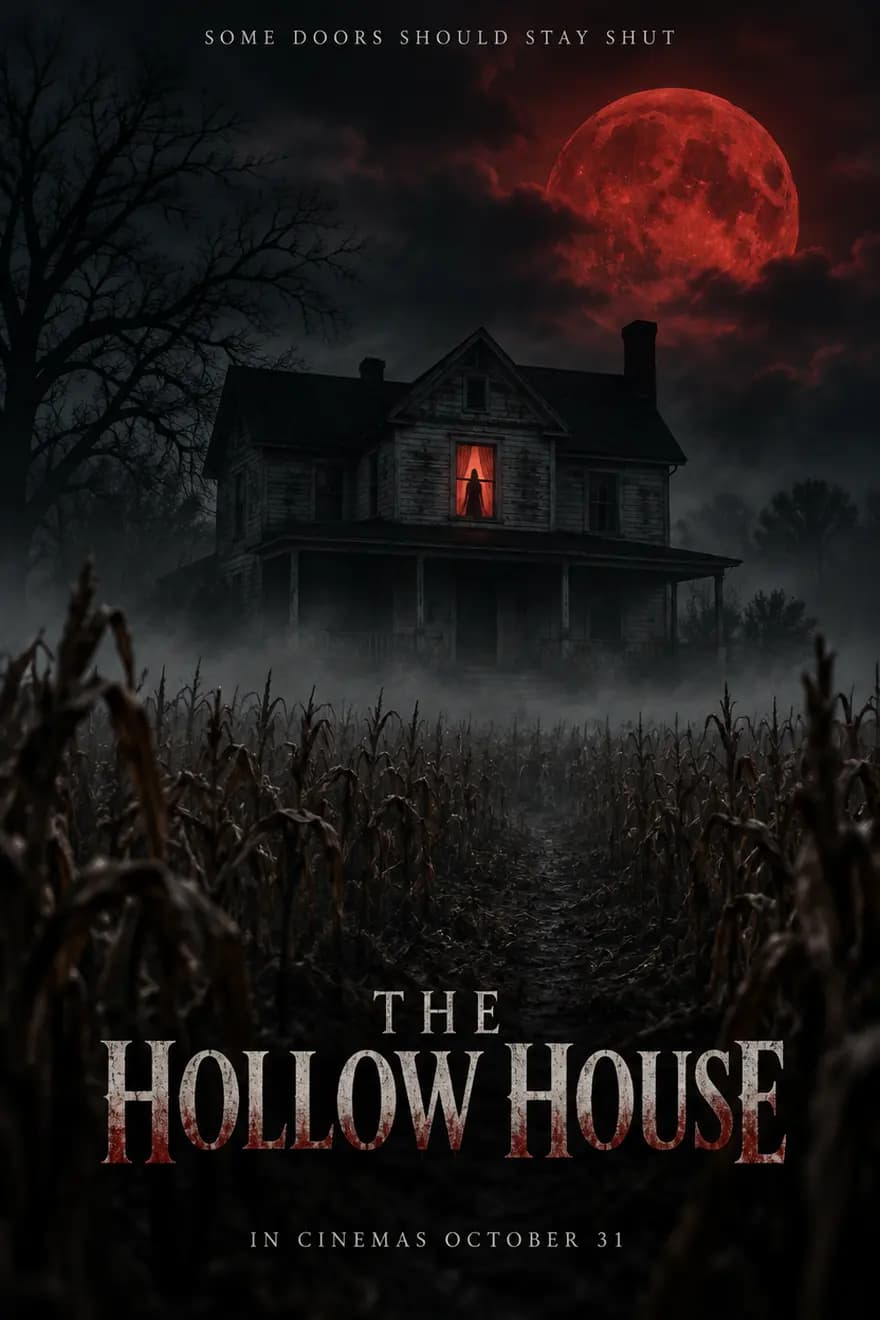
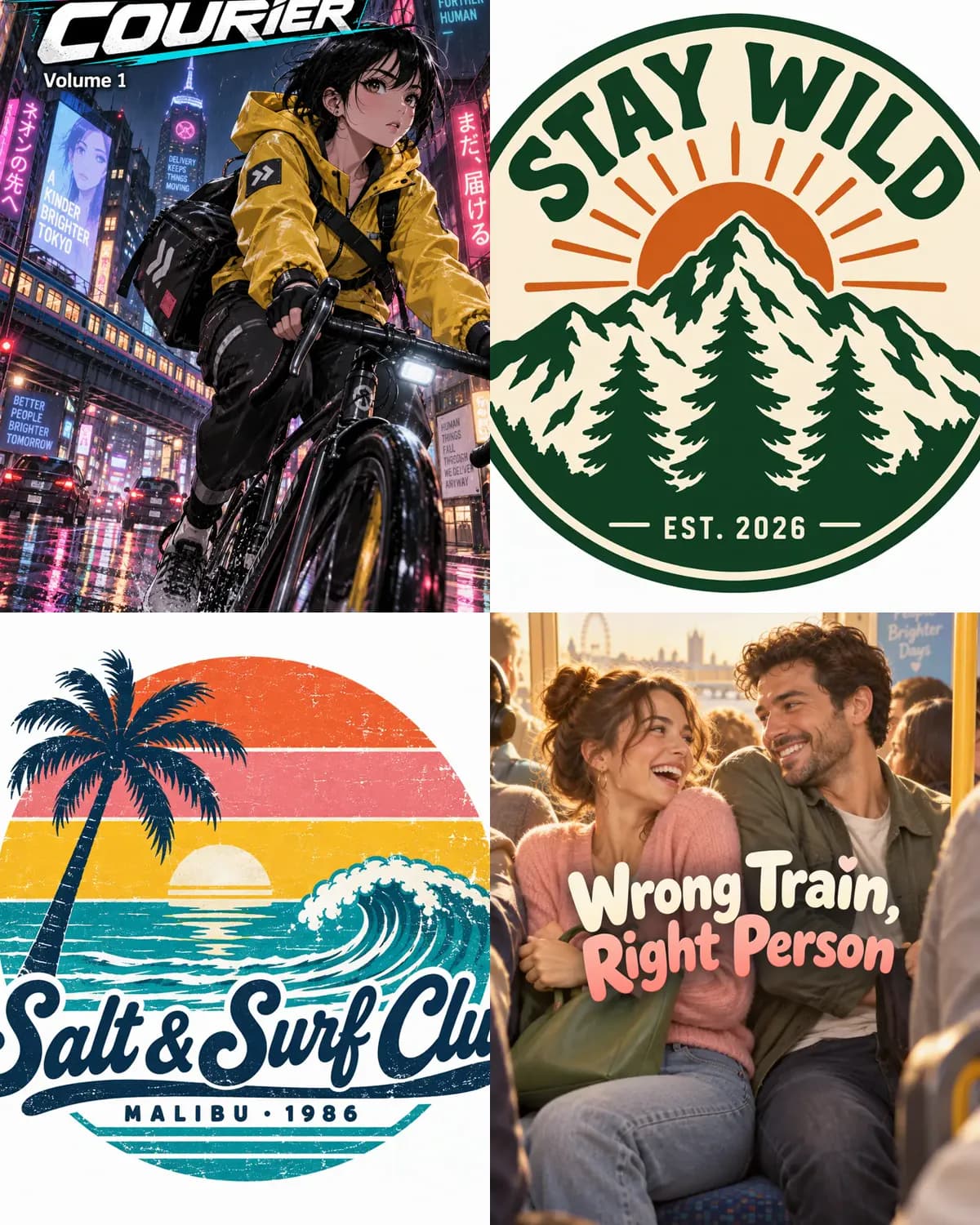
Top: manga cover, "STAY WILD" badge. Bottom: "Salt & Surf Club" tee, rom-com poster — every quoted word spelled right.
Verdict: the words you put in quotes come out right. The risk is extra text — signs, billboards, sound effects — that the model invents to fill the scene. Adding "no other text" helps but doesn't stop it.
2. Editing a real photo: caricatures
We gave Sunburst two test photos and asked for caricatures — big head, small body, face kept.
- Watercolour caricature — curls, stubble and smile kept; the small "STAY WILD" lettering on his shirt was dropped.
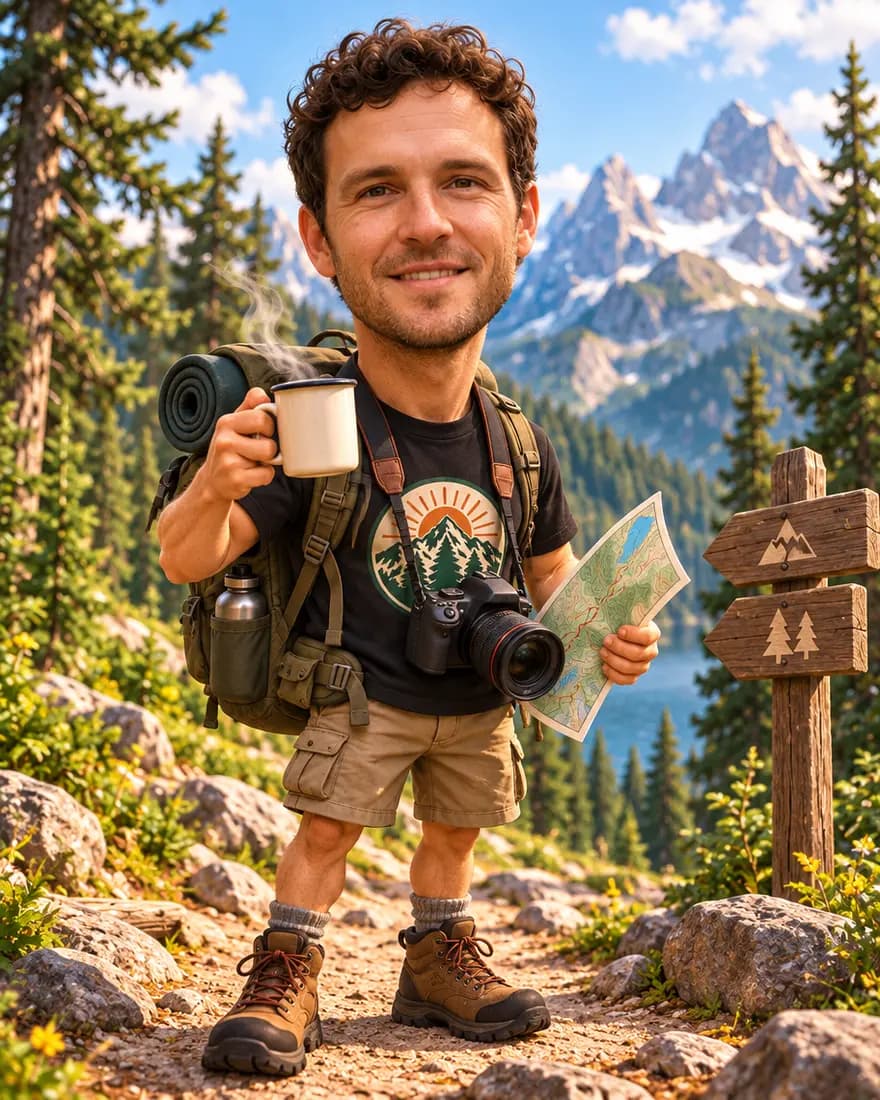
- "Caricature of me and my job" — every prop right (backpack, coffee, camera, map), but a near-photo face rather than a 3D-animated one.
- Retry asking for "a fully animated 3D face" — smoother and more stylised, still not a full cartoon face.
- Nurse who loves cats — scrubs, stethoscope and two animated cats; her hair drifted towards auburn.
- Software engineer who hikes (2D cartoon) — clean flat style with every prop — plus a dog we didn't ask for.
- Pencil street-artist sketch — a convincing graphite drawing with the same wavy hair and smile.
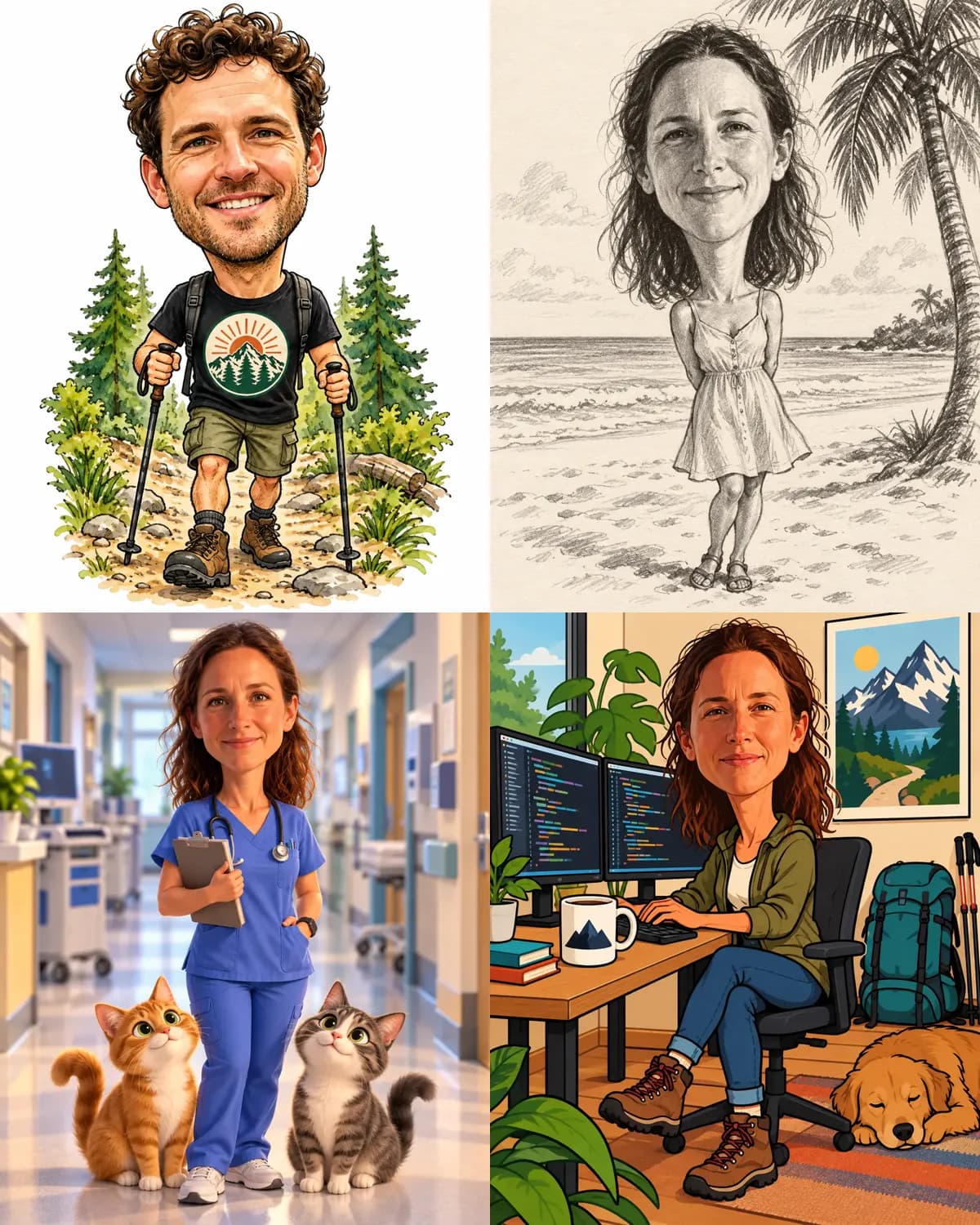
Top: watercolour and pencil caricatures. Bottom: "nurse who loves cats" and "software engineer who hikes" — same two test photos, four styles.
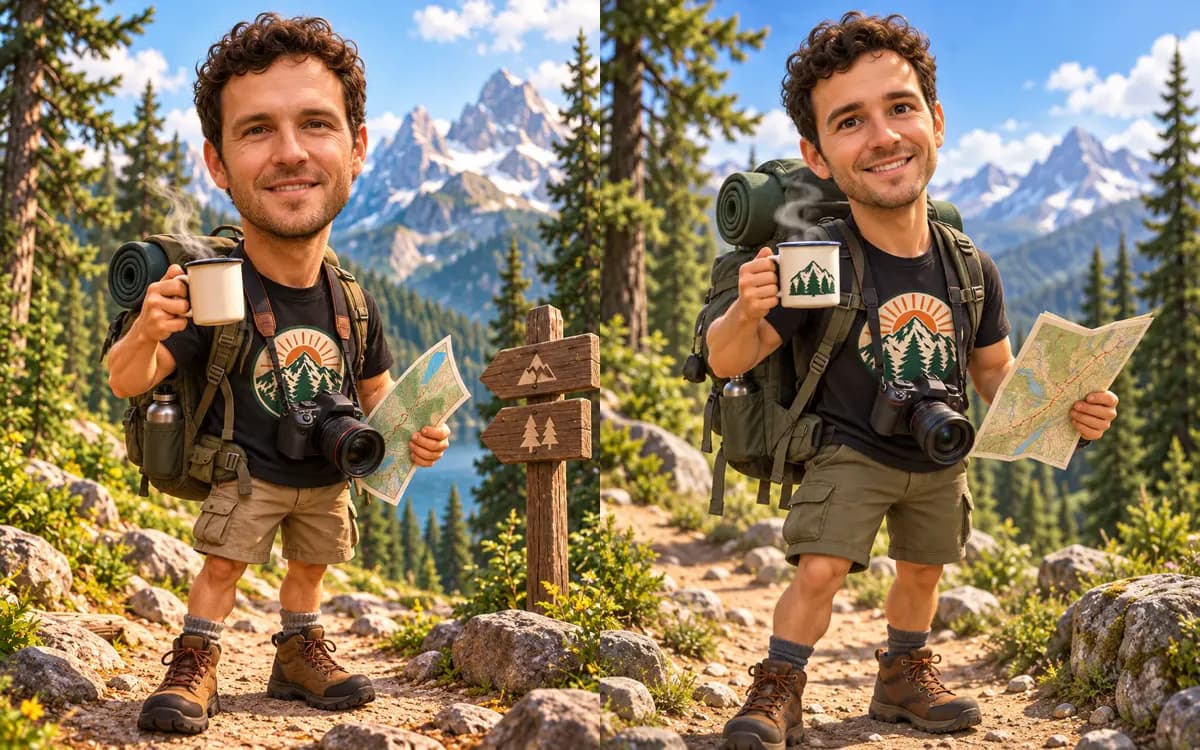
Left: first try. Right: retry asking for "a fully animated 3D face" — smoother, but still not a cartoon face.
Verdict: faces from a reference photo stay recognisable — the best we've seen. Fine text on clothing can disappear in a redraw, and stylised 3D faces are where it holds back.
And one on Flare
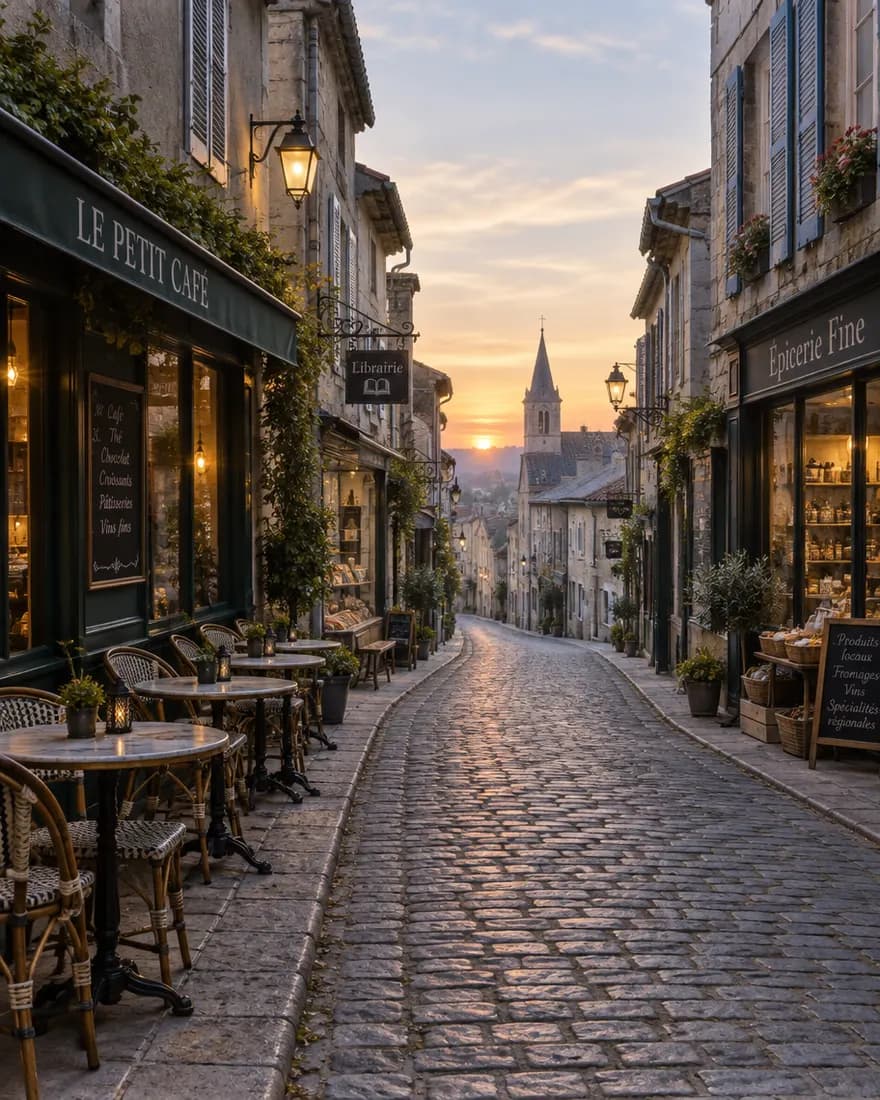
We also tried Flare for a quick photo: "a narrow cobblestone street in an old European town at dawn, cafe tables and shop fronts on both sides, no people." It came back in seconds with no people — and with shop signs it invented on its own ("Le Petit Café", "Librairie", "Épicerie Fine"). Fast and clean, with the same habit of adding text.
How to get the most out of GPT Image 2.5
- Quote every word you want in the image:
title: "THE HOLLOW HOUSE",speech bubble: "Delivered." - Say where text goes: "title at the bottom, tagline in small caps at the top".
- Ask for "no other text" and still read every sign before you publish.
- Pin faces and products with references — attach the photo and say "keep the face recognisable".
- Name the style precisely: "watercolour with ink outlines", "flat 2D cartoon, bold outlines", "screen-print ready, three colours".
- Draft on Flare, finish on Sunburst — same price, Sunburst just takes longer.
GPT Image 2.5 vs other image models
| Job | Best pick | Why |
|---|---|---|
| Text, posters, labels | GPT Image 2.5 Sunburst | Most reliable spelling in our tests |
| Keeping the same character across many images | Nano Banana 2.1 | Built for consistency, up to 14 references |
| Illustration, anime, cheap volume | Seedream 5.0 Pro | Strong styles, lower cost per image |
| Free to try | Qwen Image 3.0 | On Kenerate's free plan |
How to use GPT Image 2.5 on Kenerate
- Open the Image Studio and sign in — new accounts get starter credits.
- Pick GPT Image 2.5 Sunburst or Flare in the model menu.
- Write the prompt with your text in quotes; add reference photos if you're editing.
- Choose the shape and resolution (up to 4K), generate, and download — no watermark.
Want to see more of these tests? The full results live on our AI manga generator, AI t-shirt design generator, AI poster generator, AI caricature maker and ChatGPT caricature trend pages.