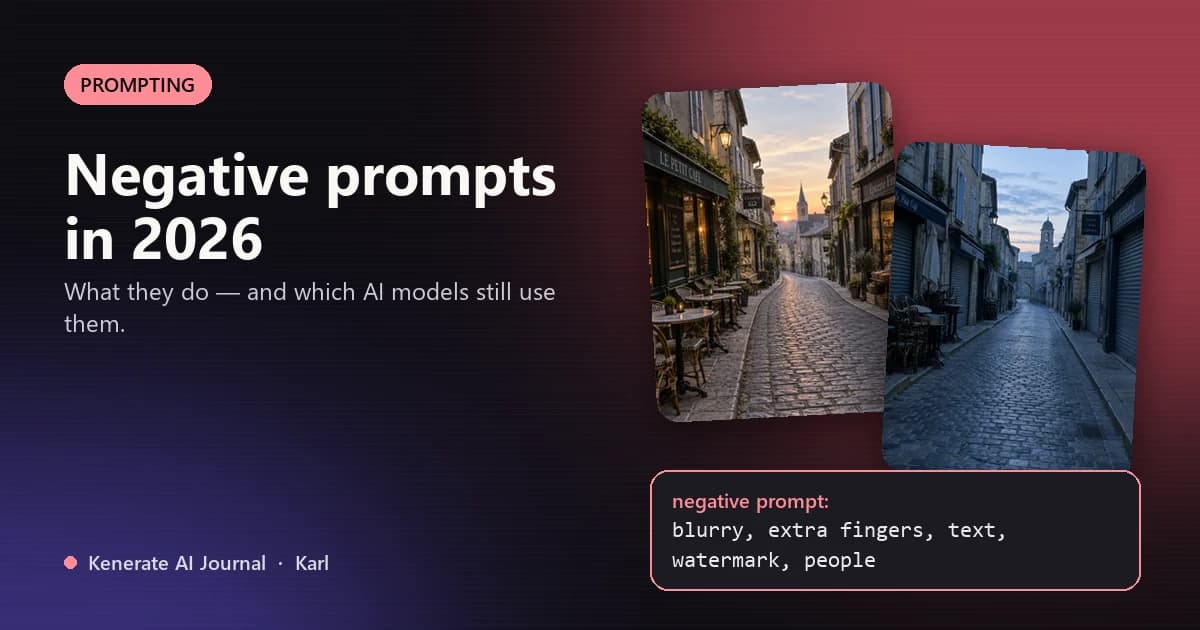
A negative prompt tells an AI image or video model what to leave out — "blurry, extra fingers, text, watermark" — while your normal prompt says what to put in. It came from Stable Diffusion, where a separate box steers the image away from those words. In 2026 most new models — GPT Image, Nano Banana, Flux, Seedream — have no negative prompt box at all: you say "no" inside the main prompt instead. On Kenerate, only 4 of our 80+ image models still take a separate negative prompt.
How a negative prompt works
Diffusion models build an image step by step out of noise. At each step the model makes two predictions — one pulled towards your prompt, one pulled towards a second piece of text — and moves the image along the difference between them. Normally that second text is empty. A negative prompt fills it with things to avoid, so the image is pushed away from them as well as towards what you asked for.
That's why a negative prompt can fix things you'd struggle to describe positively: muddy focus, mangled hands, stray lettering.
Common negative prompt terms
| What you want to avoid | Negative prompt terms |
|---|---|
| Soft or noisy images | blurry, low resolution, out of focus, grainy, jpeg artifacts |
| Anatomy errors | extra fingers, extra limbs, deformed hands, bad anatomy |
| The wrong style | cartoon, illustration, 3D render, anime, painting |
| Stray text and marks | text, watermark, signature, logo, caption |
| Clutter | people, cars, crowd, busy background |
Keep it short and specific. A wall of fifty terms dilutes each one and can flatten the image.
Why most new models dropped the negative prompt
Two changes made the separate box disappear:
- Distilled and flow models such as Flux are trained to run without that two-prediction step, so a negative prompt has nothing to act on — the field is simply ignored or removed.
- Instruction-following models such as GPT Image and Nano Banana read your prompt the way a language model reads a request. They understand "no text" or "without people" in plain English, so a second box isn't needed.
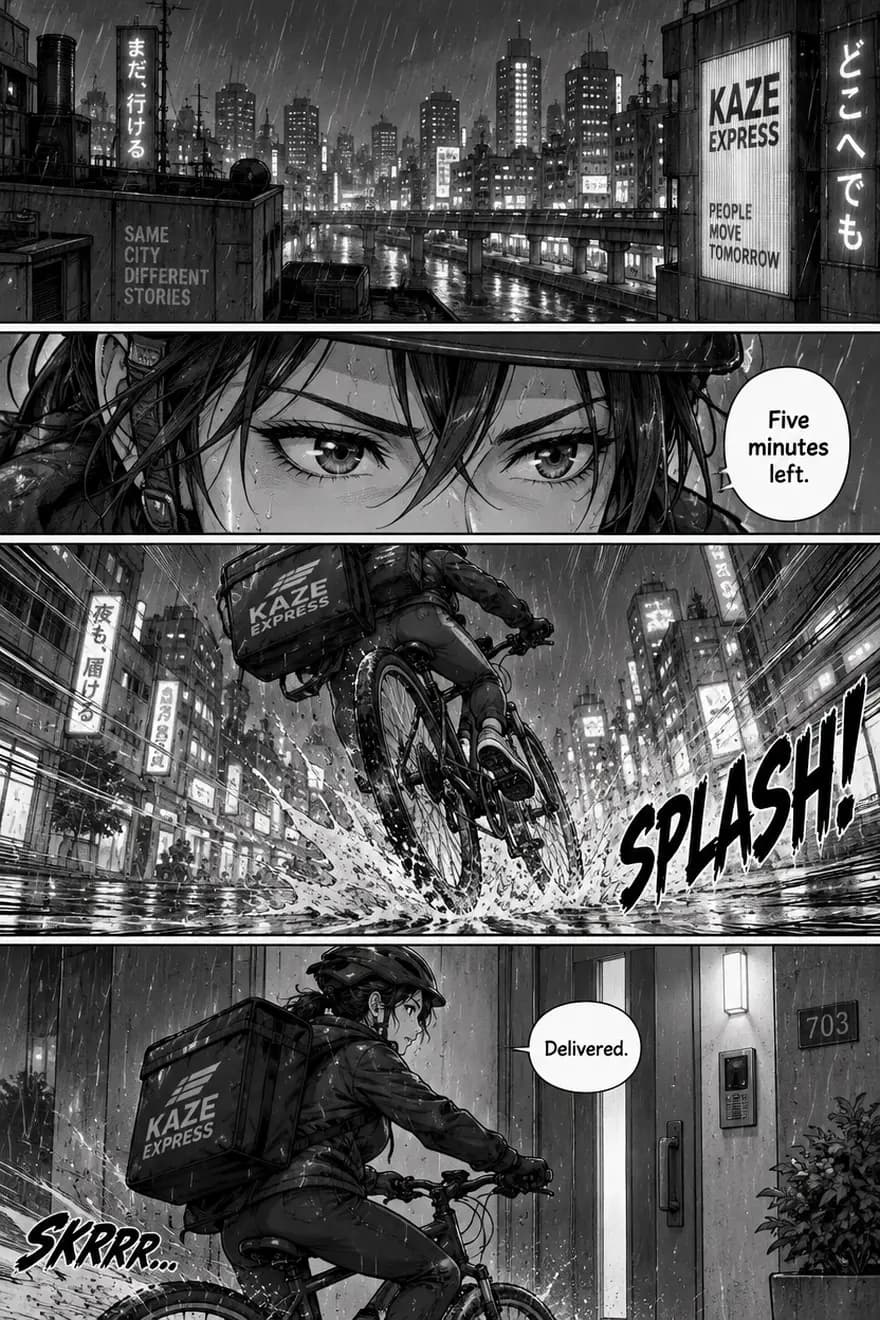
The catch: plain-English "no" works most of the time, not every time. In our own tests GPT Image 2.5 was told "no other text" on a manga page and a movie poster — and still added shop signs, a billboard slogan and an extra sound effect. The model treats "no" as a strong suggestion, not a hard rule.
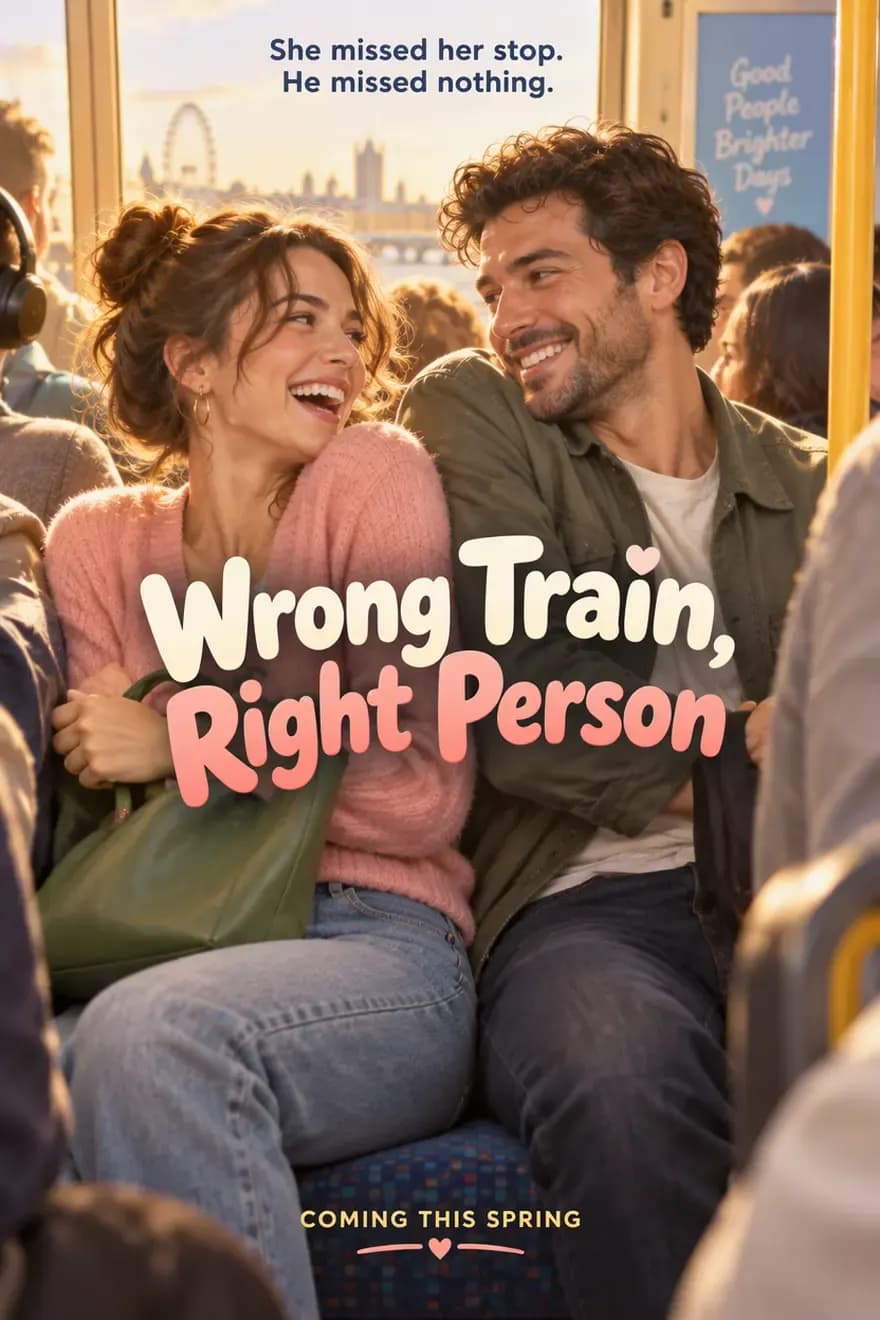
Asked for "no other text" — the title and tagline are right, but a "Good People Brighter Days" ad sign appeared inside the train.
How to say "no" to models without a negative prompt box
- Describe the result you want instead of the thing to avoid. Older and smaller models latch onto nouns even when you negate them ("no people" can add people). Newer models cope better — but describing the scene still gives you more control. See our test below.
- Put the exclusion near the end, in plain words: "No text, no logos, no watermark."
- Name what should fill the space: "a plain white background" beats "no background clutter".
- For text, quote exactly what you want:
title: "SUMMER SALE"— then add "no other text". - Check and regenerate. If an unwanted thing keeps appearing, change the wording rather than repeating "no" louder.
Our test: "no people" vs describing an empty street
We ran two prompts on GPT Image 2.5 Flare:
- "A narrow cobblestone street in an old European town at dawn, cafe tables and shop fronts on both sides, no people."
- "A completely empty, quiet narrow cobblestone street at dawn, deserted, cafe tables stacked and shop shutters closed, soft blue morning light."
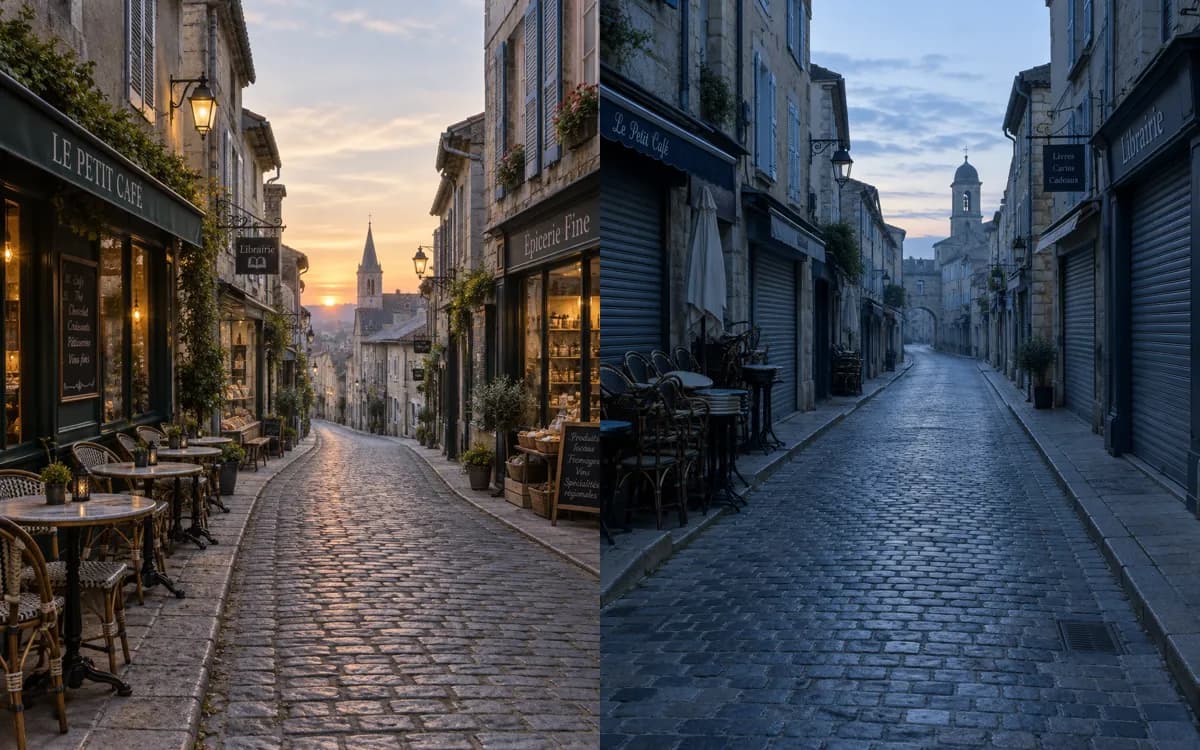
Left: "…no people". Right: "completely empty, deserted, shutters closed".
What happened: both came back with no people — so the plain "no" worked on this model. But the left street looks open for business, as if people will walk in any second; only the right one looks truly deserted. Both also added shop signs we never asked for. The lesson: "no X" removes X, but describing the scene you want gets you the mood.
Which models still use negative prompts
| Model or tool | Negative prompt | How to use it |
|---|---|---|
| Stable Diffusion / SDXL and most local tools | Yes, a separate box | Type terms in the Negative prompt field |
| Midjourney | Yes, as a parameter | Add --no followed by the terms, e.g. --no text, people |
| On Kenerate: Bria 3.2, Wan 2.5, Nucleus Image, Kling Image v3 | Yes, a separate field | Image Studio → Advanced → Negative prompt (it only appears for these models) |
| GPT Image 2.5, Nano Banana 2.1, Seedream 5.0 Pro, Flux 2 | No separate field | Write "no …" in the main prompt |
| Video models on Kenerate | No field | Describe the shot you want; keep motion simple |
Bria 3.2 is a good pick when you need negative prompts and commercially safe output — it was trained only on licensed images. Wan 2.5 goes up to 1440 px with negative prompts, and Nucleus Image is the low-cost option with a negative prompt and a fixed seed.
A quick recipe
- Write the positive prompt first and generate once.
- Look at what's wrong — blur, extra fingers, stray text?
- On a model with a negative field, add only those few terms. On GPT Image or Nano Banana, add one plain sentence: "No text, sharp focus, five fingers on each hand."
- Keep the seed (where the model allows it) so you're comparing like with like.
More on writing prompts that work: our prompt enhancer and the GPT Image 2.5 tests in our AI poster generator guide.