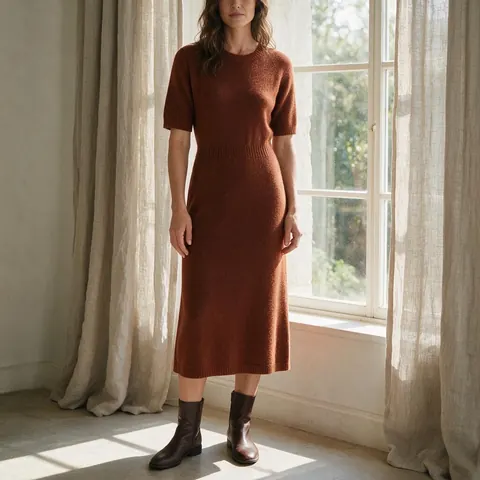
Fictional adult models · your clothes · photos and try-on video
AI Fashion Model Generator
Cast a fictional adult AI model, add photos of your clothes, and get full-body, editorial and faceless on-model photos, or a try-on video, from Kenerate AI's Marketing Studio. No studio, no casting call.
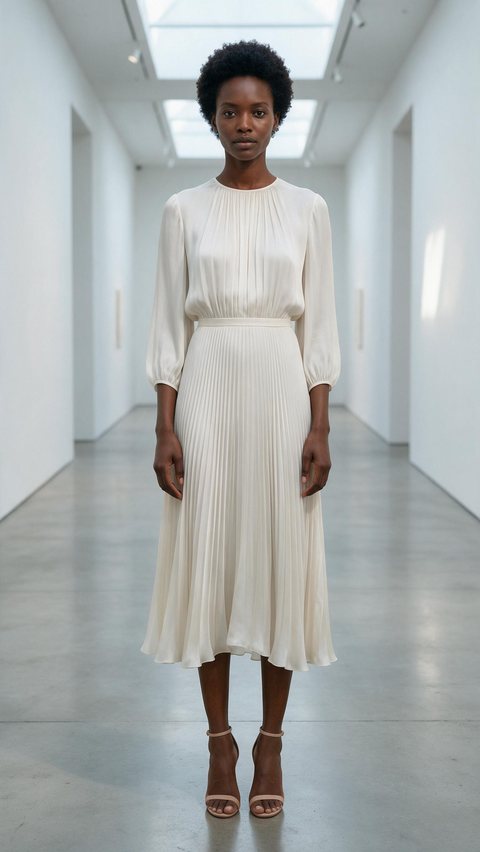
- Silk pleated dress, gallery
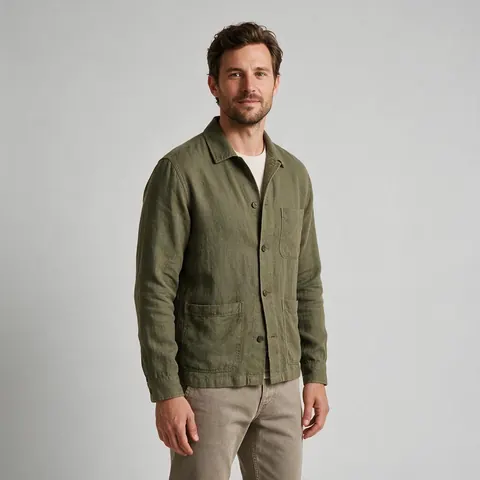
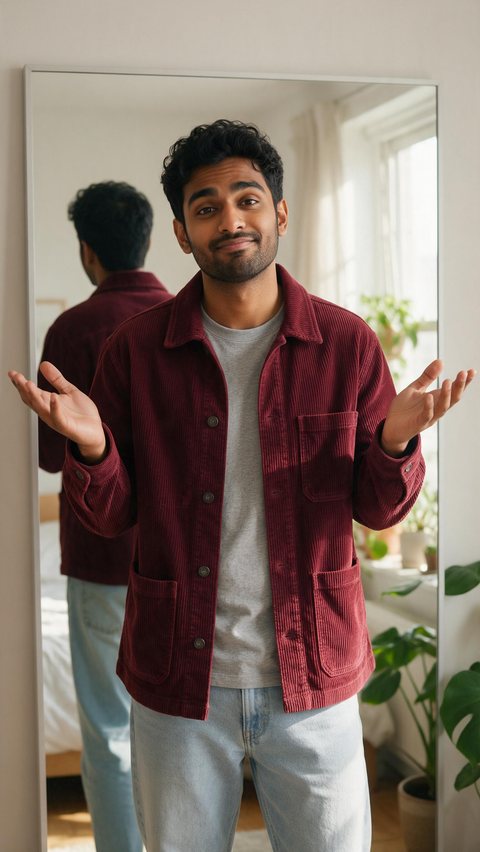
- Corduroy chore jacket try-on
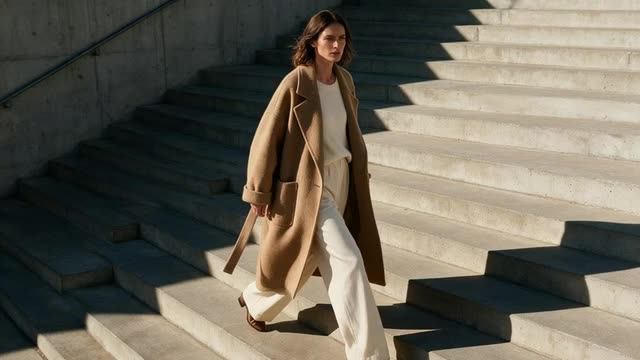
- Wool cape coat, cliff top
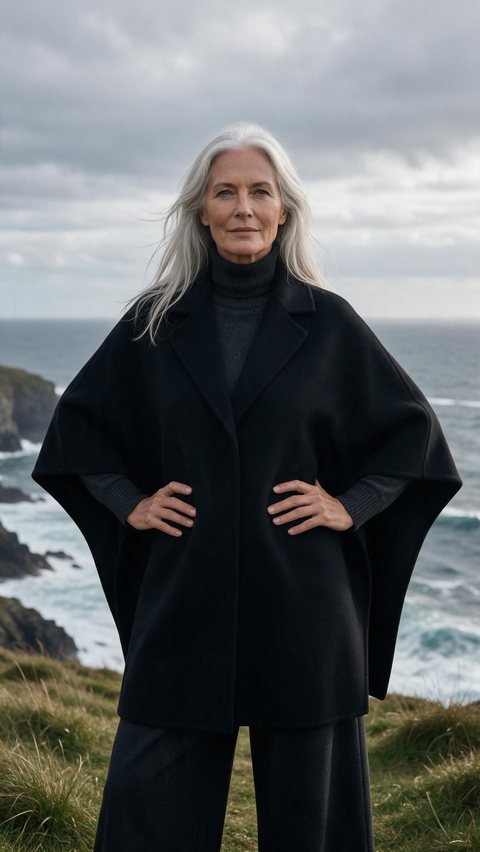
Made in Marketing Studio · Seedream 5.0 Pro + Wan 3.0
- Fictional adult models only
- Full body · Editorial · Faceless
- Try-on video at 9:16
- No watermark
Updated by the Kenerate AI team
On this page
Quick answer
Updated
What is an AI fashion model generator?
An AI fashion model generator creates fictional adult models and photographs your clothes on them, with no studio, photographer or casting. In Kenerate AI's Marketing Studio you add garment photos and a model, then pick Product shot > Full body or Editorial for stills, or UGC > Try-on for a 9:16 video.
Key facts
- Where
- Marketing Studio
- Image styles
- Full body · Editorial · Faceless · Natural · Usage
- Video styles
- UGC > Try-on · Ads > Editorial try-on
- Templates
- Try-On Haul · Editorial Fit
- Garment photos
- 1–9 per product, or a product page link
- The model
- A library creator or your own fictional AI model (adults 18+)
- Image models
- Seedream 5.0 Pro (default) · GPT Image 2
- Access
- Paid plan or a one-time credit pack, no subscription required
Ad showcase
5 ad videos made with Kenerate AI
Short ads of fictional, unbranded products: each starts as a Seedream 5.0 Pro frame and is animated with Wan 3.0. Open one to see the prompt and the Marketing Studio style it matches.
Gallery
AI fashion models wearing the clothes
Seedream 5.0 Pro images made for this page. Every model is a fictional adult and every garment is unbranded.
How to
How to use the AI fashion model generator
- Time needed
- Steps
- 4 steps
Step 1
Open Marketing Studio
Pick Image mode, then Product shot > Full body or Editorial.
Step 2
Add the garment
Upload 1–9 photos of the piece, paste its product page link, or pick a saved product.
Step 3
Pick the model
Choose a library creator or upload photos of your own fictional AI model (adults 18+).
Step 4
Describe the shot
Location, pose and light, for example “mid-stride on concrete stairs, hard afternoon sun”.
See it in the app

Open Marketing Studio and pick Image for product shots and posters, or Video for UGC and motion ads.


Watch the tour · 1:23
Prompts, styles, references, edit, Arena & chat
Chapters
Tips
On-model photos that sell the garment
What gives the cleanest result.
Photograph the garment flat or on a hanger, sharp and evenly lit.
Add front, back and detail photos: up to 9 per product.
Keep one saved model for a whole collection so every shot matches.
Name the place and the light: concrete stairs, studio cyclorama, golden-hour street.
Check prints, buttons, seams and any logo you own before you publish.
Say the model is AI-generated wherever a platform or market asks you to.
Models
Models for AI fashion photos
What each model is good at. Open any one straight in the generator.

ByteDance
Seedream 5.0 Pro
- Reference images
- Up to 10
- Output
- 1K · 1.5K · 2K
Marketing Studio default: full-body and editorial on-model photos
Open Seedream 5.0 Pro
OpenAI
GPT Image 2
- Reference images
- Up to 16
- Output
- 1K–4K
Exact garment and face fidelity across many references
Open GPT Image 2- Free plan

Alibaba
Qwen Image 3.0
- Reference images
- Up to 3
- Output
- 1K · 2K
Free plan model in the image studio: design your model's look first
Open Qwen Image 3.0
Example uses
How creators use AI fashion model generator
Illustrative examples of typical workflows, not customer reviews.
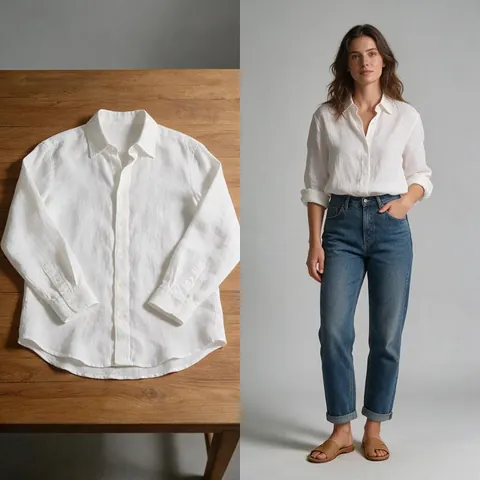
Online clothing shop
A small shop can photograph each new piece flat once and get matching on-model photos for every product page.
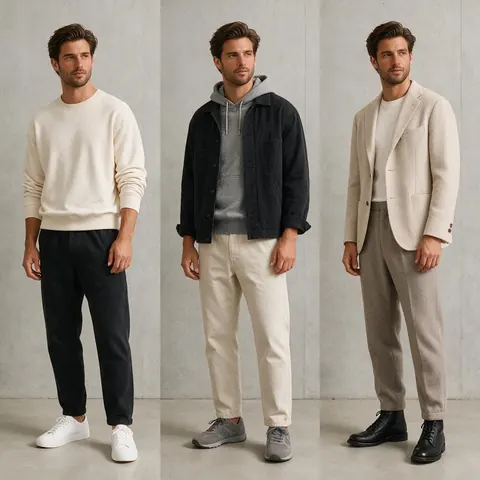
Independent designer
A designer can keep one fictional model for a whole capsule collection so the lookbook reads as one shoot.
Marketplace seller
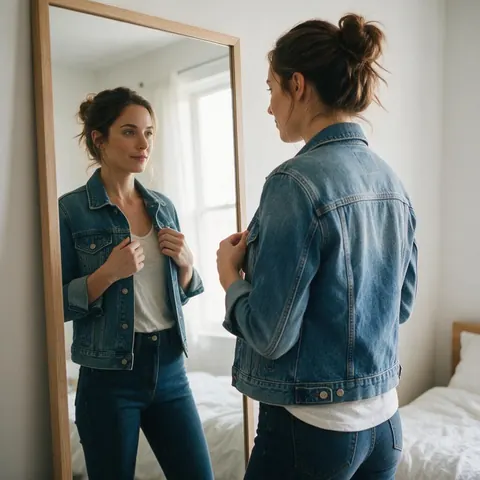
A seller can turn a garment photo into a 9:16 try-on clip for Reels with the same AI model.
FAQ
AI Fashion Model Generator questions
12 questions
What is an AI fashion model?
An AI fashion model is a person who does not exist, generated by an image model to wear and show clothes in photos or video. On Kenerate AI every model is a fictional adult: you pick one from the Marketing Studio library or create your own look, then reuse that model across a collection. Real people should only appear with their permission.
Link to this answerHow do I create AI fashion models?
Design the look first, then save it. Generate a portrait or full-body photo of a fictional adult in the image studio, or pick a library creator in Marketing Studio. Add that model as your avatar, add photos of the garment, and choose Product shot > Full body or Editorial. Reusing the same saved model keeps the face and build consistent across every shot.
Link to this answerIs the AI fashion model generator free?
Not the Marketing Studio part: it needs a paid plan or a one-time credit pack, with no subscription required. A free account can still use free plan image models such as Qwen Image 3.0 in the image studio to design a fictional model's look from a prompt, using the starter credits every new account gets. Downloads carry no watermark.
Link to this answerDo the AI fashion models look real?
They are photoreal, but they are not real people. Seedream 5.0 Pro and GPT Image 2 render skin, hair, fabric and light convincingly, so treat the images as AI-generated and label them that way where a platform or your market asks. Never present a generated model as a real person or as a customer wearing your product.
Link to this answerWill the garment look accurate?
Usually, if the reference is good. Marketing Studio tells the model to keep the product exactly as in your photos: same shape, colours, materials and label. Give sharp front, back and detail photos, up to 9 per product. Fine prints, small text, buttons and seams are where changes show, so check them before you publish.
Link to this answerCan I keep the same AI model across a whole collection?
Yes. Save one model as your avatar and use it for every garment, so the face, hair, skin tone and build stay the same from shot to shot. Change only the clothes, the location and the light in your prompt. That gives a consistent lookbook or product page instead of a different person in every picture.
Link to this answerCan I make a try-on video with an AI model?
Yes. Switch to Video mode and pick UGC > Try-on: the model pulls the piece from the bag, puts it on, turns in the mirror and calls out the fit, at 9:16. For a campaign-style fashion film, pick Ads > Editorial try-on. The Try-On Haul and Editorial Fit templates are good starting points.
Link to this answerWhich model is best for AI generated fashion models?
Seedream 5.0 Pro, the Marketing Studio default, is the safe start for full-body and editorial on-model photos at up to 2K. GPT Image 2 takes up to 16 reference images and holds a garment and a face very closely, which helps with detailed pieces. Qwen Image 3.0 is a free plan model for sketching a model's look first.
Link to this answerWill AI replace fashion models?
Not entirely. AI fashion models are useful for catalogue shots, quick lookbooks and testing ideas when a shoot is not practical, and they cost no studio time. Brand campaigns, runway shows and anything built on a real person's identity still need real models. Many teams use both: AI for volume and tests, people for the hero work.
Link to this answerCan I use a real person as the model?
Only with their clear permission. You can upload photos of a model who agreed to appear, and Marketing Studio keeps their face exact. Never use a celebrity, an influencer or anyone who has not agreed, and never a minor: models must be adults 18+. For most shops a fictional AI model is the simpler choice.
Link to this answerCan I use the photos commercially?
Yes. Kenerate AI's terms give you ownership of what you generate, including for advertising, product pages and lookbooks. You are responsible for how you use it, so make sure your garment, any logo on it and any real person shown are yours to use. Label AI-generated people where a platform requires it.
Link to this answerHow is this different from virtual try-on?
This page is about creating the model and shooting your clothes on them from scratch. Virtual try-on dresses a person who is already in a photo, such as an existing model shot or a customer who agreed, in your garment. Both run on the same image models; see the AI virtual try-on page for that workflow.
Link to this answerIn depth
AI Fashion Model Generator, explained
What works, what to avoid, and how to pick a model.
On this page
Which Marketing Studio style to use for AI fashion models
Pick the style by the shot your product page or lookbook needs.
- Product shot > Full body: head-to-toe, the piece worn or carried, 3:4 by default.
- Product shot > Editorial: magazine styling, art-directed props and hard light.
- Product shot > Faceless: hands and body with the garment, no face in frame.
- Product shot > Natural or Usage: calm daylight, the piece in everyday life.
- Video > UGC > Try-on: the model puts it on, turns and calls out the fit, 9:16.
- Video > Ads > Editorial try-on: a campaign-style fashion film, 9:16.
Clothes on models without a photoshoot
Shops need clothes on models because a garment on a body shows fit, length and drape in a way a flat lay can't. With an AI model you photograph the piece once, flat or on a hanger, and get on-model shots in as many settings as you need: a studio sweep for the product page, a street at golden hour for social, a mirror try-on for Reels.
An AI model photoshoot, step by step
Treat it like a real shoot: cast once, keep the model, change the outfit and the set. Save your model as an avatar, add each garment as its own product, and reuse the same prompt for location and light so a whole drop looks like one shoot.
AI fashion models, kept honest
Every model on this page is a fictional adult. Don't upload photos of real people without their permission, never use celebrities or minors, and don't present a generated person as a real customer or a real review. Marketing Studio's prompts are also set never to invent ratings, review counts or awards.