What Is Gemini Omni Flash? An Overview of Google's New AI Video Generator
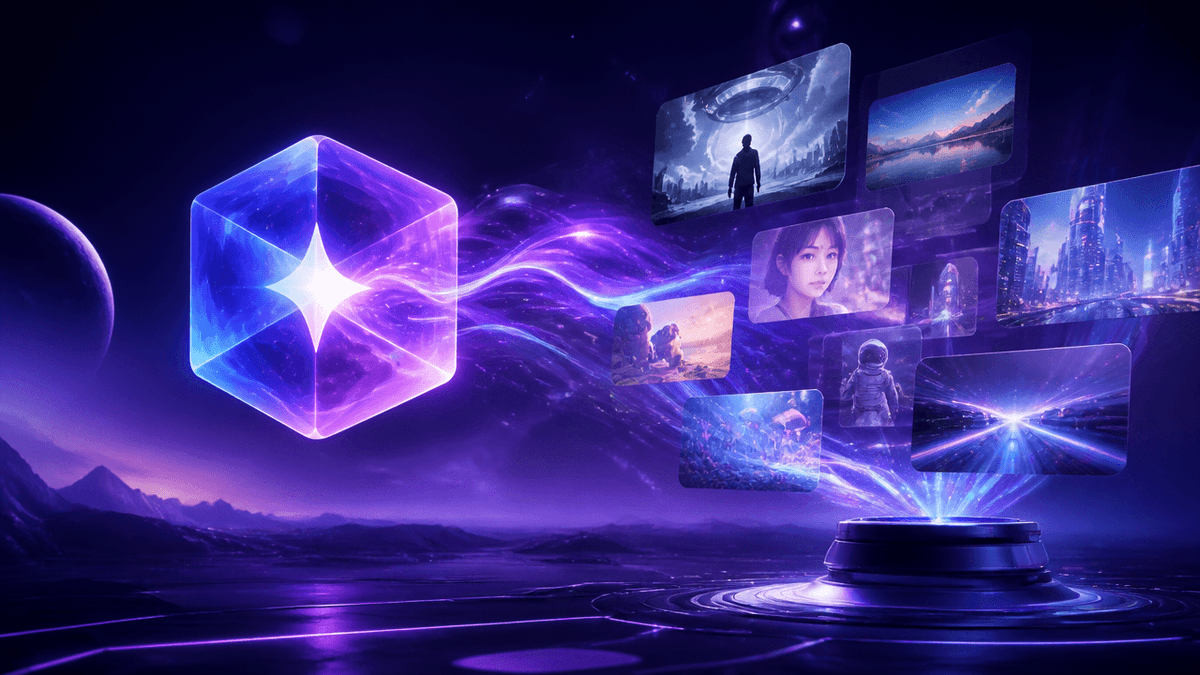
Google unveiled the Gemini Omni family at I/O 2026, and Gemini Omni Flash is the first model to ship from it — a fast, any-input-to-video generator built to turn text, images, or clips into finished footage, then keep editing that footage just by chatting with it. If you've used Nano Banana for images, Omni Flash is effectively its video counterpart, grounded in the same multimodal understanding.
A quick warning: Omni Flash is still labeled "preview" (gemini-omni-flash-preview), which means output length, credit costs, and availability across Google's own apps can shift as the model matures — worth confirming current limits before building a workflow around it.
🎬 Try an AI Video Generator Free
What Gemini Omni Flash Really Means for Creators
- It's natively multimodal, not bolted together. Text, image, audio, and video are processed together in one model, which is why edits stay cohesive instead of regenerating the whole clip from scratch.
- It replaces Veo in Google's own consumer apps. In the Gemini app and in Google Flow, Omni Flash is now the video model doing the work, signaling where Google's near-term video focus sits.
- "Flash" means fast and affordable, not top-resolution. Like other Flash-tier Gemini models, it trades maximum render quality for speed and cost-efficiency — the right trade for most short-form content.
- Conversational editing is the headline feature. You can swap a character, change lighting, or restyle a clip by describing the change in chat, while the rest of the scene holds steady.
- World knowledge improves prompt adherence. Because it's grounded in Gemini's understanding of physics and real-world context, even short, simple prompts tend to land accurately.
Best Places to Try Gemini Omni Flash and Similar AI Video Models
1. Kenerate AI — Best All-in-One Way to Try Omni Flash Without a Google AI Plan
You don't need a separate Google subscription or any technical setup to test what Omni Flash-style video generation can do. Kenerate AI gives you direct access to 500+ models in one unified studio, so you can generate a clip, then instantly compare it against Veo 3.1, Kling, or Seedance without juggling separate accounts. It runs on a one-time payment rather than a recurring plan, which suits anyone who wants to experiment across models before settling on one. See Kenerate AI Pricing for current plan details.
2. Google Flow — Best for Staying Inside Google's Native Workflow
Flow is where Omni Flash actually lives inside Google's own ecosystem, tightly integrated with the Gemini app experience. It's the most direct way to use the model as Google intends, though it ties you to Google's own release pace and feature rollout schedule.
3. Runway Gen-4 — Best for Precise Cinematic Camera Direction
Runway remains a strong choice when a project calls for exact camera language — dolly moves, tracking shots, specific lens behavior — and it's widely used in professional edit pipelines. Free-tier credits are limited, though. (You can access Runway-style workflows directly inside Kenerate AI.)
4. Kling Omni — Best for Longer, Motion-Heavy Sequences
Kling handles extended motion with less drift than many fast models, making it a good complement when a project needs a clip longer than Omni Flash's roughly ten-second default output. (Available inside Kenerate AI.)
5. Google Veo 3.1 — Best for Photorealistic Output
Veo 3.1 remains Google's higher-fidelity video option, trading Omni Flash's speed for stronger photorealism on scenes that can afford slower generation times. (You can access Veo 3.1 directly inside Kenerate AI.)
6. Seedance 2.0 — Best for Character Consistency Across Shots
Seedance is particularly reliable at holding a reference character's appearance steady across multiple generated shots, which is useful for any recurring-character or branded content series. (Available inside Kenerate AI.)
How to Get the Most Out of Gemini Omni Flash
- Lead with a full scene description. Subject, action, setting, lighting, and camera move all in one prompt gives the model less to guess at.
- Say if you want one shot or several. Omni Flash can build a short multi-shot narrative by default, so specify "single continuous shot" when you want one clean take.
- Treat audio as part of the prompt. Since sound is generated alongside video, describe the music or ambience you want rather than leaving it to the model.
- Use references for anything visual. A reference image for a character or product frees your prompt to focus on motion and mood instead of re-describing appearance.
What You Can Realistically Make With It Today
Given its roughly ten-second output and fast, affordable credit usage, Omni Flash is well suited to short-form content: product teasers, social clips, quick animated concepts, and iterative style tests. The honest limit is length and resolution — for anything beyond a short clip, you'll want to extend or upscale the output using additional tools, and preview-stage pricing or access can still change before general availability.
Free vs. Paid: When to Upgrade
- You need clips longer than the default ~10-second output.
- You're testing across multiple models (Omni Flash, Veo, Kling, Seedance) rather than committing to just one.
- You want upscaling or extension tools bundled with generation instead of separate subscriptions for each.
Most platforms offering this breadth charge around $30/month on a recurring basis. Kenerate AI instead uses a one-time $15 payment, which is typically cheaper than even a couple of months of a comparable subscription.
Frequently Asked Questions
What is Gemini Omni Flash built on? It's the first model in Google's Gemini Omni family (gemini-omni-flash-preview), a natively multimodal model that generates and edits video from text, image, or video input.
How long are the videos it generates? Around ten seconds per generation, with native audio included. Longer results generally require an extension step through a tool like Kenerate AI.
Is Gemini Omni Flash the same as Gemini 2.0 Flash? No — Gemini 2.0 Flash was a language model, while Omni Flash is a dedicated 2026 video generation and editing model in the separate Omni family.
Can I edit a video without regenerating the whole clip? Yes, conversational editing is Omni Flash's standout feature — describe the change and it applies it while keeping the rest of the scene intact.
Where can I use Gemini Omni Flash? Through Google's own Gemini app and Flow, the Gemini API, or through a multi-model platform like Kenerate AI where you can compare it against other leading video models.