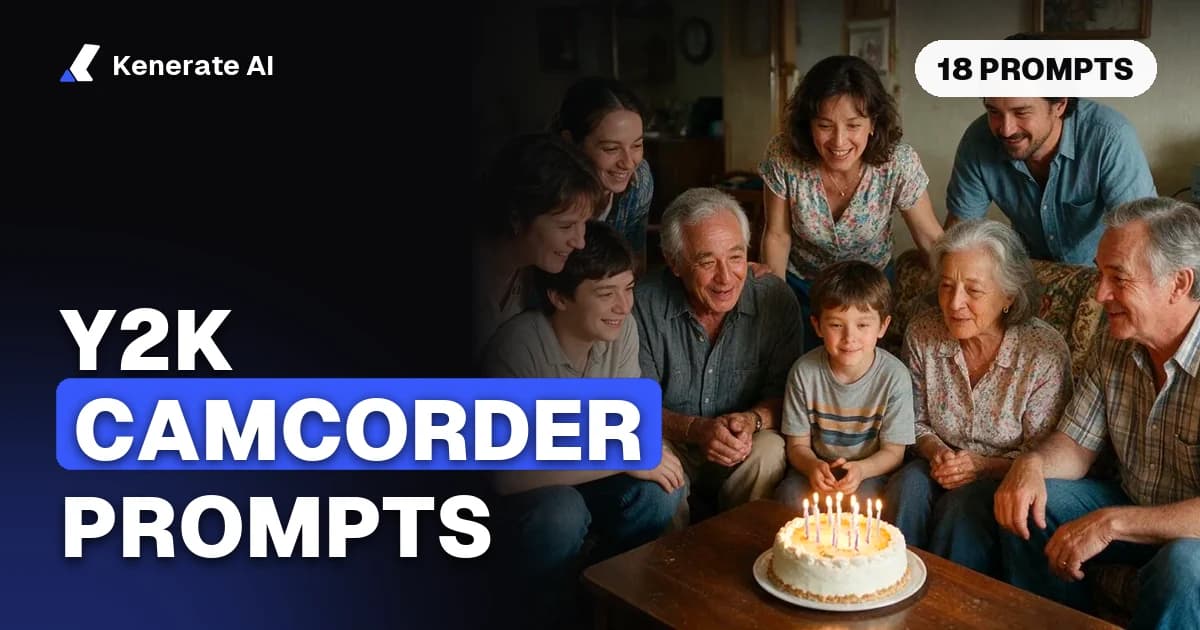
To get a Y2K camcorder look from an AI video model, name the camera ("early-2000s MiniDV handheld camcorder"), add its flaws (on-camera light, autofocus hunting, a shaky handheld pan, a burned-in date stamp) and ask for a 4:3 frame at a low resolution. Below are 18 copy-paste prompts for video and still photos, the settings that matter, and which Kenerate models support the 4:3, low-resolution setup the look needs, as of October 23, 2026.
The trend is a reaction to AI output that looks too clean. Prompt guides published this autumn, such as HitPaw's Y2K camcorder guide (updated September 22, 2026), all give the same advice: describe the old hardware and keep its mistakes. That works for video as well as for stills, as long as you also describe how the camera moves.
What makes footage look like a 2003 camcorder?
A cheap early-2000s camcorder leaves the same marks on almost everything it filmed. If you name these in the prompt, the model has something concrete to copy. If you only write "Y2K vibe", most models return modern, graded footage with low-rise jeans in it.
| Ingredient | What to write in the prompt | Why it reads as "2003" |
|---|---|---|
| Camera | "early-2000s consumer MiniDV camcorder", "handheld digital camcorder" | Moves the model away from cinema-camera looks |
| Frame | "4:3 frame", "standard definition", "720x480" | Consumer DV recorded standard definition, mostly 4:3 |
| Light | "harsh on-camera light", "blown highlights", "dark background falloff" | Small built-in lights flatten faces and lose the room |
| Focus | "autofocus hunting", "focus breathing", "soft edges" | Consumer autofocus drifted in low light |
| Movement | "shaky handheld pan", "late, jerky zoom", "operator walking" | Nobody used a gimbal |
| Overlay | "orange date stamp in the bottom-right corner", "REC dot" | The most recognisable camcorder detail |
| Texture | "video noise in the shadows", "slight compression blocking", "interlaced motion" | Tape and DV compression artefacts |
| Colour | "slightly cool, washed-out colour", "no colour grading" | Auto white balance, not a colourist |
Two of these are worth a note. Standard-definition DV in North America recorded 720x480 at roughly 30 interlaced frames per second (DV format overview), so asking for "standard definition" and "interlaced motion" pushes the model the right way, even though AI models output progressive video. And Media.io's camcorder prompt notes make a useful point: say who is filming. A friend holding the camera at a party moves differently from an invisible, perfect camera operator.
How do you write a camcorder prompt that works?
Use the same five-part structure for every clip. It keeps prompts short enough that the model doesn't drop details.
- Camera and format first. "Early-2000s MiniDV camcorder footage, 4:3, standard definition."
- One scene, one moment. A single event: someone opening a gift, a car ride, a mall food court. Avoid "a whole summer".
- The operator and the movement. "Filmed by a friend walking backwards, shaky handheld, a late zoom in."
- Flaws. Pick two or three from the table: autofocus hunting, on-camera light, noise, a date stamp.
- What to avoid. "No colour grading, no cinematic depth of field, no drone, no smartphones in frame."
Then set the model to a 4:3 aspect ratio and 480p. Low resolution is part of the look, and it is also the cheapest setting, which matters because you will regenerate a few times.
12 Y2K camcorder video prompts you can copy
Each prompt is written for a 5–8 second clip. Swap the scene and keep the camera block.
1. House party hallway
Early-2000s MiniDV camcorder footage, 4:3, standard definition. A friend films a crowded house-party hallway at night, walking slowly, shaky handheld. Harsh on-camera light flattens faces, background falls into darkness. Autofocus hunts between people. Orange date stamp bottom right. Video noise in shadows, no colour grading.
2. Mall food court
Handheld consumer camcorder clip from 2003, 4:3. Wide shot of a busy mall food court, then a jerky zoom toward a neon pretzel sign. Fluorescent light, slightly green cast, blown-out skylight. Slight compression blocking, REC dot top left. No cinematic depth of field.
3. Car ride at dusk
MiniDV home video, 4:3, standard definition. Camera held from the passenger seat, filming the driver singing along to the radio at dusk. Window glare, streetlights smear across the glass, autofocus breathing as signs pass. Date stamp in orange digits. Natural camera shake from the road.
4. Skate spot
Early-2000s skate video look, 4:3 standard definition camcorder with a fisheye adapter. Operator runs alongside a skateboarder in a concrete plaza, low angle, heavy shake. Afternoon sun, blown highlights, interlaced motion on fast movement. No modern clothing logos.
5. Concert from the crowd
Amateur camcorder footage from inside a small club concert, 2002, 4:3. Held above the crowd, wobbling. Stage lights bloom and clip to white, red and blue colour bleed, heavy video noise. Audio-free. Autofocus lost on the stage, then catches the singer.
6. Bedroom vlog, pre-YouTube
2004 bedroom video diary, consumer camcorder on a desk, 4:3, standard definition. Adult woman in a hoodie talks to the camera, CRT monitor glowing behind her, posters on the wall. Desk lamp light, cool white balance, soft focus, faint noise. Date stamp bottom right.
7. Beach holiday
Holiday camcorder footage from 2001, 4:3. Pan across a crowded beach, sky completely blown out, auto-exposure pumping as the camera turns toward the sun. A friend waves and runs into frame too close, focus lags. Washed-out colour, slight tape wobble.
8. Birthday cake moment
Family camcorder footage, 2003, 4:3 standard definition. Living room, adults gathered around a birthday cake with lit candles, VHS tapes on a shelf. Harsh built-in camera light, everyone slightly overexposed, the room behind dark. Operator zooms in late as candles are blown out. Orange date stamp.
9. Night city walk
Early-2000s digital camcorder in night mode, 4:3. Walking down a city street of shop signs and taxis. Heavy noise, green-tinted low-light image, streaking lights from slow shutter, autofocus hunting. Handheld, no stabilisation.
10. Arcade
MiniDV footage inside a 2002 arcade, 4:3, standard definition. Close handheld shot of two adults playing a dance machine, screen glow strobing on faces, colour bleed from the red lights. Camera bumps when someone walks past. No grading.
11. Graduation parking lot
Consumer camcorder clip from 2004, 4:3. Adults in caps and gowns throwing caps in a parking lot, harsh noon sun, blown-out white gowns, wind noise implied by shaky framing. Zoom in and out quickly. Date stamp bottom right.
12. Music-video style performance
Y2K pop music video shot on a cheap camcorder, 4:3, standard definition. A singer in a silver jacket performs in front of a chrome backdrop, fisheye close-ups, on-camera light, slight interlacing on fast moves, washed blue shadows.
6 prompts for Y2K photos and disposable-camera stills
Many people make a still first and then animate it. These prompts work in image models and give you a start frame for image-to-video.
13. Disposable camera flash portrait
Photo taken with a cheap disposable film camera at night, direct flash, red-eye, subject brightly lit against a black background, visible film grain, slightly soft focus, 4:3, printed-photo colours.
14. 2003 digital point-and-shoot
Early-2000s 3-megapixel digital camera photo, on-camera flash, blown highlights, cool shadows, slight JPEG artefacts, off-centre framing, orange date stamp in the corner.
15. Webcam still
2002 webcam snapshot of an adult at a desk, very low resolution, blocky compression, overexposed face from the monitor glow, purple-blue tint.
16. Mirror selfie, flip-phone era
Low-resolution flip-phone camera photo, mirror selfie in a bathroom, flash flare on the mirror, heavy noise, soft detail, 4:3.
17. Photo-booth strip
Photo-booth strip from 2001, four frames, harsh flat flash, white background, slight colour shift between frames, printed paper texture.
18. Late-90s film snapshot
35mm point-and-shoot snapshot from 1999, warm colour shift, light leak on the left edge, grain, slightly tilted horizon, candid moment between friends at a picnic.
If a result still looks too polished, the fix is almost always the same: add another flaw (more noise, a stronger flash, more blur) and remove adjectives like "beautiful", "cinematic" or "detailed".
Which Kenerate models can do the camcorder look?
We don't publish a ranking here, because no one has run a fair, repeatable test of low-fi looks across models. What we can tell you is which models on Kenerate support the settings the look depends on (a 4:3 frame and a cheap low-resolution draft) and what each costs, taken from our model config on October 23, 2026.
| Model | 4:3 frame | Lowest resolution | Length | Credits per second at lowest res | 5 s draft |
|---|---|---|---|---|---|
| Wan 3.0 | Yes | 480p | 2–30 s | 15 | 75 credits |
| Seedance 2.0 Mini | Yes | 480p | 4–15 s | 18 | 90 credits |
| Seedance 2.0 | Yes | 480p | 4–15 s | 36 | 180 credits |
| Seedance 2.5 | Yes | 480p | 4–30 s | 54 | 270 credits |
| Veo 3.1 Fast | No (16:9 / 9:16) | 720p | 4, 6 or 8 s | 30 silent / 45 with sound | 4 s silent: 120 credits |
A few practical notes:
- Start with Wan 3.0 at 480p. It is the cheapest model here that takes 4:3, so you can try several versions of a prompt for the price of one Seedance 2.5 clip. See the Wan model page for its other modes.
- Use Seedance 2.5 for longer or multi-shot clips. It runs up to 30 seconds and accepts many reference images, which helps when you want the same people across several "tapes".
- Veo 3.1 Fast doesn't offer 4:3. You can crop a 16:9 clip to 4:3 afterwards, but you lose the sides of the frame, so compose with that in mind.
- For context: the Starter plan is $15 for 1,300 credits, which is about 17 five-second Wan 3.0 drafts at 480p.
All of these run from the text-to-video generator, and the Seedance and Wan models also take a start frame through image-to-video.
Should you generate a still first, then animate it?
Usually, yes. A still is cheaper to iterate on, and image-to-video keeps the frame you approved. A simple workflow:
- Generate a still with one of the photo prompts above (for example prompt 14). An image costs far less than a video clip; GPT Image 2.5 Sunburst at 1K medium quality is 7.2 credits per image on Kenerate.
- If you want an existing photo to look older instead, run it through the vintage photo filter or the film grain filter first.
- Open image-to-video, upload the still as the start frame, keep the aspect ratio at 4:3 so the frame isn't cropped, and choose 480p.
- In the prompt, describe only the movement and the flaws: "shaky handheld pan to the right, autofocus hunts, on-camera light flickers, date stamp stays fixed in the corner."
- Generate a 5-second draft. If it looks right, regenerate at 720p or extend it.
One catch: models sometimes redraw or blur a date stamp that is baked into the start frame. If the stamp matters, add it afterwards in an editor instead of generating it.
How do you make AI video look even older after generation?
AI models output clean, progressive video even when you ask for tape. A light pass in a free tool like ffmpeg gets you the rest of the way. This command shrinks the frame to standard-definition 4:3, adds moving noise and slightly lowers saturation:
ffmpeg -i clip.mp4 -vf "scale=640:480,noise=alls=12:allf=t,eq=saturation=0.85" -r 29.97 camcorder.mp4
Raise alls for more noise, lower saturation for a more faded look. The scale step assumes a 4:3 source; for a 16:9 clip, crop first (crop=ih*4/3:ih). For a date stamp, ffmpeg's drawtext filter can burn in text in any font you have the rights to use.
Is the camcorder look the same as VHS restoration?
No, it is the opposite. The camcorder trend adds noise, blur and overlays to new footage. Restoration removes them from real old tapes. If you have actual home videos from the 2000s and want them sharper and larger, use VHS restoration instead of a camcorder prompt.
Common mistakes with Y2K camcorder prompts
- Only naming the era. "2003 aesthetic" gets you 2003 clothing on modern cameras. Name the camera.
- Asking for 4K or 1080p. High resolution fights the look. Draft at 480p.
- Too many flaws at once. Ten artefacts in one prompt often turn into a mess. Pick two or three.
- Cinematic words. "Cinematic", "beautiful lighting", "shallow depth of field" pull the model back toward glossy footage.
- Real people. Don't use real people's names or faces, or celebrity lookalikes. Invented adults in period clothes work just as well.
Sources
- HitPaw Edimakor: Y2K camcorder AI prompts, updated September 22, 2026
- Media.io: camcorder video prompts
- Wikipedia: DV (video codec)
- Wikipedia: Disposable camera
- FFmpeg filters documentation
Kenerate credit figures are from the Kenerate model configuration as of October 23, 2026 and may change; the app shows the exact cost before you generate.