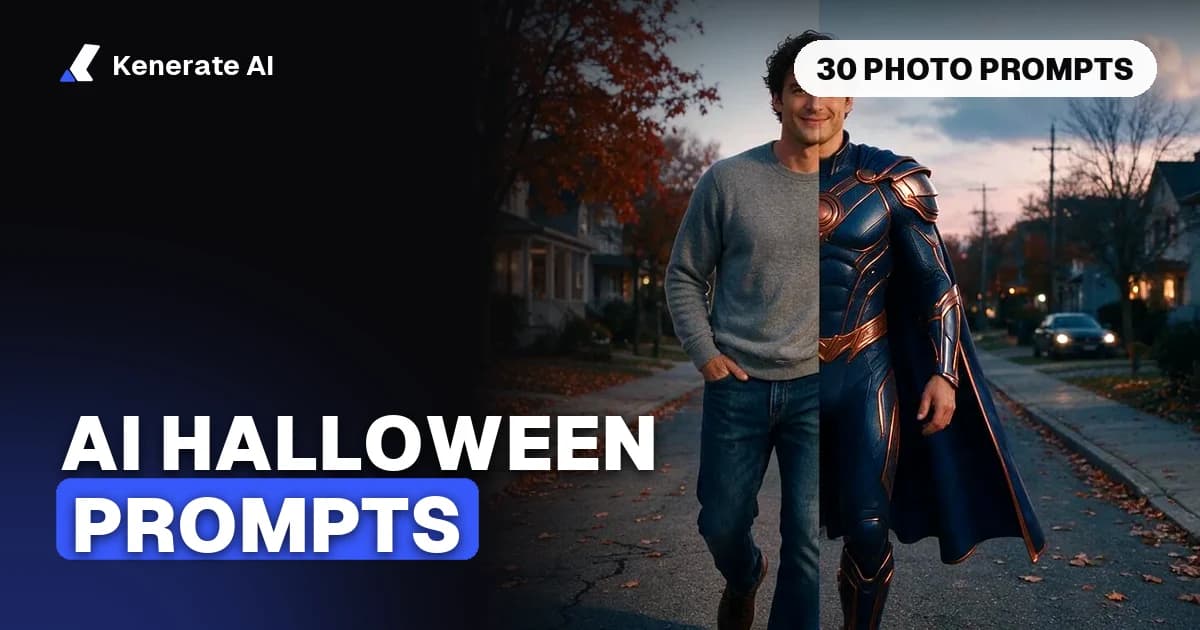
The AI Halloween photo trend is simple: upload a clear photo of yourself, paste a prompt that names a costume, a setting and a light source, and tell the model to keep your face, pose and framing. Below are 30 copy-paste AI Halloween photo prompts that work in Gemini, ChatGPT and Kenerate's image editor, sorted by style, plus the step-by-step method and the phrasing that stops horror prompts from getting blocked. Updated as of 20 October 2026.
How do you do the AI Halloween photo trend?
You edit an existing photo rather than generate a new person from scratch. That is what keeps the result looking like you. The steps are the same in every tool that supports image editing:
- Pick a good source photo. Front-facing or three-quarter view, even light, face not covered by hair or sunglasses, and at least shoulders in frame. One person per photo works best; add a second photo for couple edits.
- Upload it to an image editor. In Gemini, attach the photo in the chat. In ChatGPT, attach it and ask for an edit. In Kenerate, open the AI image editor, upload the photo and choose an edit model such as Nano Banana 2.1 or GPT Image 2.5 Sunburst.
- Paste a prompt and add a "keep" line. Every prompt below ends with an instruction to preserve facial features, pose and framing. Do not delete it: it is the line that stops the model from swapping your face for a generic one.
- Change one variable at a time. If the costume is right but the light is wrong, re-run with only the lighting phrase changed.
- Download at full size and upscale if you want a print. Social posts are fine at the default size; posters need an upscale pass.
What makes a Halloween prompt work?
Most good prompts follow the same order, a structure several prompt guides (including Anijam's 2026 Halloween prompt list) recommend: subject + costume or props + setting + lighting + visual style + composition + mood. Google's own Halloween post from October 2025 gives the same advice in short form: be specific about style, lighting, framing and pose (Google blog).
The two parts people skip are the light source and the keep line. "Spooky lighting" is vague; "lit from below by a single candle, deep shadows" is a picture.
30 AI Halloween photo prompts you can copy
Replace bracketed words with your own details. Each prompt assumes you have uploaded a photo of yourself.
Classic monster and costume prompts
- Vampire noble. "Turn the person in this photo into an elegant vampire aristocrat: high-collared black velvet coat, deep red cravat, pale skin, subtle fangs, slicked-back hair. Gothic castle hall behind them, lit by a candelabra on the left, cold blue moonlight from a tall window. Cinematic, shallow depth of field. Keep the facial features, expression, pose and framing exactly the same."
- Witch in the woods. "Dress the person as a modern witch: wide-brimmed black hat, layered dark green cloak, silver rings, a small lantern in one hand. Misty autumn forest at dusk, orange leaves on the ground, fog at ankle height. Warm lantern glow on the face, cool blue background. Keep the face, hair colour and pose unchanged."
- Skeleton makeup. "Add detailed skeleton face paint to the person: white base, black eye sockets, painted teeth along the lips, fine bone lines on the cheeks and jaw. Black hoodie, plain dark studio background, single softbox from the front. Photorealistic makeup, not a mask. Keep identity, expression and framing."
- Werewolf transformation (mid-change). "Show the person mid-werewolf transformation in a stylised, non-gory way: thicker eyebrows, light fur along the jawline, amber eyes, torn flannel shirt. Full moon behind clouds, forest edge, cold rim light from behind. Keep the face recognisable and the pose the same."
- Mummy wrap. "Wrap the person's body and arms in old linen bandages like a classic movie mummy, face left visible with dusty, desaturated skin tones. Torch-lit stone tomb with hieroglyph-style carvings. Warm flickering light, dust in the air. Keep the face and pose."
- Frankenstein-style lab creature (original design). "Turn the person into an original patchwork lab creature: stitched seams painted on the forehead and cheek, green-grey skin tint, heavy black coat, neck bolts. Old laboratory with glass jars and sparking coils, green and white light. Keep facial structure and framing."
Cinematic horror lighting prompts
- Single candle portrait. "Relight this photo so the only light is one candle held just below the chin. Deep black background, strong shadows going upward, warm orange tones, slight film grain. Keep everything else in the photo unchanged."
- Red emergency light. "Make it look like a still from a horror film: the scene lit only by a red emergency light from the side, cold blue fill from a doorway behind, light haze in the air. Keep the person, outfit and pose."
- Flashlight in the dark. "Turn the scene dark except for a hard flashlight beam on the person's face from slightly off-camera. Dust particles visible in the beam, everything else in near-black. Tense, cinematic. Keep identity and pose."
- Lightning flash. "Place the person on an old wooden porch during a thunderstorm, frozen in the bright white flash of lightning, rain streaks, a dark house behind them. High contrast black-and-white. Keep the face and framing."
Pumpkin patch and autumn prompts
- Golden-hour pumpkin patch. "Place the person sitting on a hay bale in a pumpkin patch at golden hour, wearing a chunky knit sweater and a plaid scarf. Rows of orange pumpkins, warm low sun from behind, soft lens flare. Bright, cosy, not scary. Keep face, pose and framing."
- Jack-o'-lantern glow. "Put the person kneeling behind a row of carved jack-o'-lanterns at night, faces lit only by the pumpkins' orange glow, fog behind them. Keep identity and expression."
- Autumn porch decor. "Change the background to a decorated front porch for Halloween: carved pumpkins, corn stalks, a black cat on the step, string lights. Early evening blue hour. Keep the person exactly as they are."
Haunted Victorian and vintage prompts
- Victorian ghost daguerreotype. Inspired by Google's own example: "Turn the person into a translucent Victorian ghost in a high-collared 1880s dress or suit, faint glow around the edges. Render as a black-and-white daguerreotype with silver plate stains, scratches and vignetting. Keep the face and pose."
- Haunted portrait painting. "Turn this photo into an old oil portrait hanging in a dusty manor hallway: cracked varnish, gilded frame, slightly unsettling eyes, cobwebs on the frame corner. Keep the person's likeness."
- Séance table. "Seat the person at a round séance table with a lace cloth, three candles and a spirit board, in a dark Victorian parlour with heavy curtains. Soft candle light, sepia tones. Keep identity and pose."
- Gothic library. "Place the person in a gothic library at midnight, wearing a black lace or velvet outfit, holding an old leather book. Tall arched windows, moonlight, floating dust. Keep face and framing."
Retro VHS and 80s/90s horror prompts
- VHS horror still. "Make the photo look like a frame from a 1980s horror VHS tape: tracking lines, colour bleed, slight blur, timestamp in the corner reading 'OCT 31 1987', a dim suburban hallway behind the person. Keep the person unchanged."
- 90s scary-movie poster. "Turn this into an original 90s teen horror movie poster: the person in front, grainy film look, a figure in a white sheet standing in a dark doorway behind them, empty space at the top for a title. No real movie titles or logos. Keep face and pose."
- Drive-in creature feature. "Make this a 1950s B-movie creature feature lobby card: saturated colours, painted illustration style, the person looking scared at something off-frame, a flying saucer silhouette in the sky. Keep likeness."
- Polaroid found photo. "Turn the image into an old Polaroid found in an attic: faded colours, light leak, a handwritten 'Halloween' caption in marker on the bottom border, slightly blurred figure in the background. Keep the person as they are."
Couples and group prompts
Upload one photo per person or one photo with both people in it.
- Vampire couple. "Turn the two people into a vampire couple at a candlelit ballroom masquerade: dark velvet outfits, lace masks pushed up on their heads, crimson accents. Warm candle light, cool shadows. Keep both faces, their positions and the framing."
- Ghost hunters. "Dress both people as 1970s paranormal investigators with tan jackets, flashlights and an old tape recorder, standing in an abandoned hallway. Keep both identities and poses."
- Matching skeleton suits. "Put both people in matching black skeleton-print onesies, posing on a front porch with jack-o'-lanterns, fun and playful, bright flash photo look. Keep faces and positions."
- Friend-group haunted house. "Make the group look like they are frozen mid-scream in a haunted house photo booth: green lighting, cobwebs, a cartoon ghost cutout behind them. Keep each person's face."
For more two-person ideas outside Halloween, see the AI couple photo generator.
Pet Halloween prompts
- Cat wizard. "Dress this cat as a tiny wizard with a purple star-patterned hat and cloak, sitting on a stack of spell books with a glowing potion bottle. Keep the cat's fur pattern, eye colour and pose."
- Dog pumpkin costume. "Put this dog in a soft orange pumpkin costume with a green stem hat, sitting in a pile of autumn leaves. Keep the breed, markings and expression."
- Black cat in a window. "Place this cat in the window of a spooky house at night, a full moon behind it, warm light inside. Keep markings and pose."
The AI pet portrait generator has more pet-specific styles if your animal is the star.
Background-only prompts
- Halloween background swap. "Keep the person exactly as they are, including clothes. Replace only the background with a misty graveyard at night with crooked headstones, bare trees and a full moon. Match the lighting on the person to the new background."
- Halloween wallpaper. "Create a phone wallpaper (9:16) of a quiet autumn street on Halloween night: carved pumpkins on every step, warm windows, light fog, a few falling leaves, empty space at the top for a clock."
Why does Gemini block some Halloween prompts?
Gemini's published policy guidelines say it should not create content that depicts violence in a way meant to shock or scare, giving excessive blood, gore and injuries as examples (Gemini policy guidelines). For developers, Google's Vertex AI documentation describes layered safety filters that can refuse a prompt or block an output in categories including dangerous and violent content (Google Cloud docs). Google does not publish exact thresholds, so the same prompt can pass one day and fail the next.
In practice, Halloween prompts hit the filter for four reasons:
| Trigger | Example that often fails | Rewrite that usually works |
|---|---|---|
| Graphic injury | "zombie with a torn-open face, blood everywhere" | "zombie makeup: grey skin, dark circles, ragged clothes, stylised theatrical look" |
| Weapons aimed at someone | "holding a bloody knife to the camera" | "holding a lantern, looking over their shoulder" |
| Copyrighted characters | "turn me into [famous horror villain]" | describe an original costume: "white expressionless mask, dark coveralls" |
| Real public figures | "me with [celebrity] at a Halloween party" | use only photos of people who agreed to be in the edit |
The general rule is to describe mood, lighting and costume rather than injuries. A single candle and a figure in a doorway reads as scarier than a wound, and it gets through.
Is it OK to use other people's photos?
Only with their permission. Editing a friend's selfie into a group costume is fine if they are in on it. Do not edit photos of strangers, public figures, or anyone under 18 into Halloween scenes and share them. Stick to your own photos and people who agreed.
Which AI tool is best for Halloween photo edits?
All three common options can do the trend. They differ in cost, how many reference photos they take and how strict they are.
| Tool | How you use it | Reference photos | Cost (as of 20 Oct 2026) |
|---|---|---|---|
| Gemini app | Upload photo, type prompt in chat | Several per chat | Free tier with daily limits; paid tiers for more |
| ChatGPT | Upload photo, ask for an edit | Several per chat | Free tier with limits; paid plans for more |
| Kenerate · Nano Banana 2.1 | /app/edit, AI Edit | Up to 14 | 21 credits per edit at 1K |
| Kenerate · GPT Image 2.5 Sunburst | /app/edit, AI Edit | Up to 16 | 11.7 credits per edit with one photo at 1K |
| Kenerate · Seedream 5.0 Pro | /app/edit, AI Edit | Up to 10 | 13.5 credits per edit at 1K |
Kenerate figures come from the app's edit-model config. New Kenerate accounts get 25 free credits, enough for one Nano Banana 2.1 edit or two GPT Image 2.5 Sunburst edits; the $15 pack adds 1,300 credits. Gemini and ChatGPT free-tier limits change often, so check the current numbers in each app.
Which model should you pick in Kenerate?
- Nano Banana 2.1 is the safest pick for keeping a face consistent across several edits, and for group shots where you upload one photo per person (up to 14 images). See the Nano Banana image editor.
- GPT Image 2.5 Sunburst is strong at following long prompts and at text inside the image, which helps with the VHS timestamp and poster prompts.
- Seedream 5.0 Pro is a cheaper option for illustrated and painted styles such as the haunted oil portrait and the creature-feature lobby card.
How do you turn a Halloween photo into a video?
Use the finished portrait as the start frame of an image-to-video model and describe one action and one camera move ("candle flickers, slow push-in"). If you already filmed yourself, Kenerate's AI costume changer redresses the person in a 2–15 second clip while keeping face, moves and background.
Tips for better AI Halloween photos
- Leave space for text. If you are making an invite or poster, ask for empty space at the top and add the words in a design tool, or use a model that handles text well.
- Check hands and faces. Zoom in before posting. Extra fingers and drifting eye colour are the usual giveaways.
- Tweak copied prompts. As Lilach Bullock's guide points out, everyone is pasting the same lists. Change the colour, prop or location so your result does not look like everyone else's.
If you want more starting points beyond Halloween, the prompt library has prompts sorted by style and model.
The short version
Upload a clear photo, paste a prompt that names a costume, a setting and one light source, and end it with "keep the facial features, expression, pose and framing". Describe mood and lighting instead of gore so Gemini and other tools do not block it, skip copyrighted characters and real people, and change one detail at a time until it looks right. Halloween is on 31 October 2026, so give yourself a few evenings of iterations before you post.