

Nano Banana 2.1 · Photo editing · Up to 14 references
Nano Banana image editor — edit any photo by describing the change
Upload a photo, say what to change and what to keep, and Nano Banana 2.1 does the rest: new outfit, new background, people removed, golden-hour light, a product dropped into a new scene or a whole new style. Six real before/after edits below.
Upload a photo, describe the change. Up to 14 references.
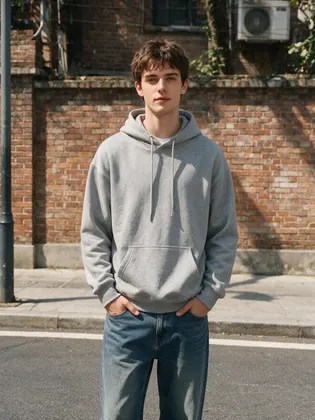
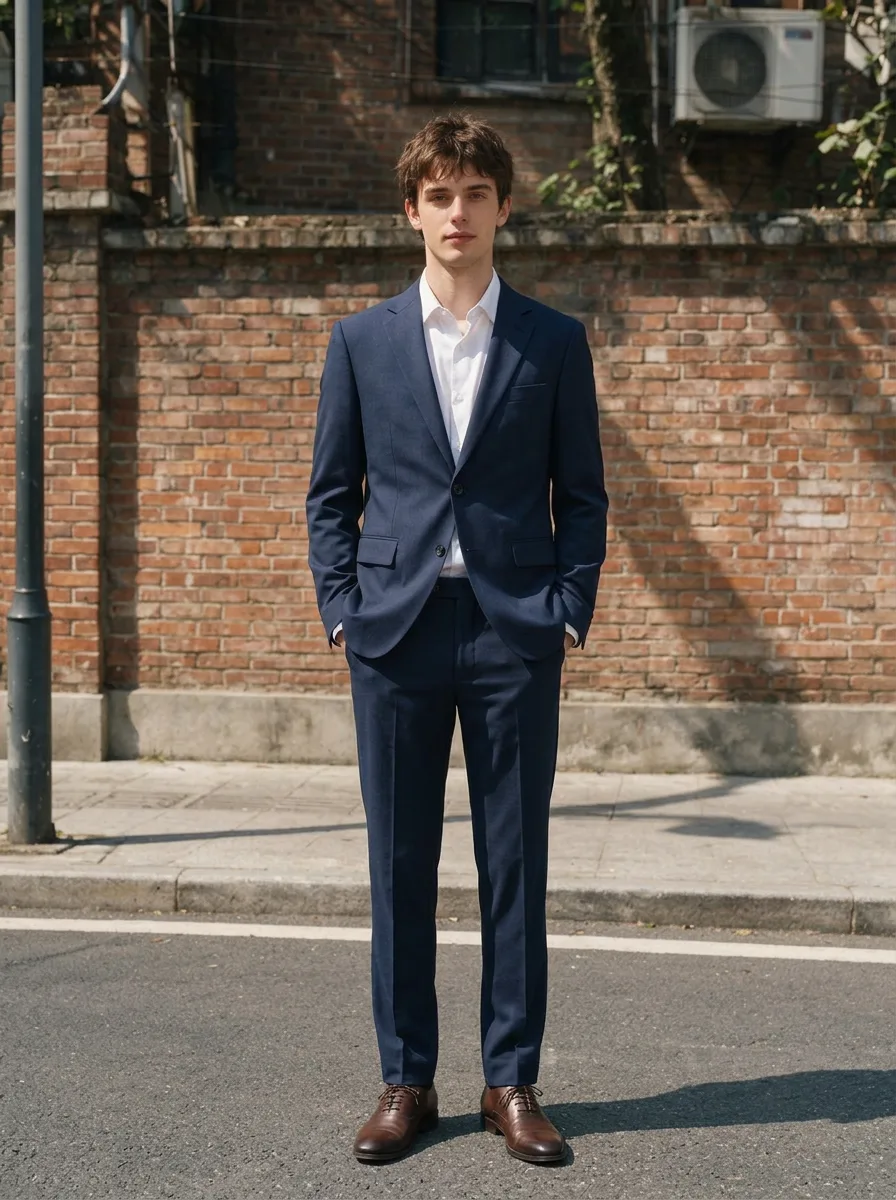
- 6 real before/after edits
- Keeps faces and products
- Up to 14 references
- No watermark
Updated by the Kenerate AI team
On this page
Quick answer
Updated
What is the Nano Banana image editor?
The Nano Banana image editor is Google's Nano Banana model used to edit photos: upload a picture, describe the change in words, and it rewrites that part while keeping the rest. Nano Banana 2.1, released on 6 October 2026, brings better mask-based editing and subject consistency and accepts up to 14 reference images. Below: six real before/after edits.
Key facts
- Model
- Nano Banana 2.1 (Google)
- Released
- 6 October 2026
- Inputs
- 1 photo, or up to 14 references
- Keeps consistent
- Up to 4 characters, 10 objects
- Output
- 1K · 2K · 4K, 14 ratios
- Where on Kenerate
- Image Studio and Edit Studio
Real edits
Six real Nano Banana edits, before and after
Left: the original photo. Right: the Nano Banana 2.1 edit, made from the prompt under it. The clip morphs between the two.
1. Change the outfit
Original photo 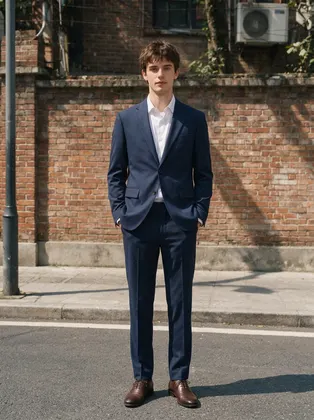
Nano Banana 2.1 edit 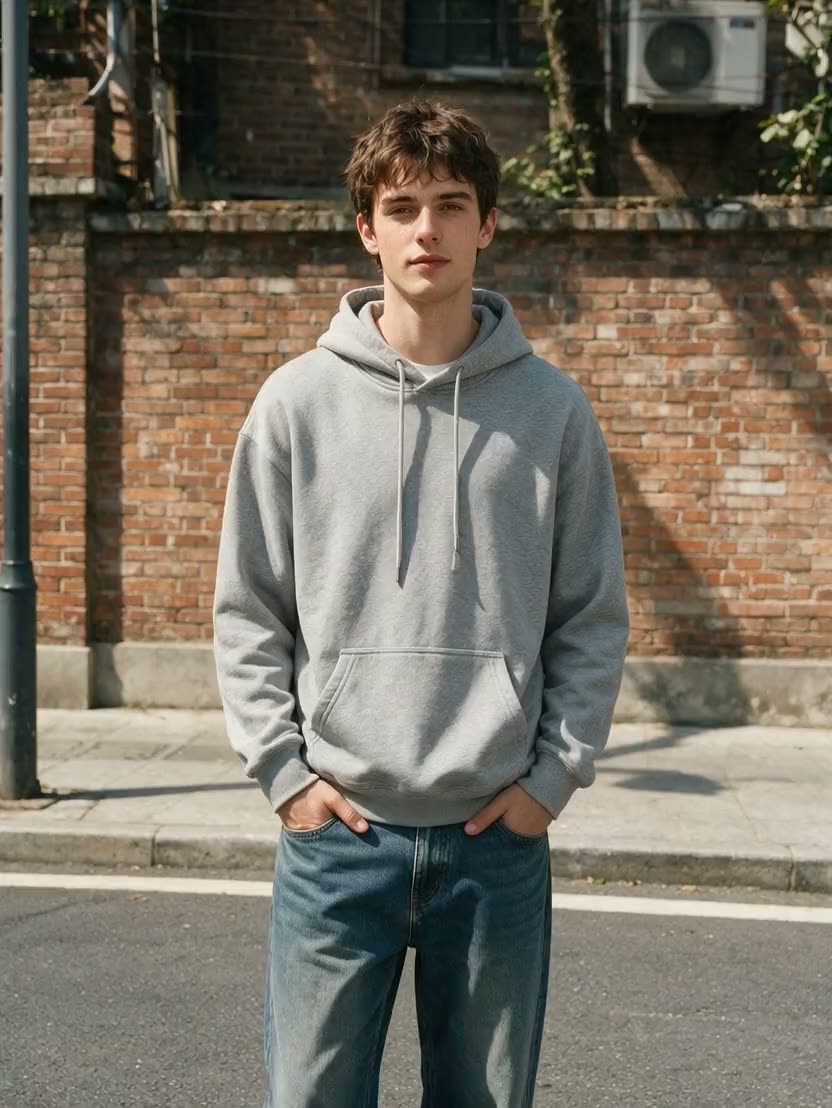
Before ↔ after Edit promptChange his outfit to a tailored navy suit with a white shirt and brown leather shoes. Keep his face, pose, the brick wall and the light the same.
2. Replace the background

Original photo 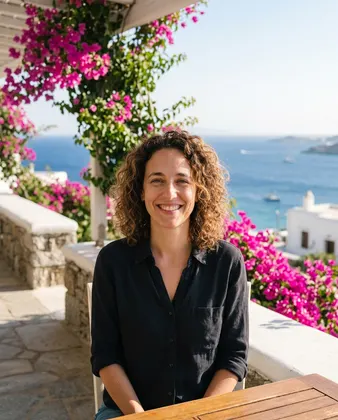
Nano Banana 2.1 edit 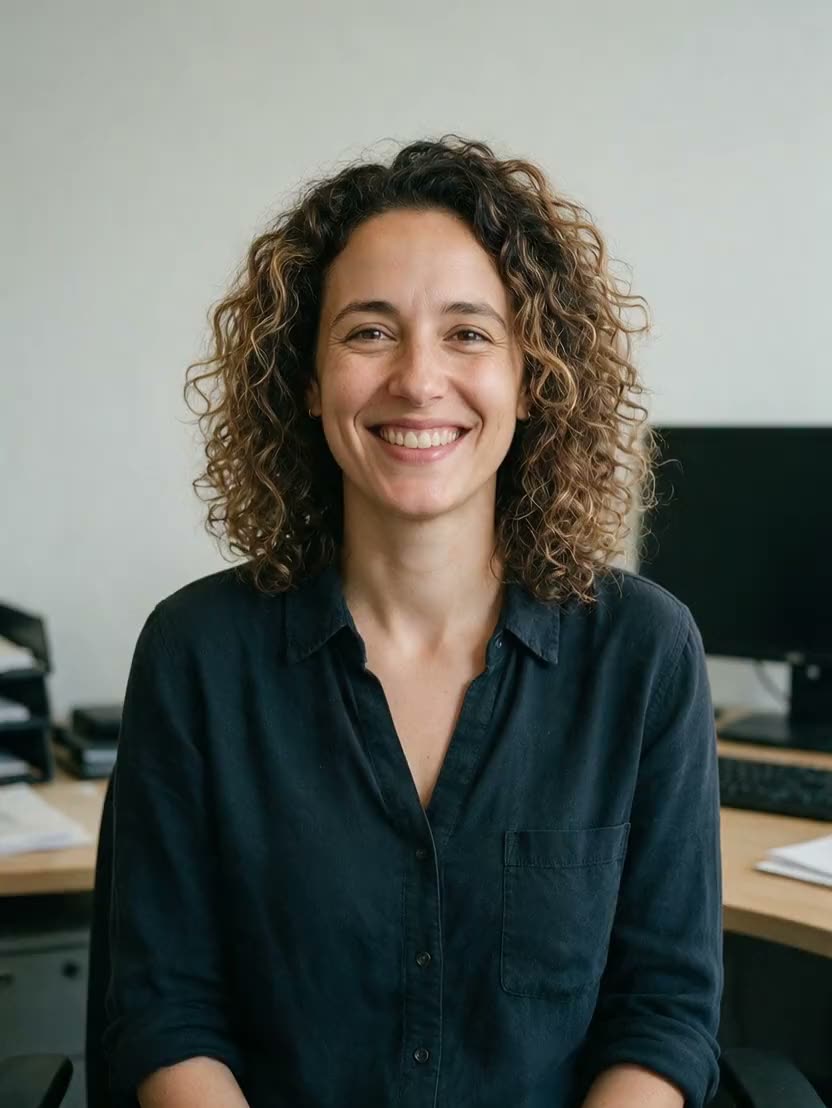
Before ↔ after Edit promptReplace the background with a sunny Mediterranean terrace with bougainvillea and the sea behind her. Keep her face, hair and pose unchanged and match the light.
3. Remove people
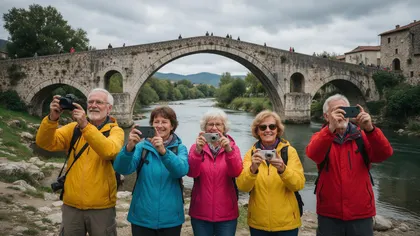
Original photo 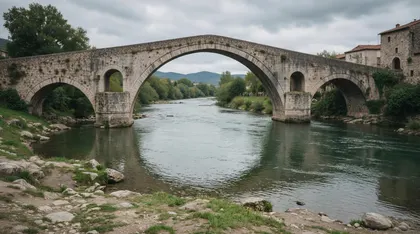
Nano Banana 2.1 edit 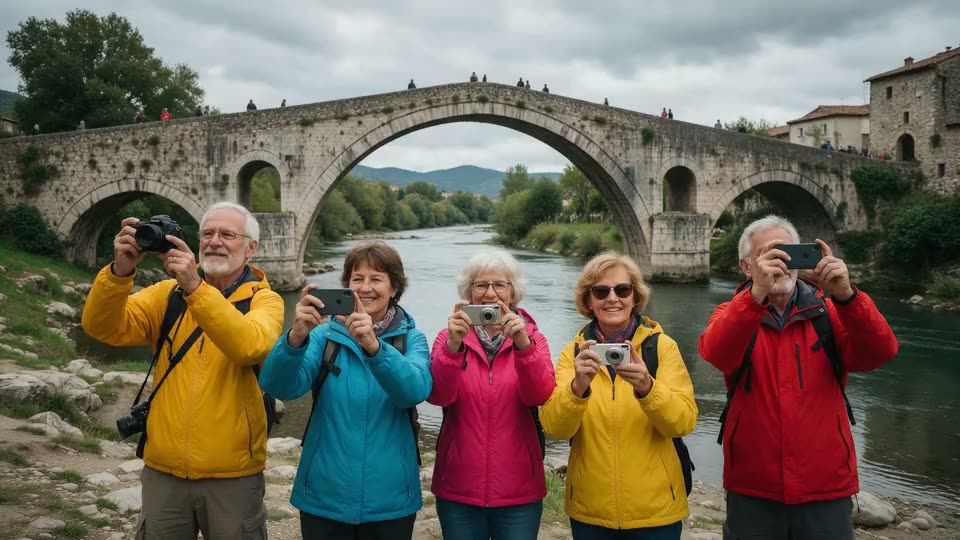
Before ↔ after Edit promptRemove all the people from the bridge and fill in the stones naturally. Keep everything else the same.
4. Relight to golden hour
Original photo 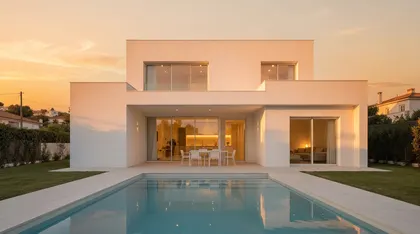
Nano Banana 2.1 edit 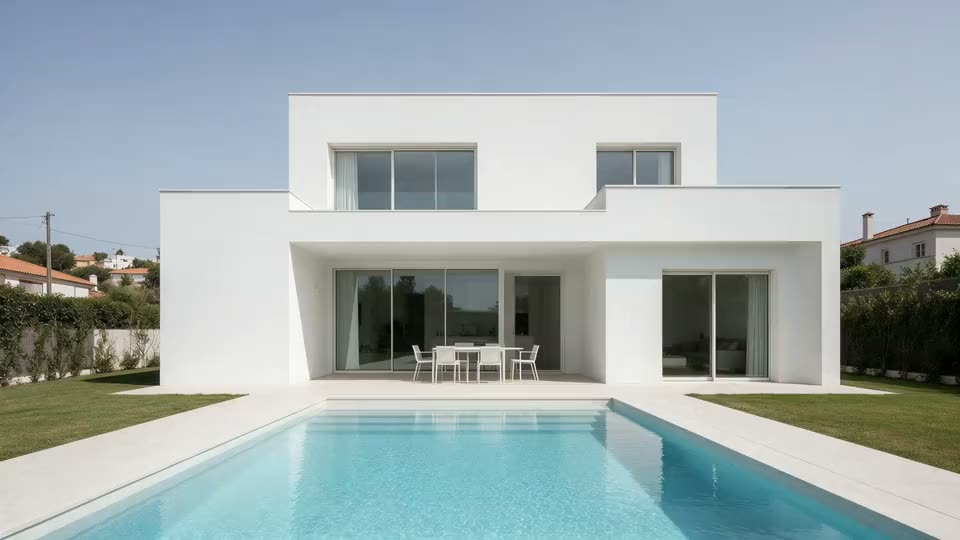
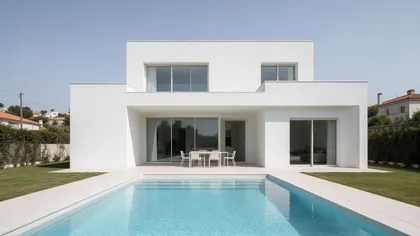
Before ↔ after Edit promptRelight the scene to golden hour at sunset: warm low sun, long shadows, glowing windows, orange sky. Keep the house and pool exactly the same.
5. Product into a scene
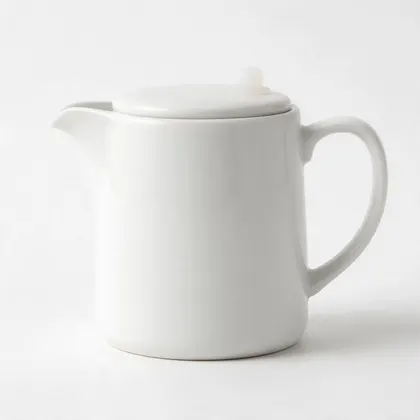
Original photo 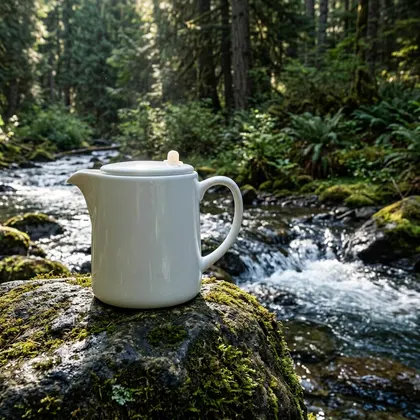
Nano Banana 2.1 edit 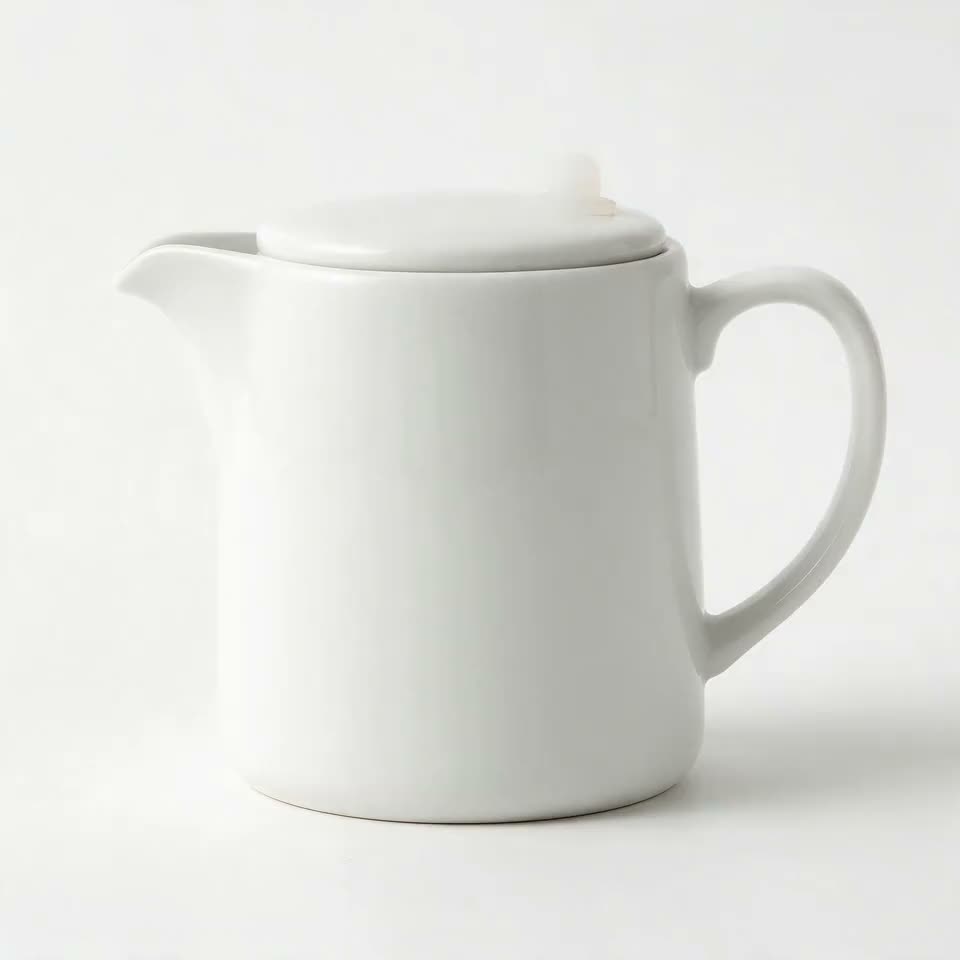
Before ↔ after Edit promptPlace this exact bottle on a mossy rock beside a mountain stream in a forest, morning light, product advertising photo. Keep the bottle's shape and color identical.
6. Restyle to 3D animation
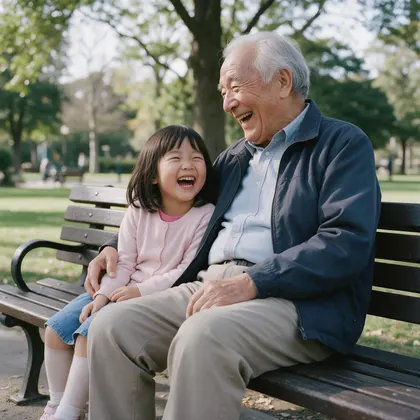
Original photo 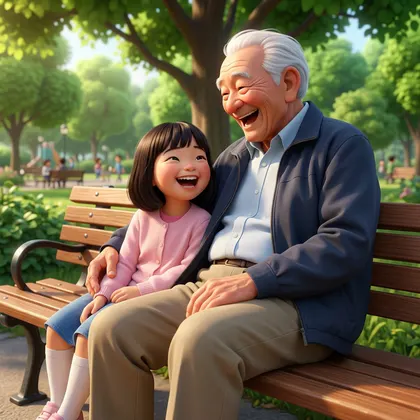
Nano Banana 2.1 edit 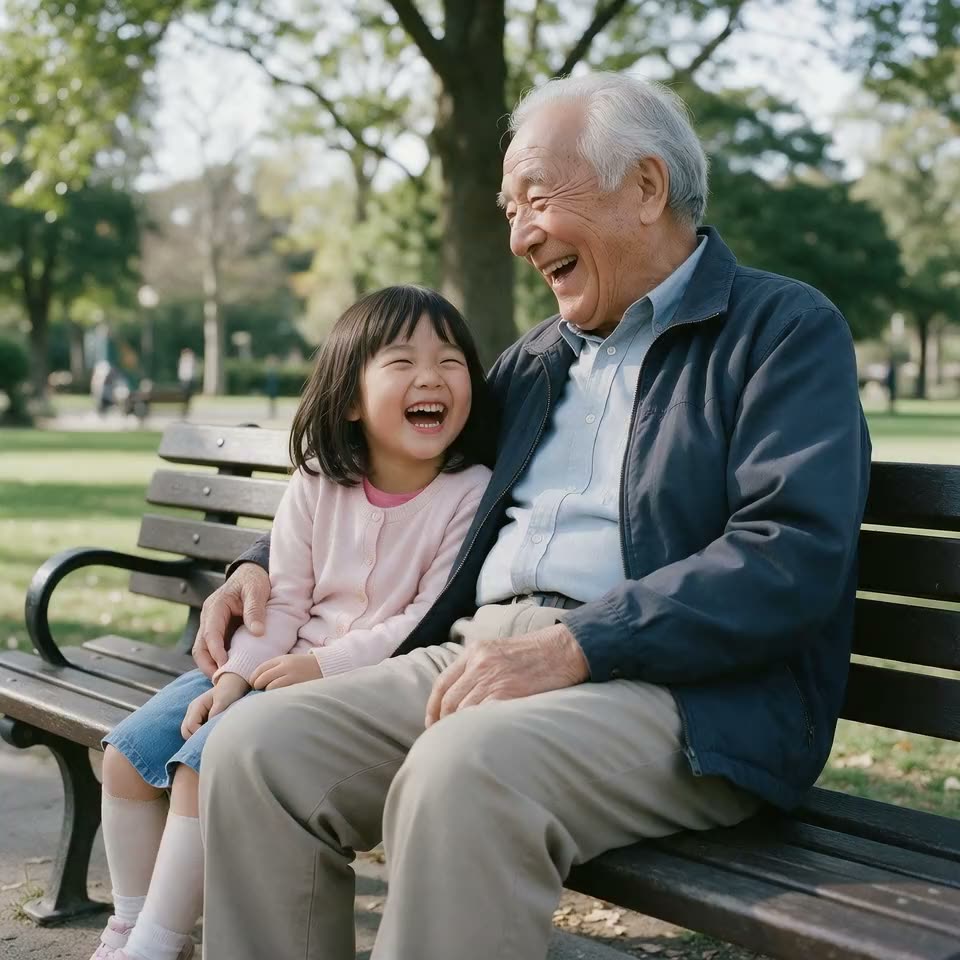
Before ↔ after Edit promptTurn this photo into a Pixar-style 3D animated movie still. Keep the composition, poses and expressions.
What you can edit
What you can edit with Nano Banana
Each of these is one sentence to Nano Banana 2.1. In Edit Studio the same model also powers the masked and one-click tools.
Clothes and outfits
Swap a hoodie for a tailored suit and keep the face, pose and light — see edit 1.
Backgrounds
Move a portrait from a plain office to a sunny terrace, light matched — edit 2.
Remove people and objects
Clear tourists off a bridge and rebuild the stones (edit 3), or paint them out with Magic Eraser.
Light and time of day
Flat midday to golden hour with long shadows and glowing windows — edit 4, or Change Lighting.
Product into a scene
Put a studio packshot — here a white ceramic jug — on a mossy rock by a stream — edit 5.
Style
Turn a photo into a 3D animated movie still with the same poses — edit 6, or Style Transfer.
One area only
Paint a mask in Change Region and describe what goes there; Google cites better mask-based editing in 2.1.
Several references
Add up to 14 images — 'image 1' for the face, 'image 2' for the outfit — and combine them in one edit.
New frame
Crop & Expand outpaints to a new ratio; Nano Banana 2.1 offers 14 ratios on Kenerate.
How to
How to use the nano banana image editor
- Time needed
- Steps
- 4 steps
Step 1
Open Nano Banana 2.1
In Image Studio pick Nano Banana 2.1, or open Edit Studio and choose a tool (AI Edit, Change Region, Magic Eraser…) with Nano Banana 2.1 as the model.
Step 2
Upload the photo
Add the picture to edit — or up to 14 reference images if the edit combines faces, outfits or products.
Step 3
Describe the change
Say what to change and what to keep. In Change Region or Magic Eraser, paint over the area first.
Step 4
Pick ratio and size, then download
Keep the original ratio or choose one of 14, at 1K, 2K or 4K. No watermark.
See it in the app

Open Edit Studio and upload an image, or pick one from your history.


Watch the tour · 1:23
Prompts, styles, references, edit, Arena & chat
Chapters
Tips
How to write a Nano Banana edit prompt
What made the six edits above work.
Say the change first, then everything that must stay: 'Keep his face, pose, the brick wall and the light the same.'
Be concrete about the new thing: 'a tailored navy suit with a white shirt and brown leather shoes', not 'something formal'.
Ask it to match the light when you change the background, or the subject will look pasted in.
For removals, say how to fill the gap: 'fill in the stones naturally'.
With several uploads, name them 'image 1', 'image 2' and say which gives what.
Edit one thing per pass when it matters; chain the next edit on the result.
Models
Edit models to compare
What each model is good at. Open any one straight in the generator.
Google
Nano Banana 2.1

Nano Banana guides
More on Nano Banana
The model itself, prompts with real outputs, video and free access.
FAQ
Nano Banana image editor questions
7 questions
Is there a Nano Banana image editor?
Nano Banana is both an image generator and an editor: Google calls Nano Banana 2.1 its "latest image generation and editing model". You can edit with it in Google's apps, or on Kenerate AI in Image Studio and Edit Studio, as the six before/after examples on this page show.
Link to this answerHow do I edit a photo with Nano Banana?
Upload the photo, then describe the change and what to keep — for example: "Change his outfit to a tailored navy suit. Keep his face, pose, the brick wall and the light the same." On Kenerate, pick Nano Banana 2.1 in /app/image or a tool in Edit Studio, generate, and download.
Link to this answerCan Nano Banana remove people or objects from a photo?
Yes. Our third example removed every tourist from a stone bridge with one sentence. For precise removals, paint over the object in Edit Studio's Magic Eraser with Nano Banana 2.1 selected.
Link to this answerDoes Nano Banana keep the same face when editing?
That is what it's built for: Google cites leaps in subject consistency for 2.1, and its docs list character consistency for up to 4 characters. In our outfit and background edits the faces and hair stayed the same; the framing shifted a little (the outfit edit zoomed out to show the new shoes), so check the crop. Always say "keep the face" in the prompt.
Link to this answerHow many images can I upload to Nano Banana 2.1?
Up to 14 reference images per edit, according to Google's docs and on Kenerate. Google says it keeps up to 4 characters and up to 10 objects consistent across them.
Link to this answerIs the Nano Banana photo editor free?
On Kenerate, Nano Banana 2.1 isn't on the free plan, but every new account gets 25 free credits — enough to try a few edits — and one-time credit packs never expire. Google also offers Nano Banana in the Gemini app with usage limits. See our Nano Banana free page.
Link to this answerCan I edit text in an image with Nano Banana?
Edit Studio has an Edit Text in Image tool, and Google says 2.1 improved text rendering. Quote the exact new words in the prompt and proofread the result.
Link to this answerIn depth
Nano Banana image editor, explained
What works, what to avoid, and how to pick a model.
On this page
What changed for editing in Nano Banana 2.1
Google's announcement highlights "notable leaps in visual design, mask-based editing, and subject consistency" [2]. The Gemini API docs describe 2.1 as a conversational editing model with multi-image fusion of up to 14 references — character consistency for up to 4 characters and object fidelity for up to 10 objects [1].
Image Studio or Edit Studio?
Image Studio is the quickest: pick Nano Banana 2.1, upload the photo and type the edit. Edit Studio adds tools around the same model — Change Region and Magic Eraser for painted masks, Change Lighting, Style Transfer and Crop & Expand for a new ratio.
About the examples
The original photos were generated with Seedream 5.0 Pro so we could publish them; every "after" image is an unretouched Nano Banana 2.1 edit made on 7 October 2026 from the prompt shown. The looping clips were made with Wan 3.0 from each before/after pair.
Sources
Sources
Model facts come from Google; the edits are our own, made on 7 October 2026.