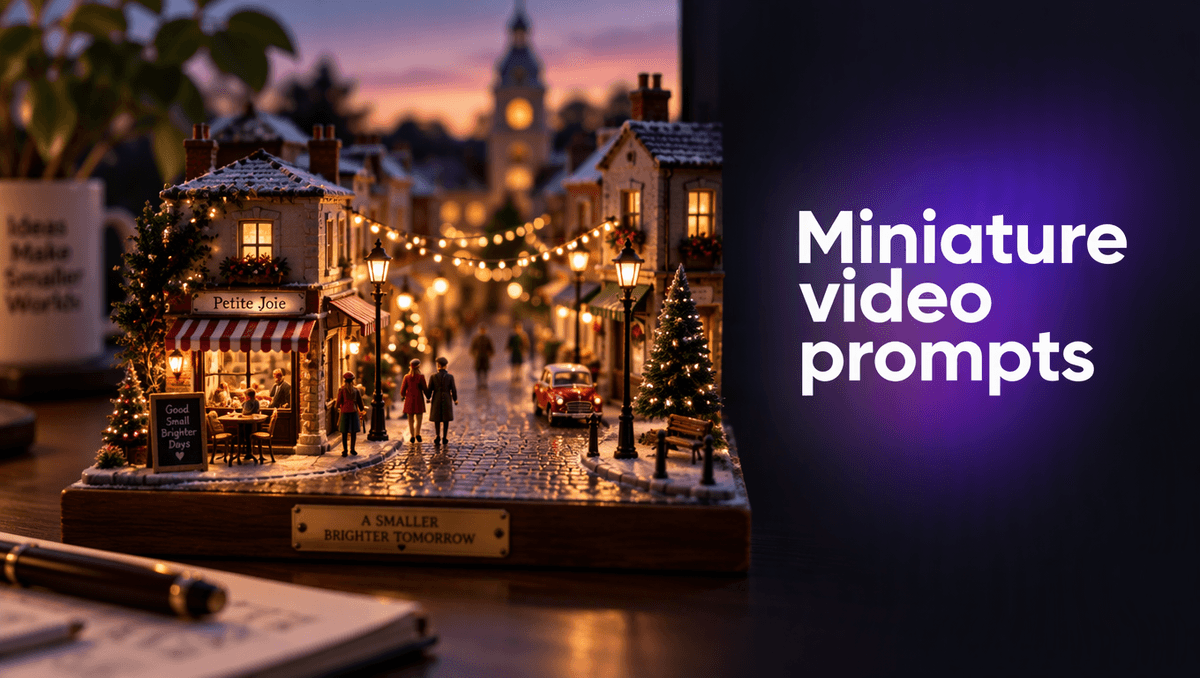
Miniature world videos are everywhere on Reels and Shorts right now: a tiny street, a toy-sized train station, a snow globe village, and then something moves and the whole scene comes alive. They look like weeks of model-making. With AI they take one photo and one sentence. This guide shares the AI miniature video prompts we used this week, the exact words, what each part does, and a template you can copy.
Everything here was made on Kenerate AI in a single session: one start image, then one motion prompt to turn it into a 5 second vertical clip with its own sound.
Why the miniature look works on a phone screen
The miniature effect is an old photography trick. Photographers call it tilt-shift or miniature faking: a real, full-size scene is shot so it looks like a small model on a table. It works because our eyes judge size from focus. When only a thin band of the picture is sharp and the top and bottom melt into blur, the brain reads it as a close-up of something small (Wikipedia: Miniature faking).
Two more cues sell it:
- A high camera angle. Looking down on a scene is how we look at toys and model railways.
- Saturated colour and bright, even light. Painted models tend to be more colourful than real streets.
Video makers have used the same trick for years by blurring real footage and speeding it up so people move like wind-up figures (ProVideo Coalition on fake tilt-shift cinematography). An AI video tool lets you skip the camera, the lens and the editing and go straight to the look.
Step 1: make the start image
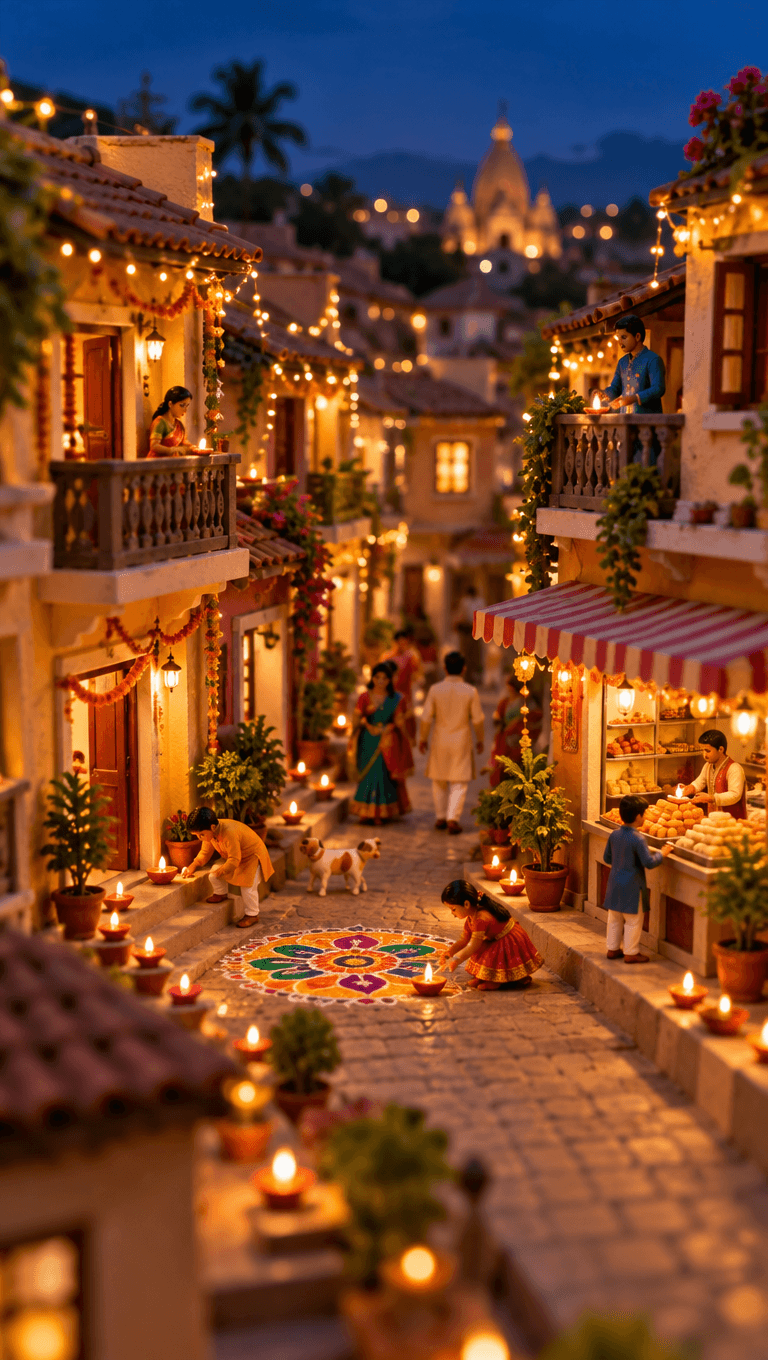
For miniature work, always start from an image instead of going straight to text to video. The image locks in the scale, the blur and the light, and the video step only has to add motion. Here is the start image prompt we used for a tiny street lit up for Diwali:
Tilt-shift miniature diorama, vertical frame. A tiny Indian street at dusk during Diwali: little two-storey houses with balconies, strings of warm fairy lights, rows of clay diya lamps along the steps, a colourful rangoli on the ground, a tiny sweet shop, tiny figures in festive clothes. Deep blue evening sky, shallow depth of field, model-railway scale, warm golden glow, highly detailed. No text.
The words that do the heavy lifting:
- "Tilt-shift miniature diorama" names the look in the language photographers use.
- "Model-railway scale" tells the model how small everything should feel.
- "Shallow depth of field" gives you the blurred top and bottom that the eye reads as small.
- "Tiny figures" keeps people toy-like. Describe them as figures, not as specific people, and keep the scene family friendly.
- "No text" stops random signs and letters from appearing on shopfronts.
Set the aspect ratio to 9:16 at this step if the clip is for Reels, Shorts or TikTok. Cropping later loses the edges of the diorama, and the edges are where the blur sells the effect.
Step 2: write the motion prompt
This is where most AI miniature video prompts go wrong. People describe the scene again. The image already holds the scene. The motion prompt should only say what moves, how the camera moves, and what you hear.
Our motion prompt for the Diwali street:
The tiny diya flames flicker, the fairy lights twinkle on one by one down the street, a tiny sparkler bursts into sparks on a balcony, the small dog wags its tail, tiny figures stroll past the sweet shop, slow tilt-shift drift forward along the street. Sound: soft festive bells, crackle of a sparkler, warm crowd murmur.
It follows the same four-part formula we use for every clip:
| Part | In this prompt | Why it matters for miniatures |
|---|---|---|
| One camera move | slow tilt-shift drift forward | Slow moves keep the model-scale feel; fast moves read as real life |
| One main action | fairy lights twinkle on one by one | "One by one" turns a static scene into a moment |
| Small details | flames flicker, a sparkler bursts, a dog wags | Tiny motions everywhere are what make a model feel alive |
| The sound | bells, sparkler crackle, crowd murmur | Native sound is generated with the clip, no editing needed |
One practical note: the safety filter on any AI video tool reads your words literally. Describing small figures as "tiny figures" or "people" rather than naming ages keeps the prompt clean and avoids a rejected job.
Three more AI miniature video prompts to copy
The same two-step method works on any small world. Here are three we have tested or planned for the season, written as image prompt plus motion prompt.
A snowy train station
Image: Tilt-shift miniature diorama of a tiny mountain train station in winter, a red toy train at the platform, snow on the roofs, warm lamps, tiny travellers with suitcases, high angle, shallow depth of field, model-railway scale. No text.
Motion: The train pulls slowly out of the station, steam puffs from the engine, snow falls softly, the platform lamps flicker on, slow pan following the train. Sound: a train whistle, soft chugging, wind.
A tiny café at closing time
Image: Miniature diorama of a corner café at blue hour, striped awning, two tiny tables outside, a glowing window, a bicycle leaning on the wall, wet cobblestones, tilt-shift blur, warm and cool light. No text.
Motion: The café window lights dim one by one, a tiny waiter carries chairs inside, a light rain starts and ripples the puddles, slow push-in toward the window. Sound: rain, a door bell, distant traffic.
A harbour at sunrise
Image: Tilt-shift miniature of a fishing harbour at sunrise, small colourful boats, stacked crates, seagulls, pastel houses on a hill, high angle, shallow depth of field, saturated colours. No text.
Motion: The boats bob gently, one boat chugs out of the harbour leaving a small wake, seagulls lift off the crates, the sun rises behind the hill, slow drift right. Sound: water lapping, gulls, a distant boat engine.
A template for your own AI miniature video prompts
Copy these two blocks and fill in the brackets.
Image prompt:
Tilt-shift miniature diorama, [vertical / square] frame. A tiny [place] at [time of day]: [3 to 5 objects that define the place], tiny figures [doing something calm]. [Light and sky]. High angle, shallow depth of field, model-railway scale, saturated colours, highly detailed. No text.
Motion prompt:
[Main action, ideally something that happens one by one], [2 or 3 tiny details that move], [one slow camera move]. Sound: [2 or 3 sounds you would hear there].
Mistakes that break the miniature effect
We have made all of these, so you do not have to:
- Fast camera moves. A whip pan or a quick zoom makes the scene feel full-size. Keep the camera slow: drift, push-in or a gentle pan.
- A low camera angle. Shooting from street level ruins the "looking down at a model" cue. Ask for a high angle in the image prompt.
- Too much happening. One main action plus a few tiny details is enough for 5 seconds. Five big actions turn into a blur.
- Forgetting the aspect ratio. Set it on both the image and the video step, or the video may come back in a different shape.
- Re-describing the scene in the motion prompt. It wastes words and can make the video drift away from your start image.
- Real brand names on shops. Ask for no text, or the model may invent signs you cannot use in an ad.
Where miniature clips work best
The miniature look is a strong scroll-stopper because it is instantly readable: viewers know what a toy town looks like and are surprised when it moves. It suits:
- Seasonal posts, like a tiny festival street, a snow globe village or a spring market.
- Local businesses, with a miniature version of your street, shop or café as a fun brand clip.
- Travel pages, with famous squares and harbours shrunk down to model size.
- Product launches, placing a full-size product in a tiny world for a playful sense of scale.
The other clips we made this hour used the same image-then-motion method on a plain sneaker photo turned into a splashy product ad, and on an anime rooftop at golden hour. The method does not change, only the words do.
Settings we used
- Start image: 9:16 vertical, made in the Kenerate AI image studio.
- Video: image to video, 5 seconds, 9:16, with native sound switched on.
- Editing: none inside the tool. We only added a title and an end card for social.
Short 5 second clips are the best way to test a miniature idea. Once one works, you can make a longer version or join several into a single Reel.