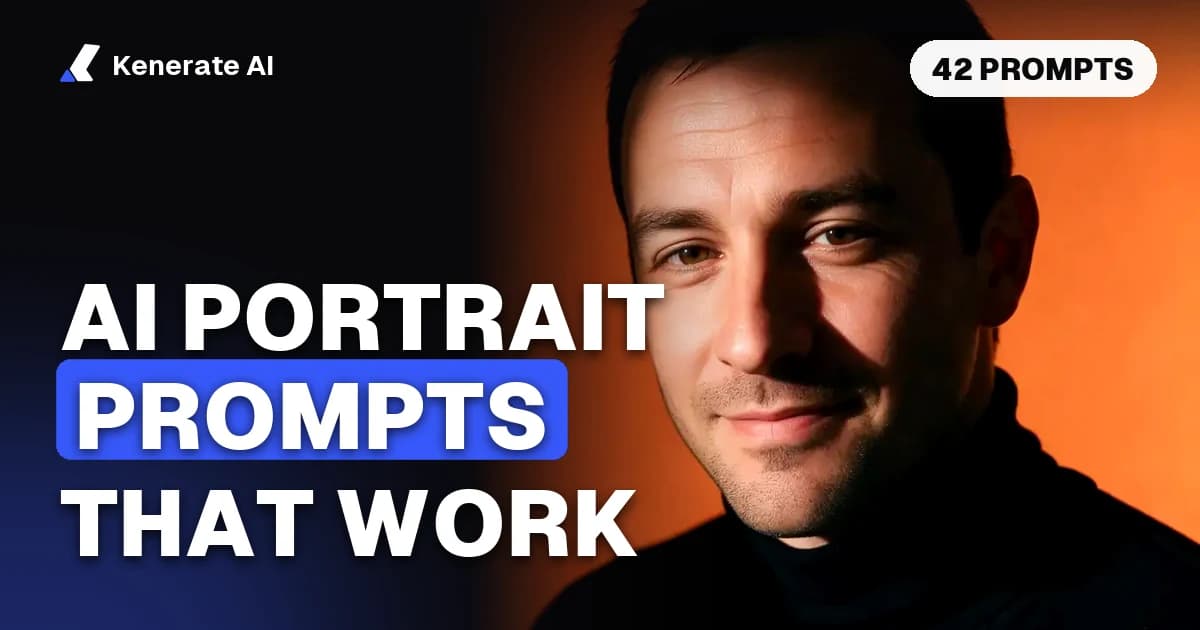
A good AI portrait prompt names five things: who the person is, how tight the framing is, which lens look you want, which lighting pattern (Rembrandt, butterfly, split, loop), and what is behind them, plus one clear expression. "85mm, Rembrandt lighting, charcoal backdrop, calm half smile" gives a model far more to work with than "beautiful portrait, 8k". Below is that formula as a table, a lighting cheat sheet, and 42 copy-paste prompts for studio, editorial, fantasy, couple and professional headshot portraits, with the models and credit costs on Kenerate AI as of 23 October 2026.
Every prompt here describes an adult. If you want a portrait of yourself or your partner, the safest and best-looking route is an edit of your own photo with a short "keep the same face" list. We cover that further down.
What makes a good AI portrait prompt?
Portrait prompts fail in two ways. Vague prompts ("a portrait of a woman") return the same glossy stock face every time. Overloaded prompts that list 40 adjectives give you a muddle where the model ignores half the words. The fix is a fixed order with one choice per slot. OpenAI's image prompting guide recommends scene or background first, then subject, then key details, then constraints, and that order works on every model Kenerate runs.
| Slot | What to write | Example |
|---|---|---|
| Subject | Age range, look, hair, wardrobe | "Woman in her 40s, short silver hair, charcoal turtleneck" |
| Framing | Head and shoulders, waist up, full length | "Head-and-shoulders portrait, eyes on the upper third" |
| Lens | Focal length and depth of field | "85mm lens, f/2, soft background blur" |
| Lighting | A named pattern plus quality | "Rembrandt lighting, large softbox, gentle fill" |
| Backdrop | Colour, texture or place | "Mottled charcoal canvas backdrop" |
| Expression | One emotion, one gaze direction | "Calm, closed-mouth half smile, looking into the lens" |
| Finish | Medium and realism cues | "Photorealistic, natural skin texture, subtle film grain" |
| Exclusions | What to keep out | "No text, no jewellery, no heavy retouching" |
Two habits matter more than any keyword:
- Write "portrait" and the framing. Google's prompt and image attribute guide notes that the word "portrait" pushes the model toward facial detail, and close-up versus zoomed-out wording controls how much of the subject fills the frame.
- Change one slot at a time. When a result is close, swap only the lighting or only the backdrop. Rewriting everything throws away what worked.
Which lens should you name in an AI portrait prompt?
Models don't simulate real optics, but they have seen millions of captioned photos, so a focal length shifts the whole look: how much face distortion, how much background, how blurred it is. OpenAI's guide says camera specs are read loosely and are best used to shape the look and framing rather than exact optics. Treat the numbers below as style words.
| Lens in the prompt | Look you get | Use it for |
|---|---|---|
| 24–35mm | Wider view, more environment, slight perspective stretch near the edges | Environmental portraits, a person in their workshop or street |
| 50mm | Natural, "as you'd see it" perspective | Half-body, lifestyle, documentary portraits |
| 85mm | Flattering compression, creamy blur behind the head | Classic head-and-shoulders and headshots |
| 105–135mm | Tighter compression, background almost a wash of colour | Beauty close-ups, fashion detail |
| Macro | Extreme detail of one feature | Eyes, freckles, makeup detail shots |
Pair the lens with an aperture word for blur: "f/1.8, shallow depth of field" for a soft background, "f/8, everything sharp" for a group or an environmental shot.
What do Rembrandt, butterfly and split lighting mean in a prompt?
Lighting is the single biggest lever in a portrait, and named patterns are the most reliable way to ask for it, because photographers have captioned these setups for a century. The Professional Photographers of America describe each pattern by where the main light sits on a clock face around the subject (PPA, "9 Types of Portrait Lighting"). Here is what each one looks like and how to phrase it.
| Pattern | Where the light is | What you see | Prompt wording that works |
|---|---|---|---|
| Butterfly (Paramount) | In front, slightly above the face | Small shadow under the nose, even and glamorous | "Butterfly lighting, beauty dish high and centred" |
| Clamshell | Butterfly plus a fill from below | Very soft, few shadows, flattering | "Clamshell lighting, soft fill from below" |
| Loop | Just above eye level, a little to one side | Small loop-shaped nose shadow; safe for most faces | "Loop lighting, softbox 30 degrees left" |
| Rembrandt | Further to the side and above | Small triangle of light on the shadowed cheek | "Rembrandt lighting, triangle of light under the left eye" |
| Split | Directly to one side (90 degrees) | Half the face lit, half in shadow; dramatic | "Split lighting, hard light from the right, dark background" |
| Rim / backlight | Behind the subject | Glowing edge on hair and shoulders | "Rim light from behind, dark backdrop" |
| Short / broad | Rembrandt-style light, face turned toward or away | Short slims the face; broad lights more of it | "Short lighting, face turned toward the key light" |
If the pattern doesn't come through, add the visible result ("triangle of light under the eye") as well as the name. Then add a quality word: soft (large softbox, overcast window) or hard (bare bulb, direct sun).
How do you choose a backdrop and an expression?
Backdrops. A plain backdrop keeps attention on the face and makes the image reusable. Name a colour and a texture: "warm grey seamless paper", "hand-painted mottled teal canvas", "deep burgundy velvet". For environmental portraits, name one place and blur it: "blurred bookshelves behind, 50mm, f/2".
Expressions. Models default to a wide toothy grin. Ask for one specific emotion and where the eyes go:
- "closed-mouth half smile, looking into the lens" (friendly, professional)
- "neutral, serious expression, chin slightly down" (editorial)
- "laughing mid-moment, eyes crinkled, looking off camera" (lifestyle)
- "contemplative, gaze toward the window light" (fine art)
Hands are still the weakest part of most portraits. If you don't need them, crop above them: "head and shoulders, hands out of frame".
Studio portrait prompts (10)
Copy, then change the person, colours and wardrobe. These work as text-to-image prompts.
Head-and-shoulders studio portrait of a man in his 50s with a salt-and-pepper beard and navy wool coat, mottled charcoal canvas backdrop, Rembrandt lighting with a triangle of light under the left eye, 85mm, f/2.8, calm expression looking into the lens, photorealistic, natural skin texture.Beauty portrait of a woman in her 30s with dark curly hair and gold hoop earrings, butterfly lighting from a beauty dish above the camera, soft fill from below, warm beige seamless backdrop, 105mm, closed-mouth smile, photorealistic.Split-lit portrait of a woman in her 20s with a shaved head, black turtleneck, hard light from the right at 90 degrees, pure black background, high contrast, serious expression, 85mm, black-and-white film look.Low-key portrait of an older man in a flat cap, single soft light from the left, deep shadows, dark brown backdrop, 85mm, weathered skin detail, thoughtful gaze off camera, painterly chiaroscuro.High-key portrait of a woman in her 40s with a silver bob, white shirt, white seamless background, clamshell lighting, bright and airy, gentle smile, 85mm, clean commercial look.Studio portrait of a dancer in her 20s, rim light from behind outlining her hair and shoulders, faint front fill, deep teal backdrop, waist-up, profile view, 70mm, elegant and still.Colour-gel portrait of a man in his 30s, magenta gel from the left and cyan gel from the right, dark grey backdrop, 85mm, confident half smile, sharp eyes, music-album-cover style.Loop-lit portrait of a woman in her 60s with long grey hair and a linen scarf, softbox 30 degrees right, warm grey backdrop, 85mm, kind smile, natural skin, no heavy retouching.Double-exposure style studio portrait of a man in his 30s, profile silhouette filled with a misty pine forest, light grey background, minimal, fine-art print.Classic Hollywood portrait of a woman in her 30s with finger waves, butterfly lighting, black velvet backdrop, black-and-white, soft glow, 1940s studio photograph look.
Editorial and fashion portrait prompts (8)
Editorial prompts work better with a place, a story and a magazine reference style rather than a named photographer.
Editorial portrait of a ceramicist in her 40s in her sunlit studio, clay on her apron, 35mm, window light from the left, shelves of pots softly blurred, documentary magazine feature style.Fashion portrait of a man in his 20s in an oversized camel coat on a windy rooftop at golden hour, 50mm, hair moving, looking past the camera, warm film colours.Street-style portrait of a woman in her 30s in a red trench coat crossing a rainy city street at night, neon reflections, 35mm, shallow depth of field, candid moment.Moody editorial portrait of a chef in his 50s in a steamy restaurant kitchen, overhead practical lights, 35mm, arms crossed, serious expression, gritty magazine look.Minimalist fashion portrait of a woman in her 20s in a sculptural white dress against a terracotta wall, hard midday sun, crisp shadows, 85mm, art-magazine cover style.Portrait of a jazz musician in his 60s holding a saxophone in a dim club, warm spotlight from above, smoke haze, 50mm, eyes closed mid-note, 1960s film grain.Outdoor editorial portrait of a farmer in her 50s in a wheat field at sunset, backlit hair glow, 85mm, squinting into the light, honest documentary style.Business magazine portrait of a founder in her 30s standing in a glass atrium, navy suit, 35mm, low angle, confident expression, clean modern cover look with empty space at the top for a headline.
Fantasy and character portrait prompts (8)
For fantasy, keep the photographic language (lens, light) so the result reads as a "photo" of a character rather than flat concept art. Kenerate also has a dedicated AI fantasy portrait generator if you want presets.
Fantasy portrait of an elf ranger in her 30s with braided silver hair and a leaf-pattern cloak, misty ancient forest behind, soft rim light, 85mm, photorealistic, cinematic colour grade.Portrait of a battle-worn knight in his 40s, dented steel armour, rain on his face, torchlight from the left, Rembrandt lighting, dark castle courtyard, 85mm, gritty and realistic.Portrait of a sorceress in her 50s, glowing blue runes floating near her hands, deep purple robes, light from the magic below her face, black background, painterly realism.Cyberpunk portrait of a hacker in his 20s, chrome cheek implant, neon pink and teal rim lights, rainy alley, 50mm, shallow depth of field, cinematic.Portrait of a desert nomad in her 40s, indigo head wrap, sand-coloured cloak, harsh low sun from the side, split lighting, dunes softly blurred, 85mm, documentary travel-magazine realism.Steampunk inventor in his 60s with brass goggles pushed up on his forehead, workshop full of gears behind, warm tungsten light, 35mm, curious expression, detailed and photoreal.Portrait of a forest spirit with moss and small flowers growing along her cheekbones, adult woman, soft green light through leaves, macro detail on the eyes, ethereal fine-art style.Space explorer in her 30s in a worn orange suit, helmet under her arm, starship hangar lights behind, rim light, 85mm, determined expression, sci-fi film still.
What is a good AI headshot prompt?
A good AI headshot prompt is a narrower portrait prompt: head and shoulders, 85mm, soft key light, a plain or softly blurred backdrop, simple business clothing and a friendly closed-mouth smile. Headshots are judged on looking like the real person, so for your own headshot, start from your selfie and edit it rather than generating a stranger.
Text-to-image versions (for mock-ups, placeholders and fictional team pages):
Professional corporate headshot of a woman in her 40s, charcoal blazer, light grey seamless backdrop, soft key light with gentle fill, head and shoulders, 85mm, f/4, friendly closed-mouth smile, photorealistic.LinkedIn headshot of a man in his 30s in a light blue shirt, outdoors, blurred green park behind, natural open shade, 85mm, warm smile, approachable.Creative studio headshot of a designer in her 20s, black turtleneck, warm orange backdrop, dramatic side light, 85mm, confident expression.Black-and-white actor headshot of a man in his 40s, plain grey background, loop lighting, 85mm, neutral expression with a hint of a smile, sharp eyes, natural skin.
Edit-your-own-photo versions (upload one clear, front-facing selfie as the reference):
Turn this into a professional corporate headshot: navy suit jacket and white shirt, neutral grey studio backdrop, soft key light, head and shoulders, sharp focus. Keep the same face, identity, skin tone, hairstyle and expression.Turn this into an executive headshot in a bright modern office with glass walls softly blurred behind, cream blouse, natural window light. Keep the same face, identity and expression; change only the clothes, background and light.Turn this into a doctor's headshot: white coat over a light blue shirt, plain white background, even clamshell lighting. Keep the same face, identity, glasses and expression.Turn this into a real-estate agent headshot: dark blazer, softly blurred bright living room behind, 85mm look, warm natural light. Keep the same face, identity and smile.
The "keep the same face, identity, skin tone, hairstyle and expression" line is the part people skip. OpenAI's guide recommends naming exactly what must not change in every edit, and repeating it in follow-ups to stop the face drifting. Kenerate's AI headshot generator uses this same pattern with Seedream 5.0 Pro, and there are ten more on our professional headshot prompts page.
How do you write a couple photo prompt?
A couple photo prompt describes two adults one by one (who stands where, what each wears), then the pose, the setting and the light. If you are using real photos of you and a partner, use only photos of people who have agreed to it, upload one clear photo of each face, and say which reference is which person. Name the contact point between them ("her hand resting on his arm") instead of asking for a tight embrace: tangled arms and hands are where couple images break most often.
Engagement-style portrait of a couple in their 30s on a beach at golden hour, he in a white linen shirt on the left, she in a sage dress on the right, foreheads almost touching, 85mm, warm backlight, soft and candid.Cosy café date portrait of two men in their 20s sharing a table by a rainy window, one in a green sweater, one in a denim jacket, both laughing, 35mm, warm tungsten light, documentary style.Black-tie gala portrait of a couple in their 40s on a grand staircase, she in a navy gown, he in a black tuxedo, standing side by side with her hand on his arm, 50mm, elegant butterfly lighting.Autumn park portrait of a couple in their 50s walking hand in hand on a path of orange leaves, seen from slightly behind, 85mm, soft overcast light, gentle and nostalgic.Studio portrait of two women in their 30s, back to back, both in cream knitwear, mottled grey backdrop, loop lighting, 85mm, relaxed smiles, fine-art print look.City rooftop portrait of a couple in their 20s at blue hour, skyline lights blurred behind, she leaning her head on his shoulder, 50mm, cinematic teal and orange.- With two references:
Use image 1 for the woman on the left and image 2 for the man on the right. Place them in a sunflower field at sunset, standing side by side, her arm through his, both smiling at the camera. Keep both faces, identities and hairstyles exactly as in the photos. - With two references:
Use image 1 and image 2 as the two people. Make a classic black-and-white wedding-anniversary portrait of them seated together on a vintage sofa, plain backdrop, soft window light. Keep both faces and identities the same.
For a ready-made flow with two uploads, try the free AI couple photo generator. Our couple photo prompts page has more date-night and anniversary ideas.
Which model should you use for AI portraits on Kenerate?
All prices below come from Kenerate's own pricing config (models-config.ts and image-credit-calculator.ts) on 23 October 2026. New accounts get 25 free credits on sign-up, and the free plan can use a set of models that includes Flux 2 Dev and Qwen Image 3.0.
| Model | Good at | Reference photos | Credits per image |
|---|---|---|---|
| GPT Image 2.5 Sunburst | Realistic people, prompt-following, edits that keep faces | Up to 16 | 7.2 at 1K, 12 at 2K, 21 at 4K (medium quality); edits add 4.5 per reference |
| Seedream 5.0 Pro | Selfie-to-headshot edits, polished skin and light | Up to 10 | 13.5 at 1K–1.5K, 27 at 2K |
| Nano Banana 2.1 | Keeping the same person across several shots, multi-reference couples | Up to 14 | 21 at 1K, 31.5 at 2K, 42 at 4K |
| GPT Image 2 | Maximum realism | Up to 16 | 18 at 1K (medium quality) |
| Flux 2 Dev | Cheap drafts on the free plan | Up to 3 | 3 |
A sensible routine: draft three or four lighting variations on a cheap model, pick the winner, then re-run that exact prompt on the stronger model. Open the Image Studio to try any of them.
How do you turn your own photo into a portrait without losing your face?
- Pick one good source photo. Front-facing, eyes open, even light, face filling at least a third of the frame, no sunglasses or heavy filters.
- Upload it as a reference in the Image Studio and choose an edit-capable model (GPT Image 2.5 Sunburst, Seedream 5.0 Pro or Nano Banana 2.1).
- Describe only the change: wardrobe, backdrop, lighting pattern, lens look.
- Add the keep list: "Keep the same face, identity, skin tone, hairstyle and expression."
- Generate two or three versions, compare them at full size, and keep the one that looks most like you.
- Refine one thing per follow-up (for example "make the backdrop darker") and repeat the keep list each time.
- Upscale the keeper if you need it for print or a large banner.
Only do this with photos of yourself or of adults who have agreed. Don't make portraits of other real people, public figures or anyone under 18.
What mistakes make AI portraits look fake?
- Quality spam. "8k, ultra HD, masterpiece, best quality" mostly adds glossy plastic skin. Ask for "natural skin texture, visible pores, subtle film grain" instead. Our hyperrealistic portrait prompts go deeper on skin realism.
- Conflicting light. "Golden hour" plus "studio softbox" plus "neon" gives muddy, sourceless light. Pick one pattern.
- No expression. Without one, you get a generic grin or a blank stare.
- Too much in frame. Hands, props and busy backgrounds are where errors appear. Crop tight unless the setting is the point.
- Changing everything at once. If you rewrite the whole prompt between attempts, you never learn which word helped.
- Celebrity or photographer names. Describe the look ("1940s Hollywood studio portrait") rather than a real person's name. It's more reliable and avoids likeness problems.
Portrait prompting is mostly photography vocabulary. Learn the five lighting patterns, the lens words and the "keep" list for edits, and you'll get consistent portraits on any model.