

Photo to fantasy · text to portrait · keeps your face
AI Fantasy Portrait Generator — you as an elf, knight or dark queen
Upload a selfie and become an elven sorceress, a knight in plate or a dark-fantasy queen — your own face, painted into the world. No photo? Describe any hero and get a fantasy portrait from text alone.
- Keeps your face
- Elf, knight, queen, fae
- From a photo or text
- No watermark
Updated by the Kenerate AI team
Made with Kenerate
On this page
Quick answer
How do you turn a photo into a fantasy portrait with AI?
An AI fantasy portrait generator paints a person as a fantasy character — an elf, a knight, a sorceress, a dark queen — either from a text description or from your own photo. On Kenerate AI you upload a selfie, describe the character, costume and setting, and GPT Image 2.5 Sunburst redraws you while keeping your face. Our three photo tests kept all three faces recognisable; an edit costs 11.7 credits, a portrait from text 7.2.
Key facts
- Photo edits made
- 3 (elf sorceress · knight · dark queen)
- Face kept
- Yes, in all three
- Model
- GPT Image 2.5 Sunburst (OpenAI)
- Free start
- Starter credits; Qwen Image 3.0 on the free plan
- Watermark
- None
Gallery
Three photos, two prompts, five fantasy portraits
Real GPT Image 2.5 Sunburst results, one try each: three made from test photos, two from text alone. Open any one to copy the full prompt.
Same prompt
The photo, then the fantasy portrait
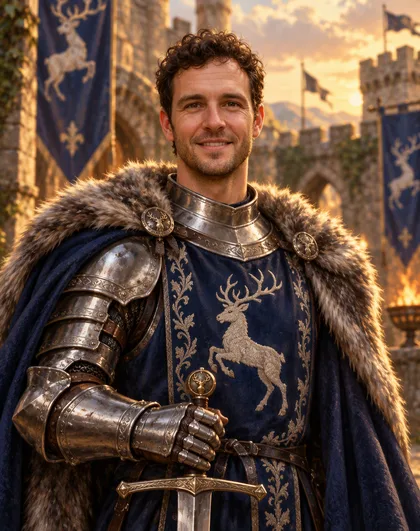
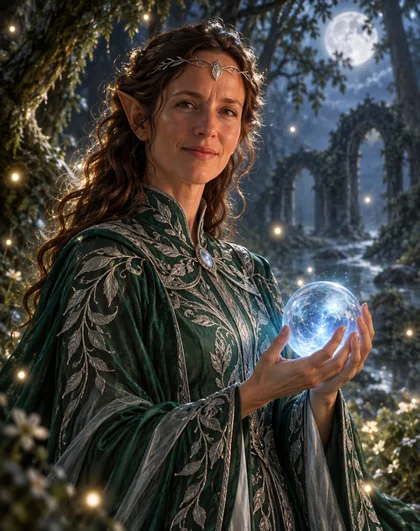
Two test photos in, two fantasy portraits out. Wavy hair, curls, stubble and both smiles carried over; the costume, ears and setting came from the prompt.
PromptTurn this woman into a fantasy portrait of an elven sorceress. Keep her face recognisable — same face shape, eyes, smile and wavy hair colour — and add gently pointed elf ears. She wears a flowing high-necked emerald and silver robe with leaf embroidery and a delicate silver circlet, holding a softly glowing blue crystal orb. Chest-up portrait, three-quarter view, in an ancient moonlit forest with floating light motes. Painterly digital fantasy illustration, rich detail, soft rim light. No text.
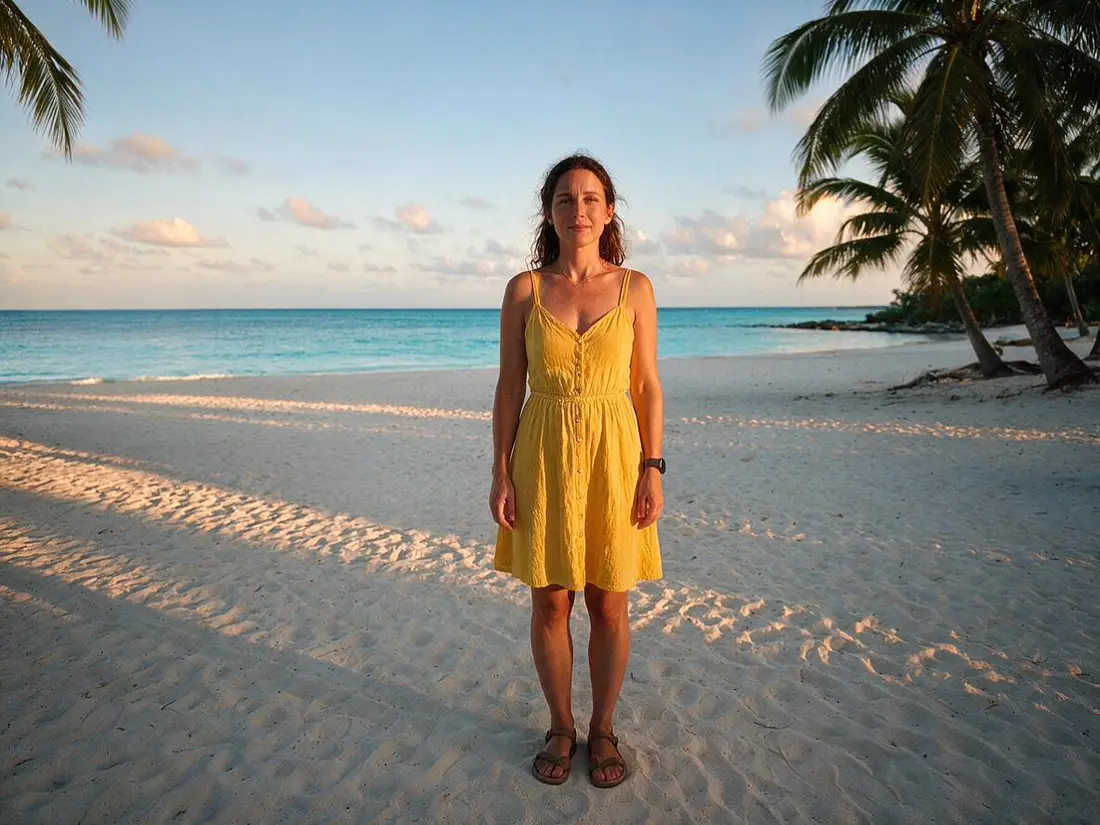 PhotoInput
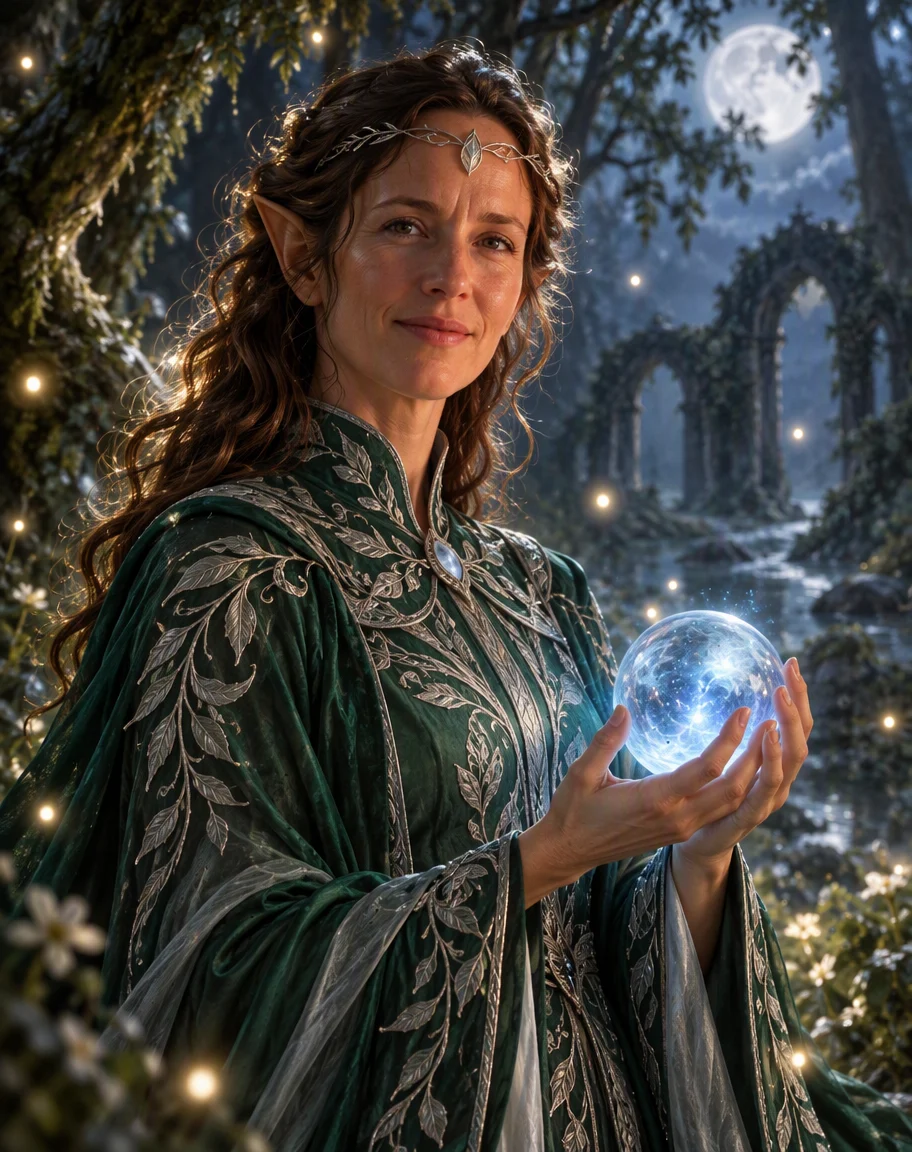 Elven sorceressGPT Image 2.5 Sunburst
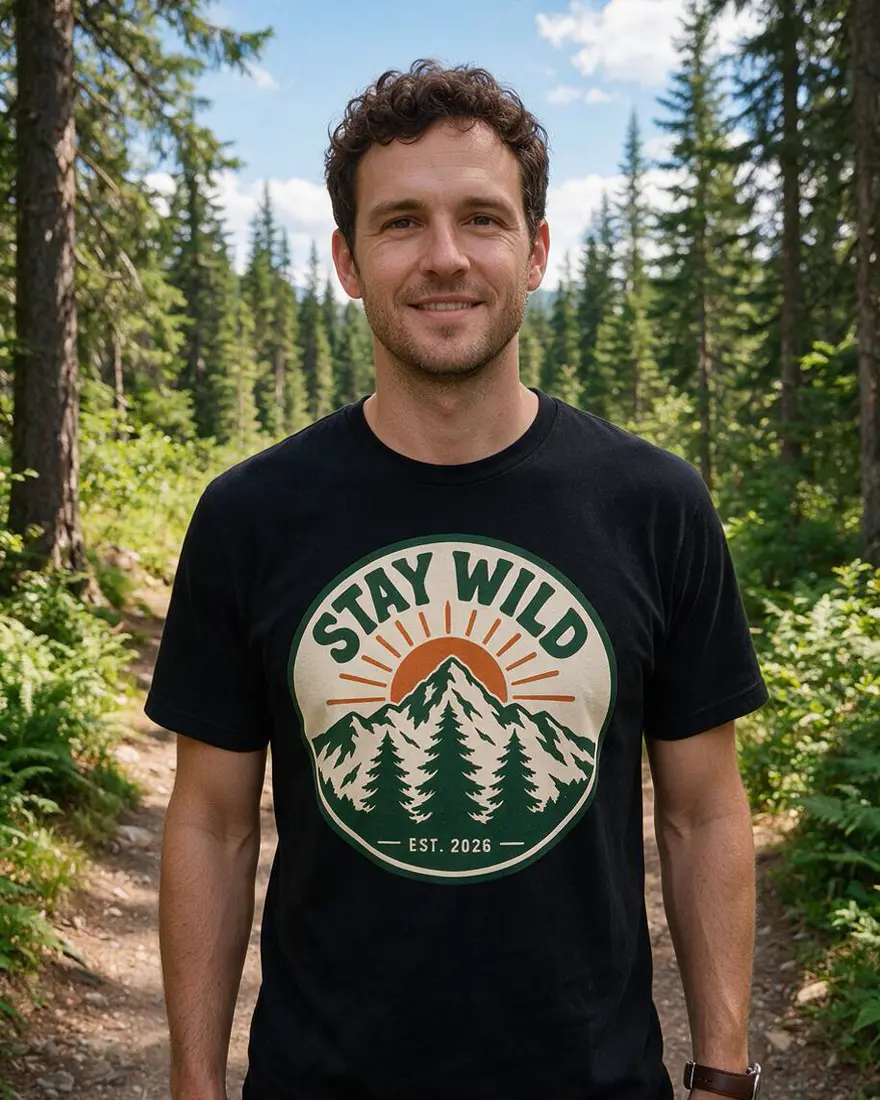 PhotoInput
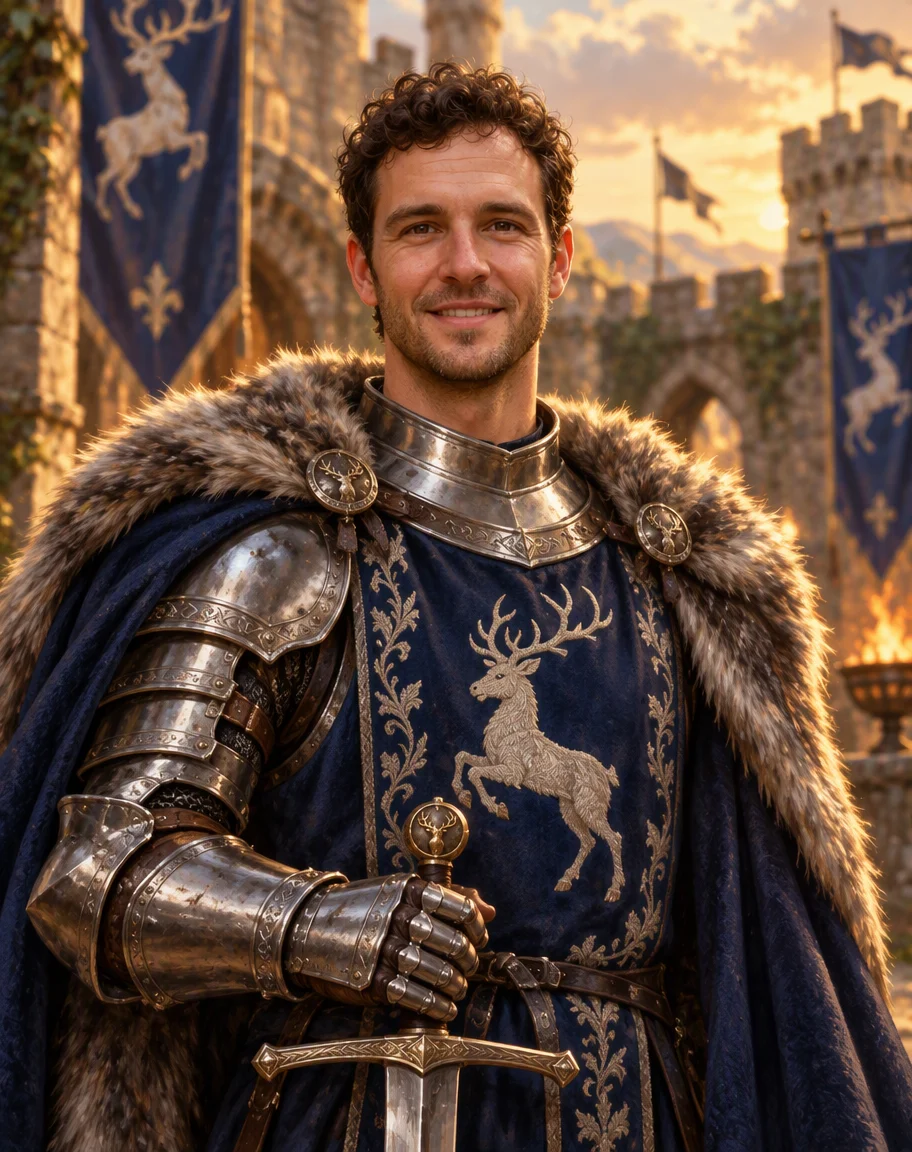 KnightGPT Image 2.5 Sunburst
How to
How to use the AI fantasy portrait generator
- Time needed
- Steps
- 4 steps
Step 1
Upload your photo
In /app/image, add a clear photo of yourself as a reference — or skip it to work from text. Sign in free for starter credits.
Step 2
Pick GPT Image 2.5 Sunburst
It kept the face in all three of our photo tests.
Step 3
Describe the character
Race or role, costume, one prop, the setting, the light and the art style.
Step 4
Download
Regenerate if the likeness or mood is off, then download without a watermark.
See it in the app

Open Image Studio and type what you want to see — subject, style, lighting and mood.


Watch the tour · 1:23
Prompts, styles, references, edit, Arena & chat
Chapters
Tips
Prompts that make a fantasy portrait look like you
What worked in our tests.
Start with “Turn this woman / this man into a fantasy portrait of …” and attach one clear, front-facing photo.
Name what to keep: “same face shape, eyes, smile and hair colour”. Then name what to add, like pointed elf ears.
Describe the costume in pieces: robe or armour, colour, embroidery, a circlet or crown, one prop in hand.
Set the scene and light: moonlit forest, castle courtyard at golden hour, candlelit throne hall.
Name the finish: “painterly digital fantasy illustration” or “oil-painting style dark fantasy”. Without it you can get a near-photo look.
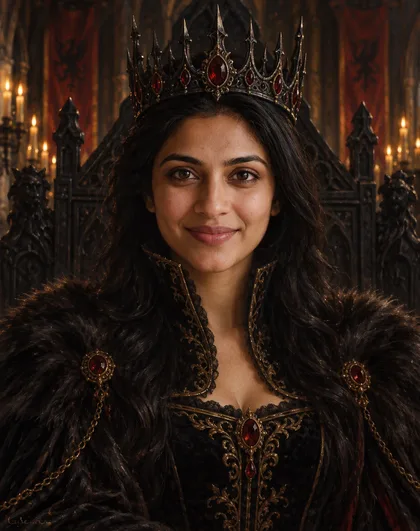
Want a stern or mysterious face? Say it twice — our queen kept the photo's smile despite “calm commanding expression”.
Models
Models for fantasy portraits
What each model is good at. Open any one straight in the generator.

OpenAI
GPT Image 2.5 Sunburst
- Reference images
- Up to 16
- Output
- 1K–4K
Open GPT Image 2.5 SunburstBest for
Made every portrait on this page
Google
Nano Banana 2.1
- Reference images
- Up to 14
- Output
- Up to 4K
Open Nano Banana 2.1Best for
Same face across a series of portraits
- Free plan

FAQ
AI Fantasy Portrait Generator questions
8 questions
How do I turn my photo into a fantasy portrait?
Upload a clear photo in Kenerate's Image Studio, pick GPT Image 2.5 Sunburst and write: “Turn this woman into a fantasy portrait of an elven sorceress, keep her face recognisable, add pointed ears, emerald robe, glowing orb, moonlit forest, painterly fantasy illustration.” Our test photo came back as an elf with the same wavy hair and smile on the first try.
Link to this answerCan I make a fantasy portrait without a photo?
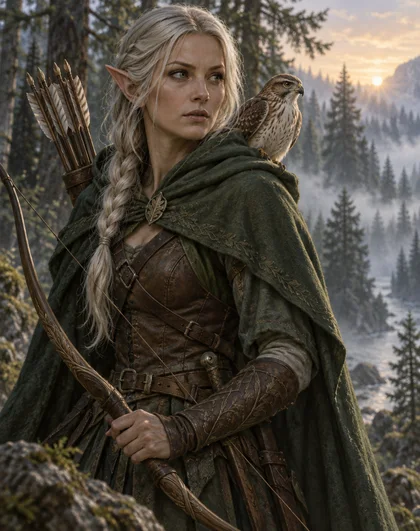
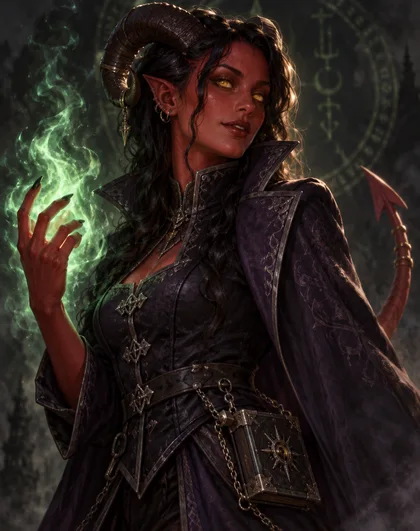
Yes. Leave the reference empty and describe the character: race or role, costume, gear, pose, setting and style. Our text-only wood elf ranger and tiefling warlock were made that way, at 7.2 credits each.
Link to this answerWill the fantasy portrait still look like me?
In our three photo tests, yes: face shape, hair, stubble and smiles carried over. Two things to know: the model can keep your photo's expression even when you ask for another one, and without a style word like “painterly” the result can look closer to a costume photo than a painting.
Link to this answerWhat fantasy characters can I become?
Anything you can describe: elf, knight, sorceress, ranger, paladin, fae, vampire noble, dark queen, dragon rider, sea captain. Name the costume, one prop and the setting — that's what makes the role read at a glance.
Link to this answerIs the AI fantasy portrait generator free?
Free to start. A new Kenerate account gets starter credits on sign-up, and Qwen Image 3.0 is a free-plan model. GPT Image 2.5 Sunburst, used on this page, costs 7.2 credits a portrait from text and 11.7 an edit from a photo, from one-time credit packs that never expire. Downloads have no watermark.
Link to this answerWhich style works best: painting or realistic?
Both work — say which. “Painterly digital fantasy illustration” gave our elf a painted look; “oil-painting style dark fantasy” gave the queen dramatic shadows. Our knight prompt also said painterly but came out near-photo, so add “visible brush strokes” if you want it unmistakably painted.
Link to this answerCan I use the same face in a series of portraits?
Yes. Re-use the same photo for every portrait, or the first portrait as a reference for the next. For a long series, Nano Banana 2.1 (up to 14 references) is built for keeping one face consistent.
Link to this answerCan I upload a photo of someone else?
Only photos of yourself or of adults who agreed. Don't upload celebrities, other real people without consent or anyone under 18. Switch on Private to keep your results out of public view.
Link to this answerIn depth
AI Fantasy Portrait Generator, explained
What works, what to avoid, and how to pick a model.
On this page
Photo to fantasy vs text to fantasy
There are two ways in. From a photo, the model keeps your face and repaints everything else — costume, ears, crown, background — so the portrait is recognisably you. From text, there is no face to keep, so you describe the whole character and the model invents the face.
Most fantasy portrait generators only do the second. The first is what people want for profile pictures, gifts and tabletop characters played by themselves.
A fantasy portrait prompt, piece by piece
Every prompt on this page follows the same order:
- Who: “Turn this woman / this man into a fantasy portrait of …” with the photo attached.
- Keep: “same face shape, eyes, smile and hair colour”.
- Add: elf ears, a circlet, a crown, horns — the features that make the role read.
- Costume and prop: “emerald and silver robe with leaf embroidery, a glowing blue orb”.
- Scene, light and style: “moonlit forest, soft rim light, painterly digital fantasy illustration”.
What we got
Three photo edits, one try each, on GPT Image 2.5 Sunburst:
- Elven sorceress: face, wavy hair and smile kept, ears, circlet, robe and orb all as asked.
- Knight: same curls, stubble and grin, stag surcoat and fur cloak right — but closer to a photo than a painting.
- Dark queen: crown, gown and candlelit hall right; the photo's smile stayed, the throne barely shows, and a faint scribble appeared in one corner.