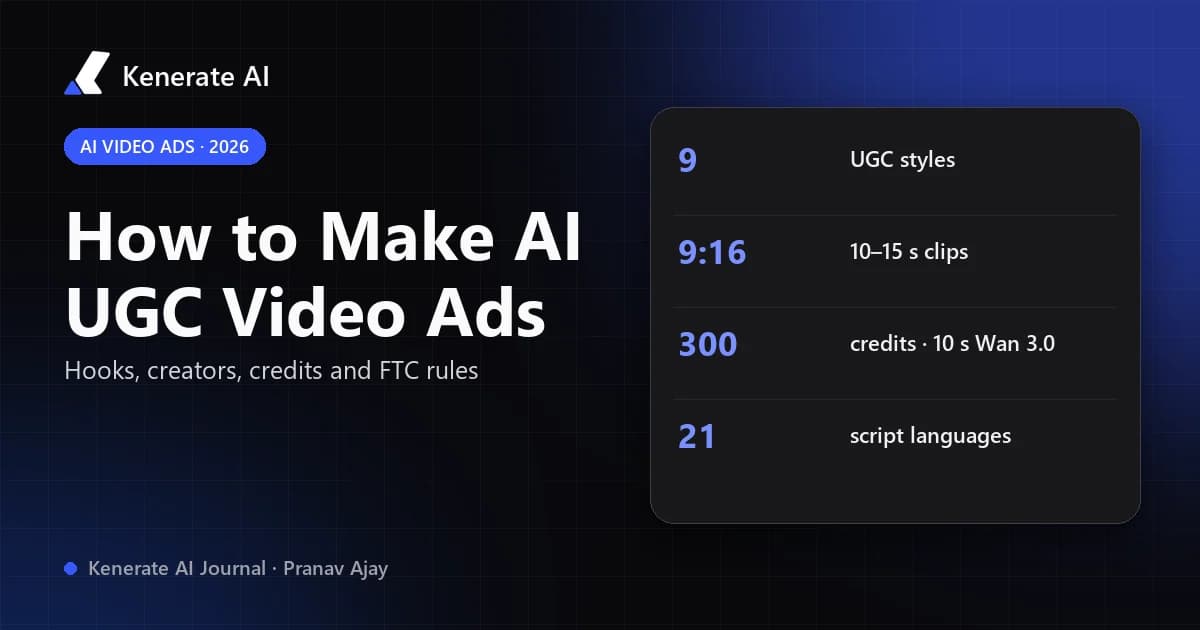
To make a UGC-style video ad with AI, you write a short hook-first script, pick an AI-generated creator, give the generator a clean photo of your product, choose a format such as an unboxing or a try-on, and render a 9:16 clip of 10–15 seconds. The part most guides skip is the honesty layer: an AI creator is a fictional person, so the ad can show your product in use, but it cannot pretend to be a real customer's review. This guide walks through the full workflow, the real costs on Kenerate AI as of 18 October 2026, and the US rules that apply.
What is an AI UGC video ad?
UGC stands for user-generated content: the phone-filmed, talk-to-camera clips that real customers post. UGC-style ads borrow that look — a person holding the product at chest height, natural window light, a casual first line — because it blends into TikTok, Reels and Shorts feeds better than a polished studio spot.
An AI UGC video ad keeps the format but replaces the filmed creator with an AI-generated one. You supply the product, the script and the style; a video model renders the person, the room, the movement and, on sound-capable models, the voice and room tone.
That gives you three things a traditional creator shoot doesn't:
- Speed — a draft in minutes instead of shipping product to a creator and waiting for edits.
- Variations — the same product and script with five different hooks, or the same hook with three different creators.
- Control — every word is yours, so nothing off-brand or unapproved ends up in the ad.
And one thing it can't give you: a genuine customer opinion. That matters legally, and we cover it below.
What do you need before you start?
Most weak AI UGC ads fail before generation, at the brief. Get these ready first:
| Input | What good looks like | Why it matters |
|---|---|---|
| Product photos | 1–9 sharp, well-lit shots, label readable, plain background | The model copies what it sees; blurry or cropped photos give a warped product |
| Creator image | A fictional AI-generated person, or someone who has agreed in writing | You need the right to use the face; never a real person without consent |
| Hook | One line, under ~10 words, that names the viewer's problem | The first second decides whether people keep watching |
| Script | Hook → problem → product in use → one true benefit → call to action | Short scripts fit 10–15 s clips and stay believable |
| Claims list | Only claims you can prove (spec sheet, test results) | Everything said in the ad is your advertising claim |
| Format | 9:16 for TikTok, Reels, Shorts and Stories; 4:5 or 1:1 for feeds | Wrong ratios get cropped and lose the product |
How do you make an AI UGC video ad, step by step?
Here is the workflow in Kenerate AI's Marketing Studio. The same logic works in any tool that takes a product image and a creator image.
Step 1: Write three hooks for one angle
Pick a single audience and a single problem, then write three opening lines that give three different reasons to keep watching:
- Problem first: "My skin was always tight by lunchtime."
- Demonstration: "Watch what happens when I pour this on the counter."
- Comparison: "I swapped my old bottle for this one two weeks ago."
Keep everything after the hook identical across the three, so a later test tells you which hook worked rather than which script.
Step 2: Add your product and a creator
Open Marketing Studio → Video → UGC and add the product from your library, a link, or up to nine photos. UGC styles need a person image: use a fictional AI-generated creator, or your own avatar if you're the face of the brand. If you need a clean product shot first, the AI product photo generator turns a phone snapshot into a usable reference.
Step 3: Choose the UGC style
Marketing Studio has nine UGC styles, each with a built-in camera brief (phone front-camera look, slight handheld sway, real room tone, product at chest height with the label readable):
| Style | What the creator does | Default length |
|---|---|---|
| Shopping | Picks it off a shelf, gives one reason they're buying it | 10 s |
| At home | Uses it in a normal routine, with one honest caveat | 10 s |
| Delivery | Parcel at the door to first reaction | 12 s |
| Unboxing | Opens the box on camera, shows details up close | 12 s |
| Try-on | Puts it on, turns, calls out fit and fabric | 12 s |
| Tutorial | Shows two to four real steps, result at the end | 12 s |
| Before/after | Problem, product, realistic result in the same framing | 12 s |
| Review | Sits facing the phone, what they liked and what they'd change | 15 s |
| Testimonial | Tells a first-person story with the product | 15 s |
For a first test, Unboxing, Tutorial and Try-on are the safest: they show the product instead of making a personal-experience claim. Review and Testimonial are where the legal risk lives (see the FTC section).
Step 4: Write the script, pick a language and a voice
Paste your hook, the body and the call to action. Scripts can be written in 21 languages, including English, Spanish, Portuguese, Hindi, Arabic, Japanese and Korean, and you can match the voice to the presenter or pick a warm male or female voice. For full voice-over control, a talking avatar lets you drive a presenter from your own audio.
Step 5: Pick the video model and render a draft
The default UGC model is Seedance 2.0; Wan 3.0, Wan 3 Prime, Ken 1 and MiniMax H3 are also available. Render one 720p draft before you batch anything. Check the product shape and label, the hands, the lip sync and whether every spoken line matches your script.
Step 6: Add captions and the disclosure
Most people watch feed video with the sound off, so burn in captions — add subtitles to the video after export if the clip doesn't have them. Add a clear label where the platform or your market requires it (for example "AI-generated" or the platform's own AI toggle), and "Ad" or "Sponsored" if the format doesn't add it for you.
Step 7: Make variations and test one change at a time
Swap only the hook, or only the creator, or only the style. Keep the product and the offer the same. Judge winners by purchases or sign-ups, not just watch time — a hook that stops the scroll but attracts the wrong audience is not a winner.
How much does an AI UGC video ad cost?
On Kenerate AI, video is billed in credits per second and the Marketing Studio uses the same per-second rates as the video studio. These are Kenerate's own estimates for a 10-second clip with sound, checked on 18 October 2026:
| Model | Resolution | 10-second clip | Good for |
|---|---|---|---|
| Wan 3.0 | 720p | 300 credits | Cheap drafts, testing many hooks |
| Seedance 2.0 | 720p | 720 credits | Default UGC look, image-to-video ads, dialogue and lip sync |
Video generation needs a paid plan or a one-time credit pack (no subscription required) — current packs are listed on Kenerate's pricing page. A sensible budget pattern is to draft hooks on Wan 3.0, then render the winning hook on Seedance 2.0.
For comparison, a human creator shoot means paying a creator's fee, shipping product and waiting for edits. Rates vary widely by creator and usage rights, so we won't quote an average — but the trade-off is real: a filmed creator gives you an authentic opinion; an AI creator gives you speed and control.
Is it legal to use AI-generated people in ads?
Yes, using an AI-generated presenter in an ad is generally fine. Presenting that presenter as a real customer is not. Three rules matter most for US advertisers:
What does the FTC fake review rule say about AI?
On 14 August 2024 the FTC announced its final rule banning fake reviews and testimonials (16 CFR Part 465). It explicitly covers reviews and testimonials that misrepresent that they are by someone who does not exist, including AI-generated fake reviews, and it lets the FTC seek civil penalties against knowing violators (FTC press release).
In practice: an AI creator saying "I've used this for two weeks and my skin has never been better" is a testimonial from someone who doesn't exist. Don't run it.
What do the FTC Endorsement Guides add?
The FTC's Endorsement Guides say an endorsement must reflect the honest opinion of the endorser, and that you can't talk about your experience with a product if you haven't tried it (FTC Endorsement Guides FAQ). Claims in the ad also need the same substantiation as any other advertising claim.
Do Meta and TikTok require AI labels on ads?
Meta said in February 2025 that ads made or significantly edited with its generative AI tools get an "AI info" label, with photorealistic AI-generated people labelled next to "Sponsored", and that it would detect ads made with third-party AI tools through industry-standard signals (Meta). TikTok asks creators to label realistic AI-generated content. Platform policies change often, so check the live ad policy for each platform and region before launch.
What does a compliant AI UGC script look like?
| Risky line (don't) | Safer line (do) |
|---|---|
| "I've used this every night for a month." | "This is how it goes on: two drops, then moisturiser." |
| "Five stars, best serum I've ever tried." | "Fragrance-free and 30 ml — here's the texture." |
| "My acne cleared in a week." | "Here's what's in it." (with claims you can prove) |
| A made-up customer name on screen | Your brand name and "AI-generated" label |
Kenerate's Marketing Studio is built around the same line: its prompts tell the model never to invent star ratings, review counts, testimonials, quotes, customer names, awards or statistics unless the exact words are in your brief, and the Before/after style asks for realistic results with no guaranteed or medical claims.
What makes an AI UGC ad actually perform?
There are no guaranteed numbers here, but the patterns that every major guide and Kenerate's own style briefs agree on are:
- Hook in the first second. Start mid-action or with the problem, not with "Hi guys".
- Product in hand, label readable. Chest height, one 1–2 second close-up.
- One idea per clip. One problem, one benefit, one call to action.
- A creator who looks like the buyer. UGC works because it feels like a peer, not a celebrity.
- Native pacing per platform. TikTok and Reels reward creator-style storytelling; feed placements reward a fast, direct CTA.
- Captions on. Burned-in captions carry the message when the sound is off.
If you need static ads for the same campaign, the AI ads generator makes image ads from the same product shots, and the UGC ads page shows the video formats side by side.
Should you use AI UGC or real creators?
Use both, for different jobs:
| AI UGC | Real creator UGC | |
|---|---|---|
| Turnaround | Minutes per draft | Days to weeks |
| Variations | Unlimited hooks, creators, languages | Limited to what was filmed |
| Personal reviews and testimonials | Not allowed (fictional person) | Allowed if honest, with disclosure of payment |
| Product demonstrations | Yes | Yes |
| Script control | Full | Partial |
| Authentic opinion | No | Yes |
A practical mix: use AI UGC to find the hook and angle that works, then brief a real creator on the winning angle for testimonials — and disclose the paid relationship.
Updated 18 October 2026. Credit estimates are from Kenerate AI's cost estimator on that date; regulatory summaries are not legal advice — check with a lawyer for your market.