The best Wan 3.0 prompts start small: one subject, one place, one movement. Once that clip looks right, you add the camera, the style and the sound, then use @Image1-style tags for references and [0-5s] time ranges for multi-shot clips. This guide walks through each layer, with 10 copy-ready prompts and the real credit cost of running them on Kenerate AI (as of 19 October 2026).
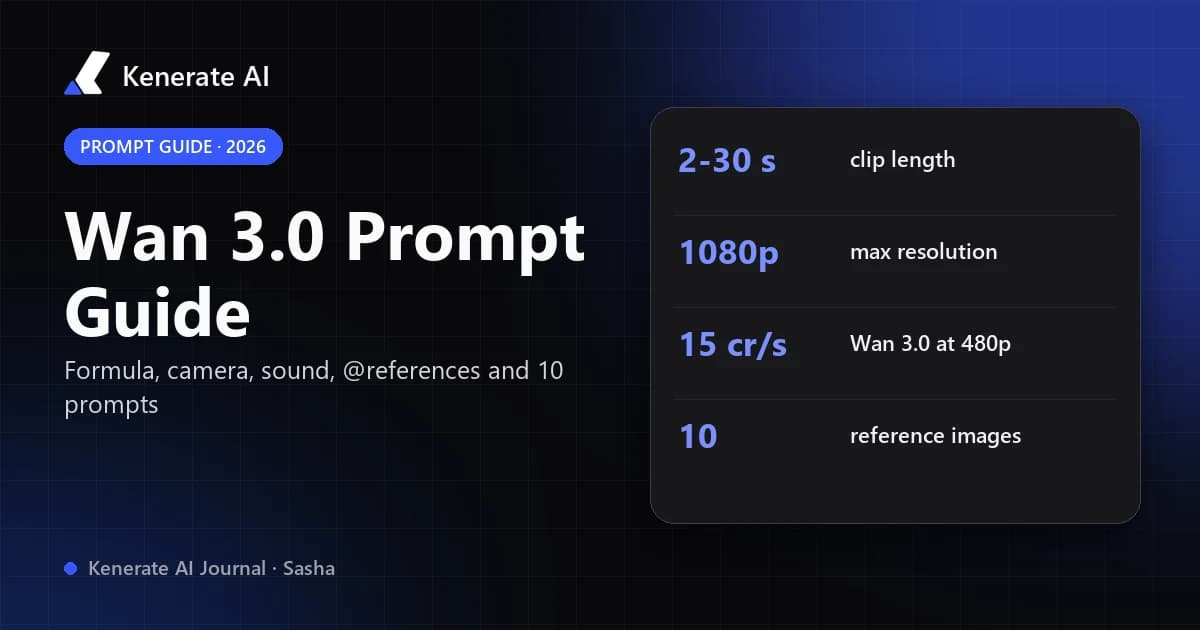
Wan 3.0 is Alibaba's closed video model, generally available since 24 August 2026. It makes clips of 2 to 30 seconds at up to 1080p with sound in the same pass, and it reads text, images, video clips and audio as inputs. That flexibility is why prompting matters more here than on older Wan versions: if you leave something unspecified, Wan 3.0 fills the gap itself, often with music, voices or cuts you did not ask for.
What is the basic Wan 3.0 prompt formula?
Start with three things and nothing else:
Subject + place + movement
A red fox trots across a snowy forest clearing at dawn.
Run that at 480p for 5 seconds. If the fox, the snow and the trot look right, the model has understood your scene and you can build on it. If they don't, adding camera moves and lighting will not save it, so fix the core first.
Then layer in one addition per run so you can see what each one changes:
| Layer | What to write | Example |
|---|---|---|
| 1. Subject | Who or what, with 2–3 visible traits | "a red fox with a frost-tipped tail" |
| 2. Place | Location, time of day, weather | "snowy pine clearing at dawn, light mist" |
| 3. Movement | One clear action with an end state | "trots across and stops to sniff the air" |
| 4. Camera | Shot size and one move, or "fixed shot" | "low tracking shot, slow push-in" |
| 5. Style | Look, lens, palette | "35mm film, soft pastel palette" |
| 6. Sound | Voice, effects and music as separate items | "crunching snow, distant crows, no background music" |
The finished prompt reads like a short shot description:
A red fox with a frost-tipped tail trots across a snowy pine clearing at dawn and stops to sniff the air. Low tracking shot, slow push-in. 35mm film look, soft pastel palette, light mist. Sound: crunching snow, distant crows. No background music.
This "start small, add one layer at a time" method is also the core advice in OpenArt's Wan 3 guide, and it is the cheapest way to learn the model because every test is a short, low-resolution clip.
How do you control the camera in Wan 3.0?
Wan 3.0 moves the camera on its own when you don't tell it otherwise. Three rules keep it under control:
- Name the shot size and one move. "Medium shot, slow dolly-in" works better than a list of four moves.
- Write "fixed shot" when you want stillness. Without it, a static scene may still drift or zoom.
- Write "one continuous take" to stop cuts. Longer clips (15–30 s) tend to cut between angles unless you forbid it, or unless you plan the cuts yourself with time ranges (see below).
Useful camera phrases: close-up, medium shot, wide establishing shot, low angle, overhead, tracking shot, orbit around the subject, handheld, slow push-in, pull back to reveal, whip pan, fixed shot.
How should you prompt sound, dialogue and music?
Sound is on by default in Wan 3.0, and the model generates voice, effects and music together. The trick is to write them as three separate items so the model doesn't blend them:
- Voice: the exact line plus how it's delivered. Example: The old captain says, quietly and hoarsely: "We should have turned back at dawn."
- Effects: concrete sources. Rain on a tin roof, creaking wood, a gull overhead.
- Music: genre and mood, or an explicit ban. Low cello drone or no background music.
If you want a clean clip for your own edit, say so in words: "no background music", "no voice lines in the whole video". On Kenerate you can also switch the audio toggle off to get a silent clip — the price stays the same either way, since the Wan 3 rates in Kenerate's config don't change with sound.
Some guides, such as Atlas Cloud's Wan 3.0 write-up, also recommend describing visible actions instead of emotions ("she bites her lip and looks away" rather than "she feels guilty") because the model can render movement more reliably than a feeling.
How do @Image1, @Video1 and @Audio1 reference tags work?
Reference-to-video lets you hand Wan 3.0 a character sheet, a product photo, a motion clip or a voice sample and tell it what to borrow from each. You point at each file with a tag:
@Image1,@Image2… for images@Video1,@Video2… for video clips@Audio1,@Audio2… for audio
Numbering restarts for each type and follows the order you add the files, as ComfyUI's Wan 3.0 documentation describes. The most important habit: say what each reference controls — identity, outfit, product design, style, motion or voice. A tag without a role is a guess.
@Image1 is the main character: keep her face, short silver hair and green raincoat. @Image2 is the location: the neon alley. @Video1 is the motion reference: copy the walking pace and camera follow. @Audio1 is her voice. She walks down the alley toward the camera and says: "You're late."
On Kenerate, Wan 3.0 and Wan 3 Prime accept up to 10 reference images, 5 reference videos and 5 audio clips, with reference video and reference audio each capped at 15 seconds in total. Keep in mind that reference video seconds are billed like output seconds (more on cost below), so trim motion references to the part you actually need.
How do you write multi-shot prompts with [0-6s] timing?
For anything longer than about 8 seconds, write a one-line summary and then a numbered shot list with time ranges. Each range gets one main action and a visible end state:
A short morning routine in a tiny Tokyo apartment, warm natural light, one continuous colour grade, no background music. Shot 1 [0-5s]: Close-up of a kettle starting to steam on a gas stove. Shot 2 [5-11s]: Medium shot, a young woman in a grey sweater pours the water into a ceramic cup. Shot 3 [11-16s]: She carries the cup to the window and sits on the sill, wide shot from the doorway. Sound: kettle whistle, pouring water, soft street noise from outside.
If one beat feels rushed, widen only that range and shrink a neighbour; don't rewrite the whole prompt. Scenario's Wan 3.0 guide reports the same thing: shot-list prompts with timed beats give more coherent multi-beat action than one flowing paragraph.
For very long, multi-character clips, a three-part layout keeps the prompt readable: reference bindings first (who is who), then global rules (style, palette, camera rules, sound rules, things to avoid), then the timed shot list.
How do you prompt Wan 3.0 for image-to-video?
When you upload a start frame, the image already fixes the subject, setting and look. Repeating all of it in the prompt wastes words and can fight the image. Describe only:
- What moves — "her hair lifts in the wind, she turns her head toward the sea"
- How the camera moves — "slow orbit to the left"
- What you hear — "waves, wind, no music"
This is the same rule we covered in the Wan 2.2 image-to-video prompt guide, and it holds for Wan 3.0 too. If you want the full image-to-video workflow on other models, see Kenerate's image to video AI page.
For edits (video-to-video), name the change and state that everything else stays the same: "Change the jacket to bright yellow. Keep the person, the motion, the camera and the background exactly the same."
Should you use "Enhance prompt"?
Kenerate exposes Wan 3.0's provider-side prompt optimizer as Enhance prompt. It rewrites short prompts into richer ones, which helps when you start with a single sentence. Turn it off once your prompt is exact — it can reword your reference roles, timings and dialogue lines. A good routine: Enhance on for the first rough tests, off for the final shot list.
Wan 3.0 vs Wan 3 Prime: which should you prompt with?
Both take the same prompts, inputs and settings on Kenerate. Prime is the higher-fidelity tier at 1.5× the per-second rate. Prompt and iterate on Wan 3.0, then re-run the version you like on Prime.
| Wan 3.0 | Wan 3 Prime | |
|---|---|---|
| Modes on Kenerate | Text, image, reference, edit, extend | Same |
| Length | 2–15, 20, 25 or 30 s | Same |
| Resolution | 480p, 720p, 1080p | Same |
| Aspect ratios | 16:9, 9:16, 1:1, 4:3, 3:4 | Same |
| Credits per second | 15 (480p) · 30 (720p) · 60 (1080p) | 22.5 · 45 · 90 |
| 5 s at 720p | 150 credits | 225 credits |
| 10 s at 1080p | 600 credits | 900 credits |
| Best for | Drafts, social clips, finding the prompt | The final render |
Billing details from Kenerate's config: reference video seconds are added to the output length (up to 15 s), an edit bills the input clip plus the output, and an extend bills only the new seconds. So a 5-second 720p Wan 3.0 clip with a 5-second motion reference costs 300 credits, while extending a clip by 5 seconds at 720p costs 150. For how Wan 3 compares with earlier Wan versions, see Wan 2.2 vs Wan 2.7 vs Wan 3, and for the model specs and real clips, the Wan 3.0 page.
10 Wan 3.0 prompts you can copy
1. Cinematic nature (text-to-video, 5 s)
A lone grey heron stands in a misty lake at sunrise, then spreads its wings and takes off low over the water. Wide shot, slow pan following the bird. Muted blue-gold palette, film grain. Sound: water ripples, wingbeats, distant birdsong. No background music.
2. Product shot (text-to-video, 5 s)
A matte black wireless earbud case rotates slowly on a wet black stone, droplets catching studio rim light. Fixed shot, macro lens, shallow depth of field. Sound: soft water drips. No voice lines, no background music.
3. Anime action (text-to-video, 6 s)
2D anime style, a girl with a long red scarf leaps between rooftops at night, city lights below, her scarf trailing. Low-angle tracking shot. Bold cel shading, cyan and magenta palette. Sound: wind rush, a single landing thud, upbeat synth music.
4. Talking character (text-to-video, 8 s)
Medium close-up of an elderly fisherman in a yellow raincoat on a dock in light rain. He looks at the camera and says, slowly and warmly: "The sea gives back what you respect." Fixed shot. Sound: rain, gulls, creaking boards. No background music.
5. Food (image-to-video, 5 s)
Steam rises from the bowl, chopsticks lift a few noodles and let them fall back. Slow push-in. Sound: gentle slurp, bowl clink. No music.
6. Portrait motion (image-to-video, 5 s)
She turns from the window toward the camera and smiles slightly, curtains moving in the breeze. Slow orbit to the right. Sound: soft wind, distant traffic. No background music.
7. Reference character + location (reference-to-video, 8 s)
@Image1 is the main character: keep his face, beard and brown leather jacket. @Image2 is the location: the desert gas station. He steps out of the station door, squints at the sun and puts on sunglasses. Medium shot, slow dolly-out. Sound: buzzing neon sign, wind, boots on gravel. No background music.
8. Multi-shot story (text-to-video, 15 s)
A rainy-night delivery in a cyberpunk city, one consistent teal-and-amber grade, one rider throughout. Shot 1 [0-5s]: Wide shot, a courier on an electric scooter speeds through neon puddles. Shot 2 [5-10s]: Close-up, she checks a glowing parcel strapped to the scooter. Shot 3 [10-15s]: Medium shot, she hands the parcel to a smiling old man at a doorway. Sound: rain, scooter hum, short thank-you: "Right on time." Low synth music.
9. Silent b-roll for an edit (text-to-video, 10 s, 480p draft)
Aerial drone shot slowly gliding over terraced rice fields at golden hour, one continuous take, no cuts. Warm natural colour. No voice lines, no sound effects, no music.
10. Edit an existing clip (video edit)
Change the season to winter: snow on the ground and rooftops, light snowfall. Keep the people, their movements, the camera path and the timing exactly the same.
How to run a Wan 3.0 prompt on Kenerate
- Open the AI video generator and pick Wan 3.0 in the model menu.
- Choose the mode: text, image (upload a start frame) or reference (add images, video and audio).
- Set the length (2–30 s), resolution and aspect ratio. Start at 480p, 5 s.
- Paste your prompt; leave Enhance prompt on for rough tests, off for exact shot lists.
- Decide on sound: describe it in the prompt or switch audio off.
- Generate, change one thing per run, then re-run the winner on Wan 3 Prime or at 1080p.
Video generation on Kenerate needs a paid plan; credits are spent per clip as shown in the studio before you generate.
Common Wan 3.0 prompt mistakes
- Too many actions in one range. One beat, one action. Split the rest into new shots.
- Unlabelled references. "@Image1" alone doesn't tell the model whether to copy the face, the outfit or the style.
- Forgetting the soundtrack. Silence must be requested; otherwise music and voices appear.
- Re-describing the start frame. In image-to-video, describe motion, not the picture.
- Testing at 1080p. A 10-second 1080p Wan 3.0 draft costs 600 credits; the same test at 480p costs 150.
- Leaving Enhance prompt on for exact timing. It may rewrite your shot list.
If you're deciding between Wan and ByteDance's latest model, the Seedance 2.5 prompt guide covers the same ground for Seedance, so you can compare how each model wants to be prompted.