A good Seedance 2.5 prompt reads like a short shot list: who is on screen and what they do, how the camera moves, what the image looks like, and what you hear. Give each shot one main action and one camera move, add time ranges only when a clip holds several beats, give every reference file one job (@image1 is the product), and write dialogue in quotes with a plain "no music" if you don't want a score. The rest of this guide shows the structure, the syntax and 10 copy-paste prompts, as of 18 October 2026.
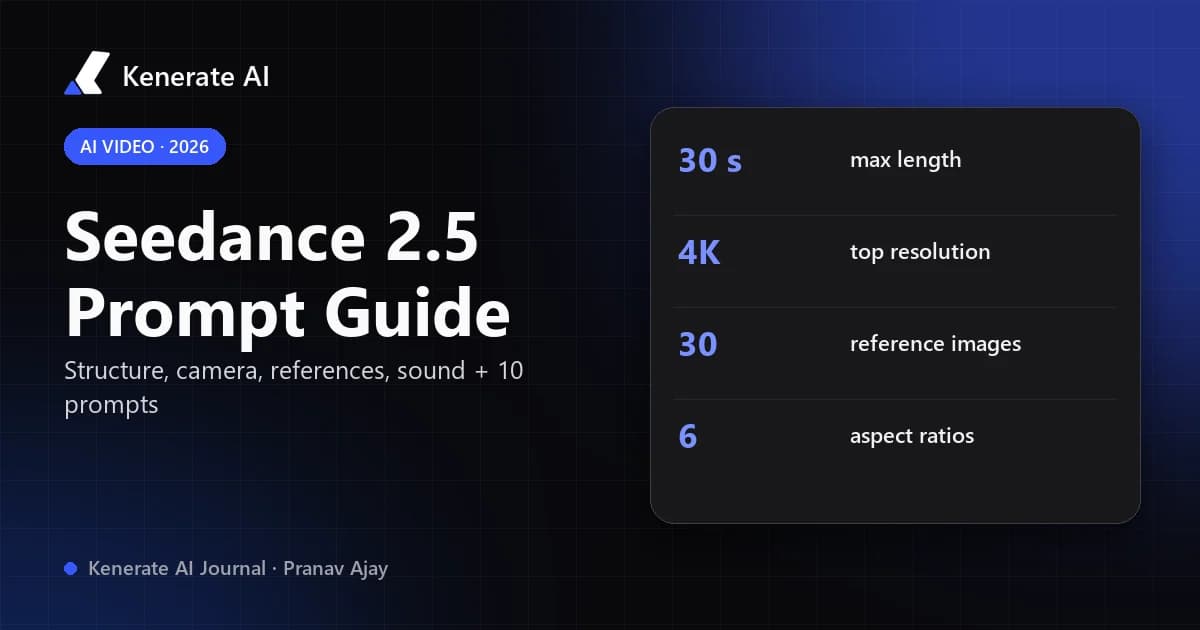
Seedance 2.5 is ByteDance Seed's video model, announced on 31 July 2026. It generates video and sound in one pass, runs up to 30 seconds per generation and takes a large stack of reference files. Those extra controls are why prompting matters more than it did with older models: the model can do a lot, so a vague brief leaves a lot to chance.
What does Seedance 2.5 actually accept?
Before writing, know what the model can take in. These are the limits in Kenerate's video studio, read from our model config (src/lib/video-models.ts) on 18 October 2026. ByteDance's announcement lists up to 30 images, 10 video clips and 10 audio clips per pass; Kenerate's studio currently accepts 3 reference videos.
| Setting | Seedance 2.5 on Kenerate |
|---|---|
| Modes | Text-to-video, image-to-video, reference-to-video, video edit, video extend |
| Duration | 4–30 seconds, any whole second |
| Resolution | 480p, 720p (default), 1080p, 4K |
| Aspect ratios | 16:9, 9:16, 4:3, 3:4, 1:1, 21:9 |
| Reference images | Up to 30 |
| Reference videos | Up to 3, 30 seconds in total |
| Reference audio | Up to 10 clips, 30 seconds in total |
| Sound | Native audio, can be switched off |
| Credits (text or image to video) | 54/s at 480p, 108/s at 720p, 270/s at 1080p, 540/s at 4K |
One practical note: in image-to-video, Seedance 2.5 needs a motion prompt. An empty prompt with only a start image is rejected, so always describe what moves.
What is the best prompt structure for Seedance 2.5?
Most published guides land on the same order, and it matches how the model reads a brief. RunDiffusion builds on subject, action, camera and style; Kapwing uses a longer formula with timeline, continuity and constraints. Both say you don't need every part every time. A workable order is:
- Subject and action — who or what, doing one clear thing. "An adult barista pours latte art into a white cup."
- Setting — where, and the light. "Sunlit Scandinavian café, morning light through tall windows."
- Camera — shot size, then one movement. "Close-up, slow push-in."
- Style — visible choices, not praise words. "Shallow depth of field, warm film grade, soft highlights."
- Sound — what you hear, tied to what you see. "Milk steamer hiss, cup set on saucer, quiet café chatter, no music."
- Constraints and ending — what must not happen, and the last frame if it matters. "No text on screen. End on the finished rosetta, camera still."
Write it as normal sentences, not labelled fields. A single 5-second shot can be three or four sentences; save the long briefs for 20–30 second sequences.
Why does "cinematic, stunning, 8K" not help?
Seedance responds to things it can draw. "Cinematic" doesn't say which lens, light or movement you mean. Replace adjectives with the decision behind them: "anamorphic wide shot, low sun behind the subject, slow lateral glide" tells the model far more than "epic cinematic shot". Resolution is a setting in the studio, so writing "4K" in the prompt does nothing.
How do you direct the camera in a Seedance 2.5 prompt?
Name the shot size or viewpoint first (wide, medium, close-up, macro, overhead, point of view), then one movement (push-in, pull-back, tracking, orbit, crane up, tilt, handheld, or a locked camera). One movement per shot is the rule almost every guide repeats, and it's the fix for most "the camera went everywhere" results.
| You want | Write | Avoid |
|---|---|---|
| Tension, focus | "Close-up, slow push-in on her eyes" | "dynamic camera" |
| Reveal a place | "Wide shot, crane up over the rooftops" | "drone shot zooming and spinning" |
| Follow action | "Tracking shot from the side, matching his speed" | "camera follows, orbits and zooms" |
| Let the action carry it | "Locked camera, medium shot" | no camera line at all |
| Product hero | "Slow 180° orbit around the bottle" | "360 spin, fast cuts" |
If the shot is about a performance or a pour, a locked camera often looks better than any move.
How do you write multi-shot prompts with timestamps?
Seedance 2.5 can tell a short story in one generation — ByteDance describes it organising connected shots with setup, development and a turning point. To steer that, list the beats in playback order with time ranges, and name the transition between them:
00–06s: Wide shot, a lighthouse on a cliff at dusk, waves breaking below. Slow push-in.
06–14s: Hard cut to a medium shot inside: an adult keeper lights the lamp, warm glow fills the room. Locked camera.
14–24s: Match cut to the beam sweeping across a dark sea; a small fishing boat turns toward it. Tracking shot.
24–30s: Close-up of the keeper at the window, smiling. Camera holds. Sound: wind, waves, a single foghorn, no music.
A few rules keep multi-shot prompts working:
- Use timestamps only when you need them. A single 5-second action doesn't need "00–05s".
- Don't over-fill the clip. Four beats in 30 seconds reads well; ten beats in 10 seconds looks rushed.
- Repeat the anchor. Mention the same character description (or the same
@image1) in every beat so faces and costumes don't drift. - Name the cut. "Hard cut", "match cut", "whip pan" or "continuous shot" — otherwise the model chooses.
How do you use @image, @video and @audio references?
In reference-to-video mode you upload files and refer to them in the prompt by tag — @image1, @image2, @video1, @audio1 — in the order you added them. ByteDance's own examples use the same idea ("Continue from the visuals and subjects in @Video 1"). The single most useful habit is giving each file one job:
@image1is the product — keep its shape, label and colours exactly.@image2sets the location and lighting only.@video1supplies only the camera path and timing; don't copy its people or setting.@audio1is the voice for the narrator.
Two references fighting over the same detail (two different faces, two jacket colours) is the most common cause of muddled output. PixVerse's guide gives the same advice: a small, coherent set beats a crowded one. Start with one subject image and one style or motion reference, then add more only if the test shows you need them.
If a reference only applies to one moment, put the tag inside that beat: 14–24s: the jacket from @image3 appears as she turns.
How do you prompt sound, dialogue and "no music"?
Seedance 2.5 generates sound with the picture, so the prompt is also the sound brief:
- Dialogue in quotes, with a speaker:
The adult chef looks up and says, "Table four is ready." - Tie effects to visible actions: "the door creaks as it opens", "boots crunch on gravel".
- Describe ambience over time: "rain builds, then softens as she steps inside".
- Say what you don't want: "no music", "no dialogue", "no subtitles". ByteDance says 2.5 reduces uncontrolled subtitles and background music, but stating it is still the reliable way.
If you plan to add your own voice-over or track in an editor, switch native sound off in the studio settings instead of fighting it in the prompt.
10 Seedance 2.5 prompts you can copy
Each is written for 5–15 seconds unless noted. Swap the subject, keep the structure.
1. Product ad (image-to-video, start frame = your product shot)
The perfume bottle stands on wet black stone. Slow 180° orbit, close-up. Fine mist drifts past, droplets catch a single cool rim light. Sound: soft water drips, a low airy tone, no music, no text. End on the label facing camera.
2. Product ad with references
@image1 is the sneaker — keep its shape, colours and logo exactly. @image2 sets the location: a concrete rooftop at sunset. 00–05s: close-up, the sneaker lands on the ledge, dust lifts. 05–10s: tracking shot as an adult runner sprints away, the sneakers in focus. Sound: footsteps, city wind, no music.
3. Cinematic establishing shot
Wide shot of a desert highway at dawn, a lone red pickup truck driving toward camera. Crane up slowly to reveal mountains behind. Long lens compression, warm haze, heat shimmer. Sound: engine hum growing louder, wind, no music.
4. Character moment with dialogue
Medium close-up of an adult detective in a rain-soaked trench coat under a streetlight. She looks at her watch, then at the camera and says, "He's late." Locked camera. Neon reflections in puddles. Sound: steady rain, distant traffic, no music.
5. Anime action
Anime style, clean cel shading. An adult swordsman in a blue coat leaps between rooftops under a full moon, cape trailing. Tracking shot from the side, matching his jump. Speed lines, cherry petals in the wind. Sound: wind rush, cloth flapping, one sword ring on landing.
6. Anime slice of life
Anime style, soft watercolour backgrounds. An adult woman reads on a train as the city slides past the window at golden hour. Locked camera, medium shot. Light flickers across her face between buildings. Sound: train rhythm, a page turning, no music.
7. Food close-up
Macro close-up: honey pours slowly onto a stack of pancakes, butter melting. Slow push-in. Soft window light, shallow depth of field. Sound: a quiet drizzle, a fork set down, no music. End with the stack centred and still.
8. 30-second mini story (4 beats)
00–06s: Wide shot, a small bakery at 5 a.m., lights flick on. Static. 06–14s: hard cut, medium shot, an adult baker shapes dough, flour in the air. Locked camera. 14–24s: match cut to bread in the oven rising, slow push-in. 24–30s: close-up, the baker flips the sign to "Open" and smiles. Sound: oven door, ticking clock, morning birds, no music.
9. Video extend
Extend @video1. Continue from the last frame with the same character, outfit and lighting. She walks out of the café into the street and hails a taxi. Tracking shot from behind. Sound: street ambience, a car horn, no music.
10. Video edit (camera change only)
Edit @video1. Keep the characters, actions, timing and visual style unchanged. Change only the camera: replace the static shot with a slow push-in that ends on a close-up of the speaker.
What are the most common Seedance 2.5 prompt mistakes?
| Mistake | What you get | Fix |
|---|---|---|
| No action in the prompt | A "moving photo" that barely moves | Give the subject one visible verb |
| Several camera moves in one shot | Chaotic, seasick camera | One move per shot; split into beats |
| Too many beats for the length | Rushed, jumpy cuts | About one beat per 5–8 seconds |
| Two references controlling the same thing | Blended faces or products | One job per file, stated in words |
| Final ad copy written into the video | Garbled lettering | Leave clean space; add text in editing |
| Busy sound list | Noise that doesn't match the picture | Only sounds tied to what's on screen |
| No ending | A last frame you can't use | Describe the final frame and "camera holds" |
How do you test Seedance 2.5 prompts without wasting credits?
Credits in Kenerate scale with length and resolution, so test small and scale the winner:
- Open the Seedance 2.5 studio and pick your mode (text, image or references).
- Draft at 480p, 5 seconds — 270 credits. The same clip at 720p is 540 credits, at 1080p 1,350 and at 4K 2,700.
- Change one thing per test: the camera line, the action, or a reference role — not all three.
- When the motion and sound are right, re-run at your final length and resolution.
- For very cheap motion drafts, run the same prompt on Seedance 2.0 Mini first; see the Seedance 2.0 free guide for the lighter tiers.
Clips that use reference videos are billed on reference rates (66 credits/s at 720p) for the reference seconds plus the output seconds — for example a 5-second reference with a 10-second output at 720p is 990 credits. Video generation needs a paid plan; prices are on the pricing page.
Does a Seedance 2.0 prompt work in Seedance 2.5?
Mostly, yes. The structure — subject, action, camera, style, sound — is the same, and the reference tags work the same way, so prompts from our How to Use Seedance 2.0 guide carry over. What changes is room: 2.5 runs up to 30 seconds (2.0 tops out at 15), so you can add beats and let actions breathe instead of cramming. If you're choosing between models for a project, our Seedance 2.5 overview and the AI video generator page compare it with the other engines in the studio.
Quick checklist before you hit generate
- One subject, one main action per shot
- Shot size + one camera move (or "locked camera")
- Visible style choices instead of "cinematic"
- Every reference has one stated job
- Timestamps only for multi-beat clips, beats in playback order
- Dialogue in quotes; "no music" / "no subtitles" if you mean it
- An ending frame if you'll cut or add copy
- Draft at 480p, 5 s; scale the keeper
Seedance 2.5 rewards prompts written like a director's notes. Keep them concrete, give each file a role, and spend credits on the version you already know works.