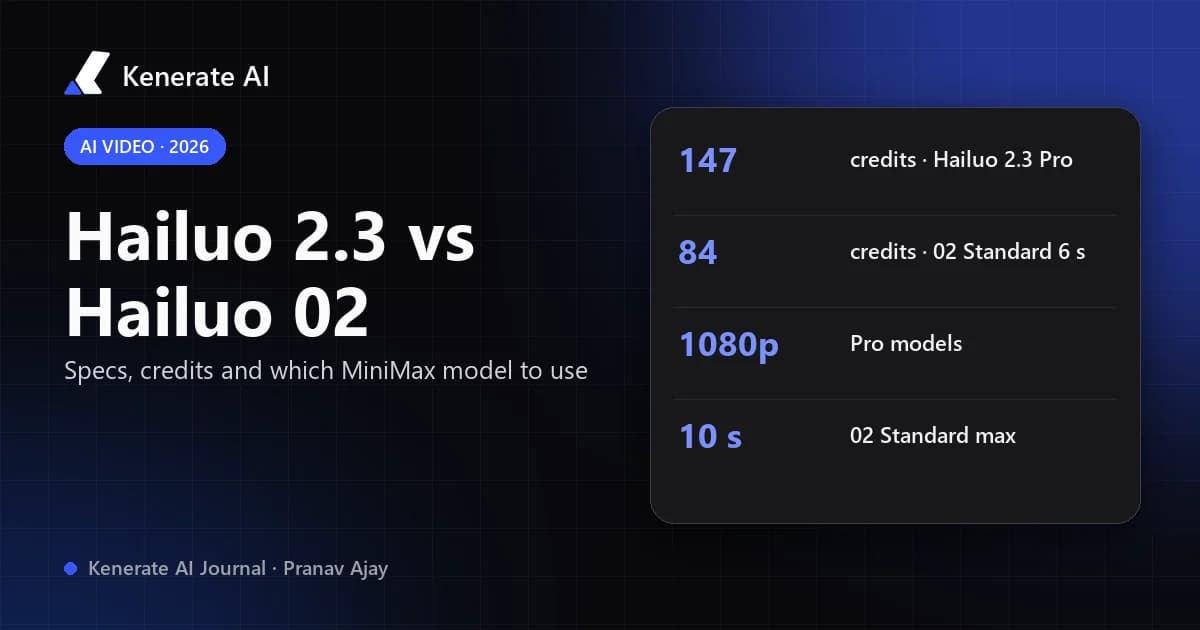
Hailuo 2.3 is MiniMax's October 2025 upgrade of Hailuo 02: same price class, better body motion, facial micro-expressions and stylised looks (anime, illustration, ink wash), but no end-frame control. Hailuo 02 (June 2025) is still the one to pick when you need a guided start-to-end transition or a cheap 768p, 10-second draft. As of 18 October 2026, both run in Kenerate AI's studio — Hailuo 2.3 Pro costs 147 credits per clip, Hailuo 02 Pro 147–150 and Hailuo 02 Standard 84 or 168.
This guide compares the three Hailuo versions side by side — specs, cost, what each does well — and tells you when to skip both and use MiniMax's newer H3 instead.
What is the difference between Hailuo 2.3 and Hailuo 02?
Both are video models from MiniMax, the Shanghai company behind the Hailuo AI app. They share a lineage: MiniMax describes Hailuo 2.3 as built on Hailuo 02, not a new architecture.
- Hailuo 02 launched on 18 June 2025. MiniMax's announcement headlined three things: native 1080p, stronger instruction following and "extreme physics mastery". It credited a new architecture called Noise-aware Compute Redistribution (NCR), three times the parameters of Hailuo 01 and four times the training data. It shipped in three versions: 768p-6s, 768p-10s and 1080p-6s.
- Hailuo 2.3 launched on 28 October 2025 alongside a cheaper Hailuo 2.3 Fast. MiniMax's release notes claim more fluid complex body movement, more natural facial performance and micro-expressions, better response to motion instructions, more realistic lighting, and better support for anime, illustration, ink wash and game-CG styles — at the same price as Hailuo 02.
In one sentence: 2.3 is the better performer, 02 is the more controllable one. The single feature 2.3 dropped is the end frame, and for some workflows that decides it.
Hailuo 2.3 vs Hailuo 02: specs side by side
The table below uses the versions you can run in Kenerate's studio. Credits come from Kenerate's model config (video-models.ts) as of 18 October 2026.
| Hailuo 2.3 Pro | Hailuo 02 Pro | Hailuo 02 Standard | |
|---|---|---|---|
| Released | 28 Oct 2025 | 18 Jun 2025 | 18 Jun 2025 |
| Resolution | 1080p | 1080p | 768p |
| Clip length in Kenerate | 6 s (fixed) | 6 s (fixed) | 6 s or 10 s |
| Text-to-video | Yes | Yes | Yes |
| Image-to-video | Yes | Yes | Yes |
| End frame (start → end transition) | No | Yes | Yes |
| Aspect ratio | Follows prompt / start image | Follows prompt / start image | Follows prompt / start image |
| Kenerate credits | 147 per clip | 150 text / 147 image | 84 (6 s) / 168 (10 s) |
| Strongest at | Human motion, faces, stylised looks | Physics, guided transitions | Cheap drafts, longer clips |
A few notes on reading it:
- Pro means 1080p, Standard means 768p. That's the split on the API routes Kenerate uses (WaveSpeed's
i2v-proandi2v-standardendpoints). MiniMax's own 02 line-up also never offered a 10-second clip at 1080p — 10 seconds is a 768p option only. - No aspect-ratio dropdown. None of the Hailuo models here takes a ratio setting. The shape comes from your start image in image-to-video, so crop the frame to 16:9, 9:16 or 1:1 before you upload it.
- Hailuo 2.3 Fast exists on MiniMax's platform and some APIs (often image-to-video only), but it isn't one of the versions in Kenerate's studio.
Is Hailuo 2.3 better than Hailuo 02?
For most prompts with people in them, yes. MiniMax's release notes focus on three areas where 2.3 pulls ahead, and they line up with what third-party comparisons from API providers report (Apiframe, EvoLink):
Where Hailuo 2.3 wins
- Complex body motion. Dance, sport and fast full-body movement hold their shape better — fewer melting limbs, steadier proportions — especially while the camera is also moving.
- Faces in close-up. Micro-expressions (a half-smile, a flicker of doubt, eyes tracking something) are the headline improvement. If your shot is a talking head or a reaction, 2.3 is the safer bet.
- Stylised video. 02 was tuned for realism. 2.3 adds steadier anime, illustration, ink-wash and game-CG rendering, so a 2D still animated with 2.3 is less likely to drift towards a photo look.
- Lighting. MiniMax claims more realistic light direction, shadow transitions and colour — useful for moody product or cinematic shots.
Where Hailuo 02 still wins
- End-frame control. 02 Pro and 02 Standard accept a second image as the final frame and interpolate between the two. That's how you make a controlled transformation (day → night, closed box → open box, sketch → finished render). Hailuo 2.3 can't do it.
- Longer, cheaper drafts. 02 Standard is the only Hailuo version here with a 10-second option, and its 6-second clip costs 84 credits — a little over half the price of a Pro run.
- Known behaviour. If you have prompts that already work on 02, they keep working. 2.3 responds a bit differently to motion wording, so old prompts may need a tweak.
There is no published, independent benchmark that puts the two head to head on the same prompts, so treat "better" as "better on the things MiniMax tuned for". The fair test is your own shot: run the same start frame through both.
How much do Hailuo 2.3 and Hailuo 02 cost?
MiniMax priced 2.3 to match 02, and Kenerate's prices reflect that: both Pro models land at roughly the same cost per clip.
| Model | Kenerate credits | Approx. clips per $15 pack (1,300 credits) |
|---|---|---|
| Hailuo 2.3 Pro (6 s, 1080p) | 147 | 8 |
| Hailuo 02 Pro, image-to-video (6 s, 1080p) | 147 | 8 |
| Hailuo 02 Pro, text-to-video (6 s, 1080p) | 150 | 8 |
| Hailuo 02 Standard (6 s, 768p) | 84 | 15 |
| Hailuo 02 Standard (10 s, 768p) | 168 | 7 |
Hailuo is billed per clip, not per second, so you pay the same whether the clip is busy or calm. Video generation on Kenerate needs a paid plan; plans start at $15 for 1,300 credits — see pricing for the full list.
Which Hailuo model should you use?
Use this as a quick decision guide:
| If you want… | Use |
|---|---|
| A person dancing, running or doing sport | Hailuo 2.3 Pro |
| A close-up with subtle facial expression | Hailuo 2.3 Pro |
| An anime or illustrated still brought to life | Hailuo 2.3 Pro |
| A morph from one exact frame to another | Hailuo 02 Pro |
| A 10-second clip | Hailuo 02 Standard |
| Cheap test runs before a final render | Hailuo 02 Standard |
| Physics-heavy scenes (water, falling objects, acrobatics) on a known prompt | Hailuo 02 Pro, then compare with 2.3 |
A common workflow is to draft on 02 Standard at 84 credits to lock the composition and motion idea, then render the keeper on 2.3 Pro at 1080p.
How do you run Hailuo 2.3 or Hailuo 02 in Kenerate?
You don't need a Hailuo account. All three versions sit in the MiniMax & Hailuo family of Kenerate's video studio.
- Open the video studio with Hailuo 2.3 Pro preselected, or pick Hailuo 02 Pro / Standard from the model list.
- Choose text-to-video, or image-to-video and upload your start frame. Crop the image to the shape you want first — the models follow it.
- For a transition on Hailuo 02, add a second image as the end frame.
- Write the prompt: subject, action, camera move, light. One clear action per clip works best.
- On 02 Standard, pick 6 s or 10 s. Check the credit cost shown before you generate.
- Generate, then download, or chain the clip into an upscale or edit.
If you're still choosing between Hailuo and other engines, the image-to-video AI page lists every model that animates a still.
How should you prompt Hailuo 2.3 differently from Hailuo 02?
Both models respond to plain, specific prompts. The difference is what's worth spelling out:
- On Hailuo 2.3, name the performance. "She glances down, then a slow, embarrassed smile" uses the micro-expression strength. For stylised clips, state the style ("cel-shaded anime, flat colour, ink outlines") even if the start image already shows it — it keeps the look from drifting.
- On Hailuo 02, name the physics. "Water splashes over the rim and spreads across the table" or "the gymnast lands, knees bending to absorb the impact" plays to what MiniMax tuned 02 for.
- On both, describe the camera once. "Slow dolly-in", "handheld tracking shot" or "static wide shot" — one move per clip.
- Keep it short. A 6-second clip holds one beat. Three actions in one prompt usually means none of them land.
For longer, reference-driven prompting on MiniMax's newest model, see the MiniMax H3 prompt guide.
Should you skip both and use MiniMax H3?
Maybe. MiniMax released H3 (marketed as Hailuo 3.0) on 31 July 2026, and it removes the main limits of both older models:
| Hailuo 2.3 Pro | MiniMax H3 | MiniMax H3 Pro | |
|---|---|---|---|
| Clip length | 6 s | 3–15 s | 4–15 s |
| Resolution | 1080p | 480p / 768p | 768p / 2K |
| Aspect ratios | From start image | 7 options (16:9 to 9:21) | 6 options (21:9 to 9:16) |
| Reference inputs | Start image | Up to 9 images, 3 video, 3 audio | Up to 9 images, 3 video, 3 audio |
| Kenerate credits | 147 per clip | 10 cr/s (480p), 20 cr/s (768p) | 30 cr/s (768p), 42 cr/s (2K) |
A 5-second H3 clip at 768p costs 100 credits — less than a Hailuo 2.3 Pro run — and you can go up to 15 seconds. Hailuo 2.3 and 02 still make sense when you want a fixed 1080p clip at a flat price, when your prompts are tuned for them, or (for 02) when you need the end frame. For everything else, compare H3 first. The Hailuo AI video generator page shows H3 clips and all six MiniMax versions in one place, and Hailuo AI vs Kenerate covers the difference between MiniMax's own app and running the models here.
The bottom line
- Pick Hailuo 2.3 Pro for people, faces and stylised looks at 1080p — same price as 02 Pro, better performance.
- Pick Hailuo 02 Pro when you need an exact end frame.
- Pick Hailuo 02 Standard for 10-second clips and cheap drafts.
- Check MiniMax H3 if you need longer clips, other aspect ratios or reference images.
Prices and specs as of 18 October 2026. Credit costs come from Kenerate's live model config and can change when providers change their rates; the studio always shows the exact cost before you generate.
Sources
- MiniMax — Hailuo 02 announcement (18 June 2025)
- MiniMax — Hailuo 2.3 announcement (28 October 2025)
- WaveSpeedAI — Hailuo 02 I2V Standard model page
- Apiframe — Hailuo versions explained
- EvoLink — Hailuo 2.3 vs Fast vs 02 comparison