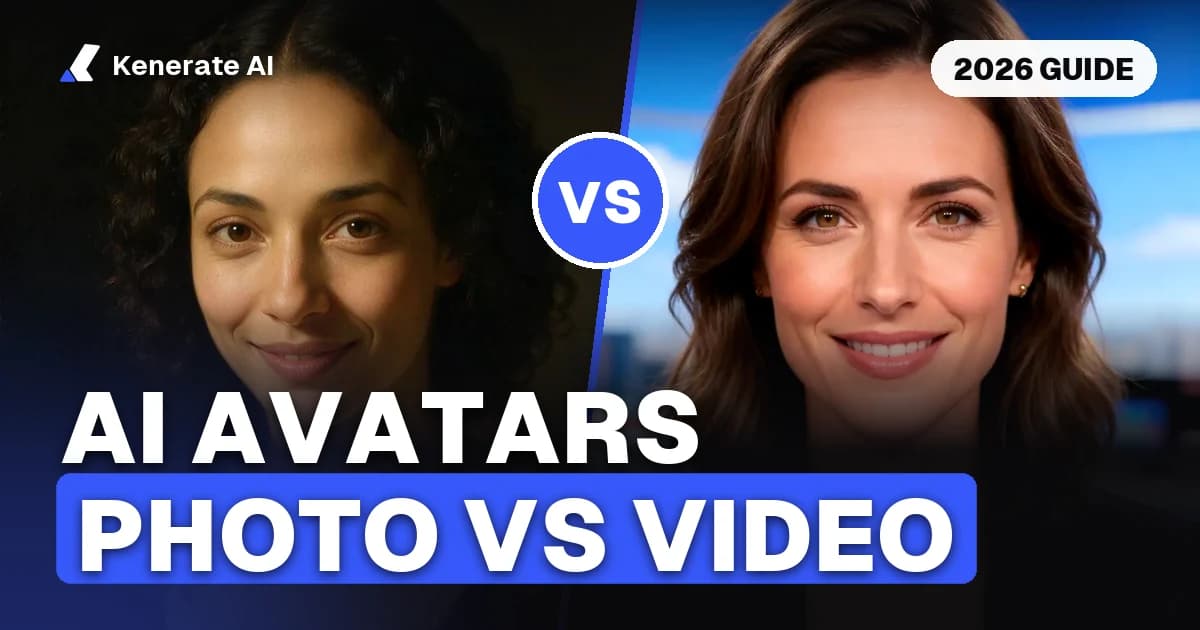
"AI avatar generator" means two different things, so the best one depends on which you want. If you want a profile picture (a still image of you in a new style for Discord, LinkedIn, a game or social media), use an image tool that keeps your face from an uploaded photo, such as Fotor's AI avatar generator or an image model like Seedream 5.0 Pro or GPT Image 2.5. If you want a talking avatar (a video of a face speaking a script or your voice), use a presenter tool such as HeyGen or Synthesia, or a multi-engine studio such as Kenerate AI's Avatar Talk. Whichever you pick, use your own face or the face of someone who has clearly agreed.
Disclosure: Kenerate AI is our product. We include it and describe it with the same criteria as the others. We did not run a scored test, so there are no scores, ratings or "#1" picks here. Vendor facts come from each vendor's own pricing and product pages, read on 24 October 2026. Kenerate facts come from our own model configuration. Prices change often, so check before you buy.
What is an AI avatar generator?
| Profile-picture avatar | Talking avatar | |
|---|---|---|
| What you get | A still image (PNG or JPG), usually square | A video (MP4) of a face or presenter speaking |
| What you put in | One or more photos of yourself, or a text description | A photo or stock presenter, plus a script or voice recording |
| Used for | Discord, gaming, LinkedIn, Instagram, forums | Explainers, courses, ads, social posts, product demos |
| Typical tools | Avatar apps and image generators | Presenter platforms and lip sync engines |
| What to check | Likeness, styles, resolution, price per image | Video length, resolution, languages, watermark, price per minute |
Search results for "best AI avatar generator" mix the two, which is why rankings disagree. Decide which one you need first.
How did we compare AI avatar generators?
For talking avatars we looked at: input (your photo, a stock presenter, or a recorded video), longest video, resolution, languages, free plan, watermark and price. For profile-picture avatars we looked at: whether it keeps your face from a photo, style range, output size, free option, watermark and price per image. For both, we checked what each service says about using other people's faces.
Which talking avatar generators are best in 2026?
All competitor figures are from each vendor's own pricing page on 24 October 2026.
| HeyGen | Synthesia | D-ID | Kenerate AI (our product) | |
|---|---|---|---|---|
| Free plan | 3 videos a month, up to 1 minute each | Basic: 10 minutes a month, 9 stock avatars | Trial plan | 25 sign-up credits; Avatar Talk works on the free plan |
| Watermark | On Free; removed on paid plans | On Basic; logo removed on paid plans | On Trial (full screen) and Lite | None |
| Entry paid plan | Creator: $29/month ($24 billed yearly) | Starter: $29/month ($18 billed yearly) | Not shown in the page text we read | One-time packs from $15 for 1,300 credits; no subscription |
| Longest video | 1 min (Free), 30 min (Creator, Pro), 60 min (Business) | Starter about 12 min a month, Pro about 60 min a month | Minutes deducted per video, rounded up to 15 s | Up to 10 min, depending on the engine |
| Resolution | Up to 1080p (Creator), up to 4K (Pro and up) | 1080p MP4 on paid plans | Not stated in the page text we read | 480p to 1080p on most engines; up to 4K with HeyGen Presenters |
| Stock presenters | 500+ (Free), 700+ (paid) | 9 (Basic), 125+ (Starter), 180+ (Pro), 240+ (Enterprise) | Not stated | 500 HeyGen stock presenters |
| Your own avatar | 1 custom video avatar, up to 3 photo avatars (Free); unlimited photo avatars on paid | 3 personal avatars (Starter), 5 (Pro) | Not stated | Any portrait you have rights to, as a talking photo |
| Languages | 30+ (Free), 175+ languages and dialects (paid) | 140+ languages and voices; dubbing into 70+ | Not stated | Follows your audio |
HeyGen: best fit for finished presenter videos
HeyGen's pricing page lists a Free plan with 3 videos a month up to 1 minute each, a watermark, 500+ stock avatars, one custom video avatar and up to 3 photo avatars. Creator is $29 a month ($24 billed yearly) with 600 credits, videos up to 30 minutes, exports up to 1080p and 175+ languages and dialects. Pro is $49 with 1,000 credits and exports up to 4K, and Business is $149 plus $20 per extra seat, with videos up to 60 minutes. HeyGen notes that paid plans use credits, and the number of videos depends on the model, length and complexity.
Choose HeyGen when you want a polished presenter video, a custom video avatar of yourself, or translation into many languages in one place.
Synthesia: best fit for training and corporate video
Synthesia's pricing page lists a free Basic plan with 10 minutes of video a month, 9 stock avatars and a Synthesia watermark. Starter is $29 a month ($18 a month billed yearly) with about 12 minutes a month, 125+ stock avatars, 3 personal avatars and 1080p MP4 downloads. Pro is $89 a month ($64 billed yearly) with about 60 minutes a month, 180+ stock avatars and 5 personal avatars. Every plan lists 140+ languages and voices.
Choose Synthesia when you are making many short training, onboarding or internal videos and want a large library of stock presenters, with a free plan to test first.
D-ID: what we could confirm
D-ID's pricing page did not show plan prices in the text we could read. It does say that videos on the Trial and Lite plans carry a D-ID watermark (full screen on Trial), that each video's length is deducted from your monthly minutes rounded up to the nearest 15 seconds, and that unused minutes do not carry over. Check its Studio pricing page for current prices before comparing.
Kenerate AI Avatar Talk: best fit for comparing engines and paying per second
Kenerate's Avatar Talk studio runs 26 engines: 19 that turn a photo or stock presenter into a talking video, and 7 that re-sync the lips of a video you already have. You add the voice by uploading a file, recording on the mic, or making a voice-over in Voice Studio. It works on the free plan with the 25 sign-up credits, and one-time credit packs top it up, with no subscription. Downloads carry no watermark.
| Engine | Best for | Longest speech | Resolution | Credits per second |
|---|---|---|---|---|
| Kenerate Avatar | Long presenter videos with natural body motion | 10 min | 720p, 1080p | 7.5 (720p), 13.5 (1080p) |
| InfiniteTalk Fast | Low-cost drafts and long explainers | 10 min | Set by the engine | 4.5 |
| SoulX FlashHead | Very cheap talking heads, lessons, podcasts | 10 min | 480p, 720p | 4.5 (480p), 9 (720p) |
| LTX 2.3 Lipsync | Short, sharp clips; the photo is optional | 5–20 s | 480p to 1080p | 6 (480p), 9 (720p), 12 (1080p) |
| Kling Avatar 2 Pro | Realistic expressions guided by a prompt | 5 min | Set by the engine | 33.6 |
| HeyGen Presenters | No photo needed: 500 stock presenters | 10 min | 720p to 4K | 36 |
| OmniHuman 1.5 | Full-body, cinematic hero clips | 60 s | Set by the engine | 48 |
| Sync Lipsync 3 | Most precise mouth shapes on a clear face | 5 min | Set by the engine | 40.5 |
At those rates, one minute of talking video costs 270 credits on InfiniteTalk Fast or 450 credits on Kenerate Avatar at 720p, about $3.12 or $5.19 on the $15 pack. Most engines bill the length of the speech, some with a 3-second minimum, and the exact cost shows before you generate. See the AI talking avatar page for examples, or the AI avatar video generator page for every engine.
Where it is weaker: Avatar Talk makes the talking clip from the audio you give it; it is not a script-to-video editor with scenes and templates like HeyGen or Synthesia. If you mainly need to re-voice existing footage, our AI lip sync tools comparison goes deeper.
Which profile-picture avatar generators are best in 2026?
For a still avatar, the question is whether the tool keeps your face recognisable while changing the style. There are two routes.
A dedicated avatar tool. Fotor's AI avatar generator page says it turns your photos into avatars for social media, games or videos, recommends a single-person, front-facing portrait with a clean background, accepts JPEG or PNG, lists Realistic, Cartoon, 3D, Game, Cyberpunk and Art styles, and says avatars can be downloaded "without watermarks". Its pricing page lists a free Basic plan with "Limited Free credits" but did not show paid prices in the page text we read.
An image model with your photo as a reference. Modern image models edit an uploaded photo into a new style while keeping the face. On Kenerate's Image Studio you upload your photo, describe the style and pick a square ratio:
| Model on Kenerate | Reference photos | Credits per image | Good for |
|---|---|---|---|
| Seedream 5.0 Pro | Up to 10 | 13.5 (1K, 1.5K), 27 (2K) | Keeping likeness across styles: 3D, watercolor, neon, vector |
| GPT Image 2.5 Sunburst | Up to 16 | From 7.2 (medium, 1K) | Photoreal portraits and precise edits |
| Nano Banana 2.1 | Up to 14 | 21 (1K), 31.5 (2K), 42 (4K) | The same character across many shots |
| Qwen Image 3.0 | Up to 3 | 9 | Free-plan option for simple characters and mascots |
| Flux 2 Dev | Up to 3 | 3 | Free-plan option for quick drafts |
Our AI profile picture generator page shows six styles made from one photo, and the Discord PFP maker covers the gaming case. Discord's own profile tips recommend an avatar of around 200 × 200 pixels at minimum and under 10 MB, in JPG, PNG or GIF, and note that it is cropped to a circle.
How do you make a good AI avatar?
Profile picture
- Start with a sharp, front-facing photo of yourself in even light, with nothing covering your face.
- Describe one style at a time ("3D clay avatar, soft pastel background") and add "keep the same face and identity".
- Generate a few variants, pick the one that looks most like you, and keep the face centred so a circle crop does not cut it.
- Export square at 1K or more; upscale if a platform wants a larger file.
Talking avatar
- Record or generate the voice first. A clean, well-paced recording matters more than the engine.
- Use a clear portrait with the mouth visible, or pick a stock presenter.
- Test 10 to 15 seconds on two cheap engines before rendering a full minute.
- Add a short direction prompt on engines that take one ("calm, steady, small hand gestures").
- Render the final take at 720p or 1080p, and add captions for social feeds.
Can you make an AI avatar of someone else?
Only with their clear permission, and never to deceive. Use your own face, a character you designed, a stock presenter, or a person who has agreed to be animated. Kenerate's Terms forbid fraud, identity theft and deceptive impersonation, and other platforms have similar rules, so read them before you upload anyone's photo. Never create avatars of minors, and do not use celebrity or public-figure likenesses.
Bottom line
For a profile picture, pick a tool that keeps your face from one photo and exports a square image: Fotor's avatar generator for one-click styles, or an image model such as Seedream 5.0 Pro or GPT Image 2.5 when you want control over the style. For a talking avatar, HeyGen and Synthesia are complete presenter-video platforms with free plans that watermark; Kenerate AI (our product) is a pay-per-second studio with 26 engines, no watermark and no subscription, but you bring the script and voice. Try the free tier of whichever matches your use before paying, and use only faces you have the right to use.