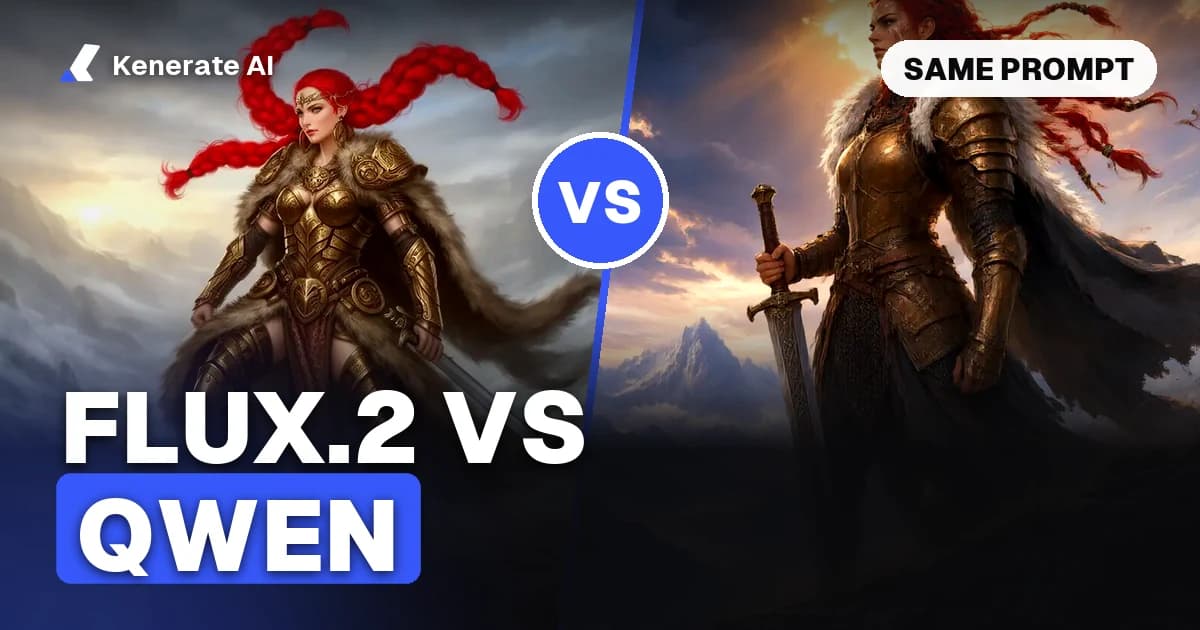
FLUX.2 vs Qwen Image comes down to what you are making. Pick Qwen Image (2512, 3.0 or 3.0 Pro) for posters, infographics, packaging and anything with a lot of readable text, and for cheap, reliable volume. Pick FLUX.2 (Klein for speed, Pro, Flex or Max for finals) when you want cinematic photorealism, fine control over light and texture, or the fastest drafts at the lowest price. As of 24 October 2026, both families run side by side on Kenerate AI from 3 credits per image, so the easiest way to settle it is to run the same prompt through both.
This guide compares the two families on text rendering, prompt adherence, photorealism, editing, licences, speed and price. It also covers the long-tail match-ups people search for: Qwen Image vs FLUX.2 Klein, and FLUX.2 Klein vs Qwen Image Edit.
What are FLUX.2 and Qwen Image?
FLUX.2 is Black Forest Labs' second-generation image generation and editing family, announced on 25 November 2025. At launch it came in four tiers: [pro] and [flex] through the API, [dev] as a 32B open-weights model, and [klein] as a small, fast model that followed on 15 January 2026. Black Forest Labs says FLUX.2 handles up to 10 reference images and up to 4 megapixels, and it put typography, infographics and UI mockups at the centre of the launch.
Qwen Image is Alibaba's Qwen team image family. The original Qwen-Image came out in August 2025 as an open 20B model under Apache 2.0. Its December 2025 update, Qwen-Image-2512, focused on more realistic people, finer natural detail (fur, landscapes) and more accurate text layout. Qwen Image 2.0 and 3.0 followed as hosted models. Qwen-Image-3.0 was announced on 21 July 2026 for dense layouts and small, legible text, but no weights or licence have been published for it.
So "FLUX vs Qwen" is really a comparison of two families, each with a cheap tier, a mid tier and a top tier. The table below shows what that looks like on Kenerate.
FLUX.2 vs Qwen Image at a glance
| FLUX.2 | Qwen Image | |
|---|---|---|
| Maker | Black Forest Labs (Germany) | Alibaba, Qwen team (China) |
| First release | 25 Nov 2025 (Klein: 15 Jan 2026) | Aug 2025 (2512: Dec 2025; 3.0: 21 Jul 2026) |
| Open weights | Dev 32B (non-commercial), Klein 4B (Apache 2.0), Klein 9B (non-commercial) | Qwen-Image and 2512, 20B (Apache 2.0); 2.0 and 3.0 hosted only |
| Best known for | Photorealism, lighting, texture, speed (Klein) | Text rendering, multilingual text, layouts, low price |
| Versions on Kenerate | 9 (Klein 4B, Klein Base 4B/9B, Dev, Flash, Turbo, Pro, Flex, Max) | 7 (Qwen Image, 2512, 2.0, 2.0 Pro, 3.0, 3.0 Pro, Max) |
| Cheapest on Kenerate | 3 credits (Klein 4B, Klein Base 4B, Dev) | 6 credits (Qwen Image, 2512) |
| Top tier on Kenerate | Flux 2 Max, 21 credits | Qwen Image Max or 2.0 Pro, 21 credits |
| Free plan on Kenerate | Dev, Klein 4B, Turbo, Flash | Qwen Image 2.0, 2.0 Pro, 3.0 |
| Reference images on Kenerate | Up to 3 (4 on Flash and Turbo) | Up to 3 (1 on the original Qwen Image) |
Kenerate figures come from the app's model list as of 24 October 2026. At the app rate, 30 credits cost $0.10.
Which is better at text rendering?
Qwen Image, in most tests. Text has been Qwen's calling card since the first release, and each version pushed it further: 2512 improved layout and accuracy, and 3.0 was built for posters, infographics and small type, with text in 12 languages according to Qwen's launch post. It handles Chinese characters especially well, which most Western models still struggle with.
FLUX.2 closed a lot of the gap. Black Forest Labs claims legible fine text, memes and UI mockups now work "reliably in production", and Flux 2 Flex is tuned specifically for typography and fine detail. For a single headline on a photo, FLUX.2 Pro or Flex will usually spell it right. For a menu, a slide or an infographic with ten labels, Qwen Image 3.0 or 3.0 Pro is the safer bet.
Public leaderboards point the same way. In the LMArena text-to-image data compiled by gradually.ai (retrieved 15 October 2026), Qwen Image 2.0 Pro scored about 1,202 in the text-rendering category against about 1,166 for FLUX.2 Max. That is one leaderboard and one pair of models, so treat it as a direction, not a verdict.
Which is more photorealistic?
This is the closest call, and it depends on the version.
- FLUX.2 tends to win on cinematic light, skin and fabric texture, depth of field and the "shot on a real camera" feel, especially at the Pro, Flex and Max tiers. Flux 2 Dev is already strong for 3 credits.
- Qwen Image 2512 was a clear jump over the original in faces: Qwen says it "significantly reduces the 'AI-generated' look" on people. Qwen Image 3.0 and 3.0 Pro push scene detail further.
The leaderboards do not settle it. In the same LMArena photorealism category, Qwen Image 2.0 Pro (about 1,209) ranked above FLUX.2 Max (about 1,162). In Artificial Analysis's overall text-to-image arena (retrieved 22 September 2026), the two sat within each other's margin of error, at 1,030 and 1,022. Blind votes reward a pleasing picture, not necessarily the most accurate one, so your own prompts matter more than either number.
Which follows prompts more closely?
Both read long, detailed prompts well because both use large language-model text encoders.
- Qwen Image shines with long, structured prompts that list many objects, positions and pieces of text. Qwen-Image-3.0 accepts prompts up to 4.5K tokens according to its launch post (Kenerate trims prompts for the 3.0 models to 800 characters).
- FLUX.2 is good at prompts written like a photographer's brief: lens, light, mood, materials. It tends to keep the overall look consistent when you change one detail.
If your prompt reads like a layout spec ("headline top left, three icons below, price in the bottom corner"), start with Qwen. If it reads like a shot description ("85mm, backlit, morning haze"), start with FLUX.2.
Which is better for image editing?
Both families edit on Kenerate: you upload one to three reference images and describe the change.
| Task | Better first pick | Why |
|---|---|---|
| Change text on a poster or label | Qwen Image 3.0 / 3.0 Pro | Strongest at keeping fonts and layout while swapping words |
| Recolour a product or object | Either; Qwen 3.0 is cheaper | Both keep shape and folds well |
| Combine a person and a product | FLUX.2 Pro / Flex / Max | Strong multi-reference blending and lighting match |
| Quick restyle or draft edit | FLUX.2 Klein Base 4B or 9B | 4.5 to 6.3 credits per edit, very fast |
| Single cheap edit | Qwen Image (original) | One reference, 6 credits |
The leaderboards lean toward Qwen here too: in LMArena's image-editing data compiled by gradually.ai, Qwen Image 2.0 Pro (about 1,303) ranked above FLUX.2 Max (about 1,262). In practice, FLUX.2 is often preferred when the edit is about light and realism, and Qwen when it is about text and layout.
Qwen Image vs FLUX.2 Klein: which is the better budget model?
This is the most common long-tail question, because both are cheap and fast.
- FLUX.2 Klein is built for speed. Black Forest Labs lists Klein 4B at about 1.2 seconds per image on an RTX 5090 with 8.4 GB of VRAM, and Klein 9B at about 2 seconds with 19.6 GB. The undistilled Base versions are slower (about 17 s and 35 s on the same card) but give more detail and are the ones people fine-tune.
- Qwen Image 2512 is a much larger 20B model. It needs far more memory to run locally, but it gives better text and more scene detail per image.
On Kenerate, Flux 2 Klein 4B costs 3 credits, Klein Base 9B costs 4.5, and Qwen Image 2512 costs 6. For fast concept drafts, Klein wins on price and speed. For drafts that need readable text, Qwen 2512 is worth the extra 1.5 to 3 credits. To try Klein without a GPU, the FLUX.2 [klein] 9B Base page lets you try it in the browser.
FLUX.2 Klein vs Qwen Image Edit: which edits better?
For small, fast edits (change a colour, swap a background, restyle), Klein Base 4B and 9B are hard to beat on cost at 4.5 and 6.3 credits per edit with up to 3 references. For edits that involve text, signs, labels or layout, Qwen's edit models keep type far more reliably. Qwen Image 3.0 edits cost 9 credits plus 0.9 per reference (9.9 for one reference). If you need many references at once, our guide to Qwen Image Edit with multiple reference images walks through it.
How do the licences compare?
Licences only matter if you download and run the weights yourself. Using a hosted service is governed by that service's terms.
- FLUX.2 [klein] 4B and 4B Base: Apache 2.0, so commercial use and modification are allowed.
- FLUX.2 [klein] 9B, 9B Base and [dev] 32B: FLUX Non-Commercial License. Black Forest Labs' help guide describes 9B as non-commercial for local use, with commercial use through its API or a paid licence.
- FLUX.2 [pro], [flex], [max]: API only, no weights.
- Qwen-Image and Qwen-Image-2512: Apache 2.0 open weights (20B).
- Qwen Image 2.0 and 3.0: hosted only; no weights or licence published as of this writing.
If you want to self-host a model for a commercial product with no licence fee, your choices are FLUX.2 Klein 4B or Qwen-Image-2512. Klein 4B runs on a consumer GPU; Qwen 2512 needs far more memory. Always read the current licence text before you ship.
How much does each cost on Kenerate AI?
Credits per image at the default size, as of 24 October 2026 (30 credits = $0.10):
| Model | Text to image | Edit |
|---|---|---|
| Flux 2 Klein 4B | 3 | 3 |
| Flux 2 Klein Base 4B | 3 | 4.5 |
| Flux 2 Klein Base 9B | 4.5 | 6.3 |
| Flux 2 Dev | 3 | 3 |
| Flux 2 Flash | 7.5 | 9 (+1.5 per extra reference) |
| Flux 2 Pro | 9 | 18 |
| Flux 2 Turbo | 12 | 14.4 (+2.4 per extra reference) |
| Flux 2 Flex | 18 | 36 |
| Flux 2 Max | 21 | 21 |
| Qwen Image | 6 | 6 |
| Qwen Image 2512 | 6 | 6 |
| Qwen Image 2.0 | 9 | 9 |
| Qwen Image 3.0 | 9 (1K or 2K) | 9 + 0.9 per reference |
| Qwen Image 3.0 Pro | 12 (1K), 22.5 (2K) | + 0.9 per reference |
| Qwen Image 2.0 Pro / Max | 21 | 21 |
New accounts get 25 free credits, and the free plan includes Flux 2 Dev, Klein 4B, Turbo and Flash plus Qwen Image 2.0, 2.0 Pro and 3.0.
How to compare FLUX.2 and Qwen Image yourself
- Open the image studio on Kenerate AI and sign in (25 free credits for new accounts).
- Write one test prompt that matches your real work: a poster with a headline, a product shot, or a portrait.
- Run it on a cheap pair first: Flux 2 Dev (3 credits) and Qwen Image 3.0 (9 credits), both on the free plan. Keep the same seed and aspect ratio where you can.
- Check the three things that differ most: spelling and layout of any text, skin and material texture, and whether every object in the prompt made it into the picture.
- Step up only the winner: move to Flux 2 Pro, Flex or Max, or to Qwen Image 3.0 Pro at 2K, for the final.
- Test an edit: upload the winning image as a reference and ask for one change (colour, text, background) to see which model keeps the rest intact.
The Flux 2 model page shows real outputs from Dev and Klein next to Qwen Image 3.0 on the same prompt, and the Qwen Image page and Qwen-Image-3.0 page show Qwen outputs and edits.
Which should you choose?
- Posters, ads with copy, infographics, menus, Chinese text: Qwen Image 3.0 (free plan) or 3.0 Pro at 2K.
- Cinematic portraits, product photography, moody scenes: Flux 2 Pro or Max; Flux 2 Dev for drafts.
- Fastest, cheapest drafts: Flux 2 Klein 4B at 3 credits.
- Budget with good text: Qwen Image 2512 at 6 credits.
- Self-hosting commercially without a licence fee: FLUX.2 Klein 4B (small GPU) or Qwen-Image-2512 (big GPU).
- Typography inside a photo: Flux 2 Flex, which is tuned for text and fine detail.
Want another open-model match-up? See Krea 2 vs Z-Image vs Qwen Image 2512 for the same kind of comparison with two other contenders.
Sources
- Black Forest Labs, FLUX.2 announcement (25 Nov 2025)
- Black Forest Labs, FLUX.2 [klein] model page (speed, VRAM, licences)
- Qwen, Qwen-Image-2512 model card on Hugging Face (Apache 2.0, 20B, Dec 2025)
- gradually.ai, FLUX.2 Max vs Qwen Image 2.0 Pro (Artificial Analysis and LMArena data, retrieved Sep and Oct 2026)