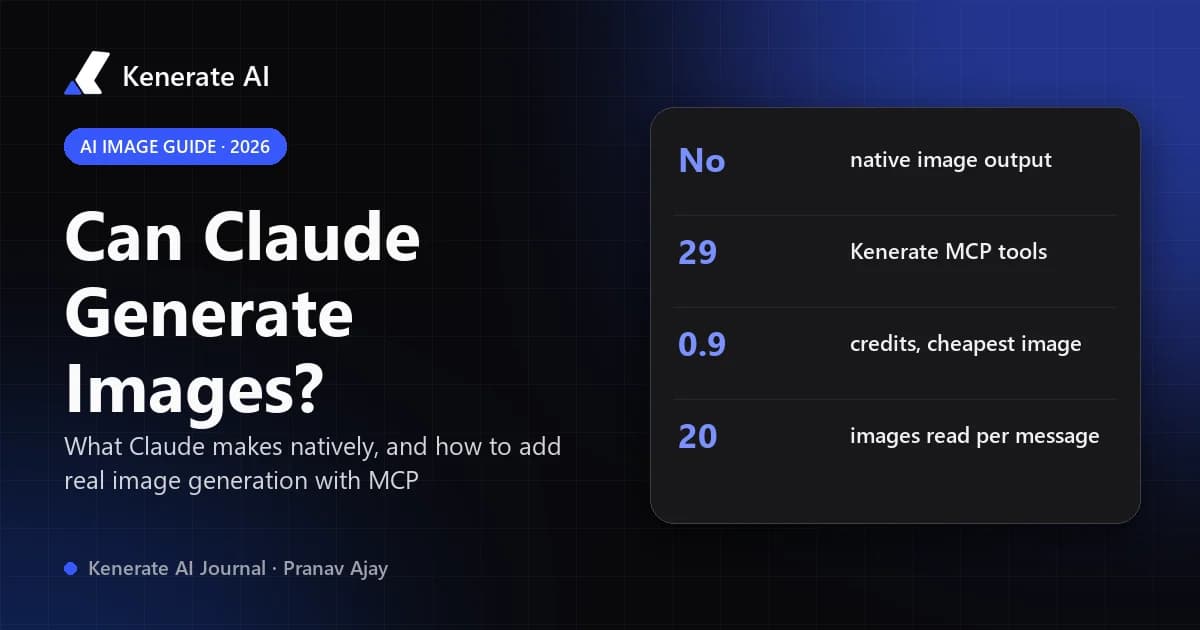
No, Claude cannot generate images on its own. As of October 17, 2026, Anthropic's own documentation says Claude "is an image understanding model only": it can read and analyze pictures, but it does not produce photos or illustrations. What Claude can do is draw with code (SVG, HTML, charts and diagrams) and, once you connect an image tool through MCP, call a real image model and hand you the finished picture right inside the chat.
This guide explains exactly where the line is, what Claude makes instead, and how to give Claude real image generation in a few minutes with a connector, step by step.
Can Claude generate images natively?
No. Anthropic's vision documentation answers the question directly in its FAQ: Claude can interpret and analyze images, but it "cannot generate, produce, edit, manipulate, or create images." The Claude Help Center article on producing images (updated March 16, 2026) says the same thing in plainer words: Claude doesn't generate photos or illustrations the way image-generation tools do.
That is a product decision, not a bug. Claude models output text (including code), and every visual you see from Claude is either rendered from that code or returned by an outside tool Claude called.
What Claude does handle well on the image side is input:
- Image understanding. Upload a screenshot, photo, chart or scanned page and Claude describes it, extracts text, compares versions, or critiques a design.
- Many images at once. Up to 20 images per message on claude.ai and up to 600 per API request (100 on 200k-context models), each up to 8000×8000 px, in JPEG, PNG, GIF (first frame) or WebP.
- Higher resolution on newer models. Claude 4.7 and later read images up to 2576 px on the long edge before downscaling.
So if your question is "can Claude see images?" the answer is yes. If it's "can Claude make a photo of a red vintage car in Havana?" the answer is not by itself.
What can Claude make instead of images?
Claude can build visuals out of code. These are real, useful outputs, just not raster images from a diffusion or autoregressive image model.
SVG graphics and icons
Ask for "an SVG icon of a paper plane, 2px stroke, rounded caps" and Claude writes the SVG markup. It renders crisply at any size and is easy to edit. This works well for icons, simple logos, badges and geometric illustrations, and poorly for anything photographic.
Diagrams and charts
Claude writes Mermaid diagrams, flowcharts and data charts (in HTML/JavaScript or Python plotting code). The Help Center notes these interactive visuals appear directly in the conversation and can be adjusted with follow-up requests.
Web pages and UI mockups
Claude can lay out a landing page, a slide or a UI component in HTML/CSS or React. Again, it is code that a browser draws, not a generated picture.
Prompts for image models
Claude is very good at writing detailed prompts: subject, composition, lens, lighting, palette, text placement. Many people use Claude as the "art director" and paste its prompt into an image generator. The connector route below removes the copy-paste step.
How do you get real images from Claude?
The practical answer is MCP (Model Context Protocol). MCP lets Claude call tools on outside services. When the service is an image generator, Claude writes the prompt, calls the tool, waits for the job and shows you the result, all in one chat.
Anthropic supports this as custom connectors. Per the Claude Help Center, custom connectors using remote MCP work on Claude (web), Claude Desktop and Cowork on Free, Pro, Max, Team and Enterprise plans; Free users are limited to one custom connector. Claude Code adds MCP servers from the terminal.
The table below sums up your options as of October 2026.
| Way to get visuals from Claude | What you get | Real raster image? | Setup |
|---|---|---|---|
| Plain chat | Text, image analysis | No | None |
| SVG / HTML / charts | Vector art, diagrams, UI mockups | No (code-rendered) | None |
| Claude writes a prompt, you paste it elsewhere | A prompt for another tool | Yes, in the other tool | Copy-paste each time |
| Image MCP connector (e.g. Kenerate MCP) | Photos, illustrations, edits, upscales in the chat | Yes | One-time, ~2 minutes |
| Claude Code + image MCP | Same, plus files saved into your project | Yes | One terminal command |
How to connect an image generator to Claude (step by step)
Here is the setup using the Kenerate MCP server, which we build and run. It gives Claude 29 tools (as of October 2026), including image generation, editing, upscaling, background removal, video, music, speech and 3D. Any MCP image server follows a similar flow.
In claude.ai, Claude Desktop or mobile
- Open the connector box. In Claude go to Customize → Connectors → + Add → Add custom connector. Name it Kenerate and paste the server URL
https://mcp.kenerateai.com/mcp. (The "Add to Claude" button on the Kenerate MCP page pre-fills both.) - Sign in. Click Add, then Connect. A Kenerate page opens; sign in and click Allow. No API key is needed for Claude; it uses OAuth sign-in.
- Switch it on in a chat. Click + → Connectors and enable Kenerate. Setting the read-only tools (like balance checks) to Always allow stops Claude from asking before every lookup.
- Ask for an image. For example: "Use Kenerate to make a square image of a red vintage car on a sunny street in Havana, photoreal."
Connectors you add on claude.ai sync to Claude Desktop and the mobile apps.
In Claude Code
- Run once in your terminal:
bashclaude mcp add --transport http kenerate https://mcp.kenerateai.com/mcp
Add --scope user after claude mcp add to use it in every project.
- Start
claude, type/mcp, pick kenerate → Authenticate, sign in in the browser and click Allow. - Ask Claude to check your Kenerate balance, then ask for what you want to make.
What happens behind the scenes
When you ask for an image, Claude typically calls list_models or pick_model to choose a model, generate_image to start the job, and wait_for_generation to fetch the result. Expensive jobs can be priced first with estimate_cost, and get_balance shows your credits. In our own live test on claude.ai (October 7, 2026), a simple image went through list_models → generate_image → wait_for_generation and cost 0.9 credits on Flux Schnell.
One display quirk worth knowing: claude.ai shows the finished image inside the tool-result panel ("Used Kenerate integration"). If Claude pastes the image URL as markdown, claude.ai may hide it behind a "Show Image" button, so the server tells Claude to describe the result and give a plain link instead.
Which image models can Claude use through Kenerate?
Through the connector, Claude picks from the same models as the Kenerate AI image generator, at the same credit prices as the web app. A few examples from our model config as of October 17, 2026:
| Model | Best for | Credits per image (base) |
|---|---|---|
| Flux Schnell | Quick, cheap drafts | 0.9 |
| Kenerate Flash | Near-instant images; edits blend up to 5 references | 1.5 |
| GPT Image 2.5 Sunburst | Text in images, posters, UI, precise edits; up to 16 references | 7.2 (medium quality, 1K) |
| Seedream 5.0 Pro | Illustration, anime, all-round; up to 2K | 13.5 (1K) |
| Nano Banana 2.1 | Product shots from your photo, consistent characters, up to 14 references | 21 (1K) · 31.5 (2K) · 42 (4K) |
For maximum photorealism there is also GPT Image 2. New accounts start with 25 free credits; paid credit packs start at $15 for 1,300 credits. Video and 3D through MCP need a paid plan, the same as in the app.
You don't have to memorise this. You can say "keep it cheap" or "best for text on a poster" and Claude can call pick_model to get a recommendation with reasons.
How does Claude compare with ChatGPT and Gemini for images?
ChatGPT and Gemini have image generation built into the chat app. OpenAI shipped ChatGPT Images 2.0 (the GPT Image 2 model) in April 2026, and the Gemini app generates and edits images with Google's Nano Banana models. Claude does not, but with an MCP connector it can call those same model families (and others) through a third-party service.
| Claude (alone) | Claude + image MCP | ChatGPT | Gemini app | |
|---|---|---|---|---|
| Generates raster images | No | Yes, via the connected service | Yes, built in | Yes, built in |
| Edits your photos | No | Yes (reference images, upscale, background removal) | Yes | Yes |
| Choice of image model | n/a | Many (whatever the server offers) | OpenAI's model | Google's models |
| Reads and analyzes images | Yes | Yes | Yes | Yes |
| SVG / code visuals | Yes | Yes | Yes | Yes |
| Billing for images | n/a | The connected service's credits | Your ChatGPT plan | Your Google plan |
If you just want one quick picture and already pay for ChatGPT, its built-in tool is the shortest path; see our guide on whether ChatGPT can create images. The Claude + MCP route makes sense when you already do your thinking and writing in Claude, want to choose the model per job, or need images saved straight into a code project from Claude Code.
What are the limits of making images with Claude?
- It's not native. Without a connector, Claude will offer SVG or a prompt instead of an image.
- Connectors cost credits. The image service bills you, not Anthropic. Ask Claude to run
estimate_costbefore anything large. - Free Claude plan = one custom connector. Pick the one you'll use most.
- Approvals. Claude asks before calling connector tools by default; you can set read-only tools to always allow.
- Content rules still apply. Both Anthropic's usage policy and the image service's rules apply. On Kenerate, content involving minors, sexual content of real people and illegal content is always refused, whatever the client or prompt.
- Claude can't verify AI images. Anthropic's docs note Claude cannot reliably tell whether an image is AI-generated.
Tips for better images when Claude writes the prompt
- State the format first: aspect ratio (1:1, 16:9, 9:16) and use (thumbnail, poster, product shot).
- Name the model's strength: "text-heavy poster" or "same character as the reference" helps Claude pick the right model.
- Give references: upload your product photo or a style image; Claude passes it to the model as a reference.
- Draft cheap, then upscale: make a fast draft on a low-cost model, then upscale the keeper to 4K.
- Iterate in plain language: "warmer light, move the logo top-left, keep everything else" works because Claude rewrites the prompt for you.
For logos specifically, a code-drawn SVG from Claude plus a raster concept from an AI logo generator is a strong pairing: the raster model explores ideas, and the SVG gives you a clean, scalable final.
Bottom line
Claude is an excellent image reader and a capable code-based illustrator, but it does not generate photos or illustrations by itself as of October 2026. Add an image MCP connector and that changes: Claude writes the prompt, picks a model, runs it and shows the result in the same conversation. If you want to try it, the Kenerate MCP setup page has one-click buttons for Claude, Claude Code, ChatGPT, Cursor and VS Code.
Updated October 17, 2026. Model prices are from Kenerate's live model configuration on that date and may change.