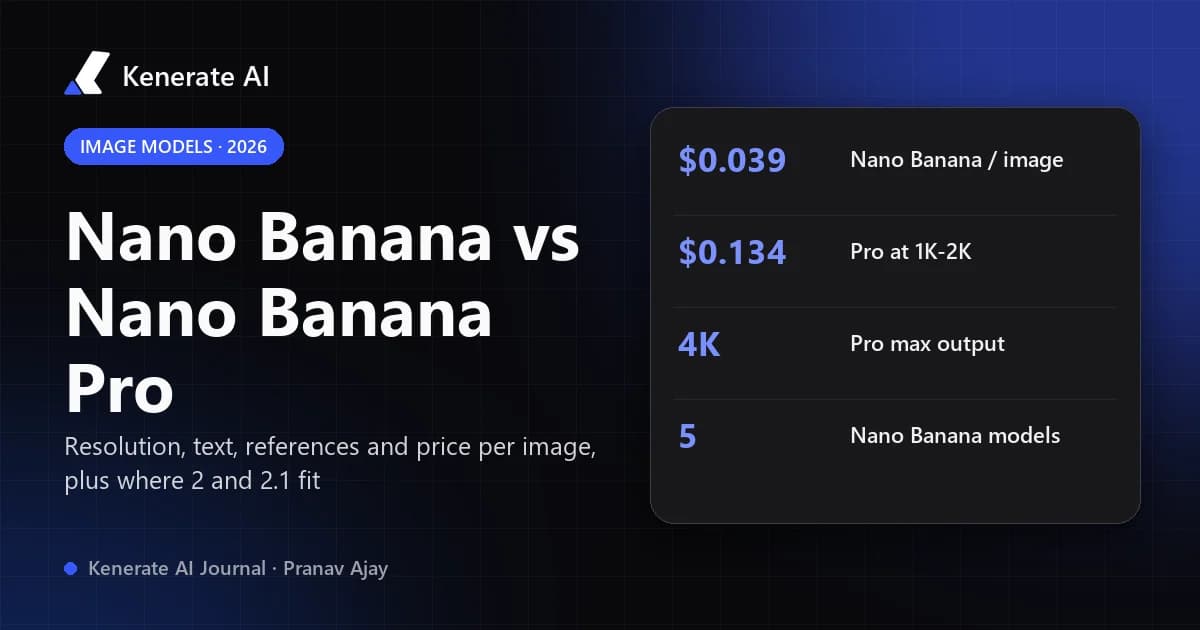
Nano Banana (Gemini 2.5 Flash Image) is Google's original fast, low-cost image model, capped at about 1K output. Nano Banana Pro (Gemini 3 Pro Image) is the premium model: it reasons before it draws, outputs up to 4K, handles dense text and complex scenes much better, and costs about 3.4× more per image on Google's API. As of 18 October 2026, Google itself recommends Nano Banana 2.1 for most new work and keeps Pro for the hardest jobs.
That last point is the one most comparison posts miss. "Nano Banana vs Nano Banana Pro" was a two-horse race in late 2025. Today the family has five members, the original is on Google's legacy list, and the cheapest way to get near-Pro results is usually one of the 2.x Flash models. This guide walks through what each model is, how they differ on resolution, references, text and price, and which one to pick for which job.
What is the difference between Nano Banana and Nano Banana Pro?
The short version: same family, different brains.
- Nano Banana is the nickname for
gemini-2.5-flash-image, released in August 2025. It is a Flash model, built for speed and cost. It became famous for conversational editing ("make the jacket red, keep everything else") and for keeping a character recognisable across edits. - Nano Banana Pro is
gemini-3-pro-image, launched on 20 November 2025, two days after Gemini 3 Pro. It is built on the larger Pro model and always "thinks" before generating — it plans the layout, text and relationships between objects, then renders. Google describes it as "the premium choice for the most complex visual tasks".
In practice that shows up in four places:
- Resolution. The original tops out at roughly 1024×1024. Pro outputs 1K, 2K and 4K.
- Text in images. The original often garbles small or long text. Pro is Google's recommended model for posters, infographics, menus and anything where the words have to be right. Google's own image-generation docs say: for accurate text rendering, "Use Gemini 3 Pro Image for professional asset production."
- Complex prompts. Multi-object scenes, diagrams, precise layouts and multi-step instructions follow more reliably on Pro because of the built-in reasoning step.
- Speed and price. The original is faster and much cheaper. Pro is slower because of thinking, and costs more per image.
How do all the Nano Banana models compare in 2026?
Most people searching this are really choosing between three or four models, not two. Here is the whole family as Google lists it in the Gemini API docs, with Google's own per-image prices (standard tier, not batch) as of 18 October 2026.
| Model | Gemini model ID | Released | Output resolution | Google API price per image | Google's positioning |
|---|---|---|---|---|---|
| Nano Banana | gemini-2.5-flash-image | Aug 2025 | Up to 1024×1024 | $0.039 | "Legacy pioneer"; deprecated |
| Nano Banana Pro | gemini-3-pro-image | 20 Nov 2025 | 1K / 2K / 4K | $0.134 (1K–2K), $0.24 (4K) | "Premium choice for the most complex visual tasks" |
| Nano Banana 2 | gemini-3.1-flash-image | 26 Feb 2026 | 512px / 1K / 2K / 4K | $0.067 (1K), $0.101 (2K), $0.151 (4K) | "Previous-generation high-efficiency workhorse" |
| Nano Banana 2 Lite | gemini-3.1-flash-lite-image | 2026 | 1K only | $0.0336 | "Fastest and cheapest" |
| Nano Banana 2.1 | gemini-nano-banana-2.1 | 6 Oct 2026 | 1K / 2K / 4K | $0.0336 (1K), $0.0504 (2K), $0.113 (4K) | "Primary high-efficiency workhorse" |
A few things stand out:
- Pro is about 3.4× the original's price at 1K ($0.134 vs $0.039) and about 4× Nano Banana 2.1 at 1K on Google's list.
- Pro charges the same for 1K and 2K, so if you use Pro at all, 2K is the sensible default.
- Google's pricing page marks Gemini 2.5 Flash Image as deprecated, with a shutdown date of 2 October 2026 on the Gemini API, and its model docs recommend migrating the original to Nano Banana 2 Lite. Third-party hosts may keep serving it for a while, but don't build anything new on it.
Prices on other platforms differ from Google's — resellers add a margin and many bill 4K at a premium — so treat this table as the baseline, not what every app charges.
Is Nano Banana Pro better than Nano Banana?
Yes, on quality — but "better" isn't the same as "worth it" for every image.
Where Pro clearly wins
- Typography and infographics. Headlines, labels, menus, packaging copy, slide-style layouts and charts. This is Pro's biggest single advantage over the original.
- High resolution. If the image is going to print, a large screen or a hero banner, the original's ~1K ceiling is a hard limit. Pro renders natively at 4K.
- Dense, instruction-heavy prompts. "Five products on a shelf, price tags in this order, logo top-left, soft window light from the right" — the more constraints, the more the thinking step helps.
- Multi-reference composites. At launch Google said Pro could blend up to 14 input images and keep up to five people consistent, which is why it got popular for group shots and brand composites.
Where the original (or a 2.x model) is enough
- Quick edits to an existing photo: swap a background, change a colour, remove an object. All Nano Banana models are good at targeted edits, and you don't need Pro's reasoning to recolour a sofa.
- Social posts, thumbnails, mood boards and drafts, where 1K is plenty and speed matters.
- High-volume work — product variants, A/B test images, storyboards — where a 3–4× price gap adds up quickly.
Where neither is the best tool
Nano Banana models are strongest at realistic scenes and edits. For stylised illustration, anime or very painterly fantasy work, many people get better results from a model tuned for that, then use Nano Banana for the edit pass.
Nano Banana 2 vs Nano Banana Pro: which should you use now?
This is the comparison that actually matters in late 2026, because Nano Banana 2 (and now 2.1) replaced the original as Google's everyday model.
Nano Banana 2 is a Flash model with optional thinking (minimal by default, high on request), search grounding with Google Web and Image Search, and 512px to 4K output. It closes most of the gap with Pro on everyday images while staying far cheaper. Nano Banana 2.1, released on 6 October 2026, is Google's update to it: Google says it improves visual quality and realism across 1K, 2K and 4K, fixes tiling artifacts on wide and panoramic ratios, and improves text rendering and infographic layout. Google's docs now say new projects should use 2.1.
Pro still has the edge when:
- the image is mostly text or a dense layout (infographic, poster, menu, slide);
- the prompt has many hard constraints that must all be met in one shot;
- the output is a final, client-facing asset where a re-roll costs more than the price difference.
A sensible workflow: draft and iterate with a Flash model, then re-render only the winning concept on Pro. You spend Pro prices on one image instead of twenty.
Which Nano Banana should you pick? A quick decision guide
- Is the image mostly text, a chart or a complex layout? Use Nano Banana Pro.
- Does it need 4K and you need the best possible first try? Use Pro; if a re-roll is fine, Nano Banana 2.1 at 4K costs less than half as much on Google's list.
- Are you editing an existing photo or making social-size images? Use Nano Banana 2.1 or Nano Banana 2.
- Do you need prices or facts from today's web in the image (a current product, a real landmark, today's weather)? Use a model with search grounding — Nano Banana 2 or 2.1.
- Are you making hundreds of cheap variants at 1K? Nano Banana 2 Lite on Google's API, or a fast model such as Nano Banana 2 Fast on Kenerate.
- Still using the original Nano Banana? Move off it — Google lists it as legacy and deprecated.
Can you use Nano Banana and Nano Banana Pro on Kenerate?
Kenerate AI runs four Nano Banana models in its AI image studio: the original Nano Banana, Nano Banana 2, Nano Banana 2 Fast and Nano Banana 2.1. Nano Banana Pro is not offered on Kenerate as of 18 October 2026, so if you specifically need Pro, use the Gemini app, Google AI Studio or the Gemini API.
Here is what each one costs and supports on Kenerate, taken from the app's model configuration:
| Model on Kenerate | Credits per image | Max reference images | Output options | Extras |
|---|---|---|---|---|
| Nano Banana | 8 | 10 | Aspect-ratio presets | Fast edits |
| Nano Banana 2 Fast | 8 (at 1024×1024) | 14 | Width × height sizes | Web and image search |
| Nano Banana 2 | 14 (at 1024×1024) | 14 | Width × height sizes; 2K ×2, 4K ×4 credits | Web and image search |
| Nano Banana 2.1 | 21 (1K), 31.5 (2K), 42 (4K) | 14 | 14 ratios incl. 1:4, 4:1, 1:8, 8:1 | Optional web search (+4.2 credits) |
Plans start at $15 for 1,300 credits (Starter) and $29 for 2,700 credits (Creator), so a 1K Nano Banana 2.1 image works out to roughly 62 images on the Starter allowance and a 4K one to about 31. New accounts get 25 free credits to try a model first. Full plan details are on the pricing page.
For most of what people use Pro for — product shots, edits with several references, wide banners, readable short text — Nano Banana 2.1 on Kenerate is the closest match we run. The Nano Banana 2.1 model page has its full specs and example prompts, and Nano Banana 2 is still there if you prefer its look.
How to run a Nano Banana comparison yourself
- Open the image studio and pick Nano Banana 2.1.
- Write one prompt that tests what you care about — for example a poster with a headline, a subheadline and a price.
- Generate at 1K first. Check the text spelling, layout and hands/faces.
- Switch the model to Nano Banana 2 or Nano Banana 2 Fast and run the identical prompt.
- Keep the winner, then re-render it at 2K or 4K only once you're happy with the composition.
- For edits, upload your photo as a reference and describe only the change and what must stay the same.
If you want tested prompt templates to start from, the Nano Banana prompts library has copy-paste examples, and the Nano Banana image editor page covers edit-style prompts in more detail.
What about GPT Image 2 vs Nano Banana Pro?
It's the other common pairing. Both are strong at text in images and photoreal people; GPT Image models tend to be the pick for posters, UI mock-ups and logos, while Nano Banana models are popular for consistent characters and products across many references. We wrote a separate side-by-side with real outputs in GPT Image 2 vs Nano Banana — the practical advice is the same as above: test your own prompt on both before committing a big batch.
Bottom line
- Nano Banana (original): fast, cheap, ~1K, great for edits — but legacy and deprecated on Google's API.
- Nano Banana Pro: the quality ceiling — best text, best complex layouts, native 4K — at about 3.4× the original's price and about 4× Nano Banana 2.1's at 1K.
- Nano Banana 2 / 2.1: the everyday choice in 2026. Near-Pro on most images, with search grounding and up to 4K, for a fraction of the price.
If you only remember one rule: draft on a Flash model, finish on Pro only when the image is text-heavy or client-facing. And check the date on any comparison you read — this family has changed three times in a year.
Updated 18 October 2026. Prices are Google's Gemini API list prices and Kenerate's in-app credit costs on that date; both can change.