To make an AI video with ChatGPT in November 2026, use ChatGPT as the writer and art director, and let a video model do the rendering. ChatGPT writes the script, the shot list and one prompt per shot, ChatGPT Images makes a start frame for each shot, and an image-to-video model such as Seedance 2.5 or Wan 3.0 turns those frames into clips. As of 2 November 2026 no ChatGPT plan generates video itself: OpenAI's Help Center says the Sora app closed on April 26, 2026 and the Sora API on September 24, 2026.
Updated 2 November 2026. OpenAI facts were read on help.openai.com, chatgpt.com/pricing and OpenAI's API deprecations page that day; Kenerate prices come from the app's own video model settings.
If you only want the yes-or-no answer and the background on Sora, our explainer Can ChatGPT make videos? covers it. This guide is the practical part: a six-step workflow you can follow today, with copy-paste prompts, a real worked example and what each step costs.
Can ChatGPT make a video by itself in 2026?
No. Here is what OpenAI's own pages say, as of 2 November 2026:
| What | Status | OpenAI source |
|---|---|---|
| Sora web and app | Discontinued April 26, 2026 | Help Center, "What to know about the Sora discontinuation" |
Sora API (Videos API, sora-2, sora-2-pro) | Discontinued September 24, 2026, no replacement listed | API deprecations page |
| Video generation in ChatGPT plans | Not listed on any plan (Free, Go, Plus, Pro) | chatgpt.com/pricing |
| ChatGPT Images (stills) | Available on all tiers; "Images with thinking" on Plus, Pro and Business | Help Center, "Images in ChatGPT" |
| Plugins (third-party apps in ChatGPT) | Directory available across plans; installing a given plugin depends on plan, workspace, role and region | Help Center, "Plugins in ChatGPT" |
Two things to note. First, the pricing page lists "Voice with video", but that is a voice-chat feature, not video generation. Second, the Sora change is final for both routes: the standalone app is gone and the API that third-party sites used is switched off. Exports of old Sora content still run through sora.chatgpt.com/sunset, and OpenAI says purchased ChatGPT/Sora credits can be used for Codex.
So the honest answer to "how do I have ChatGPT make AI videos" is: ChatGPT plans and draws, a video model animates.
What do you need before you start?
- A ChatGPT account. Free works for scripts, prompts and a limited number of images. Paid plans give more image creation.
- A video model. Any image-to-video model works. On Kenerate AI you can switch between Seedance 2.5, Seedance 2.0, Wan 3.0, Veo 3.1 and others in the AI video generator. Video on Kenerate needs a paid credit pack (from $15 for 1,300 credits).
- An editor if you want more than one shot in a single file, captions or a voice-over. Any free editor will do.
How do you make an AI video with ChatGPT, step by step?
Step 1: Brief ChatGPT like a producer
Give it the facts it can't guess: the topic, the audience, the platform, the length and the format. Then ask for hooks before the script, so you choose the angle.
"I'm making a 15-second vertical video for Instagram Reels about a bike courier racing through a night market. Audience: people who like action shorts. Give me three opening hooks under 8 words each."
Step 2: Turn the idea into a shot list
Ask for a table, not a paragraph. A table forces one action and one camera move per shot, which is exactly what video models handle best.
"Break it into 3 shots of 5 seconds. For each shot give: subject, action, setting, camera angle and movement, lighting, sound, and on-screen text. Return a table."
Keep each shot to a single beat. "She pedals through the market while the camera tracks alongside" is one shot. "She pedals, stops, buys a drink and rides off" is three.
Step 3: Ask for two prompts per shot
This is the step most guides skip. For image-to-video you need two different prompts:
- An image prompt that describes a still: subject, outfit, setting, light, lens, style. No motion words.
- A motion prompt that describes only what changes: the action, the camera move and the sound. Don't re-describe the scene, the start frame already shows it.
"For each shot, write (a) an image prompt for a single cinematic still, under 50 words, and (b) a motion prompt under 40 words that only describes movement, camera and sound."
Step 4: Make a start frame with ChatGPT Images
Paste each image prompt back into ChatGPT (or pick Images in the sidebar) and generate the still. OpenAI's help article notes that image generation may take a few minutes, that you can pick any aspect ratio with the aspect ratio picker, and that you can edit part of an image with the selection tool. Use that to fix details before you animate, because fixing a still is cheaper than re-rendering a clip.
Set the aspect ratio to the platform: 9:16 for Reels, Shorts and TikTok, 16:9 for YouTube, 1:1 or 4:5 for feeds. Save each frame with Save.
Why bother with a start frame instead of plain text-to-video? Because the frame fixes the look: the same character, outfit, product and colours carry into the clip. It also lets you approve the composition for the price of an image. Our guide to whether ChatGPT can create images covers the image side in more depth.
Step 5: Animate each frame on a video model
Upload the frame to an image-to-video tool, paste the motion prompt, then choose the length, resolution and whether you want sound. Draft cheap first: a 5-second clip at 480p or 720p shows whether the motion works. Re-run the keeper at a higher resolution only when you're happy.
Step 6: Assemble, caption and export
Put the clips in order in an editor, trim the first and last frames if they stutter, add captions (ChatGPT can write them, with timestamps from your shot list) and export. Add a voice-over or music only if the video needs it. Models with native sound already add effects and ambience.
What does the result look like? A real example
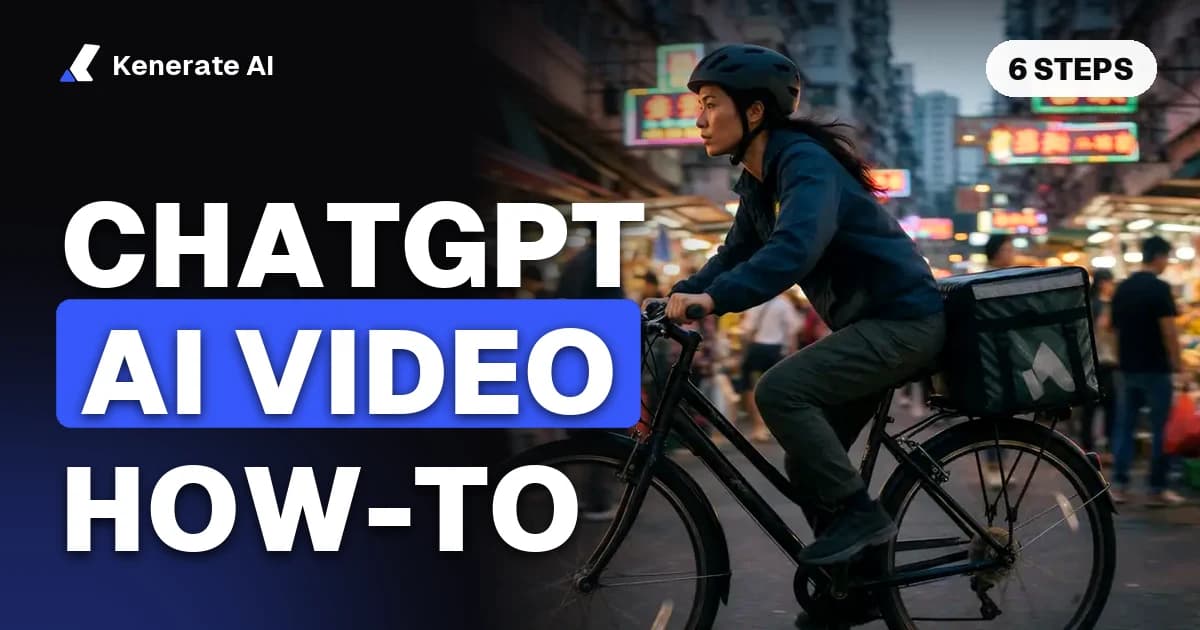
Below is a real start frame and two real clips from Kenerate's video studio, made with the same workflow: one image prompt for the still, one motion prompt for the clip. Both clips are unedited outputs.
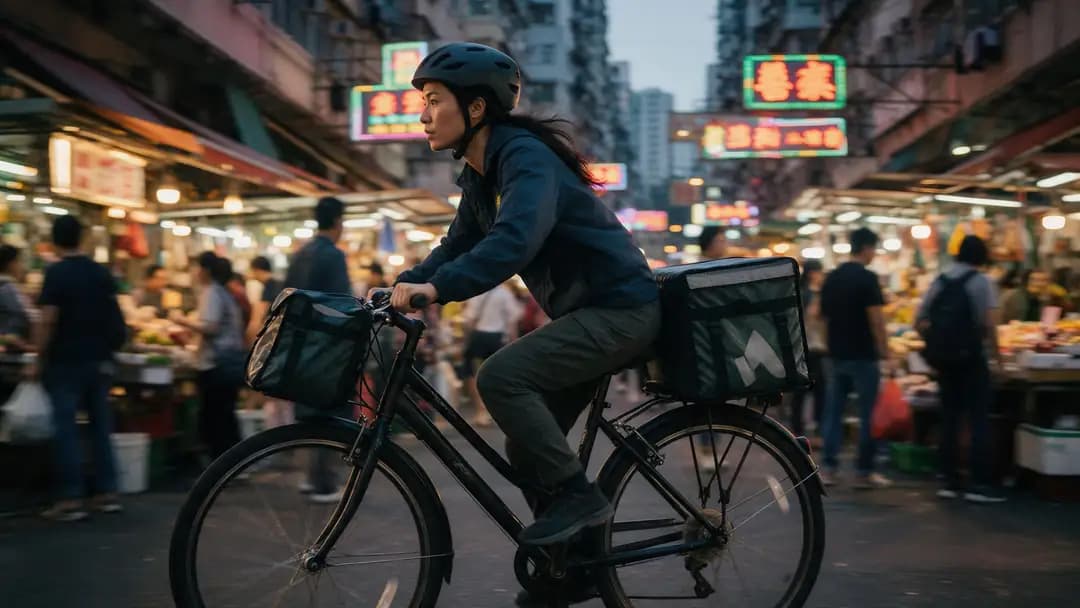
- Image prompt: "Cinematic film still of an adult woman courier on a bicycle racing through a crowded Hong Kong street market at dusk, neon signs, motion"
- Motion prompt: "She pedals hard through the crowded market, weaving between stalls, the camera tracks alongside, then cuts to a low angle as she speeds past, bells and shouting vendors"
- Clip 1, Seedance 2.5 (image to video, 5 s, 720p, with sound): watch the Seedance 2.5 clip
- Clip 2, Wan 3 (same frame and prompt, 5 s, 720p, with sound): watch the Wan 3 clip
Notice how the motion prompt never describes the woman's clothes or the market. The start frame carries that, so the prompt can spend its words on movement, the camera and the sound.
Which video model should you pair with ChatGPT?
Prices below are Kenerate credits from the app's video model settings, as of 2 November 2026. On the $15 pack, 1,300 credits cost about 1.15 cents each.
| Model | Length | Resolutions | Credits per second | 5-second example | Best for |
|---|---|---|---|---|---|
| Wan 3.0 | 2–30 s | 480p, 720p, 1080p | 15 / 30 / 60 | 150 at 720p | Cheap drafts, vertical social clips |
| Seedance 2.0 | 4–15 s | 480p to 4K | 36 at 480p, 72 at 720p | 360 at 720p | Image-to-video ads, dialogue, anime |
| Seedance 2.5 | 4–30 s | 480p to 4K | 54 at 480p, 108 at 720p | 540 at 720p | Cinematic, multi-shot, physics-heavy scenes |
| Veo 3.1 Fast | 4, 6 or 8 s | 720p, 1080p, 4K | 30 silent, 45 with sound | 180 for 4 s with sound | Short clips with native audio |
A practical split: draft every shot on Wan 3.0 at 480p (75 credits for 5 seconds), then render the final versions on the model whose motion you liked best. If you used Sora before and want the closest replacement, our Sora alternative page compares the options, and the Seedance 2.5 page shows more real clips.
Can you stay inside ChatGPT the whole time?
Partly. ChatGPT supports plugins, which bring third-party apps into the chat. OpenAI's help article says you browse them from Plugins in the sidebar, select Install plugin, connect your account if asked, and then call the plugin with an @ mention. A video plugin renders the clip on the vendor's side and bills you from that vendor's account, so your ChatGPT plan doesn't pay for the video.
Scrimba's September 2026 walkthrough of its own Explain Video Generator plugin follows the same steps and shows that the plugin, not ChatGPT, does the rendering. Each plugin offers only its own models, so check what it runs before you install it.
If you want a choice of models from one account, Kenerate can be added to ChatGPT as a custom MCP app; the setup steps are on kenerateai.com/app/mcp and need Developer mode, which chatgpt.com/pricing lists as a beta feature. The copy-and-paste route in steps 1 to 6 needs no setup at all, so start there.
How long does it take to make an AI video with ChatGPT?
Most of the time goes into decisions, not rendering. Writing the brief, the shot list and the prompts takes one conversation. Each start frame may take a few minutes in ChatGPT Images, according to OpenAI. Video rendering time depends on the model, the length and the resolution, which is another reason to draft short and low-res first.
People also search "how long do Sora AI videos take to make". That question no longer has a current answer: Sora's app closed on April 26, 2026, so any timing you find describes a product you can't use.
What are the most common mistakes?
- Asking for the whole video in one prompt. Video models handle one beat per clip. Split the story into shots.
- Describing the scene twice. In image-to-video, the frame shows the scene. Repeating it in the motion prompt wastes words and can fight the frame.
- Mismatched aspect ratios. A 16:9 frame animated as 9:16 gets cropped. Make the frame at the final ratio.
- Too many camera moves. One move per shot: push-in, track, orbit or static.
- Rendering finals too early. Draft at 480p or 720p; spend credits on the keeper.
- Trusting old guides. Pages from before April 2026 describe Sora inside ChatGPT. Check the date.
- Using faces you have no rights to. Use your own photos, licensed images or fictional characters, and never make videos of real people without their consent.
A prompt pack you can copy
Paste these into ChatGPT in order:
- "Act as a short-video producer. My video: [topic], for [audience], on [platform], [length] seconds, [aspect ratio]. Give me 3 hooks."
- "Using hook [number], write a shot list table with [number] shots of [seconds] seconds each: subject, action, setting, camera, lighting, sound, on-screen text."
- "For each shot write an image prompt (one still, under 50 words, no motion) and a motion prompt (under 40 words, only action, camera and sound)."
- "Create the image for shot 1 at [ratio]." Repeat for each shot.
- "Write captions for the finished video with timestamps, plus a title, a description and 5 hashtags."
The bottom line
ChatGPT can't render video as of 2 November 2026: Sora's app and API are both closed and no ChatGPT plan lists video generation. It is still the fastest way to plan one. Let ChatGPT write the brief, the shots and the prompts, make a start frame per shot with ChatGPT Images, animate the frames on an image-to-video model, then assemble the clips in an editor. Draft cheap, render the keeper, and you'll have a finished AI video without a single Sora credit.