The best Luma Ray 3.2 prompts read like a one-line shot list: subject, action, setting, light and style, then one named camera move, written in plain visual words. Keep each clip to a single shot, describe what the camera does (a slow dolly in, a crane up, a tracking shot from behind), and for image to video describe only the motion, because the start frame already sets the look. As of 3 November 2026 you can run Ray 3.2 on Kenerate AI from text or a start image, 5 or 10 seconds, 540p to 1080p, from 110 credits per clip.
This guide covers the prompt structure that works, a camera-move cheat sheet, image-to-video tips, ready-to-copy examples and the settings and credit costs on Kenerate.
What is Luma Ray 3.2?
Ray 3.2 is Luma AI's video generation model. Japanese XR news site MoguraVR reported that Luma released it on 9 June 2026, built with film, advertising and game creators in mind. On Luma's own platform the model adds up to 16 keyframes per clip, native 16-bit HDR with EXR export, Modify Video and Reframe, according to Luma's Ray page.
Two facts matter most for prompting:
- Text-to-video and image-to-video clips are silent. Luma's page says these two modes have no native audio, so don't spend prompt words on dialogue, music or sound effects.
- Clips are 5 or 10 seconds. That is one shot, maybe two beats of action. A prompt that asks for a whole scene with five events will get a rushed or muddled clip.
If you want to know where Ray 3.2 sits next to other video models, see the Luma Ray 3.2 model page, which compares it with other video models in the studio.
How should you structure a Luma Ray 3.2 prompt?
Luma's own prompt guide for the earlier Ray 2 model recommends an order that still works well for Ray 3.2: main subject, its action, details, setting, style, camera move, and a closing cue that reinforces the look (Luma learning hub). In practice that becomes a six-part formula:
| Slot | What to write | Example |
|---|---|---|
| 1. Subject | Who or what, with 2–3 visible details | an old fisherman in a yellow rain jacket |
| 2. Action | One clear verb phrase | coils a wet rope on the deck |
| 3. Setting | Place and time | on a small boat in a grey harbour at dawn |
| 4. Light and style | Lighting, lens feel, colour, film look | soft overcast light, muted teal palette, 35mm film grain |
| 5. Camera | One named move and its speed | slow dolly in from medium shot to close-up |
| 6. Reinforcing cue | The overall feel in a few words | quiet, documentary realism |
Put together:
An old fisherman in a yellow rain jacket coils a wet rope on the deck of a small boat in a grey harbour at dawn, soft overcast light, muted teal palette, 35mm film grain, slow dolly in from medium shot to close-up, quiet documentary realism.
That's around 45 words. Most good Ray prompts land between 30 and 70 words. Shorter prompts leave the model guessing about light and camera; much longer ones tend to pile up details that a 5-second clip can't show.
Why describe visible behaviour instead of emotions?
Luma's guide advises against emotional labels and suggests showing visible behaviour. "She is nervous" gives the model nothing to animate. "She grips her coffee cup with both hands and glances at the door" does. The same goes for mood words: "tense" works better as "tight framing, harsh side light, slow push in".
Which camera moves work best in Ray 3.2 prompts?
Luma's guide says the Ray models respond well to named camera dynamics: pans, zooms, dolly moves, tracking shots and crane moves. Name one move per clip, add a speed word, and say where the move starts or ends if it matters.
| Camera move | Prompt wording | Good for |
|---|---|---|
| Dolly in | "slow dolly in toward her face" | Building focus, reveals of emotion |
| Dolly out / pull back | "camera pulls back to reveal the empty stadium" | Reveals, endings |
| Tracking shot | "tracking shot from behind as he runs" | Chases, walking scenes |
| Orbit | "slow 180-degree orbit around the sculpture" | Products, characters, statues |
| Crane up | "crane up from the street to the rooftops" | Openers, establishing shots |
| Pan | "slow pan left across the market stalls" | Landscapes, busy scenes |
| Tilt | "tilt up from the boots to the face" | Character introductions |
| FPV / drone | "fast FPV drone flight low over the river" | Energy, travel, sports |
| Handheld | "handheld camera, slight shake, close follow" | Documentary, street, tension |
| Static | "locked-off static shot" | Product hero shots, calm scenes |
Pacing words matter too. "Slowly", "smoothly" and "gradually" give calmer, steadier motion; "fast", "whip" and "rushes" push energy. If you want more camera vocabulary, our AI video camera movement prompts post has a longer list that also works with Ray.
What if the clip comes out too static?
Luma's guide notes that a static-looking result usually needs more motion verbs. Add a verb for the subject ("walks", "turns", "the wind pulls at her coat") and a verb for the camera ("tracks", "pushes in"). Background motion helps too: drifting fog, moving traffic, falling leaves.
How do you prompt Ray 3.2 for image to video?
On Kenerate, Luma Ray 3.2 Image takes one start image. That picture already decides the subject, framing, colours and style, so your prompt should mostly describe what moves and how the camera moves.
- Make the start frame at your final aspect ratio. Pick 16:9, 9:16, 1:1, 4:3 or 3:4 first, then generate or crop the image to match.
- Don't re-describe the picture. Repeating "a woman in a red dress in a garden" can fight the image. Write "she turns toward the camera and smiles as petals drift past; slow push in".
- Name one subject action and one camera move. Two or three motions is the limit for a 5-second clip.
- Keep the physics plausible for the frame. If the image is a tight close-up, a "wide crane shot over the city" can't happen without inventing a new scene.
- Run 5 seconds first. Check the motion, then go to 10 seconds or a higher resolution once the prompt works.
Example for a product photo of a perfume bottle on wet black stone:
Water droplets slide down the glass, a thin mist drifts across the stone, soft light sweeps from left to right, slow 90-degree orbit around the bottle, luxury commercial look.
For more ideas, see our list of image to video prompt examples.
What are some ready-to-use Luma Ray 3.2 prompts?
Copy these, then swap the subject and setting. Each one follows the six-slot formula.
Cinematic landscape (16:9)
A lone hiker crosses a narrow ridge above a sea of clouds at sunrise, golden rim light, long shadows, cool blue valleys below, slow crane up from behind the hiker to a wide aerial view, epic and calm.
Coastal drive (16:9)
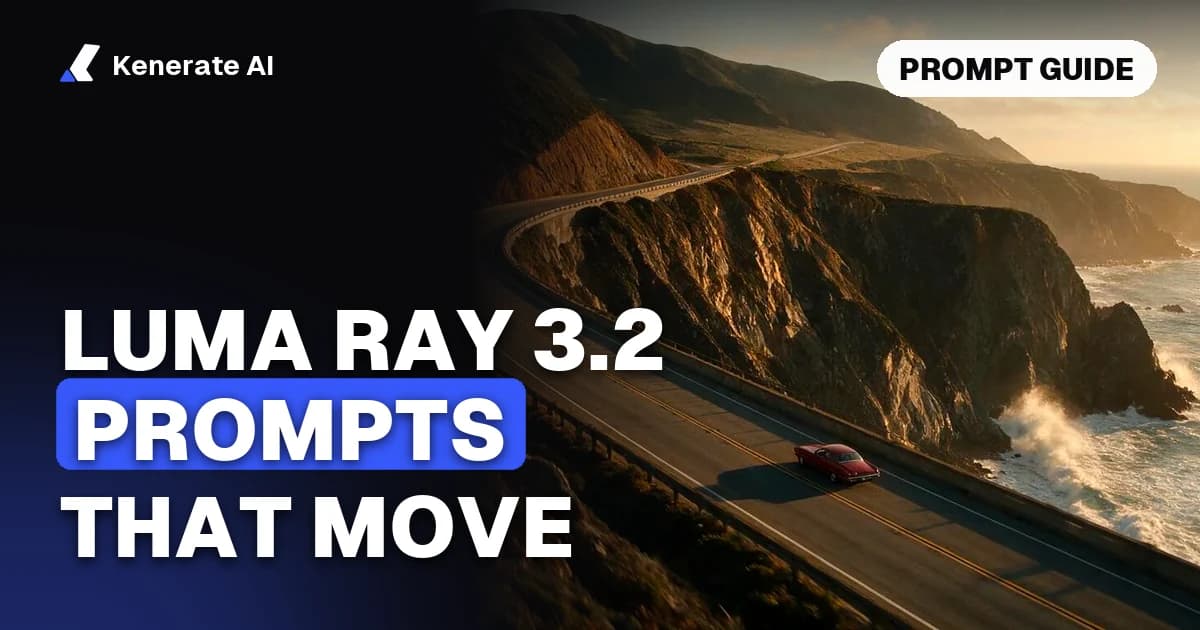
A red vintage convertible drives along a cliffside coastal road at golden hour, waves breaking against the rocks below, warm low sun, light haze, drone shot tracking alongside the car then rising slowly, classic road-movie feel.
Street portrait (9:16)
A young woman with a silver bomber jacket stands under a neon-lit awning in light rain, puddles reflect pink and blue signs, she looks up and pulls her hood back, slow dolly in to a close-up, moody night city film look.
Food (1:1)
Honey pours in a thick ribbon over a stack of pancakes with fresh blueberries, steam rises, warm window light from the left, shallow depth of field, slow push in at table height, appetising commercial style.
Architecture (16:9)
Morning light moves across the white curved facade of a modern museum, a few people walk across the plaza, long soft shadows, clean minimal palette, slow pan right along the building, architectural photography look.
Wildlife (16:9)
A red fox trots through fresh snow at the edge of a pine forest, breath visible in the cold air, soft blue dusk light, snowflakes falling, low tracking shot alongside the fox, nature documentary realism.
Product hero (1:1)
A matte black wireless headphone set rotates slowly on a glossy pedestal, a thin line of light travels along the edges, dark studio background, subtle reflections, locked-off static camera, premium tech ad style.
Loopable background (16:9)
Lanterns float slowly over a calm lake at night, gentle ripples, warm orange glow on dark water, light mist, static wide shot, seamless calm loop.
What settings and credits does Luma Ray 3.2 use on Kenerate?
Kenerate runs two versions: Luma Ray 3.2 Text (text to video) and Luma Ray 3.2 Image (one start image plus a prompt). Both share the same options and prices, taken from Kenerate's video model config as of 3 November 2026.
| Setting | Options on Kenerate |
|---|---|
| Modes | Text to video, image to video (1 start image) |
| Duration | 5 or 10 seconds |
| Resolution | 540p, 720p, 1080p |
| Aspect ratios | 16:9, 9:16, 1:1, 4:3, 3:4 |
| Audio | None (silent clips) |
| Resolution | Credits per second | 5-second clip | 10-second clip |
|---|---|---|---|
| 540p | 22 | 110 | 220 |
| 720p | 44 | 220 | 440 |
| 1080p | 88 | 440 | 880 |
Video generation needs a paid plan; see Kenerate's pricing page for current plans. Luma's own platform has extra tools such as up to 16 keyframes, HDR/EXR export, Modify Video and Reframe (Luma); on Kenerate you get text to video and single-start-image video.
How do you save credits while testing prompts?
- Draft at 540p, 5 seconds (110 credits). Fix the prompt there.
- Change one thing at a time — the camera move, then the light, then the action — so you know what made the difference.
- Only render the keeper at 1080p. A good 540p prompt usually carries over to 1080p.
What common mistakes ruin Ray 3.2 clips?
| Mistake | Why it fails | Fix |
|---|---|---|
| Several camera moves in one prompt | The model blends them into a wobbly path | One move per clip |
| A whole story in 5 seconds | Not enough time; actions get skipped or merged | One shot, one or two beats |
| Emotion labels ("sad", "excited") | Nothing visible to animate | Describe posture, hands, face, light |
| Dialogue or music in the prompt | Text and image modes are silent | Add sound later in an editor |
| Re-describing the start image | Fights the image and causes drift | Describe only motion and camera |
| Vague style ("make it cool") | No visual target | Name light, colours, lens, film look |
| Text and logos on screen | Small text often warps in motion | Add text in editing |
How do you run Luma Ray 3.2 on Kenerate step by step?
- Open the AI video generator and go to the video studio.
- Pick Luma Ray 3.2 Text, or Luma Ray 3.2 Image if you start from a picture (upload it).
- Paste your prompt using the six-slot formula.
- Choose an aspect ratio, 5 or 10 seconds and a resolution. The credit cost shows before you generate.
- Generate, review, adjust one part of the prompt, and render the final version at 1080p.
When should you pick another model instead?
Ray 3.2 on Kenerate makes silent clips of 5 or 10 seconds. If you need spoken dialogue, native sound or clips longer than 10 seconds, another model in the same studio may suit the job better, such as Veo 3.1, Kling 3.0 or Wan 3.0. Our Kling 3.0 prompt guide covers prompting for a model with native audio. If you came from Luma's own app, the Luma Dream Machine alternative page explains how Kenerate compares.
Sources
- Luma AI — Ray 3.2 product page (modes, keyframes, HDR, audio, durations)
- Luma AI learning hub — How to generate with Ray2 (prompt structure, camera moves, what to avoid)
- MoguraVR — Luma releases Ray3.2 (release date, target users)
- Kenerate AI video model config (credits, durations, resolutions, aspect ratios), checked 3 November 2026