Most prompt lists tell you to "add more detail" and leave it there. We wanted to see what detail actually buys you, so this morning we ran the same idea through Wan 3.0 twice: once with a 5-word prompt, once with a 50-word one. Same model, same 720p, same 5 seconds, same 150 credits. Then we made two more clips with the same structure to check that it holds up on other subjects. Below are those text to video prompt examples, what each part of the long prompt changed, and a template you can copy.
Everything here was made on Kenerate AI with Wan 3.0's own sound. No music, no voice-over, no upscale.
The test: 5 words vs 50
The short prompt was the kind most people type first:
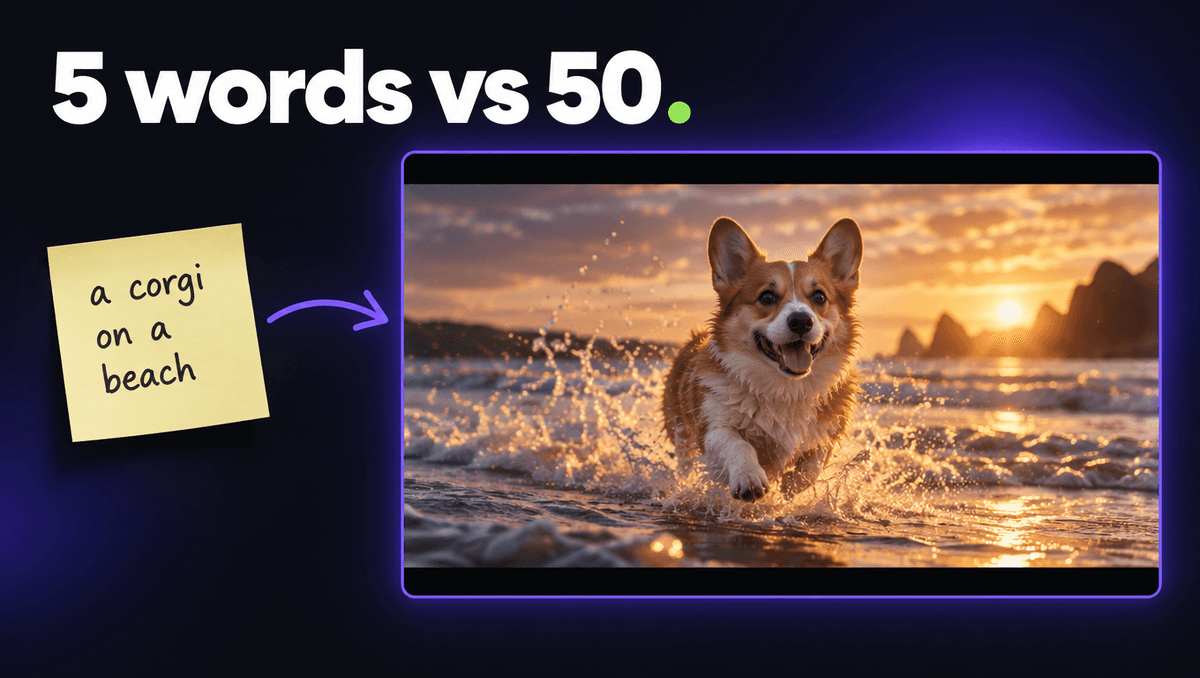
a corgi on a beach
The long prompt described the same scene, written the way a director would brief a camera operator:
Golden hour on a wide sandy beach, a fluffy corgi with big ears sprints toward the camera through shallow foamy waves, water splashing off its paws in slow motion, ears flapping, tongue out and happy, low tracking shot at the dog's eye level moving backward, warm backlight glowing through the splash, soft lens flare, sound of crashing waves, splashing water and a happy bark, cinematic, shallow depth of field.
Both were text to video, 1:1, 720p, 5 seconds.
What the 5-word prompt gave us
A nice, clean clip. The corgi walks across dry sand in flat midday light, the sea sits in the background, and the camera mostly watches. Nothing is wrong with it. It just has no moment. The model filled every gap with the most average choice: average light, average angle, average action.
What the 50-word prompt gave us
A clip with a reason to watch. The corgi runs into the shallow water toward the lens, foam kicks up around its legs, the light is low and warm, and the camera sits at the dog's eye level. The sound has waves and splashes in it. Same price, very different post.
The lesson is not "longer is better". It is that every gap in a prompt gets filled with the default. The long prompt worked because it closed the gaps that matter on screen, not because of the word count.
The 4 parts that did the work
Looking at the long prompt line by line, four parts changed the result. The rest (cinematic, shallow depth of field) were small polish.
- One main action. "Sprints toward the camera through shallow foamy waves." Movement toward the lens reads instantly on a phone screen, and it gives the clip a start and an end.
- One camera move. "Low tracking shot at the dog's eye level moving backward." One move, stated plainly. Two or three camera moves in 5 seconds usually turn into a wobble.
- One small detail. "Water splashing off its paws in slow motion." Secondary motion like splashes, steam, rain or snow makes a scene feel alive without adding a second subject for the model to track.
- The sound. "Sound of crashing waves, splashing water and a happy bark." Wan 3.0 makes audio in the same pass as the video, and it follows the prompt. Leave sound out and you get generic ambience.
Light ("golden hour", "warm backlight") did a lot too, but in text to video it belongs to the scene description at the start, not the motion.
Two more text to video prompt examples using the same formula
We used the same four parts on two other subjects. For these we made a start frame first with GPT Image 2.5 (about 7 credits) and then animated it with Wan 3.0, because a frame locks the look and lets the prompt focus on motion. The structure carries straight over.
Example 2: food that steams and moves
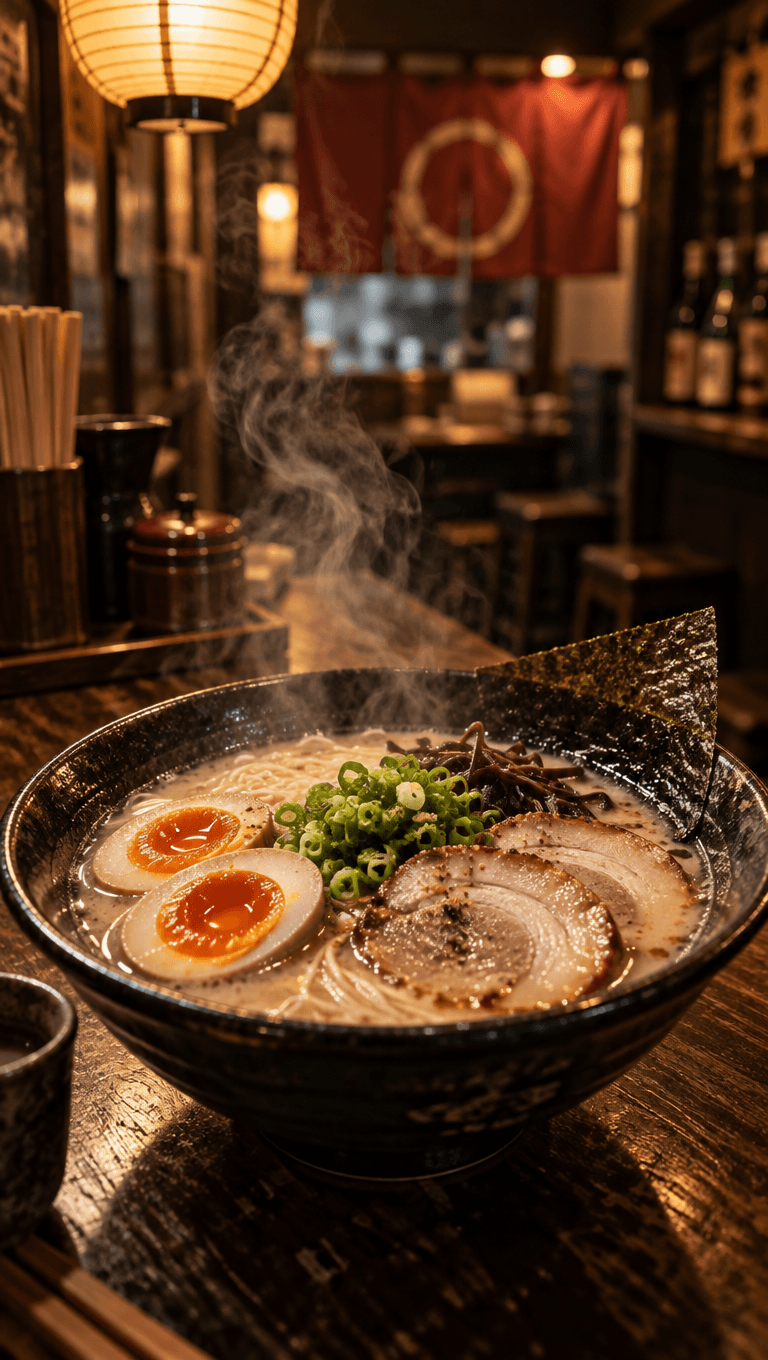
Slow cinematic push-in toward the ramen bowl, thick steam curls and rises from the broth, a pair of chopsticks lifts a tangle of noodles out of the soup and broth drips back down, the paper lamp glows softly, sound of gentle slurping, quiet kitchen sizzle and soft shop ambience.
- Camera: slow push-in.
- Action: chopsticks lift the noodles.
- Detail: steam, dripping broth.
- Sound: slurping, sizzle, shop ambience.
The noodle lift is the moment of the clip. Food posts live on one satisfying action, so we gave it exactly one.
Example 3: day to night in 5 seconds
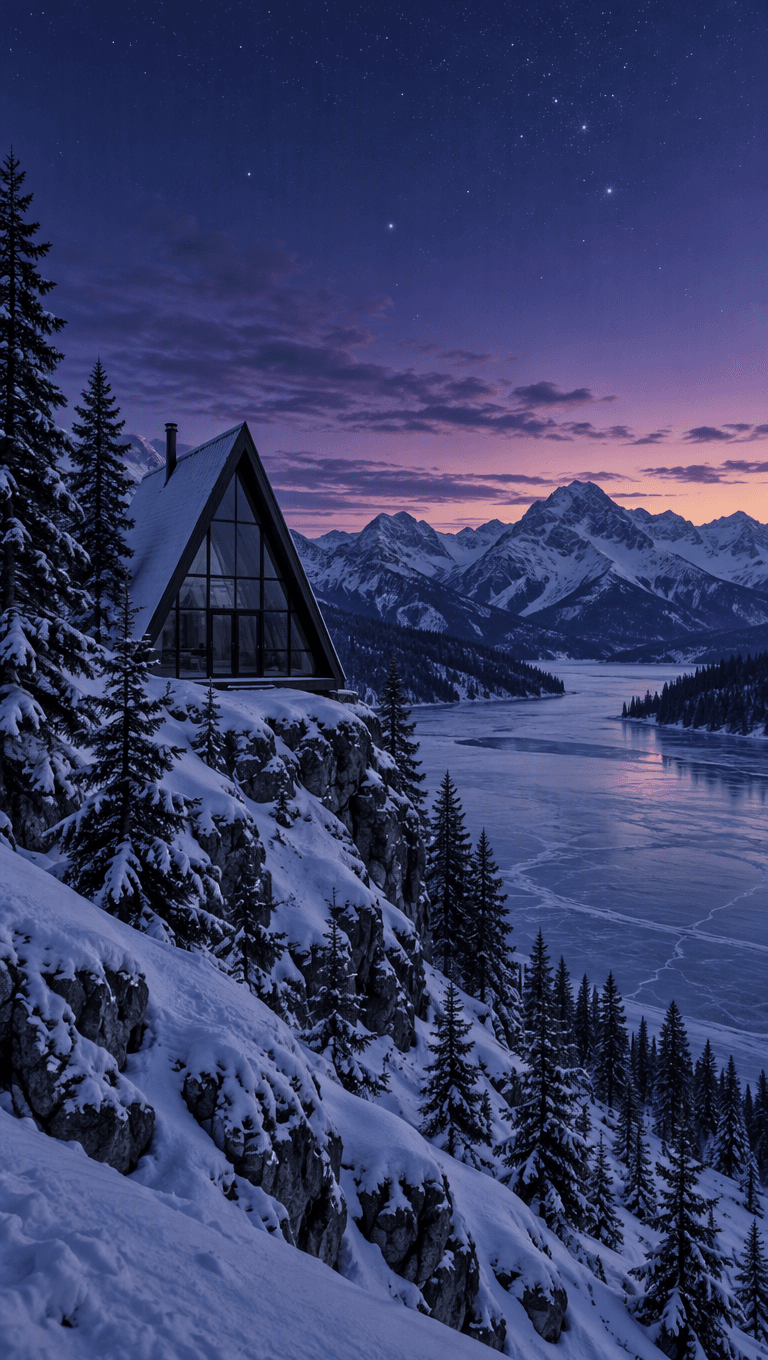
Time-lapse from blue hour into night: the sky darkens to deep violet, stars brighten and slowly wheel overhead, then the cabin's windows switch on one by one with a warm golden glow that reflects on the snow, a thin curl of smoke rises from the chimney, light snow begins to fall, camera holds still with a very slow push-in, sound of soft wind and a crackling fire.
- Camera: almost locked off, very slow push-in.
- Action: the windows switch on.
- Detail: smoke, falling snow, stars.
- Sound: wind and a fire.
Day to night is a classic short video format because the payoff (lights coming on) lands in the last second and makes people watch again. Saying "one by one" gave the light a sequence instead of a single flash.
A text to video prompt template you can copy
[Scene: place, time of day, light, one subject described in a few words],
[main action, ideally toward or across the camera],
[one small secondary motion: steam / splashes / rain / snow / hair / fabric],
[one camera move: slow push-in / orbit / low tracking shot / locked off],
sound of [2-3 specific sounds].
Keep it to one of each. When a clip goes wrong, change one part and run it again, so you know which part fixed it.
Mistakes that cost us credits before
- Leaving the aspect ratio empty. On an earlier run our vertical frames came back 16:9 because we did not set the shape on the video call. Set 9:16, 1:1 or 16:9 every time.
- Describing the scene twice. With a start frame, the picture already holds the subject and the light. Repeating it in the motion prompt spends the model's attention on repainting.
- Two camera moves. "Orbit then zoom" in 5 seconds rarely works. Pick one.
- Asking for text to animate. Letters warp. If a frame has text, keep it still and move the background.
Settings we used
| Setting | Value |
|---|---|
| Video model | Wan 3.0 (text to video and image to video) |
| Resolution | 720p |
| Length | 5 seconds |
| Aspect ratio | 1:1 for the corgi test, 9:16 for the reels |
| Start frames | GPT Image 2.5, about 7 credits each |
| Sound | Native Wan 3.0 audio |
| Cost per clip | 150 credits |
Wan 3.0 also runs at 480p (15 credits per second) for cheap drafts and 1080p (60 credits per second) for finals, with clips from 2 to 30 seconds. A good habit: test the prompt at 480p, then render the keeper higher.
Sign-up gives you 25 free credits for image models, so you can try start frames before you buy anything. Video needs a credit pack, starting at $15 for 1,300 credits, and the credits never expire.
Why this matters more for video than for images
An image model only has to decide what one moment looks like. A video model has to decide what happens, how the camera behaves and what it sounds like, for 120 or more frames. Every one of those choices is a gap. A short prompt leaves all of them to the model, which is why short video prompts look more generic than short image prompts. Closing just four gaps (action, camera, detail, sound) is enough to make a 5-second clip feel directed.
That is the whole point of these text to video prompt examples: you do not need to write an essay. You need one sentence for each thing the viewer will notice.