To see what you would look like with different hair, upload a clear, front-facing photo of yourself to an AI photo editor and describe the new cut or colour in one sentence, ending with "keep my face, expression and background the same". The model redraws only your hair, so you can compare a pixie, bangs, a buzz cut or grey hair on your real face before you book the salon. On Kenerate AI, as of 2 November 2026, the free plan's Qwen Image 3.0 and Flux 2 Dev handle these edits with the 25 starter credits.
Updated 2 November 2026. Kenerate models, prices and examples come from the app's model settings and our own hair-filter tests; face-shape advice is from L'Oréal Paris.
This is a hub for every "what would I look like with…" question: one section per style, the prompt to use, which of our filters opens it pre-filled, what the result can and can't tell you, and a face-shape guide to narrow down the list before you start.
How does an AI hair try-on work?
Older hair apps stuck a fixed hair overlay on top of your head, which is why results often looked pasted on. Today's try-ons are instruction edits: your photo and a sentence go to an image model, and the model repaints the hair to match your lighting, skin tone and head angle while leaving the rest of the picture alone.
That gives you two practical advantages:
- Any style, not a preset list. You can describe a "chin-length bob with blunt bangs" or "salt-and-pepper at the temples" in your own words.
- One change at a time. Each run edits your original photo, so you can compare length, fringe and colour separately.
What would I look like with a different hairstyle? The quick method
- Take or pick the right photo (tips below): front-facing, hair visible, even light.
- Open a hair filter from the list below, or the AI hairstyle changer for any cut. Each opens Kenerate's image editor with the instruction already written.
- Add your photo and adjust the style words if you want a variation.
- Press Create and compare the result with your original side by side.
- Repeat with one change at a time: length first, then fringe, then colour.
Here is a real before and after from our tests. The portrait is a fictional person we generated; the edits are real model outputs.
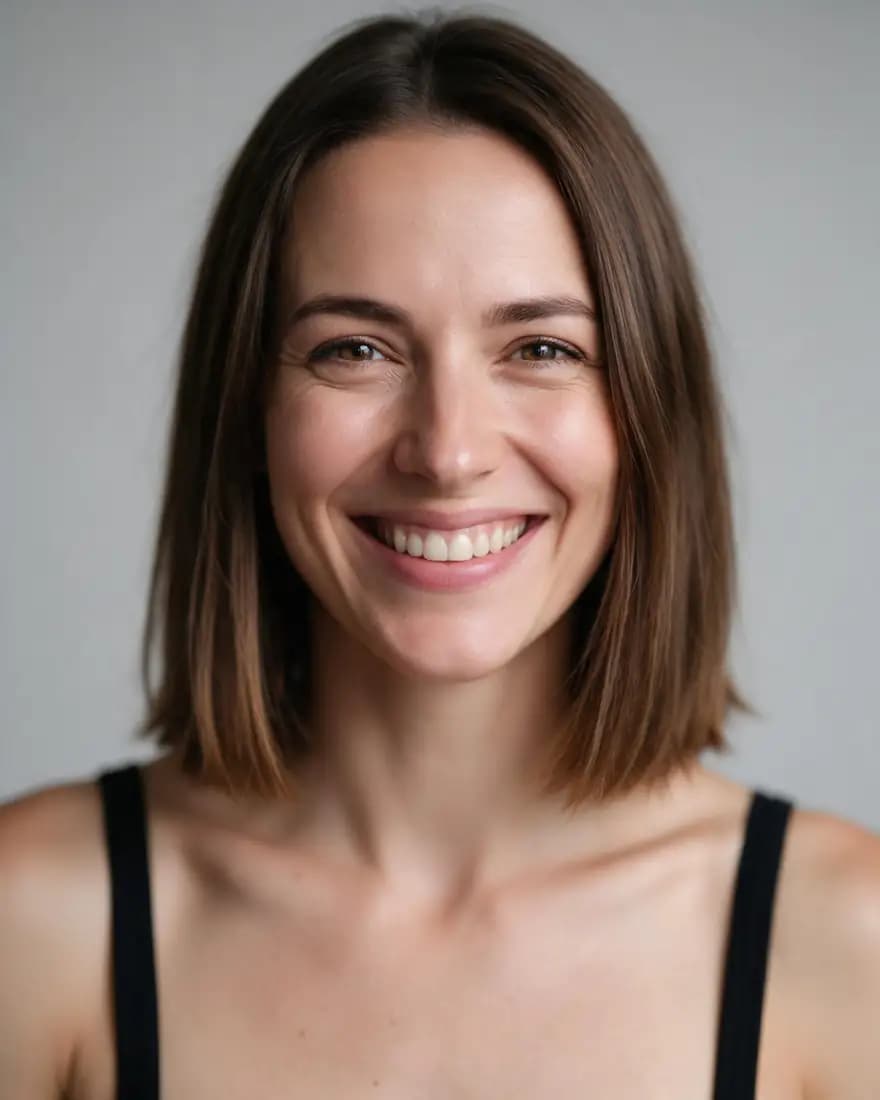
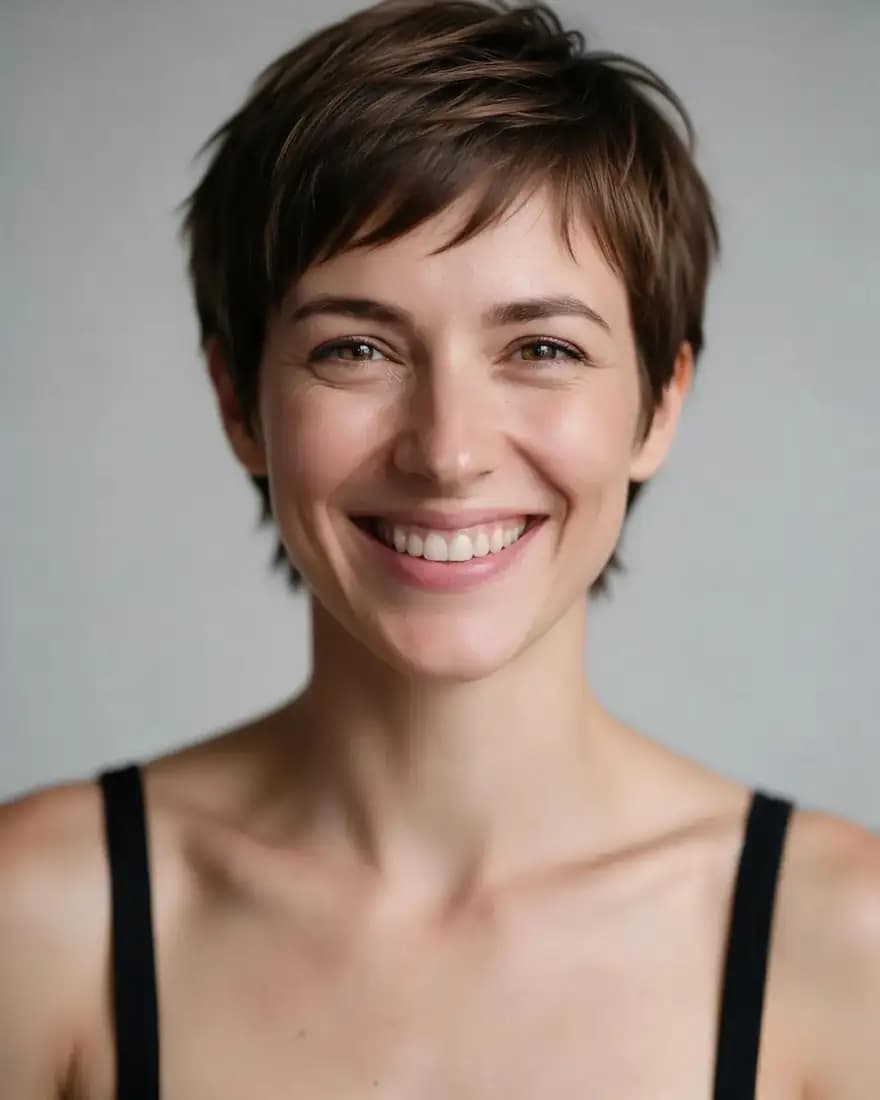
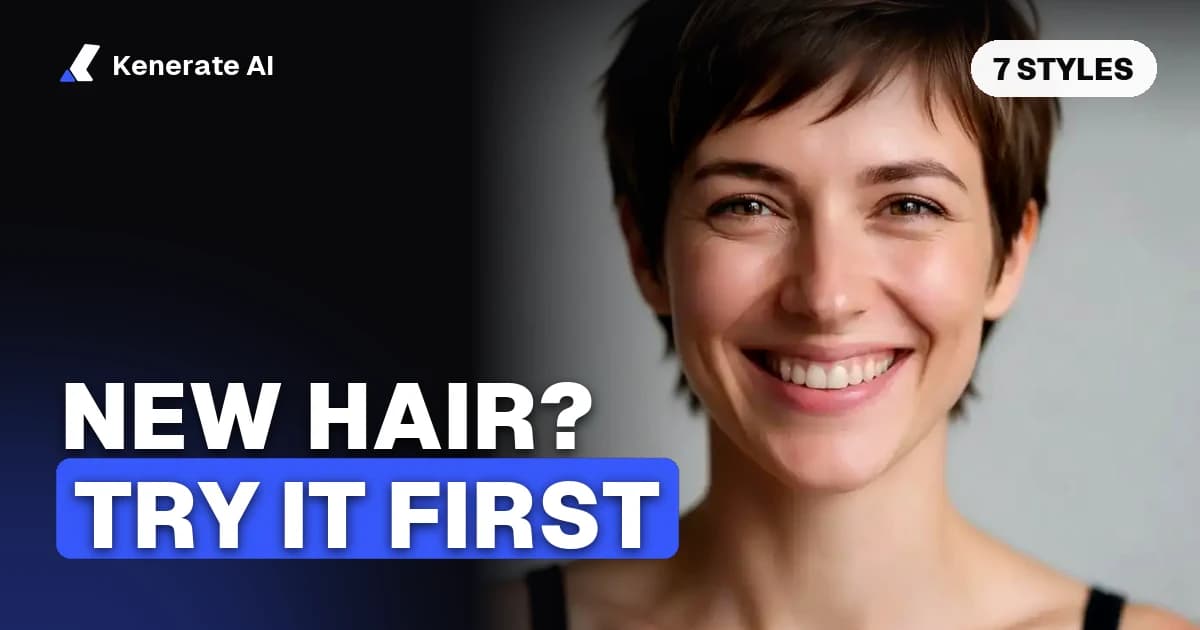
Top: the original. Bottom: Seedream 5.0 Pro edit, 2K, prompt "Give her a short textured pixie cut. Keep her face, expression, skin, clothing, the grey background and the lighting exactly the same."
Which hair filter answers which question?
| You're asking | Filter that opens it | Prompt that works | Default model |
|---|---|---|---|
| What would I look like with bangs? | Bangs filter | "Curtain bangs ending at my cheekbones, blended into my hair" | Qwen Image 3.0 (free plan) |
| What would I look like with a pixie cut? | Pixie cut filter | "A short textured pixie cut" | Qwen Image 3.0 (free plan) |
| What would I look like with a buzz cut? | Buzz cut filter | "A clean, even buzz cut, same hairline" | Qwen Image 3.0 (free plan) |
| What will I look like with gray hair? | Grey hair filter | "Natural silver grey, same haircut" | Qwen Image 3.0 (free plan) |
| What would I look like bald? | Bald filter | "Completely bald, smooth scalp; keep my eyebrows and beard" | Qwen Image 3.0 (free plan) |
| What would I look like with an afro? | Afro hair filter | "A full, rounded natural afro with defined coils" | Qwen Image 3.0 (free plan) |
| Highlights, blonde, red or pastel? | AI hair color changer | "Soft golden highlights, same haircut" | Seedream 5.0 Pro |
Every prompt ends the same way: "Keep my face, expression, skin, clothing, the background and the lighting exactly the same." That sentence does most of the work of keeping you looking like you.
What would I look like with bangs?
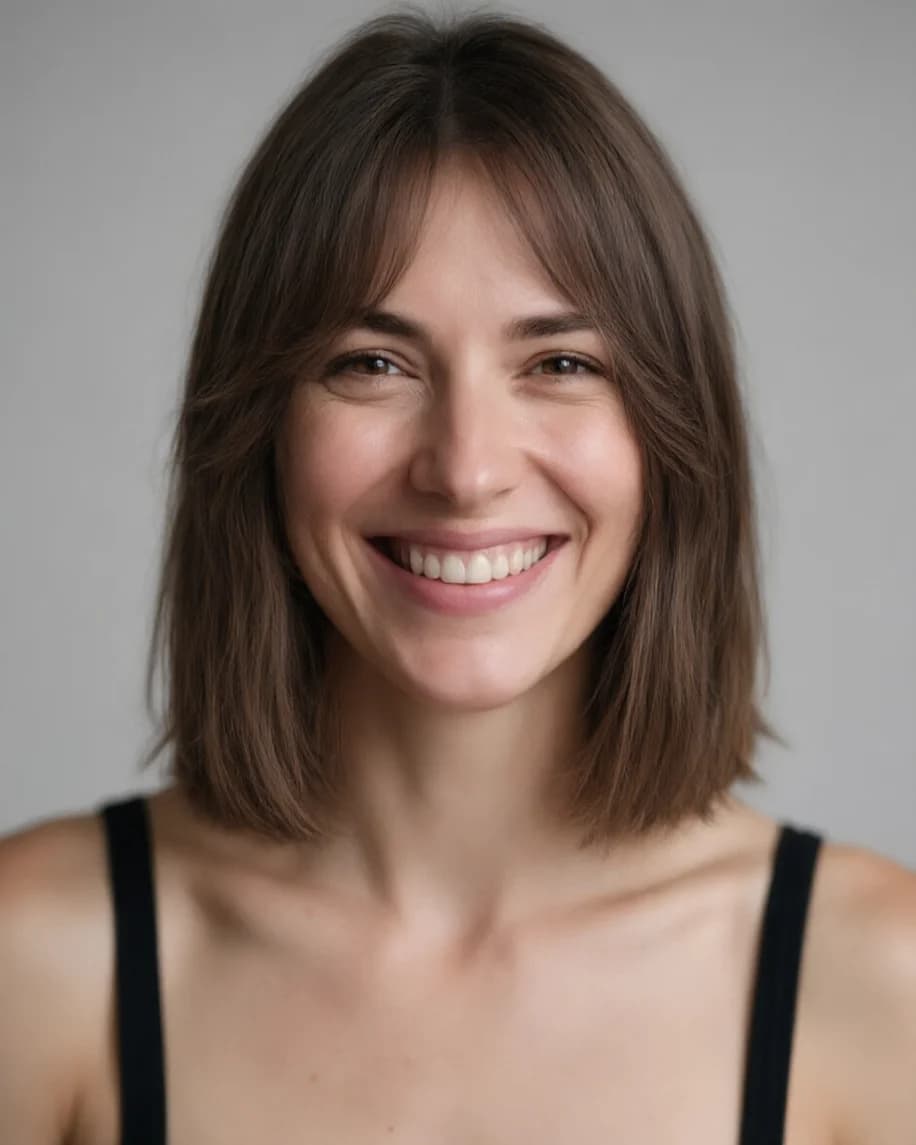
Bangs are the cut people regret most quickly, which makes them the best one to preview. Try three versions on the same photo: curtain bangs (parted in the middle, ending at the cheekbones), blunt bangs (straight across at the brow) and wispy bangs (thin and broken up). If your hair is curly, add "in my natural curl pattern", or models tend to give you smooth, straight bangs.
This curtain-bangs edit was made on the free plan with Qwen Image 3.0, at 1K, for 9.9 credits.
What would I look like with a pixie cut?
A pixie changes the whole balance of your face, so it's worth trying more than one: a classic crop, a long pixie with length on top, or a bixie (between a bob and a pixie). Ask for "textured" if you want movement, "sleek" if you want it flat. The pixie example above is a Seedream 5.0 Pro edit, which kept the face identical across all nine of our Seedream hair tests.
What would I look like with a buzz cut?
For a buzz cut, say the length you mean: "even all over", "a fade on the sides", or a "butch cut" that's slightly longer on top. Add "same hairline", or the model may tidy up a receding or uneven hairline that your real clippers won't. The result is especially useful for seeing your head shape, which a buzz cut makes very visible.
What will I look like with gray hair?
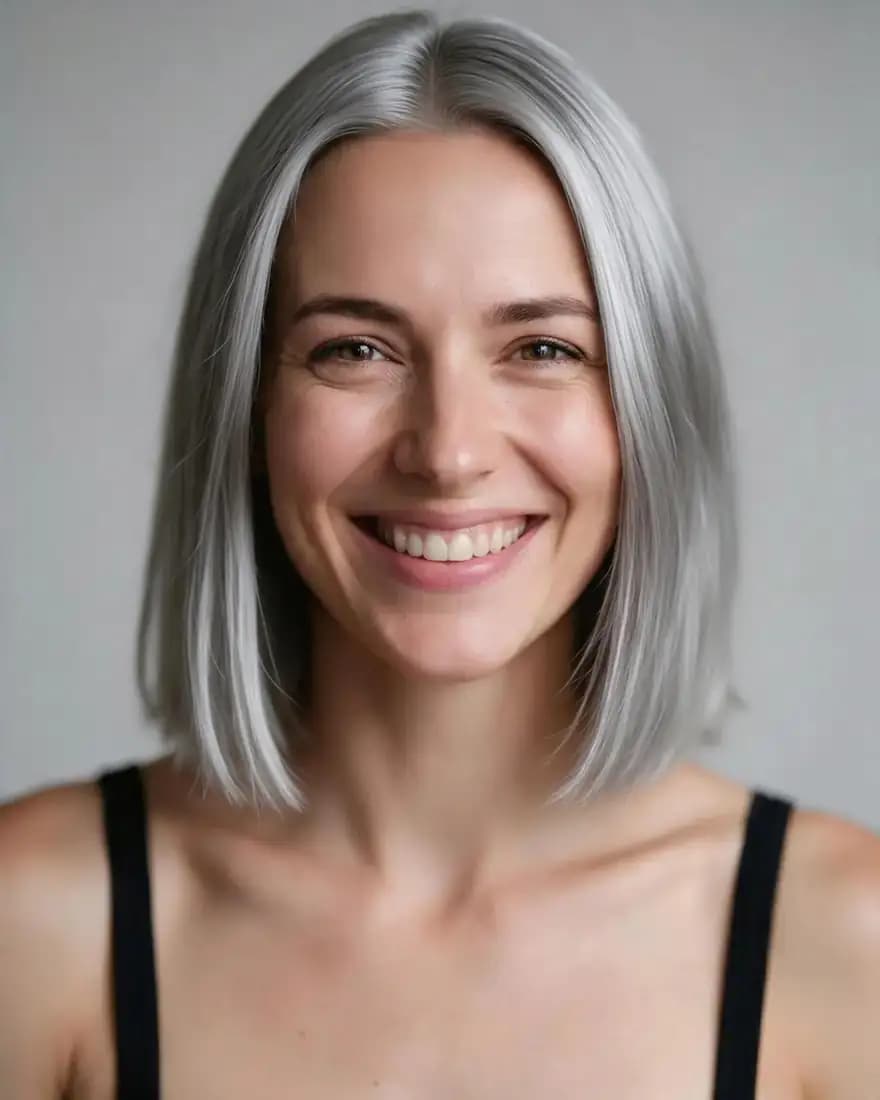
Name the shade: silver, salt-and-pepper, snow white, or "grey streaks at the temples" for a gradual look. Keep "same haircut" in the prompt so only the colour changes. Use a photo in natural daylight, because warm indoor light makes grey look yellow.
What would I look like bald?
The bald filter removes the hair and redraws a smooth scalp. Ask it to keep your eyebrows and any beard, which otherwise sometimes get thinned. Try "receding" or "thinning on top" too, if you're curious how a gradual change would look rather than a full shave.
What would I look like with an afro, highlights or a new colour?
- Afro: describe the shape ("rounded", "tapered", "high-top", "puffs") and keep your skin tone and hair colour in the keep-the-same line.
- Highlights: say where they go ("face-framing", "babylights all over", "balayage on the ends") and the shade.
- Full colour change: name an exact shade, not a family. "Copper red" and "honey blonde" work better than "red" and "blonde". Our hair colour tests covered pastel pink, platinum, copper, a blue-teal ombre, silver and jet black, all with Seedream 5.0 Pro, and the haircut stayed the same in each.
Which haircut suits my face shape?
A face-shape guess helps you pick which cuts to try first. L'Oréal Paris suggests measuring the width of your brow, cheekbones and jawline and the length of your face, then comparing them. Its recommendations, paraphrased:
| Face shape | How to spot it | Cuts to try first | Go easy on |
|---|---|---|---|
| Oval | Length and width similar, softly curved edges | Chin-grazing angular bob, subtle layers, bangs on long hair | Very choppy layers |
| Round | Nearly equal proportions, soft jaw corners | Spiky pixie with crown layers, angled collarbone lob, long layers from the jaw | Layers that start too high; a pixie on very curly hair |
| Heart | Brow noticeably wider than the jaw | Piecey pixie, collarbone bob with bangs, long layers with a full fringe | None listed |
| Square | Length and width equal, angular jaw | Short layered bob, face-framing layers | Blunt edges on long hair |
Treat this as a starting point, not a rule. That's exactly what the try-on is for: if a "wrong" cut looks good on your photo, the photo wins.
How do you take a good photo for a hair try-on?
- Face the camera straight on, at eye level. Tilted heads give warped hairlines.
- Show your whole head of hair. Pull it out from behind your shoulders and remove hats or headbands.
- Use even, natural light. Window light is ideal; avoid harsh overhead light that changes the colour.
- Neutral expression, plain background. Fewer things for the model to accidentally change.
- Use a sharp original, not a screenshot of a social post.
- Only use your own photo, or one of someone who has agreed to it.
How accurate is "what would I look like with different hair"?
It's a good guide to shape, length and colour, not a promise. The model can't know your real hair density, cowlicks, curl pattern or how your hair falls when it grows out, so a stylist may not be able to reproduce the exact result. Free-plan models are a little less exact with faces than Seedream 5.0 Pro: on our Flux 2 Dev fade test the jaw came out slightly wider. Compare every result with your original before you book.
If you've found a haircut you like in someone else's photo but don't know its name, our guide to identifying a hairstyle from a photo gives you the words to use, both in the prompt and with your stylist.
How much does it cost to try different hairstyles?
From the app's settings, as of 2 November 2026:
| Model | Credits per hair edit | Plan |
|---|---|---|
| Flux 2 Dev | 3 | Free plan (about 8 try-ons from 25 starter credits) |
| Qwen Image 3.0 | 9.9 with one photo | Free plan (about 2 try-ons from 25 starter credits) |
| Seedream 5.0 Pro | 13.5 at 1K, 27 at 2K | Credit pack |
Credit packs start at $15 for 1,300 credits, are one-time rather than subscriptions, and results download without a watermark. It all runs in the browser, so there's no app to install.
The bottom line
The fastest way to answer "what would I look like with different hair" is a front-facing photo, one clear sentence describing the new cut or colour, and "keep my face the same". Start with your face shape to shortlist two or three cuts, try them one change at a time, and take your favourite result to the salon as a reference, not a guarantee.