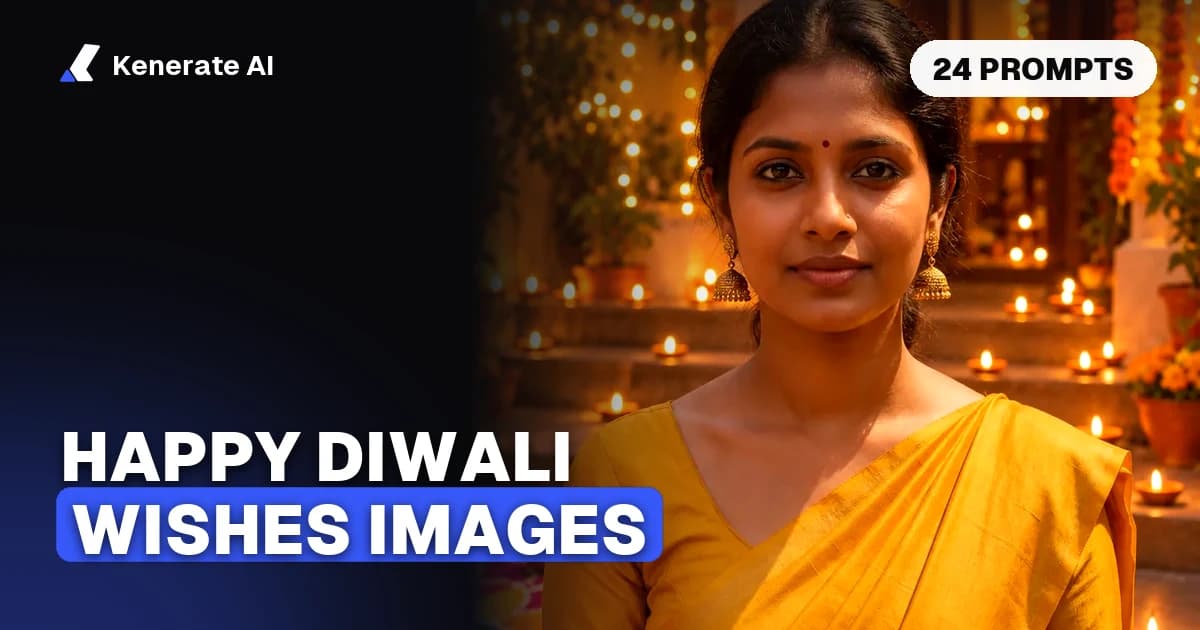
Diwali 2026 falls on Sunday, 8 November 2026, according to the Government of India's 2026 holiday list for central government offices. To make your own Happy Diwali image with your wish written on it, describe a festive scene (diyas, rangoli, lanterns, marigolds) in an AI image generator, put your greeting in quotation marks, and pick a 9:16 shape for WhatsApp status and Instagram stories or 4:5 for an Instagram post. English greetings come out reliably on text-capable models; for Hindi in Devanagari, check every letter or add the text afterwards. Updated 22 October 2026.
Below: the date, the right sizes, which models write text well, step-by-step instructions, 24 prompts you can copy, and wish lines in English and Hindi.
When is Diwali in 2026?
The Department of Personnel and Training (DoPT) memorandum on 2026 holidays (F.No. 12/2/2023-JCA, 3 July 2025) states that Diwali (Deepavali) falls on Sunday, 8 November 2026. The same memorandum notes that in states where Naraka Chaturdashi alone is the declared holiday, offices may observe Deepavali on that day instead, so in parts of South India the holiday can fall a day earlier.
The five days of the festival run around that date, from Dhanteras to Bhai Dooj. Puja muhurat times change by city, so check a local panchang if your greeting mentions a specific time.
Practical timing: people start sharing Diwali wishes from Dhanteras onwards, and most WhatsApp status updates go up on the evening of Diwali itself. Make your images a few days early so you aren't regenerating at 8 pm on the day.
What size should a Diwali wishes image be?
Pick the shape first, because it decides where your text goes.
| Where you'll share it | Shape | Pixel size | Notes |
|---|---|---|---|
| WhatsApp status | 9:16 portrait | 1080 × 1920 | Fills a phone screen; keep text away from the top and bottom edges |
| Instagram or Facebook story | 9:16 portrait | 1080 × 1920 | Meta's recommended story size |
| Instagram feed post | 4:5 portrait | 1080 × 1350 | The tallest shape Instagram shows without cropping |
| Square post or WhatsApp DP | 1:1 | 1080 × 1080 | Keep the main subject centred; DPs are cropped to a circle |
| Greeting card to print | 5:7 or 2:3 portrait | Generate at 2K or 4K | Upscale before printing |
| Email header, LinkedIn post | 16:9 or 1.91:1 | 1200 × 628 or 1920 × 1080 | Good for company greetings |
Instagram's help centre says photos are resized to 1080 pixels wide and kept uncropped when the aspect ratio is between 1.91:1 and 4:5. WhatsApp doesn't publish an official status size, but 9:16 fills the screen on almost every phone.
On Kenerate, GPT Image 2.5 Sunburst, Nano Banana 2.1 and Seedream 5.0 Pro all offer 1:1, 4:5 and 9:16 in the ratio picker, so you generate in the right shape instead of cropping afterwards. If you already have a square image you love, the AI image extender can grow it into a 9:16 status.
Which AI model writes Diwali greeting text best?
Text is where Diwali images usually fail: "Happpy Diwalli", melted letters, or random squiggles. Use a model built for text.
| Model on Kenerate | Text in the image | Best for | Credits (1K) |
|---|---|---|---|
| GPT Image 2.5 Sunburst | Strong for short English greetings | Cards with a headline, photo edits | 7.2 (medium); 11.7 with one photo |
| Nano Banana 2.1 | Good; Google lists text in several languages | Consistent family or brand series, 4K | 21 |
| Recraft V4.1 | Design-focused typography | Poster-style and corporate greetings | 12 |
| Seedream 5.0 Pro | Not its focus; keep words short | Painted, illustrated and anime styles | 13.5 |
What about Hindi (Devanagari) text? Be careful here. OpenAI says GPT Image 2 brought improved multilingual text rendering, and Google's Nano Banana 2.1 model card lists localized text rendering across several languages, but neither names Hindi, and Google's card warns that small text is often blurry at 1K. We haven't run a controlled Devanagari test for this post, so we won't claim a model gets it right every time. In practice:
- Keep Hindi text short: शुभ दीपावली works far better than a four-line shayari.
- Zoom in and check every matra, the headline bar and joined letters before you share. A misplaced matra is the kind of mistake relatives notice.
- For longer Hindi wishes, generate the picture with an empty area ("clear space at the top for text, no text") and add the words in a phone editor or Canva with a proper Devanagari font such as Noto Sans Devanagari. Typed text is always spelled right.
How do you make a Diwali wishes image with AI?
- Open the Image Studio and pick GPT Image 2.5 Sunburst (best for text) or Seedream 5.0 Pro (best for painted styles).
- Choose the shape: 9:16 for status and stories, 4:5 for an Instagram post, 1:1 for a DP.
- Describe the scene. Name the main subject (a row of diyas, a rangoli, a lantern), the setting, the colours and the light.
- Add your wish in quotes and say where it goes and how it looks: "Happy Diwali" in large gold script across the top.
- Say what to avoid: "no other text, no watermark, no logos".
- Generate and check the text letter by letter. If one word is wrong, regenerate or fix just the text with an edit ("change the text to … keep everything else the same").
- Personalise it: add the family name, "from the Sharma family", or your shop's name on a second, smaller line.
- Download and share. Kenerate downloads carry no watermark.
Want yourself in the picture instead? The Diwali AI photo generator page shows how to upload your own photo and put it in a diya-lit scene while keeping your face, and the AI costume changer swaps your outfit for a saree, lehenga or kurta.
24 Diwali image prompts you can copy
Swap the text in quotes for your own wish. Each prompt works best with the shape shown.
Diyas and candles
- Diya row (9:16): A long row of lit clay diyas on old stone steps at dusk, warm orange glow, soft bokeh of string lights behind, marigold petals scattered, the text "Happy Diwali" in elegant gold script at the top, no other text.
- Single diya close-up (1:1): One brass diya with a tall steady flame on a dark maroon silk cloth, a few rose petals, shallow depth of field, the words "Shubh Deepavali" in small gold serif letters below the flame.
- Floating diyas (4:5): Flower-shaped diyas floating in a brass urli filled with water and rose petals, reflections on the water, top-down view, the text "Happy Diwali" in white handwritten script in the upper third.
- Hands holding a diya (9:16): Close-up of two hands with mehendi gently holding a lit diya, warm dark background, golden light on the fingers, "Wishing you light and joy" in thin gold letters at the bottom.
- Window sill (4:5): A window sill lined with small diyas and a jar of marigolds, city lights glowing outside at night, cosy and quiet, "Happy Diwali from our home to yours" in a clean white font at the top.
Rangoli
- Classic rangoli (1:1): A bright circular rangoli of coloured powder in pink, orange, yellow and green with a lotus at the centre and small diyas placed around the edge, top-down view, "Happy Diwali" in bold white letters in the middle of the lotus.
- Flower rangoli (4:5): A rangoli made only of marigold, rose and chrysanthemum petals on a terracotta floor, morning light, the words "Shubh Deepavali" in gold at the bottom.
- Rangoli at the doorstep (9:16): A home entrance at night with a colourful rangoli on the floor, a toran of mango leaves and marigolds above the door, diyas on both sides, "Happy Diwali" in gold script above the door.
- Minimal line rangoli (1:1): A modern white line-art rangoli on deep navy, a few gold dots, lots of empty space, minimalist and elegant, "Happy Diwali" in thin gold sans-serif.
- Peacock rangoli (4:5): A detailed peacock rangoli in teal, blue and gold powder with diyas along its tail feathers, top-down, "Wishing you a bright Diwali" in white at the top.
Lanterns and lights
- Akash kandil (9:16): A star-shaped paper lantern glowing orange and red hanging from a balcony at night, string lights along the railing, "Happy Diwali" in bold gold letters in the dark sky above.
- Lantern street (16:9): A narrow old street at night filled with hanging paper lanterns and fairy lights, warm glow, gentle haze, "Happy Diwali" in large gold letters centred in the sky.
- Fairy-light bokeh (9:16): Soft golden bokeh of fairy lights filling the frame with one lit diya in sharp focus at the bottom, the text "Happy Diwali" in white script in the middle, plenty of space.
Fireworks and night sky
- Rooftop fireworks (9:16): Colourful fireworks over a city skyline at night seen from a rooftop decorated with diyas, "Happy Diwali" in glowing gold letters at the top.
- Sparkler trails (4:5): Golden sparkler light trails forming swirls against a dark blue night, long exposure look, the text "Happy Diwali" written in light-trail style.
- Green Diwali (1:1): A calm night scene with diyas and a small potted tulsi plant, a soft starry sky, no fireworks, "Have a safe and green Diwali" in white at the bottom.
Sweets, gifts and family
- Mithai flat-lay (4:5): Top-down flat-lay of a brass thali with kaju katli, laddoos and jalebi, small diyas and marigolds around it, "Happy Diwali" in gold script at the top.
- Gift hamper (1:1): A festive gift box wrapped in red and gold with a ribbon, dry fruits and a diya beside it, warm studio light, "Diwali greetings" in gold serif letters above the box.
- Family evening (9:16): An illustrated scene of a family lighting diyas together on a balcony at dusk, warm colours, gentle painterly style, faces not detailed, "Happy Diwali from the [your name] family" at the top.
Lakshmi, Ganesha and symbols
- Lotus and kalash (4:5): A pink lotus beside a decorated brass kalash with mango leaves and a coconut, diyas in front, soft golden light, "Shubh Deepavali" in gold at the top, respectful and calm.
- Lakshmi footprints (9:16): Small red Lakshmi footprints painted on a white floor leading towards a doorway with diyas and rangoli, top-down, "May Lakshmi bless your home" in gold script at the top.
- Ganesha illustration (1:1): A traditional, respectful illustration of Lord Ganesha seated on a lotus with diyas and marigolds around him, rich red and gold, "Happy Diwali" in gold below.
Business and typography
- Corporate greeting (16:9): An elegant deep green background with a subtle gold mandala pattern on the right, a row of small diyas along the bottom, "Happy Diwali" in large gold serif letters on the left and "From all of us at [company name]" in small white letters underneath.
- Typographic card (4:5): The words "Happy Diwali" in huge 3D gold letters with small diyas resting on top of the letters, deep maroon background, soft glow, no other text.
When a deity appears in your image, keep it respectful: traditional colours and poses, nothing comic, nothing on the floor. If you're not sure, the lotus, kalash and footprint prompts above carry the same meaning without depicting a deity.
Diwali wishes to put on your image
Short lines fit best. Pick one headline and, if you like, one small line underneath.
English
- Happy Diwali!
- Wishing you a Diwali full of light, love and laughter.
- May this Diwali light up every corner of your life.
- From our home to yours, Happy Diwali.
- Light a diya, share a sweet, make a memory. Happy Diwali!
- Wishing you a bright, safe and happy Diwali.
Hindi (romanised in brackets)
- शुभ दीपावली (Shubh Deepavali)
- दीपावली की हार्दिक शुभकामनाएँ (Deepavali ki hardik shubhkamnayein)
- आपको और आपके परिवार को दिवाली की शुभकामनाएँ (Aapko aur aapke parivar ko Diwali ki shubhkamnayein)
- रोशनी का यह त्योहार आपके जीवन में खुशियाँ लाए (Roshni ka yeh tyohar aapke jeevan mein khushiyan laaye)
Use the first two as in-image text; the longer lines are safer typed in afterwards. Hinglish versions ("Happy Deepavali, khoob khush raho!") are a good middle ground when you want a Hindi feel with Latin letters that every model writes cleanly.
Tips for Diwali images people actually save
- One light source, one focal point. A single glowing diya or lantern reads better on a small phone screen than a busy collage.
- Leave space for the text. Say "empty dark sky at the top for text" so the greeting doesn't sit on top of the flames.
- Match the shape to the app before generating; cropping a square into 9:16 cuts your text in half.
- Make a matching set. Generate your status, post and DP from the same prompt, changing only the shape, so they look like one design. For wallpapers, see the AI wallpaper generator; for a shop or event, the AI flyer generator and AI Instagram post generator cover offer posters and branded posts.
- Use your own photos only. Put yourself or your family in a Diwali scene, not a celebrity or someone who hasn't agreed.
What does it cost?
Checked in our app on 22 October 2026: a GPT Image 2.5 Sunburst image is 7.2 credits at 1K and medium quality, or 11.7 credits when you edit one of your own photos. Recraft V4.1 is 12 credits, Seedream 5.0 Pro 13.5 and Nano Banana 2.1 21 at 1K. New accounts get 25 credits on sign-up, enough for three text-only GPT Image 2.5 Sunburst greetings, and Qwen Image 3.0 is available on the free plan. Downloads have no watermark.
The short version
Diwali 2026 is Sunday, 8 November. For a Diwali wishes image, describe one clear festive scene, put a short greeting in quotes, choose 9:16 for status and stories or 4:5 for posts, and use GPT Image 2.5 Sunburst or Nano Banana 2.1 for text. English greetings work first time most of the time; for Hindi, keep it to two or three words and check every letter, or type longer wishes on top yourself.