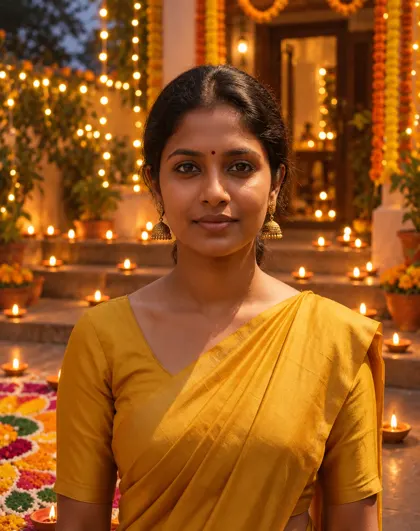
Saree · kurta · diyas · rangoli · cards
Diwali AI Photo Generator — your photo, lit by diyas
Upload your own photo and put it in a Diwali evening: clay diyas on the steps, a rangoli at your feet, marigold garlands and a festive saree, lehenga or kurta. Or describe a Diwali card or a diya scene from text.
- Keeps your face
- Happy Diwali text in the image
- Free credits to start
- No watermark
Updated by the Kenerate AI team
On this page
Quick answer
How do you make a Diwali photo with AI?
A Diwali AI photo generator puts your own photo into a festive Diwali scene — diyas, rangoli, marigolds, fireworks, a traditional outfit — or creates one from a text prompt. On Kenerate AI you upload the photo in the Image Studio, describe the scene and say what must stay; GPT Image 2.5 Sunburst kept the face, bindi, earrings and saree of our test portrait on the first try, at 11.7 credits per one-photo edit. Diwali 2026 falls on Sunday 8 November.
Key facts
- Diwali 2026
- Sunday 8 November (Lakshmi Puja)
- Edit tested
- 1 portrait, first try
- Face kept
- Yes — face, bindi, earrings, saree
- Model
- GPT Image 2.5 Sunburst (OpenAI)
- Free-plan option
- Qwen Image 3.0
- Watermark
- None
Gallery
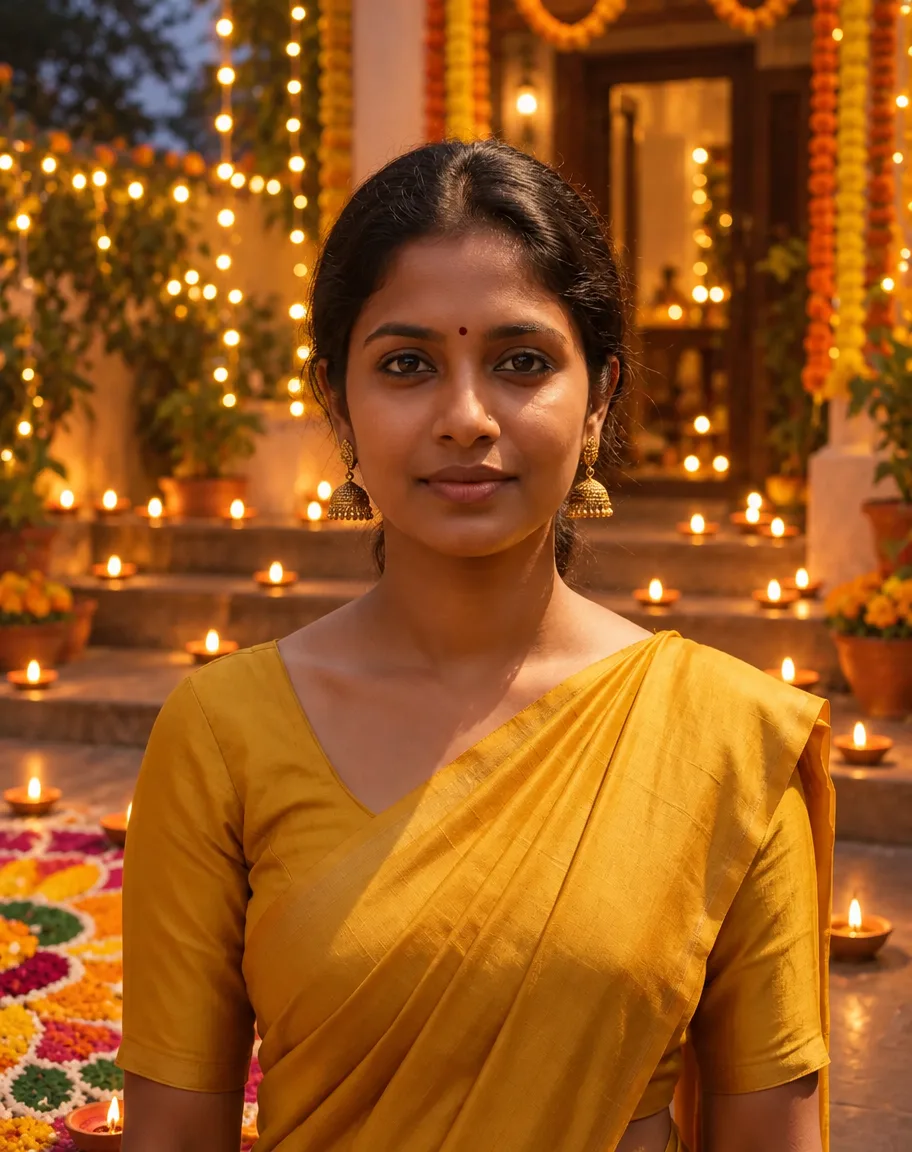
A Diwali photo made with Kenerate AI
One edit of an existing photo of a fictional woman, GPT Image 2.5 Sunburst, one try. Open it to copy the prompt, then swap in your own photo.
Same prompt
Before and after: same face, Diwali evening
The original is a fictional portrait from our background-remover page, shot at a daytime street market. One instruction moved her to a diya-lit courtyard at dusk; the face, bindi, jhumkas and mustard saree stayed. The garlands, string lights and doorway were the model's own additions.
PromptTurn this into a Diwali evening portrait: same woman, same mustard saree, courtyard at dusk with lit clay diyas along the steps and a rangoli in front of her. Keep her face, hair, expression, pose and the saree exactly the same.
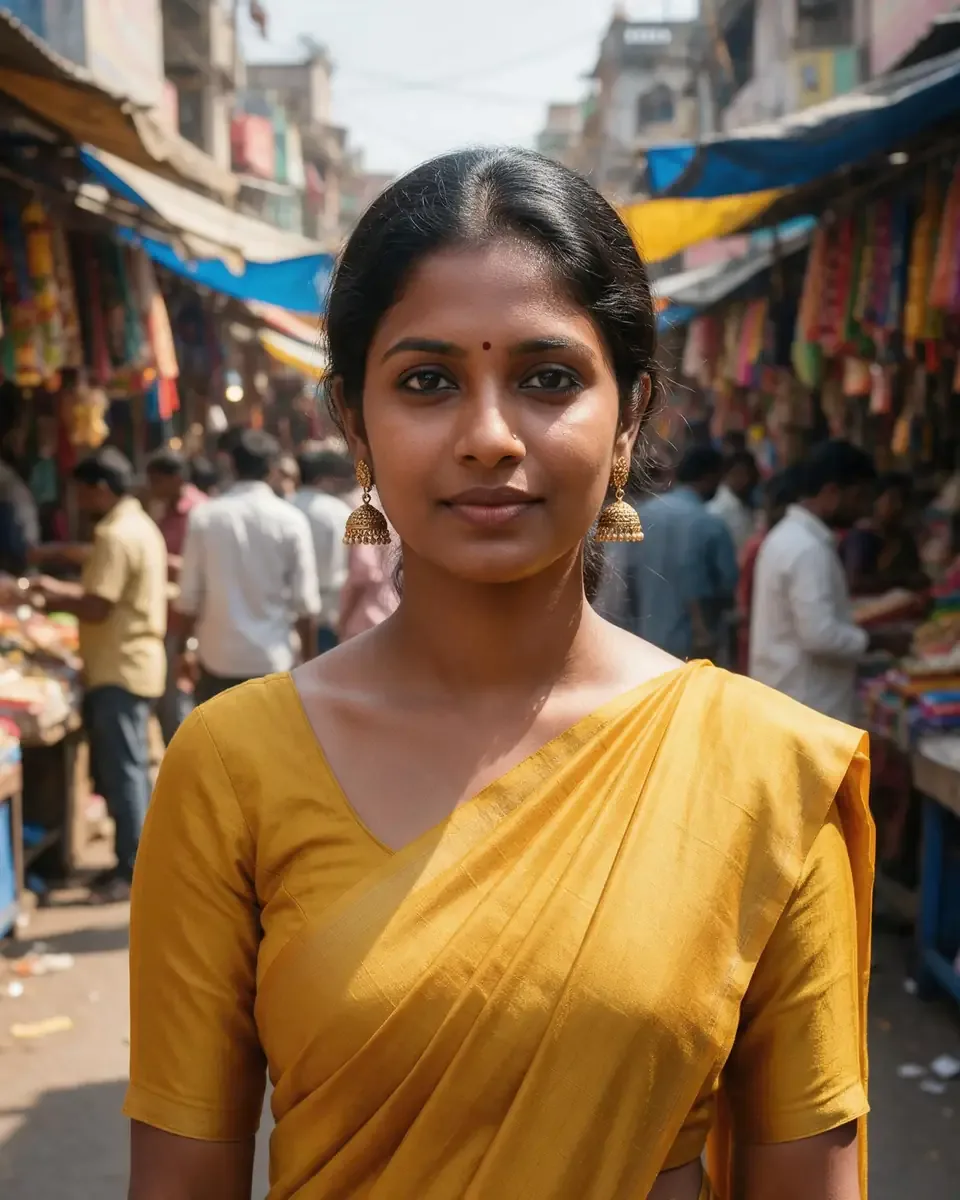 OriginalDaytime street market
- Diwali eveningSunburst edit · 11.7 credits
How to
How to use the diwali AI photo generator
- Time needed
- Steps
- 4 steps
Step 1
Open the Image Studio
Go to /app/image. Sign in free for 25 starter credits.
Step 2
Upload your photo
Add a clear photo of yourself (or of adults who agreed). Several photos can go in as references for a couple or family picture.
Step 3
Describe the Diwali scene
Outfit, setting, light and any greeting in quotes — plus what must stay the same. Pick GPT Image 2.5 Sunburst.
Step 4
Download
Regenerate if a detail is off, then download without a watermark — square for a WhatsApp DP, 9:16 for a status or story.
See it in the app

Open Image Studio and type what you want to see — subject, style, lighting and mood.


Watch the tour · 1:23
Prompts, styles, references, edit, Arena & chat
Chapters
Tips
Get a Diwali photo that still looks like you
What worked in our test, and what to watch for.
Use a clear, front-lit photo where your face fills a good part of the frame.
Say what stays: “keep my face, hair, bindi, earrings and expression exactly the same”.
Name one outfit and one setting — “red silk saree, courtyard with diyas on the steps” — rather than a long list of decorations.
Ask for the rangoli where you want it — “a large rangoli on the floor in front of me, fully in frame” — or it may end up at the edge.
Put greetings in quotes: “Happy Diwali” in gold script across the top. Keep it short.
Add “no fireworks” for a calm diya-lit portrait, or ask for sparklers in your hands for a livelier one.
Models
Models for Diwali photos
What each model is good at. Open any one straight in the generator.

OpenAI
GPT Image 2.5 Sunburst
- Reference images
- Up to 16
- Output
- 1K–4K
Open GPT Image 2.5 SunburstBest for
Made the photo on this page; writes greeting text
Google
Nano Banana 2.1
- Reference images
- Up to 14
- Output
- Up to 4K
Open Nano Banana 2.1Best for
Same person across a set of festive shots

ByteDance
Seedream 5.0 Pro
- Reference images
- Up to 10
- Output
- 1K · 2K
Open Seedream 5.0 ProBest for
Illustrated and painted Diwali cards
- Free plan

FAQ
Diwali AI Photo Generator questions
9 questions
What is a Diwali AI photo generator?
It is an image model that puts your photo into a Diwali scene — diyas, rangoli, marigolds, fireworks, a festive saree or kurta — or makes a Diwali picture from a text prompt. On Kenerate AI you upload the photo in the Image Studio, describe the scene and say what must stay. GPT Image 2.5 Sunburst kept our test portrait's face, bindi, earrings and saree on the first try.
Link to this answerWhen is Diwali in 2026?
Diwali (Lakshmi Puja) falls on Sunday 8 November 2026, with Dhanteras on 6 November, Choti Diwali on 7 November and Bhai Dooj on 10 November. Puja muhurat times vary by city, so check a local panchang. Making your photo a week or two early leaves time to regenerate and share it.
Link to this answerIs the Diwali AI photo editor free?
Free to start. A new Kenerate account gets 25 credits on sign-up — enough for two one-photo edits with GPT Image 2.5 Sunburst at 11.7 credits each. Qwen Image 3.0 is a free-plan model. After that, credits come in one-time packs that don't expire, with no subscription. Downloads carry no watermark.
Link to this answerWhat is a good Diwali AI photo editing prompt?
Name the outfit, the setting and the light, then say what must stay. For example: “Same woman, now in a red silk saree, standing on steps lined with lit clay diyas, a rangoli in front of her, warm golden dusk light. Keep her face, hair and expression exactly the same. Real photograph.” Twenty more ideas for women, men, couples and families are on this page.
Link to this answerCan I use Gemini Diwali prompts here?
Yes. Prompts written for Gemini or ChatGPT are plain sentences, so they work in the Kenerate Image Studio too. Paste one, upload your photo and pick GPT Image 2.5 Sunburst for faithful faces or Nano Banana 2.1 (Google's model) to keep one person consistent across several festive shots.
Link to this answerWill it keep my face the same?
Usually, if you ask. Write “keep my face, hair, bindi and expression exactly the same” and use a clear, front-lit photo. In our test the face, bindi, gold jhumkas and saree came back unchanged; the model added garlands, string lights and a doorway on its own. If a detail matters, name it and regenerate.
Link to this answerCan I make a Happy Diwali card or WhatsApp DP?
Yes. Put the words in quotes — “Happy Diwali” in gold script across the top — and GPT Image 2.5 Sunburst writes them into the picture. Keep greetings short; long wishes are easier to add in a card editor. Choose a square (1:1) shape for a WhatsApp DP and 9:16 for a status or story.
Link to this answerCan I make a couple or family Diwali photo from separate pictures?
You can add several photos as references — GPT Image 2.5 Sunburst takes up to 16 and Nano Banana 2.1 up to 14 — and describe who stands where. Each extra reference adds 4.5 credits to a Sunburst edit. Group shots are harder than single portraits, so expect to regenerate and check every face. Only use photos of adults who agreed.
Link to this answerCan I make Diwali photos of celebrities or other real people?
No. Only upload photos of yourself or of people who have agreed, and don't use celebrities' or strangers' photos or names. Kenerate's terms of service apply to everything you generate.
Link to this answerIn depth
Diwali AI Photo Generator, explained
What works, what to avoid, and how to pick a model.
On this page
Five kinds of Diwali AI photo
People searching for Diwali AI photo editing usually want one of these — all of them run in the same Image Studio:
- Festive portraits: your photo in a saree, lehenga, anarkali, kurta or sherwani, lit by diyas.
- Couple and family photos: separate photos combined into one festive picture.
- Happy Diwali cards: a greeting written into the image, with rangoli or lantern borders.
- WhatsApp DPs and status images: a square or 9:16 crop of your festive portrait.
- Diya, rangoli and lantern scenes from text, with no photo needed.
20 Diwali AI photo editing prompts
Add “keep my face, hair and expression exactly the same” to any of these when you upload a photo:
- Women: red silk saree with gold border, standing on steps lined with lit clay diyas, warm dusk light.
- Women: pink lehenga with mirror work, sitting beside a large flower rangoli, holding a brass diya.
- Women: green anarkali on a rooftop at night, sparklers in hand, city lights and fireworks behind.
- Women: white chikankari suit lighting diyas at a doorway with marigold toran and fairy lights.
- Women: mustard saree in a courtyard of floating diyas in a brass urli, soft golden bokeh.
- Men: cream silk kurta with a maroon Nehru jacket, balcony with hanging lanterns at dusk.
- Men: navy sherwani beside a rangoli and rows of diyas, warm string-light glow.
- Men: white kurta-pyjama holding a sparkler on a terrace, fireworks in a deep blue sky.
- Men: black kurta lighting a diya at a home temple, close-up, candlelit warmth.
- Couple: matching maroon and gold outfits on steps lined with diyas, marigold garlands behind.
- Couple: rooftop at night with sparklers, city lights and fireworks, candid laugh.
- Family: everyone in festive clothes around a rangoli at the front door, evening light.
- Lakshmi Puja setting: seated before a decorated home altar with diyas and flowers, soft light.
- Rangoli close-up: your hands placing petals on a colourful rangoli, top-down shot.
- Lantern market at night: you holding a paper akash kandil, stalls glowing behind.
- Sweets: a festive table of diyas, mithai boxes and marigolds, you serving a plate.
- Vintage 1970s Diwali photo look, warm film grain, brass lamps and a patterned saree.
- Watercolour Diwali card illustration of your photo with “Happy Diwali” in gold script.
- Square WhatsApp DP: shoulders-up portrait with soft diya bokeh, centred face.
- 9:16 status image: full-length festive outfit on diya-lit steps, space at the top for text.
What we got
One edit of an existing fictional portrait, GPT Image 2.5 Sunburst at 4:5, one try:
- The face, bindi, gold jhumka earrings, hair and mustard saree came back as they were.
- The busy daytime market became a dusk courtyard with diyas on every step, as asked.
- The model added marigold garlands, string lights and a lit doorway that the prompt only partly asked for.
- The rangoli landed at the bottom-left edge, partly out of frame — ask for it “fully in frame in front of me” if it matters.
- No text appeared, as asked; for a card, put the greeting in quotes instead.