

Readable text · letter, A4 or story size · your photo or logo
AI Flyer Generator — make a flyer from text
Write what the flyer is for — the event, the sale, the open house — with the exact words in quotes, and get a finished flyer with the text drawn in. Add your own photo or logo, then print it or post it.
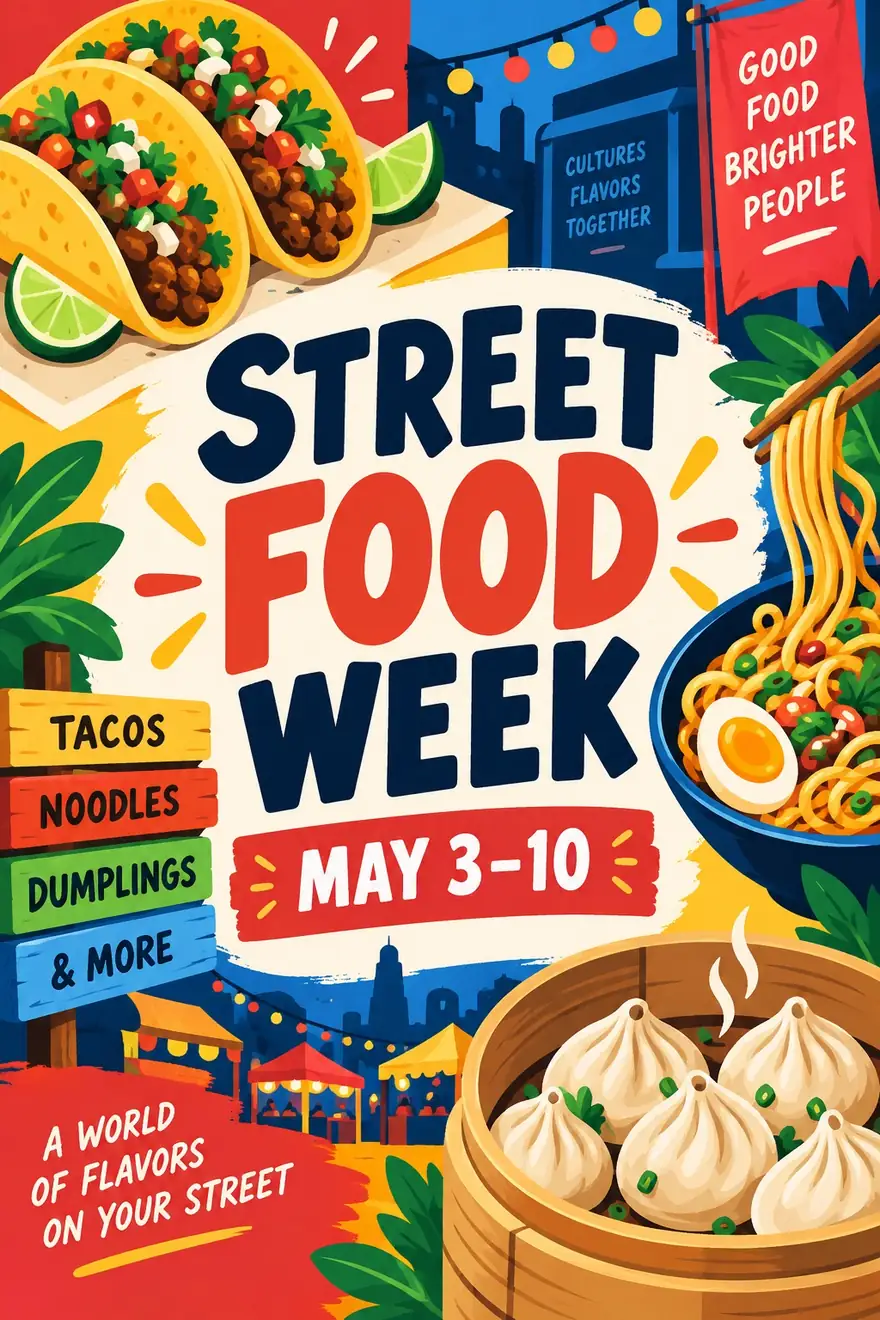
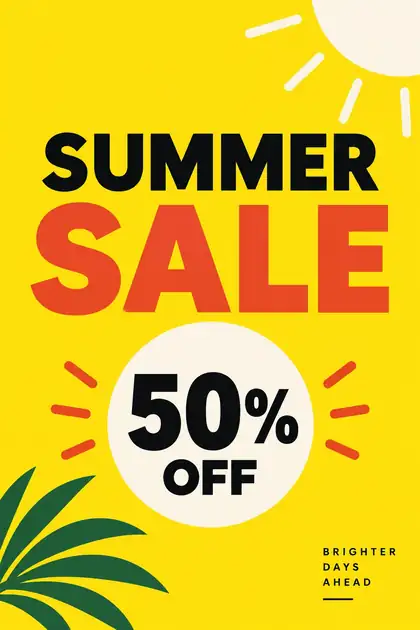
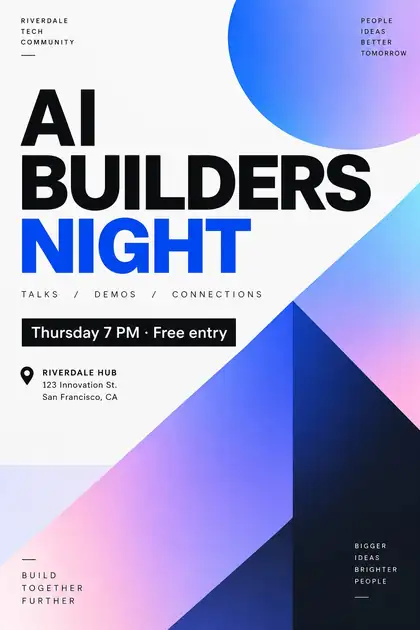
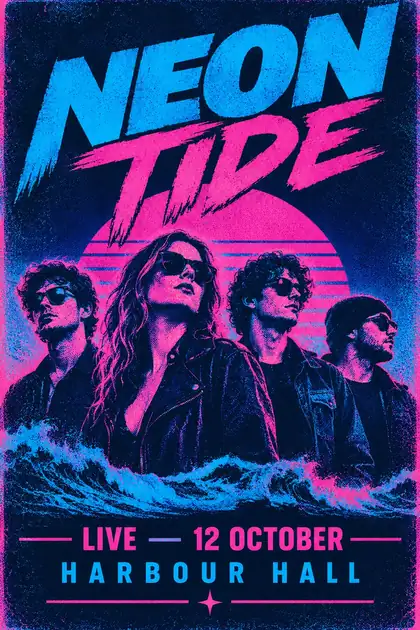
- Text written in the image
- Your photo or logo as a reference
- Portrait, square or story sizes
- No watermark
Updated by the Kenerate AI team
Made with Kenerate
On this page
Quick answer
How do you make a flyer with AI?
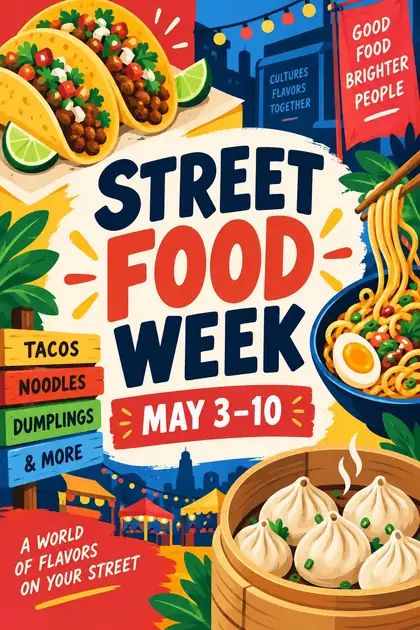
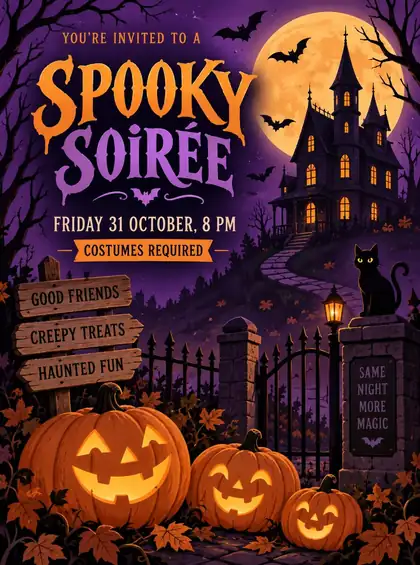
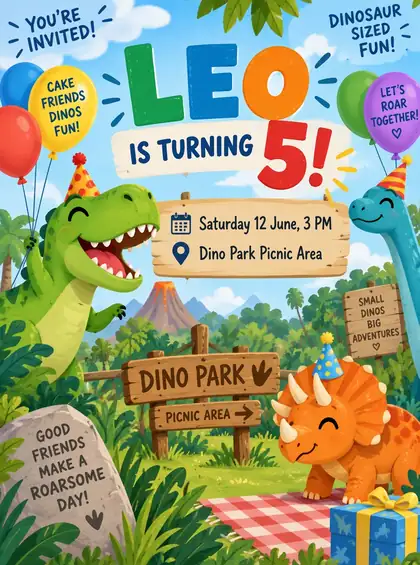
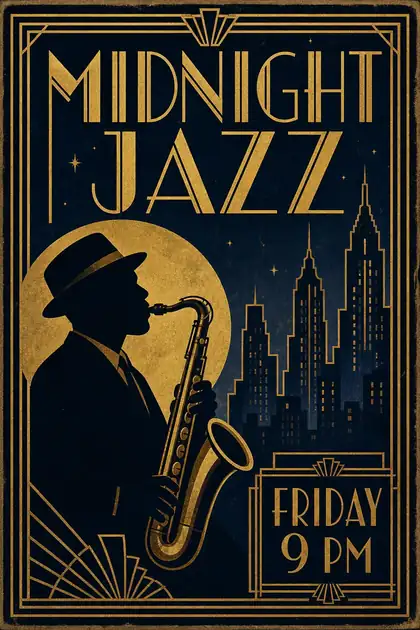
An AI flyer generator turns a short description — what's happening, when, where, and the exact words in quotes — into a finished flyer with the text drawn in. On Kenerate AI you write it in the Image Studio and pick a model that's good at text, such as GPT Image 2.5 Sunburst (up to 4K, 16 reference images for your photo or logo) or Qwen Image 3.0 on the free plan. Every flyer on this page is a real output with its text generated, not typed on afterwards.
Key facts
- Best for text
- GPT Image 2.5 Sunburst · GPT Image 2
- Free plan model
- Qwen Image 3.0 (1K or 2K)
- Your photo or logo
- Up to 16 references (GPT Image 2.5 Sunburst)
- Flyer shapes
- 3:4 · 2:3 · 4:5 · 9:16 · 1:1 and more
- Max size
- 4K (GPT Image 2.5 Sunburst)
- Free start
- Starter credits
- Watermark
- None
Gallery
Flyers with the text generated in
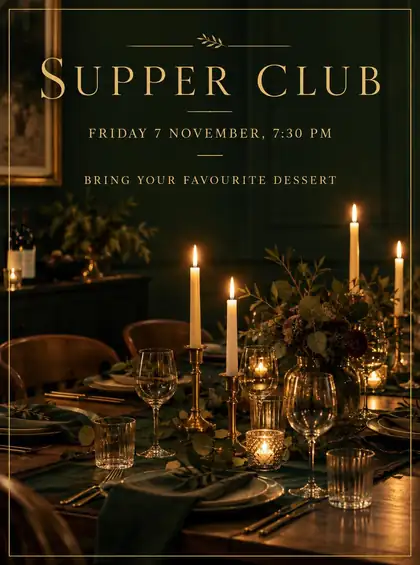
Real outputs from our poster and invitation tests — GPT Image 2 and GPT Image 2.5 Sunburst at 1K, one try each. Every word was drawn by the model. Open any one to copy the prompt.
How to
How to use the AI flyer generator
- Time needed
- Steps
- 4 steps
Step 1
Open the Image Studio
Go to /app/image and pick GPT Image 2.5 Sunburst — or Qwen Image 3.0 on the free plan. Sign in free for starter credits.
Step 2
Choose the flyer shape
3:4 for a US Letter handout, 2:3 for A4 or A5 with a trimmed edge, 4:5 for an Instagram post, 9:16 for a story.
Step 3
Write the flyer
What it's for, every word in quotes, where each line goes and the style. Attach your photo or logo if you have one.
Step 4
Check, fix, download
Proofread every word, edit any line that's off, then download without a watermark — or use 4K and the upscaler for print.
See it in the app

Open Image Studio and type what you want to see — subject, style, lighting and mood.


Watch the tour · 1:23
Prompts, styles, references, edit, Arena & chat
Chapters
Tips
How to get a flyer you can hand out
What worked in our text tests, plus what a flyer needs that a poster doesn't.
Put every word in quotes: 'GRAND OPENING', 'Saturday 10 AM', '12 Market Street'.
Keep it to three blocks: a headline, one line of details (date, time, place), and a call to action.
Say where each goes: headline at the top, details in the middle, contact line at the bottom.
Name the look: flat illustration, Swiss layout, retro halftone, art deco, clean real-estate brochure.
Add your photo or logo as a reference and say “use this logo exactly, top left”.
Proofread phone numbers, prices and dates digit by digit — fix one word with a follow-up edit instead of starting over.
Models
Which model to use for flyers
What each model is good at. Open any one straight in the generator.

OpenAI
GPT Image 2.5 Sunburst
- Reference images
- Up to 16
- Output
- 1K–4K
Open GPT Image 2.5 SunburstBest for
Text, your logo and photos, print sizes

OpenAI
GPT Image 2
- Reference images
- Up to 16
- Output
- 1K–4K
Open GPT Image 2Best for
Made the event and sale flyers above
Ideogram
Ideogram v4
- Reference images
- None
- Output
- 1K (1:1 · 3:4 · 9:16 · 4:3 · 16:9)
Open Ideogram v4Best for
Accurate text from a prompt alone

Recraft
Recraft V4.1
- Reference images
- None
- Output
- Design ratios
Open Recraft V4.1Best for
Sharp typography, brand-ready layouts
- Free plan

Alibaba
Qwen Image 3.0
- Reference images
- Up to 3
- Output
- 1K or 2K, 15 ratios
Open Qwen Image 3.0Best for
Free plan; English and Chinese text
FAQ
AI Flyer Generator questions
8 questions
What is an AI flyer generator?
An AI flyer generator is a tool that turns a written description into a finished flyer, with the headline, date and details drawn into the image. On Kenerate AI you write the flyer in the Image Studio, put the exact words in quotes and pick a text-savvy model such as GPT Image 2.5 Sunburst or GPT Image 2.
Link to this answerIs there a free AI flyer generator?
Yes, to start. A new Kenerate account gets starter credits, and Qwen Image 3.0 is on the free plan, handles English and Chinese text and makes 1K or 2K images in 15 ratios. GPT Image 2.5 Sunburst, GPT Image 2 and Ideogram v4 use credits from a paid plan or a one-time pack that never expires. Downloads have no watermark.
Link to this answerHow do I make a flyer from text?
Describe the flyer in one prompt: what it's for, every word in quotes, where each line goes and the style — for example “Grand opening flyer for a bakery: 'GOLDEN CRUMB OPENS' at the top, 'Saturday 10 AM · 12 Market Street' in the middle, 'Free coffee for the first 50' at the bottom, warm flat illustration.” Pick a 3:4 or 2:3 shape and generate.
Link to this answerCan I add my own photo or logo to a flyer?
Yes. Attach the photo or logo as a reference image — GPT Image 2.5 Sunburst takes up to 16 — and say what to do with it: “use this logo exactly, top left” or “put this house photo across the top half”. Use only photos and logos you own or have permission to use.
Link to this answerWhat size should an AI flyer be?
Pick the shape first. 3:4 is closest to a US Letter handout (8.5 × 11 in), 2:3 suits A4 or A5 if you allow a small trim, 4:5 fits an Instagram post, 9:16 a story and 1:1 a square post. For print, generate at 4K on GPT Image 2.5 Sunburst or use the Print preset (2:3 · 4K), and leave a clean margin around the text.
Link to this answerCan I print an AI flyer?
Yes. Generate at 4K, or run the finished flyer through the 4K upscaler, and keep important text away from the edges so nothing is cut off. Check every phone number, price and date before you print — image models can still misspell a word or add stray small text.
Link to this answerWhat kinds of flyers can I make?
Anything you can describe: event and party flyers, sale and grand-opening flyers, business and service flyers, real-estate open-house flyers, club and class flyers, menus and community notices. The gallery above shows a food festival, a sale, a tech meetup, a concert, a jazz night and three party flyers, all with generated text.
Link to this answerWhat if one word comes out wrong?
Don't start over. Send the flyer back as a reference and ask for only that change — “change 'Satruday' to 'Saturday', keep everything else the same”. The change-text-in-image tool does exactly this for a date, price or venue on a finished design.
Link to this answerIn depth
AI Flyer Generator, explained
What works, what to avoid, and how to pick a model.
On this page
Flyer or poster?
A poster is read from across a room: one big image, a title, a date, usually 2:3 and printed large. A flyer is held in a hand or seen on a phone, so it carries more — the address, a price, a phone number, a call to action — and comes in letter, A4, A5 or social sizes. That extra text is where image models used to fail, and why the model choice matters more here.
For wall posters and movie posters, the AI poster generator has its own tests and the Print preset. This page is about flyers: handouts, business flyers and social flyers.
Flyer prompts by type
Swap in your own words; keep the structure — what it is, the words in quotes, where they go, the style:
- Event: “Flyer for a summer street party: 'BLOCK PARTY' at the top, 'Sat 14 June · 2–8 PM · Elm Street' in the middle, 'Music · Food · Games' at the bottom, bright retro illustration.”
- Business: “Flyer for a dog-walking service: 'HAPPY PAWS WALKING' headline, 'Daily walks · £12 an hour' underneath, '07700 900123' at the bottom, friendly flat illustration of two dogs.”
- Real estate: “Open house flyer: 'OPEN HOUSE' at the top, use this house photo across the middle, 'Sunday 1–4 PM · 3 bed · 2 bath' below it, clean modern brochure layout, navy and white.”
- Grand opening: “Flyer for a bakery opening: 'GOLDEN CRUMB OPENS' headline, 'Saturday 10 AM · 12 Market Street', 'Free coffee for the first 50', warm hand-drawn style.”
- Class or club: “Yoga class flyer: 'SUNRISE YOGA' headline, 'Every Tuesday 7 AM · Riverside Park · All levels', calm watercolour background, plenty of empty space.”
- Sale: “Retail flyer: 'SUMMER SALE' and '50% OFF' in bold sans-serif, 'This weekend only' underneath, bright yellow background, simple shapes.”
Sizes that print and post well
The Image Studio picks the shape, not inches, so choose the closest ratio:
- US Letter handout (8.5 × 11 in): 3:4, with a margin all round.
- A4 or A5 (1 : 1.41): 2:3 and trim a little off the long side, or 3:4 with a border.
- Instagram feed: 4:5. Stories and Reels covers: 9:16. Facebook and WhatsApp: 1:1 or 4:5.
- Print: 4K on GPT Image 2.5 Sunburst, or upscale a 1K draft to 4K once the text is right.
What still goes wrong
Short headlines come out right almost every time on the models above; long sentences and small print are where letters slip. Keep the copy short, ask for “no other text” if the model adds lines you didn't write, and proofread numbers digit by digit. A bad word is a one-line edit, not a new flyer.