The camera movement prompts that work in AI video name one physical move, give it a direction and speed, and say what stays still: "slow dolly in toward her face, subject stays still, ends on a close-up" beats "cinematic moving camera" every time. Use one main move per shot, write the start and end framing for any move that travels, and split complex camera work into separate shots. Below is a cheat sheet of 18 moves with copy-paste wording, plus notes on how Seedance 2.5, Kling 3.0, Veo 3.1, Wan 3.0 and Hailuo 2.3 handle them, as of 21 October 2026.
Current video models read camera language surprisingly well, but they read it literally. "Zoom" and "dolly" are different moves, "pan" and "track" are different moves, and "orbit" is easy to confuse with the subject spinning on the spot. Most bad camera results come from vague or stacked instructions, not from the model.
Why do camera prompts fail so often?
Three things cause most failures, and all three show up in the official and third-party guides we checked.
- Vague words. "Dynamic camera", "epic shot" or just "cinematic" give the model nothing concrete. Kling's own camera control guide says to name a specific move instead of calling a shot cinematic.
- Stacked moves. "Pan left while zooming in and tracking forward" asks for three paths at once. Both Kling's guide and Google's Veo 3.1 prompting guide push you toward one clear camera instruction per shot.
- Unclear motion ownership. If the subject walks and the camera moves too, the model has to guess which is which. The fix is to say it outright: "the camera moves, the subject stays still" or "the camera follows at a fixed distance as she walks".
A fourth, quieter problem: confusing moves that look alike. EachLabs' camera movement article splits them into pairs worth memorising: dolly versus zoom, pan versus sideways track, orbit versus the subject rotating, and crane versus tilt.
What is the basic formula for a camera movement prompt?
Google's Veo 3.1 guide puts camera work first in its five-part formula: cinematography, subject, action, context, then style and ambience. That order works on every model we run. For the camera part itself, use this mini-formula:
[shot size] + [move] + [direction] + [speed] + [what stays fixed] + [end framing]
For example:
Medium shot, slow dolly in toward the chef, camera moves straight forward at a steady pace, the chef keeps chopping and does not look up, ends on a close-up of her hands and the knife.
You will not need all six parts every time. A static tripod shot needs only "locked-off camera, no movement". A long reveal needs all of them.
AI video camera movement cheat sheet
Each row is a move, the wording that tends to work, and what to watch for. Swap the subject and setting for your own scene.
| Move | What it does | Prompt wording that works | Watch out for |
|---|---|---|---|
| Static / locked-off | Camera does not move | "Locked-off tripod shot, no camera movement" | Models add drift unless you say "no movement" |
| Dolly in (push in) | Camera travels toward the subject | "Slow dolly in toward her face, ends on a close-up" | Getting a zoom instead; say "camera travels forward" |
| Dolly out (pull back) | Camera travels away, reveals space | "Slow dolly out from the cup to reveal the whole café" | Name what the reveal shows |
| Zoom in | Lens change, camera stays put | "Slow optical zoom in, camera position fixed" | Use only when you want a flat, lens-style push |
| Pan left / right | Camera rotates horizontally on the spot | "Camera pans slowly left across the skyline from a fixed position" | Getting a sideways track |
| Tilt up / down | Camera rotates vertically on the spot | "Camera tilts up from his boots to his face" | Getting a crane; add "from a fixed position" |
| Tracking / truck | Camera moves sideways alongside the subject | "Side tracking shot, camera moves parallel to the runner at a fixed distance" | Say the distance stays constant |
| Follow shot | Camera follows behind | "Camera follows behind her at shoulder height as she walks down the alley" | Keep the subject's own action simple |
| Leading shot | Camera moves backward ahead of the subject | "Camera moves backward in front of him as he walks toward it" | Say the subject faces the camera |
| Orbit / arc | Camera circles the subject | "Camera orbits 180 degrees around the bottle at a constant radius, bottle stays still" | Subject spinning instead; give the degrees |
| Crane up | Camera rises vertically | "Crane shot starting low on the hiker and rising high above the canyon" | Getting a tilt; say the camera rises |
| Crane down | Camera lowers into a scene | "Crane down from rooftop height to street level, ending at eye level with the vendor" | Give the end height |
| Aerial / drone | High, wide flying shot | "Aerial drone shot gliding forward over the coastline at sunrise" | Fine for landscapes, weak for faces |
| FPV drone | Fast, low, swooping flight | "FPV drone shot racing low through the forest between the trees" | Keep it short; long FPV shots warp |
| Handheld | Small natural shake | "Handheld camera with subtle natural shake, documentary feel" | "Shaky" alone can look broken |
| Whip pan | Very fast pan with motion blur | "Fast whip pan to the right with motion blur, landing on the door" | Best as a transition between two beats |
| Rack focus | Focus shifts between planes | "Static shot, focus racks from the raindrops on the glass to the woman behind it" | Keep the camera still |
| Bullet time | Frozen moment, camera circles | "Time freezes mid-jump, camera orbits 180 degrees around the frozen dancer" | Ask for frozen motion explicitly |
If you want a deeper walkthrough of the frozen-orbit effect, our bullet time AI video page covers it step by step.
How do you write a camera move that travels?
Moves that go somewhere — dolly, crane, orbit, follow — fail most often when the prompt has no destination. Kling's guide recommends describing the opening framing and the final reveal for start-to-end moves. In practice:
- Write the start frame. "Starts on a close-up of the compass in her hand."
- Write the path. "Camera pulls back and rises slowly."
- Write the end frame. "Ends on a wide shot of her alone on the cliff edge, ocean below."
- Say what holds still. "She does not move; only the wind moves her coat."
- Set the pace. "Slow, steady, no shake."
Put together:
Starts on a close-up of the compass in her hand. The camera pulls back and rises slowly in one steady move, ending on a wide shot of her alone on the cliff edge with the ocean below. She stays still; only the wind moves her coat. Golden-hour light, no music, wind and waves only.
Which model is best for which camera move?
Every model accepts plain-English camera directions, but they differ in length, sound, price and what extra controls you get. The specs below are from Kenerate's video studio config (src/lib/video-models.ts) on 21 October 2026. Credits are for text- or image-to-video.
| Model | Clip length | Credits | Best for camera work |
|---|---|---|---|
| Seedance 2.5 | 4–30 s | 108/s at 720p (54/s at 480p) | Long continuous moves, multi-shot sequences, copying a move from a reference video |
| Kling v3 Pro | 3–15 s | 50.4/s with sound, 33.6/s silent | Single moves and numbered shot lists |
| Veo 3.1 | 4, 6 or 8 s | 120/s with sound, 60/s silent (720p/1080p) | Short, polished cinematic shots with dialogue and ambience |
| Wan 3.0 | 2–30 s | 15/s at 480p, 30/s at 720p | Cheap drafts to test camera wording before a final render |
| Hailuo 2.3 Pro | 6 s, 16:9 | 147 per clip | One simple move per clip; no multi-beat sequences |
A few practical notes:
- Seedance 2.5 goes up to 30 seconds, so a long crane-and-orbit reveal can play out in one take instead of being crammed into five seconds. It also accepts up to 3 reference videos in our studio, so you can upload a clip and write "@video1 is the camera movement only — do not copy its subject or background". Our Seedance 2.5 prompt guide covers the reference syntax.
- Kling 3.0 responds well to numbered shot lists with one job per shot, which Kling's own blog recommends for multi-shot work.
- Veo 3.1 clips are short (8 seconds at most), so pick one move and let it finish. Google's guide shows a "smooth 180-degree arc shot" and a "crane shot starting low" as model examples.
- Wan 3.0 at 480p costs 15 credits a second, which makes a 5-second test 75 credits. Test the wording there, then render the keeper on the model you want.
- Hailuo 2.3 Pro makes a fixed 6-second, 16:9 clip, so don't plan a multi-beat sequence on it.
How do you combine camera moves without breaking the shot?
Don't stack them in one sentence. Sequence them instead. Two safe patterns:
Timestamps (Seedance 2.5, Wan 3.0, Kling 3.0):
0–4s: wide establishing shot, locked-off camera, rain on an empty street at night. 4–8s: slow dolly in toward the neon-lit noodle bar. 8–12s: cut to a close-up, handheld, steam rising from the bowl as the cook ladles broth.
Numbered shots (Kling 3.0 multi-shot):
Shot 1: aerial drone shot gliding over a snowy mountain village at dawn. Shot 2: follow shot behind a skier at shoulder height, steady. Shot 3: static low-angle shot as the skier jumps over the camera.
Each beat gets exactly one move. If two moves have to happen in the same beat — a dolly with a slight tilt, say — make one the main move and the other a small modifier: "slow dolly in with a gentle tilt up at the end".
Does camera movement work the same in image-to-video?
Mostly, but the start frame now sets the first shot size and angle, so your prompt should describe only the motion. If your still is a medium shot, "slow dolly in, ends on a close-up of her eyes" works; describing a wide establishing shot will fight the image. Leave the aspect ratio empty in the studio if you want to keep the image's shape.
To make the start frame, you can generate a still first and animate it in image to video. If you need the same scene from a new viewpoint before animating — a low angle, a top-down view — the change camera angle tool re-renders the still from a different angle.
When you want the camera to copy an exact real move, a text prompt has limits. AI motion control transfers motion from a reference video instead of describing it in words.
12 copy-paste camera movement prompts
Swap the subject, keep the camera wording.
- Product orbit: "Camera orbits 180 degrees around a glass perfume bottle on black marble at a constant radius, bottle stays still, soft rim light, slow and steady."
- Reveal pull-back: "Starts on a close-up of a vinyl record spinning; camera dollies back slowly to reveal a small cluttered bedroom at night, warm lamp light."
- Hero tilt: "Camera tilts up from a pair of muddy hiking boots to the climber's face from a fixed position, sunrise behind him."
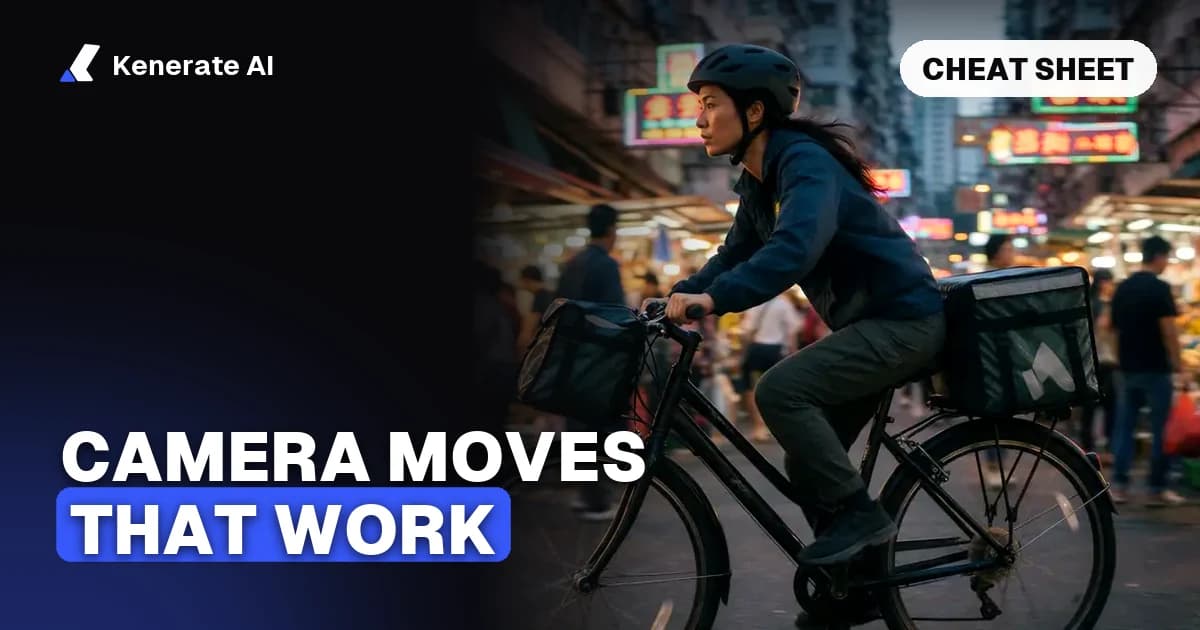
- Street follow: "Camera follows behind a cyclist at shoulder height through a busy night market, steady, neon reflections on wet ground."
- Leading walk: "Camera moves backward in front of a woman in a red coat as she walks toward it down a snowy avenue, she faces the camera, steady pace."
- Crane reveal: "Crane shot starting low on a lone lighthouse keeper and rising high above the island to show the storm rolling in."
- FPV dive: "FPV drone shot diving down a waterfall and leveling out over the river, fast, smooth, 5 seconds."
- Rack focus: "Static close-up, focus racks from the coffee cup in the foreground to the man reading in the background, morning light."
- Documentary handheld: "Handheld camera with subtle natural shake following a baker shaping dough, close and intimate, flour in the air."
- Whip-pan transition: "Static shot of a door; fast whip pan right with motion blur, landing on a woman turning around in surprise."
- Locked-off timelapse feel: "Locked-off tripod shot, no camera movement, clouds rush over a desert canyon as the light changes from day to dusk."
- Bullet time: "Time freezes as a skateboarder hangs mid-air; camera orbits 180 degrees around him, everything else frozen, debris suspended."
Every one of these works as a text to video prompt as written.
What is a cheap way to test camera wording?
Camera wording is the part of a prompt that most needs iteration, so test it cheaply:
- Write the prompt with the full camera formula.
- Render 5 seconds at 480p on Wan 3.0 (75 credits) or Seedance 2.5 (270 credits).
- Judge only the camera: right move, right direction, completed the path, no extra drift.
- Change one camera phrase at a time until it lands.
- Render the final at your target resolution and model.
EachLabs' guide makes the same point about changing one instruction at a time; otherwise you never know which edit fixed the shot.
Final checklist
- One main move per shot; sequence the rest with timestamps or numbered shots
- Move + direction + speed, not "cinematic"
- Say what moves and what stays still
- Start and end framing for any move that travels
- Dolly ≠ zoom, pan ≠ track, orbit ≠ subject spinning, crane ≠ tilt
- In image-to-video, describe only the motion
- Draft cheap, then render the keeper
Camera direction is the fastest way to make AI video look shot rather than generated. Write it like a camera operator's notes, and most models will follow.